


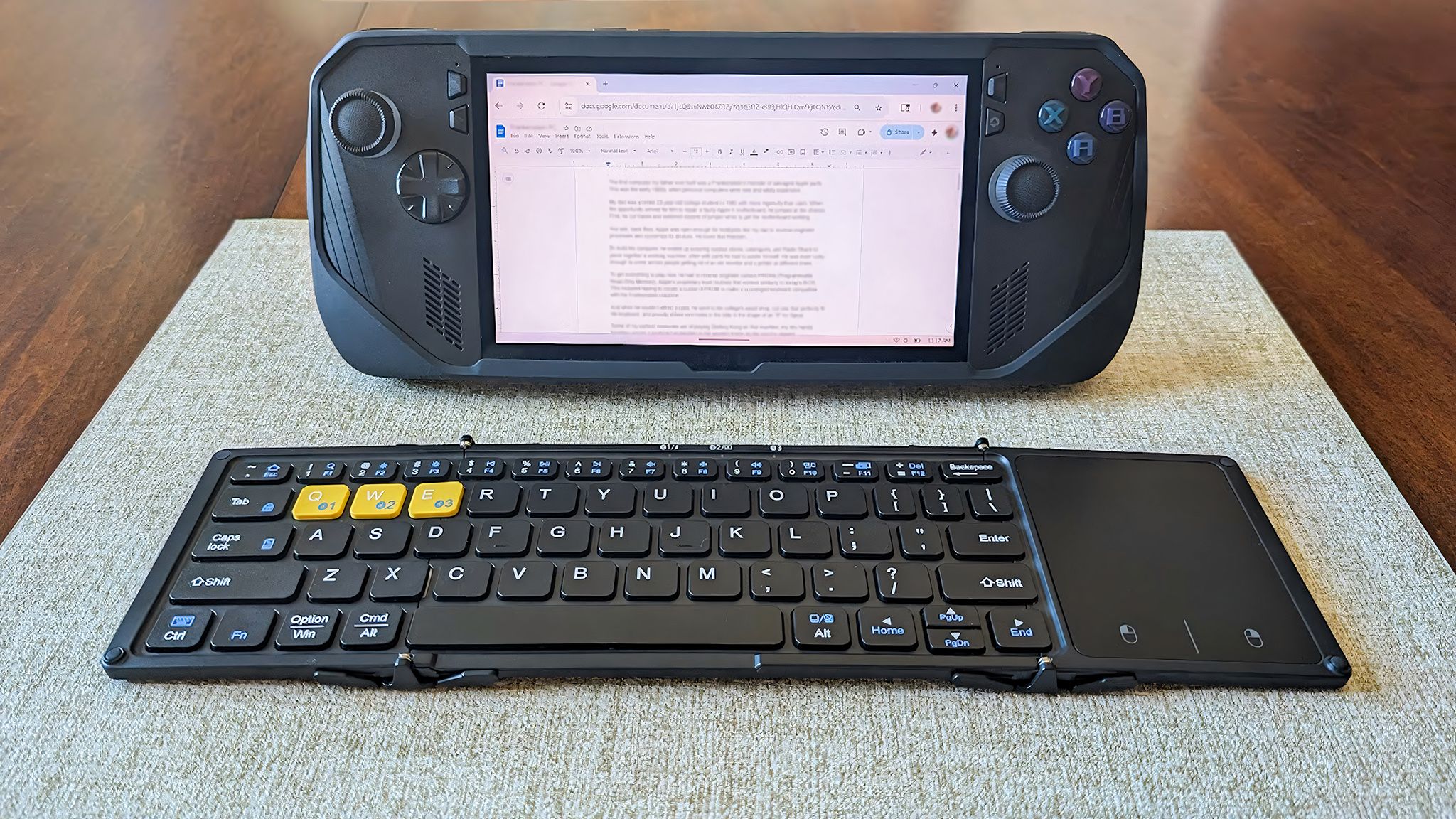
While looking around at deals this Amazon Prime Day, I noticed that the foldable Bluetooth keyboard that I use with my various handheld gaming PCs is on sale.
It usually sells for $40.99, but right now it’s discount to just $34.43 at Amazon during Amazon Prime Big Deal Days.
Type and navigate more easily on your handheld gaming PC
Image 1 of 2

A few years ago, I was playing a game on my ROG Ally X and it regularly asked me to type in information. The problem is, typing on the ROG Ally X (and many other handheld gaming PCs) isn’t the most comfortable thing.
To fix this, I ended up buying the Artciety Foldable Bluetooth Keyboard, and I’ve loved having it. I’ve even used it when conducting my Legion Go 2 review. It’s worked beautifully with every handheld I’ve connected it to so far.
My guess is it will work with the upcoming Xbox Ally and Xbox Ally X since it works so well with the ROG Ally and ROG Ally X.
I chose this specific keyboard for a few reasons. First off, it has a touchpad, so I can use it to navigate my handhelds instead of also connecting a separate mouse.
Iit has a touchpad, so I can use it to navigate my handhelds instead of also connecting a separate mouse.
Secondly, I like that it can remember up to three Bluetooth connections, making it easier to use between my Legion Go 2, ROG Ally X, and other handhelds. I just have to press the function button plus one of the three Bluetooth buttons to swap between remembered connections.
Third, I wanted a keyboard that I could easily travel with, and since this one is smaller, can fold up, and comes with a carrying case, it’s more doable than some other options. I also like that it’s protected by a hard shell when folded to keep it safe in transit.
The hinge areas are designed to move around the keys in such a way that they don’t get damaged when folded. I’ve never run out of battery life while using this keyboard, but I tend to keep it charged up between sessions.
It’s worth noting that the included cable is a USB-C to USB-A cord. So, if the keyboard is out of battery, you can still use it if you plug the keyboard into your handheld. However, you will need a USB-A to USB-C adapter, like this Syntech USB-C to USB-A 3.0 Adapter that sells for $12.99 at Amazon, to make this work.
Sometimes I like to dock my handhelds and play on a TV. Having the Artciety Foldable Bluetooth Keyboard has also made this more convenient.
I’ve always found that the connection works well, even when I’m laying in bed or sitting on the couch several feet away while my handheld is connected to the TV. You just need to make sure nothing obstructs the path between the television and the handheld in order for it to work well.
Artciety Foldable Keyboard FAQ

I’ve been using this keyboard with my various handhelds for a few years, so here is some additional information about it.
Why are there three yellow buttons on the Artciety Foldable Bluetooth Keyboard?
These keys double as pairing buttons. You can assign each button to a different device and then press the Function button plus which ever of the three buttons you want to swap connections.
How big is the Artciety Foldable Bluetooth Keyboard?
According to my measurements, this keyboard is roughly 12.09 x 4.12 x 0.25 inches when unfolded and 7.25 x 4.12 x 0.5 inches when folded.
Does the Artciety Foldable Bluetooth Keyboard work well?
Yes, I’ve been using this keyboard for years and it’s always responded quickly to my button presses or touchpad swipes. The Bluetooth connection works well, just make sure nothing obstructs the bath between the handheld and this keyboard.
Is it comfortable typing on the Artciety Foldable Bluetooth Keyboard?
Yes. While the keyboard is certainly more compact than some others, the keys are spaced evenly apart to provide a good amount of room for your fingers. The arrow keys are pretty small, but I’ve gotten used to them.
Does the Artciety Foldable Bluetooth Keyboard work with Xbox Ally and Xbox Ally X?
My guess is that this keyboard will work with the Xbox Ally and Xbox Ally X. After all, it works beautifully with ROG Ally and ROG Ally X.

Follow Windows Central on Google News to keep our latest news, insights, and features at the top of your feeds!
