


I’ve reviewed several E Ink readers and tablets over the last few years, and I’m impressed by how far they’ve advanced. I’ve always enjoyed the benefits of E Ink displays, and after years of resisting, I now do most of my reading on an Amazon Kindle or Kobo Clara Color.
However, after using several Android-based tablets with gorgeous E Ink displays, I’ve taken the next step — using these devices not just for content consumption, but for creation.
Paired with a stylus, devices like the Onyx Boox Go 10.3 and the Boox Note Air4 C become wonderful lifestyle companions, with the ability to maintain your schedule and run your favorite Android apps — all with excellent battery life.
I organized my life with an E Ink tablet, and so should you.
Read our review
Onyx hits the target with its streamlined Boox Go 10.3 e-reader
Minimalist bliss
Distraction-free planning and working
Connected without being connected

I can set up email programs and my favorite communication apps on my Boox Go 10.3.
Onyx equips its tablets with full Android, providing access to the Google Play Store. It’s a significant advantage over other devices, enhancing the tablet’s capabilities.
Yes, I can have Discord and Instagram installed, but with the limitations of an E Ink display, I’m not tempted to scroll for hours. I enjoy the benefits of being connected and looking up content as needed, but I’m kept on task.
As hard as I try, I’m not immune to distraction. I talked about using an old Tandy 102 portable computer to write articles, and I wasn’t joking.
I never understood the benefits of purpose-built, distraction-free devices until I started writing on a computer from the 1980s. There aren’t constant notifications coming in to pull me off course. It’s just me and my thoughts.
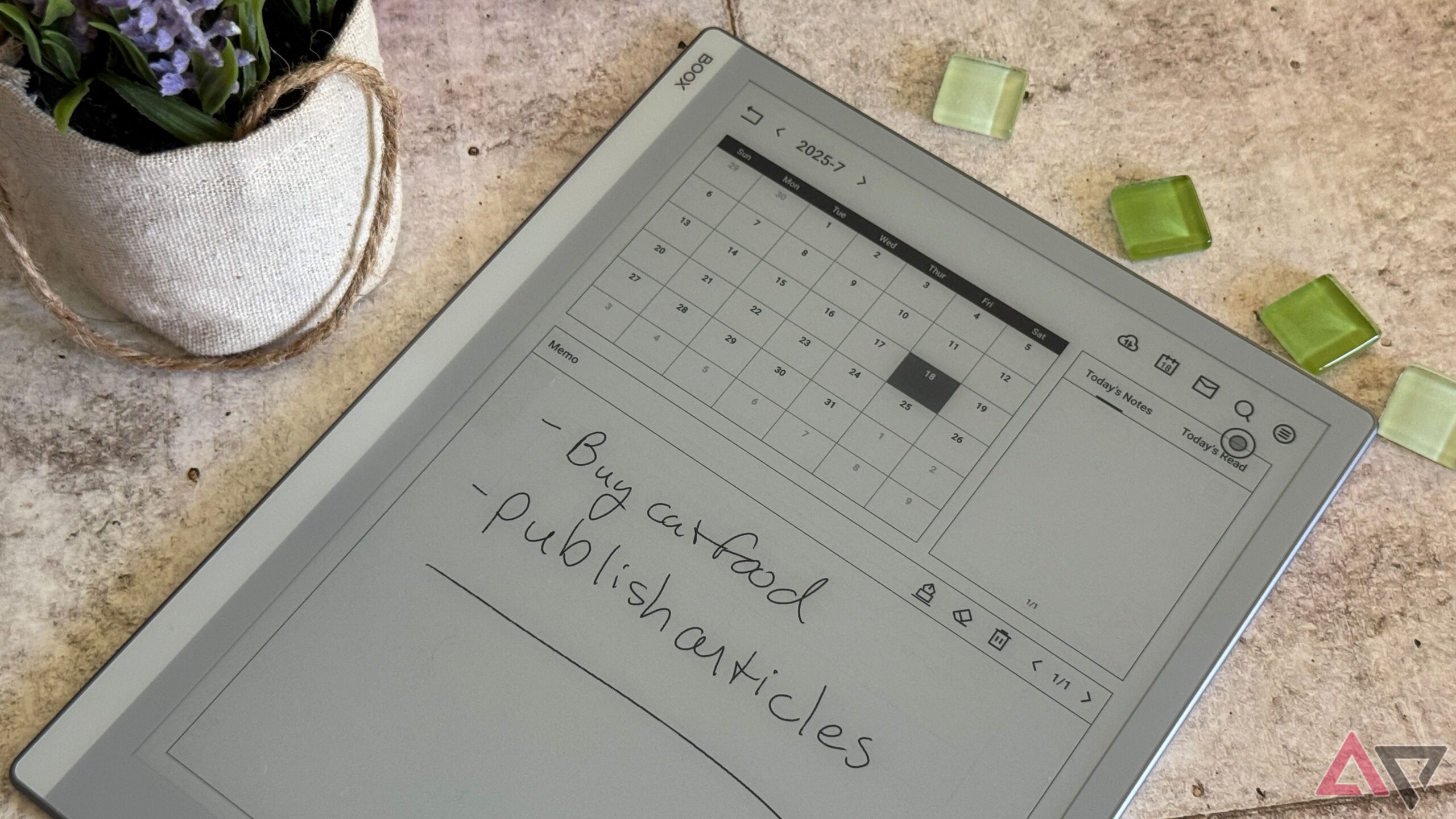
I get the same satisfaction while planning my week and writing notes on my E Ink tablet. The handwriting is excellent with a stylus, and the delay is minimal, unlike the slight input delay experienced while typing.
I’m not constantly pestered by calls and texts like I would be on my smartphone, and I find I get much more done in a shorter amount of time.
Battery life you can’t run through in a day
E Ink tablets are easy to carry around

Unlike conventional tablets with LCD or OLED screens, my E Ink tablet can last for days on a single charge, with negligible standby drain. The less often I have to charge something, the more likely I am to use it.
My smartphone receives special treatment, and it’s muscle memory to plug in my phone before bed. However, if I had to give the same care to my tablet, I probably wouldn’t bother.
I can also go through a full day of notetaking on my Boox Go 10.3 and only drain about 15% of the battery. I’m more likely to take a device everywhere with me when I’m not constantly worried about its charge status.
As has been said of NFL players, the best ability is availability, and the most useful tech is the stuff we carry with us. I keep my Boox Go 10.3 in my messenger bag, so it’s always with me, and I top it off when needed.
E Ink displays are excellent in terms of power consumption, and since these tablets don’t have flagship chipsets, they get the most out of every mAh.
Versatility goes a long way
E Ink tablets can replace almost all the paper in your life

I used to carry around a physical planner, books, notebooks, and who knows how many other small paper pads and pens. It was a production, but all of those are easily replaced by the Onyx Boox Go 10.3.
I can keep a dynamic calendar thanks to the excellent default apps Onyx includes. It allows for various layouts and pages, featuring a mix of typed text and handwritten notes.
My data also syncs across multiple platforms, allowing me to access my information on my PC or smartphone as needed.
With the stylus, I can mark up a PDF to send back in an email and take notes of an entire meeting — all from the same device. When there’s downtime, I can pull up the Amazon Kindle app or Kobo to read my books on the go. There is also Bluetooth support for a wireless headset for audiobooks.
I love that I’m not limited, and you’ll be surprised how much you enjoy a full version of Android on an E Ink device.
Switching is easier than you think
I love physical paper and pens, and I still indulge in buying books. I’m not saying an E Ink device should replace every piece of paper in your life, but it will go a long way towards organizing them.
Reducing clutter and keeping your thoughts and notes centralized is more useful than you think, and limiting distractions will free up time you never knew you had.
If you’re looking for a productivity boost, give an E Ink tablet a try. You’ll be glad you did.

- Brand
-
Onyx
- Screen
-
10.3″ Carta 1200
- Resolution
-
2480×1860
- Storage
-
64GB
- Connectivity
-
Wi-fi, Bluetooth
- Front Light
-
No
The Onyx Boox Go 10.3 offers impressive functionality in a stylish form. Its 10.3-inch Carta 1200 display is crisp and readable, with an added stylus layer for pen inputs. Onyx includes its Pen Plus and a magnetic case for the Boox Go, adding value. Due to its lack of front lighting, the 3,700mAh lasts over a week on a single charge depending on use.
