


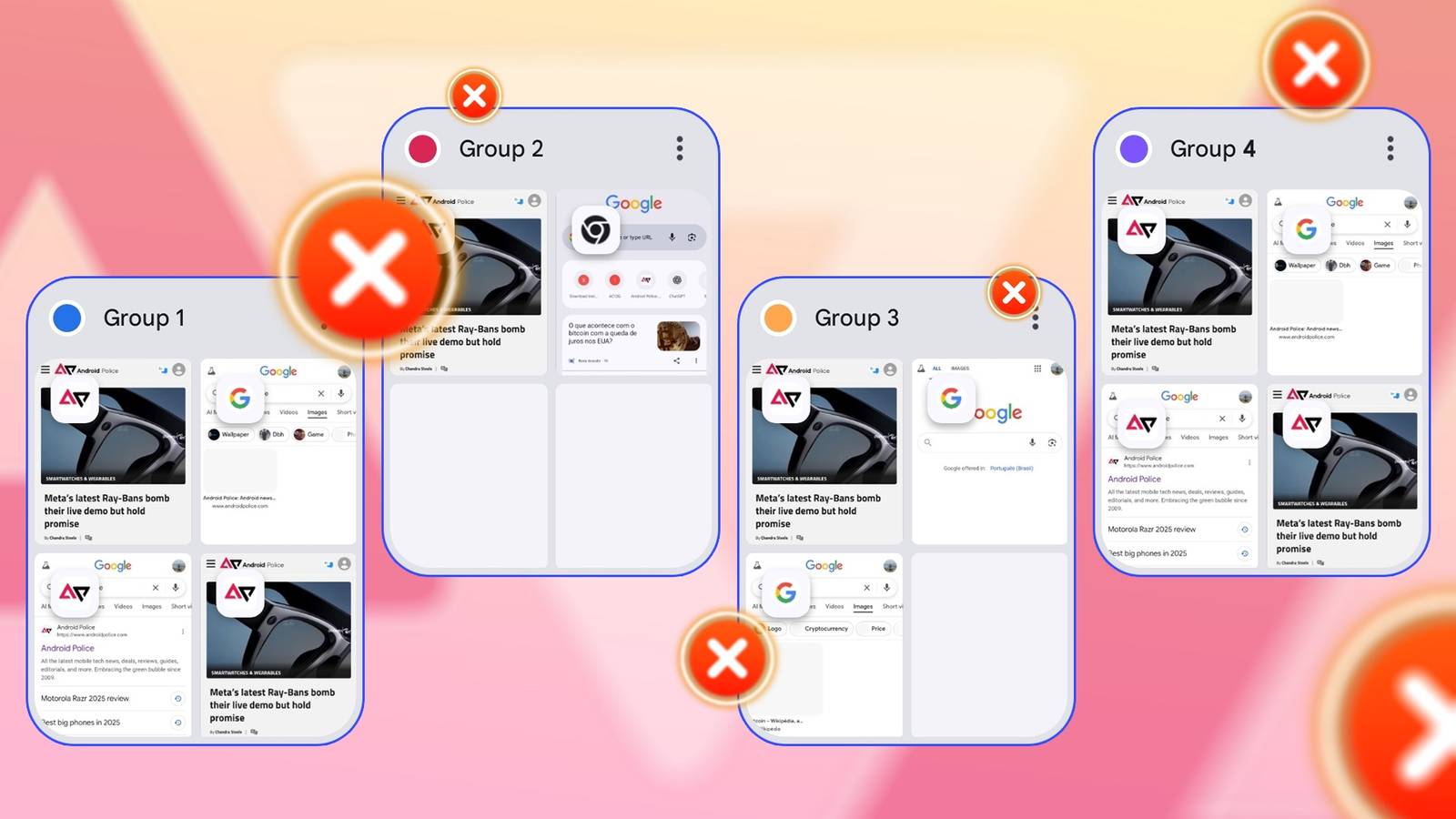
The biggest headache I’ve had recently was discovering months of saved tab groups. My life was fine before I accidentally tapped the tab groups button and saw piles of them.
Every session that I thought I had closed stared back at me. Strangely, there was no way to delete them at once. An issue with Google Chrome’s syncing capabilities also meant that my Android phone replicated the windows on my laptop.
It’s been days of trying and failing to get rid of them. The solution that eventually worked further frustrated me because it cost me more than I’d expected. Here’s how.
Whose bright idea was it to exclude a ‘delete all’ button?

If you’ve been using the latest version of Chrome frequently, you should know about tab groups.
Standard tabs are the basic units of browsing, where each one represents a single web page and exists independently. They disappear when you close them, and can be reopened from history.
There’s no organization beyond the order they appear on the tab bar, which is why the group versions offer more structure.
Tab groups enable you to gather and categorize multiple pages, label them, and choose colors for easy identification.
They appear at the bottom of your browser as you surf across the web. They also exist in a separate menu beside standard tabs. Tap the square icon with a number beside the three-dot menu icon to see them.
All tabs are temporary, and closing them means they’ll disappear. There’s occasionally an issue where they don’t behave as expected and accumulate for days. The root cause lies in Chrome’s broken cloud synchronization system, which keeps data in the cloud even if the local session has ended.
The good news is that you can manually clear the tab groups. The bad news is that there’s no button to select or erase them simultaneously. It’s annoying because the regular tab menu has one.
Google put me to work big time
I don’t think I can forgive it
Google’s not-so-little tabs problem has no direct fix. What works for some people doesn’t work for others.
I’ve combed through YouTube, Reddit, and so many forums and found conflicting solutions. In my desperation, I’ve put them under trial and error.
The first thing I did was turn off History and tabs syncing in the app’s settings. It prevented the browser from automatically saving open windows across all devices until I figured out a solution.
Next, I went into the Tabs and tab groups menu and configured the inactive pages to disappear after seven days. It was the shortest available option.
If I had to wait, it would at least be a manageable period. But if you’re experiencing performance issues, seven days is too long.
Luckily, you don’t have to wait that long because it didn’t work. Apparently, it only affects newly created windows. It doesn’t resolve those you’ve already synced into your account.
Clearing my browsing history and using Chrome flags were also ineffective solutions.
In particular, flags are experimental settings that allow you to tweak the browser’s hidden features and behaviors.
I entered chrome://flags into the address bar and disabled Tab Groups Save UI Update on my laptop. It merely hides the tab groups button to provide more space. The tabs themselves remain in the background.
I sacrificed my Google account data to erase those tabs
It probably wasn’t worth it, but I’ll never know


Chrome had done its worst, and I was at my last straw. I considered deleting my browsing data, which would mean losing everything important, including history, bookmarks, passwords, settings, and open tabs.
Before I did, I saw a breakdown of my account data, including an alarming 1,218 tabs recorded. Those were the persistent groups I had been battling for days.
I proceeded to delete the account data, given that I had little need for it. Most of it was either trivial or downright embarrassing.
The only real loss from this purge was my password manager. My auto logins were wiped, and I now have to log in to countless accounts manually. Since I was performing the reset on the web page, there was no way to exclude the passwords.
Again, the group tabs remained. I figured I would have to clear the app cache and data on my device and restart Chrome. It eventually worked.
I’m not exactly sure which step ultimately did the trick. It’s possible the account reset and local caches prevented the changes from reflecting immediately. I’d like to think that it wasn’t in vain.
Thankfully, the tab groups menu started working as it should. Each tab closes properly when dismissed, although it sometimes delays. To be on the safe side, check your tab groups and delete the unnecessary ones immediately.
Chrome UI needs a design review
Chrome is a notoriously heavy application, and running multiple windows impacts its performance, especially on devices with limited memory.
I’m fortunate to have a generous amount of RAM, so my system handled the load without choking. Yet, not everyone has that luxury.
Having the option to delete all tab groups would be a lifesaver in this case. It’s one reason I briefly considered ditching it for Android. Although powerful, Google’s app still feels like it’s partially out of the company’s control.
