


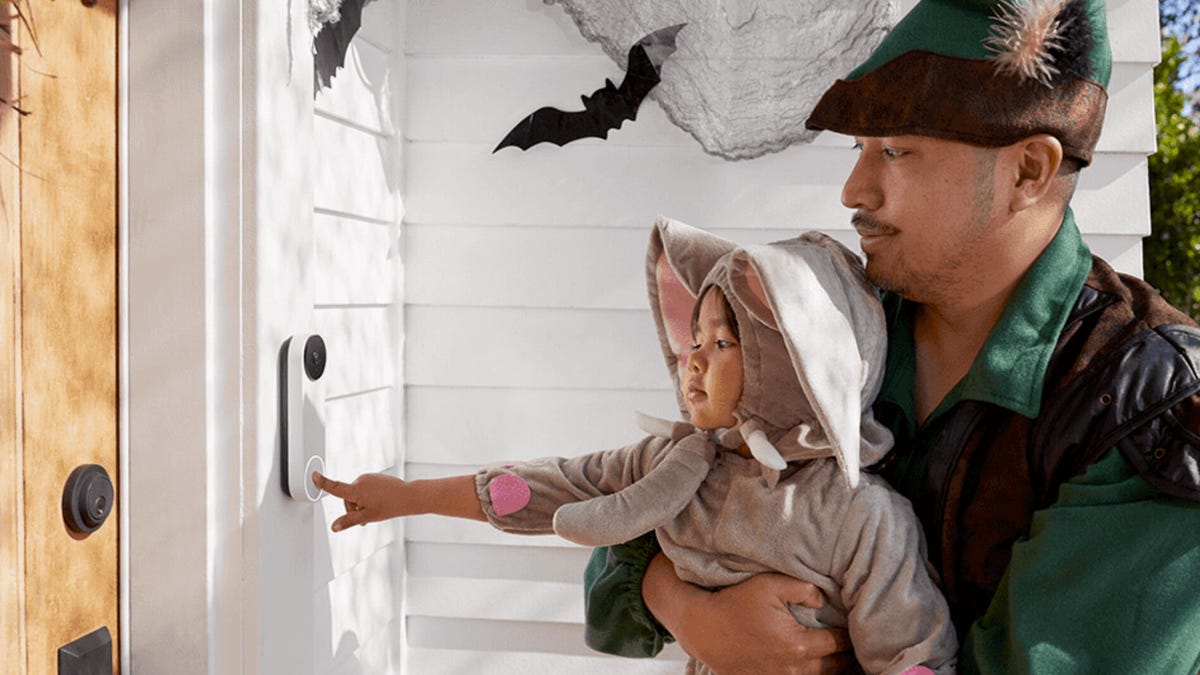
Home security tech can help with Halloween, even if you’re short on decorating time. A few small setting changes can make a big difference for visitors, trick-or-treaters and guests — without complex setups or extra expense.
A couple of weeks before the big pumpkin day, check your video doorbell, home security cams and security systems to try these tricks. I use them at my own house to keep things fun with minimal effort, relying on devices many people already own.
Set your video doorbells to maximum spook
Nest doorbells make it easy to change themes and activate a Halloween one for October.
Video doorbells and security cameras have two settings ripe for Halloween upgrades, chimes and Quick Replies. Both are designed to respond when someone (or something) rings the doorbell, so it’s a perfect way to prep your porch to receive guests.
To begin, you’ll have to find the chime or Quick Reply options in your settings. Systems may vary in how you enable Halloween tricks, so look up your personal security system for more information To help, here’s a quick rundown of popular brands:
- Ring: In the past, Ring has had Halloween options in Quick Replies from under its Smart Responses section in the app, like a Witch or Dracula greeting. That’s still a good bet for this year, but things are changing at Ring with the adoption of Alexa Plus Greeting for its more advanced devices, so I can’t guarantee everyone will find the Halloween options where they’ve been in the past. However, the latest customization options for Alexa Greetings should still allow you to craft a Halloween-themed greeting for Alexa to say.
- Vivint: Starting Oct. 16, use the Vivint app to set Doorbell chimes and Approach chimes, the latter of which plays early as trick-or-treaters draw near to the front door. Doorbell effects include Spooky Laugh, Howl at the Moon, Creepy Bells and several other options. Users will need a Vivint doorbell like the Vivint Doorbell Camera Pro, and a Vivint Smart Hub with updated firmware to access these options.
- Eufy: Keep your app updated and view the Voice Response list for your doorbell during Halloween to add effects like a ghostly greeting. Alternatively, for some Eufy models you can cycle through different chimes manually on the doorbell to explore seasonal options. If nothing else, Eufy typically allows for custom responses where you can record your own spooky greeting.
- Google Home and Nest doorbells: Visit the doorbell Settings, choose Doorbell Theme, then choose the Halloween theme. Google Home used to give specific chime options but now does only a general Halloween chime. Keep in mind, the Google Home app is getting a significant revamp starting in October to streamline it, so your menus may look a little different, but the Halloween setting should still be there, and will naturally turn off after November 2.
Remember, these features often require a video doorbell, not just your standard security camera.
Move a security camera to your front porch and test two-way audio
The Ring Battery Doorbell Pro was designed to sit on your door, but it’ll also work on a porch.
If you don’t have a video doorbell or any front porch cameras, try taking one of your home security cameras and giving it a temporary post at your door so it can keep an eye on things.
This isn’t just about safety, either: Today’s wireless security cameras have two-way audio and motion detection, so you’ll know when people arrive and can use the audio feature to mimic a spooky greeting, like “Do you want to play a game?” or “We all float down here!” Get creative and practice your favorite voice.
Adhesive mounts make relocating a security cam easier, but you can also simply pop it off the mount and set it on porch railing or steps for the night. And if you happen to hide it in the shadows or bushes so a creepy voice can emanate from the dark… well, I won’t stop you.
Lower doorbell motion sensitivity for trick-or-treaters
Blink’s app is easy to use and filled with quick settings adjustments.
This is the perfect time to dive into your doorbell and camera motion detection settings and lower the sensitivity. Ideally, you want your sensors to trigger when trick-or-treaters approach your door, but not at every gaggle of kids running down the sidewalk.
Experiment with sensitivity settings and motions a day or two before Halloween so your system is ready. Along the way, you may even figure out how to keep your camera from triggering at every dog walker or delivery person that walks by as well.
Add a Halloween faceplate to your doorbell
Ring is especially generous with Halloween-style faceplates, but you can find them for other brands as well.
To really get in the Halloween mood, you can upgrade certain doorbells with a faceplate to celebrate the season. Ring is especially good at providing these options, with $15 Halloween plates you can switch out as needed, but you can find DIY options available on Etsy, too. Just make sure you match the faceplate to the video doorbell model you have.
Set up a smart display for a constant look from your cams
Use live-view settings so you can see when people are approaching on Halloween.
Motion alerts can help, but if you really want to give visitors an experience (or healthy scare), you should keep watch with a smart display, like an Echo Show. When linked to your security cameras or video doorbells through compatible apps, smart displays can show live views of your yard. A quick glance lets you see when people are approaching — and when it’s the perfect time to jump out and scare them.
Make sure your doorbell or camera works with your smart display before trying this trick. Some models, like Ring or Blink, only connect with Alexa devices such as Echo Shows. If you don’t have a smart display, you can prop up a tablet running the Alexa or Google Home app for the same effect. Keep in mind that some cameras limit live-view time, though many allow unlimited viewing as long as the feed stays open.
Read more: Best Smart Displays of 2025
Disarm your security system for the big night
The arming options on an ADT touchpad.
If you have your security system on an automatic schedule, it’s a good idea to give it a break for Halloween night, or at least until the candy runs out. You’ll be keeping a close eye on your doors anyway, and the last thing you want is an armed security system setting off sirens or lights and scaring trick-or-treaters — or yourself.
Disarm your system early in the day to prepare for the youngest visitors, and rearm before you go to bed or in the morning. Don’t worry — you can still keep watch with smart cameras and motion detection to catch any tricks in lieu of treats.
Complete your home security prep with our best tips on how to deter burglars, the worst spots to put a security camera and the top security myths homeowners should stop believing.
