


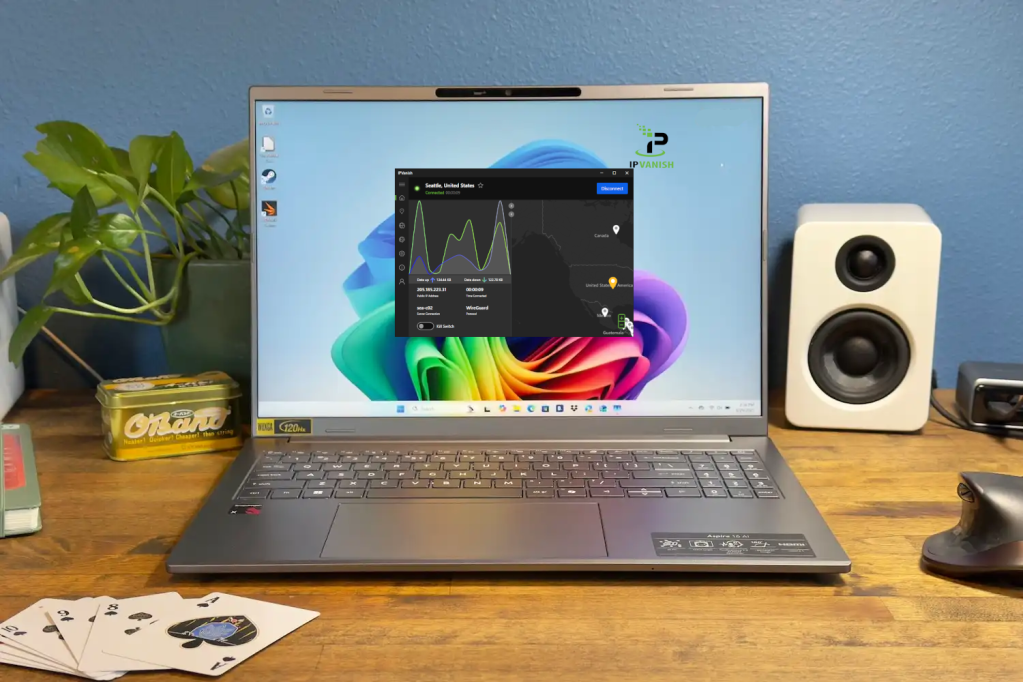
At a Glance
Expert’s Rating
Pros
- Unlimited simultaneous connections
- Multiple independent no-log audits
- Lots of server locations
- Good app support
Cons
- Monthly membership is a bit pricey
- Free trial only available on mobile devices
Our Verdict
IPVanish provides unlimited device connections, wide app support, and a robust server network. While the long term plans are affordable, the monthly plan is a bit steep. Still, it’s a solid VPN with fast speeds and good privacy promises.
Price When Reviewed
This value will show the geolocated pricing text for product undefined
Best Pricing Today
Best Prices Today: IPVanish VPN
IPVanish in brief:
- P2P allowed: Yes
- Unlimited device connections: Yes
- Business location: United States
- Number of servers: 3,100+
- Number of country locations: 148
- Cost: $12.99 per month, $33.99 for 1-year, or $52.56 for a 2-year subscription
Very few VPN services actually own their own server networks and that’s where IPVanish stands out. Instead of relying on commercial server farms, U.S.-based IPVanish prides itself on running its own hardware and servers. It’s not just this that helps it stand out though; IPVanish has a lot going for it and continues to improve upon itself with each passing year.
Recently, IPVanish has made a big push to add features and services that help it compete with the very best in the VPN market. In my latest testing, I took IPVanish for another spin to see if its worth your money.
Read on to learn more, then see our roundup of the best VPN services for comparison.
What are IPVanish’s features and services?
What’s new with IPVanish?
Since my last review, IPVanish has been busy implementing sweeping upgrades across nearly every facet of its service.
It has added 700 new servers and begun transitioning many of its servers to RAM-only servers. Currently, it has switched 500 of its servers—roughly one-sixth—to RAM-only and plans to continue this in the future.
Additionally, IPVanish has expanded its membership options by adding an “Advanced” tier with access to 1TB of cloud storage and its latest secure browser. IPVanish has also added double-hop (or multi-hop) connections for all members to its Windows, macOS, iOS, and Android apps.
The service has also gone through an additional independent no-log audit in February 2025 and has begun quarterly transparency reports.
IPVanish hands-on
IPVanish’s homescreen is easy to parse and provides valuable connection information.
Sam Singleton
At first blush, IPVanish has a clean, if rather dark interface—dark mode is enabled by default. The initial home screen you’re presented with is a split-screen dashboard showing a world map with server location pins to the right and connection info to the left.
The connection info box displays basic information about your connection including the server location, IP address, connection status, protocol used, and data up and down. While it may not have any fancy design flair, the interface is intuitive and easy to parse.
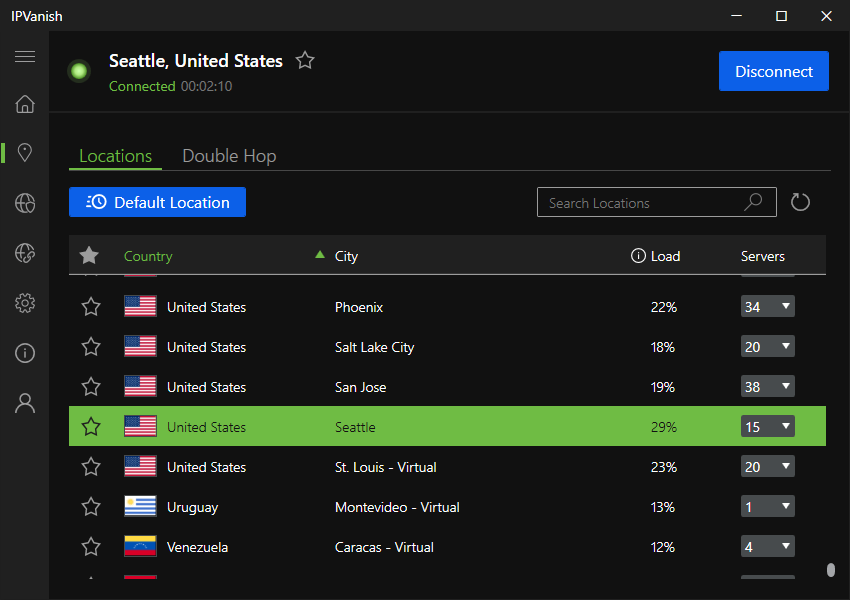
IPVanish continues to increase its already impressive global server spread year-by-year.
Sam Singleton
There is a toolbar on the left of the application’s interface with options for Locations, Secure Browser, Link Checker, Settings, Info, and Account. Under the Locations tab, you’re able to access more detailed information about each server including its ping, load (amount of server utilization from current user connections), and number of servers available in that location. It also has a helpful filtering mechanism that allows you to find the servers with the least ping or load. For those who want the optimum connection this is great info to have and I wish more VPNs would have the courage to display it.
IPVanish recently upgraded its network to now include over 3,100 servers all over the world to choose from on IPVanish—nearly a 30 percent increase from last year. It has added new server locations as well and the company has begun the process of switching its entire network to RAM-only servers. RAM-only servers enhance user privacy and security by erasing all data with each server reboot meaning there is no persistent data for malicious actors to retrieve.
In fact, IPVanish has continued to make great strides in recent years to update and optimize its services. From rolling out apps for more platforms to adding features such as a secure browser and double-hop; the service is obviously working hard to not only keep up with the rest of the market, but innovate as well.
Other notable improvements include broader kill-switch and split-tunneling support for all major platforms. Split tunneling is a useful feature that allows you to pick and choose which apps you wish to run through the encrypted VPN connection and which to exclude. This can allow you to optimize app connections for both speed (outside the VPN) and privacy (inside the VPN).
IPVanish also rolled out a browser extension for Chrome, Edge, Firefox, Opera, Brave, and Vivaldi in the last year—something that was sorely needed.
The VPN service now comes with the ability to establish double-hop (also known as multi-hop) connections. This allows you greater privacy by routing your connection through more than one VPN server thereby increasing obfuscation of your home IP address.
While more and more VPNs are offering this feature, not many allow you to pick and choose your entry and exit servers like IPVanish does. This flexibility is really nice to have, and I must admit they went above and beyond what I was expecting when I recommended that they add this feature in my last review.
IPVanish does come with an antivirus program called VIPRE which will block malware and other threats on your computer. While this is helpful, I personally recommend that you elect for standalone antivirus software instead as it will provide more comprehensive security and protection.
IPVanish is obviously working hard to not only keep up with the rest of the market, but innovate as well.
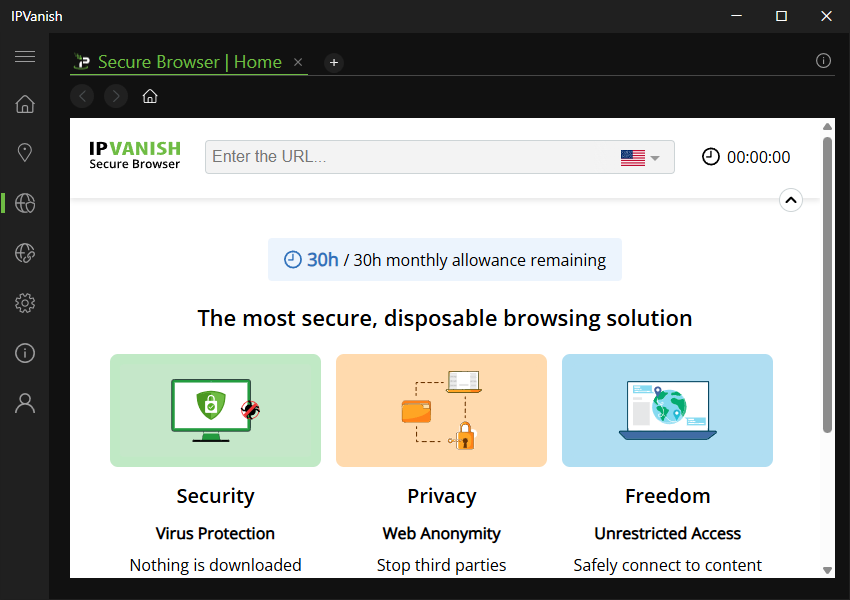
IPVanish now comes with a unique Secure Browser feature.
Sam Singleton
The recent release of IPVanish’s Secure Browser feature struck me a bit by surprise. Not that I don’t like it—the idea is actually really cool—I just didn’t expect that this type of thing would be produced by a VPN company.
The Secure Browser runs a browser in a sandbox environment in the cloud, enabling users to interact via a video feed. The benefit here is that it stops viruses, digital fingerprinting, and other forms of snooping as no data reaches your device. IPVanish states that all activity is deleted from its servers as soon as you close the session. While the latest successful independent audit would seemingly verify this claim, there is nothing that I could find specific in the audit that distinguishes the Secure Browser data from that of the rest of the VPN’s user data; so take from that what you will.
IPVanish is available Windows, macOS, iOS, Android, Linux, Amazon Fire TV, Apple TV, certain routers, and most major browsers.
How much does IPVanish cost?
IPVanish offers two membership tiers, Essential and Advanced, in monthly, 1-year, or 2-year plans. The month-to-month rate for the Essential tier is $12.99 per month and the Advanced Tier is $14.99 per month. This is undeniably on the high side and comparable to ExpressVPN and NordVPN, two of our favorite services here at PCWorld. Considering all of the extra features you get with these competitor services, it seems hard to justify paying for IPVanish based on its monthly rate.
The 1-year rate is a much more reasonable $39.99 ($2.79 per month) for Essential and $53.88 ($4.49 per month) for Advanced. It will then renew at $89.99 per year after that. The 2-year plan will run you an even cheaper $52.56 ($2.19 per month) for Essential and $78.96 ($3.29 per month) for Advanced. After the initial term for either the 1-year or 2-year plans, it will renew at $89.99 per year for Essential or $109.99 per year for Advanced.
Thankfully, the prices for these longer-term plans are much more reasonable and end up being cheaper than many competitors.
For Android and iOS users, IPVanish offers a 7-day free trial. This is unfortunately not available for Windows users. However, it does offer a 30-day money back guarantee for those who opt for the yearly or 2-year plans no matter your operating system.
IPVanish accepts payments with credit card, PayPal, and Google Pay.
How is IPVanish’s performance?
In the past, IPVanish connections have been pretty fast, so how do they hold up in speed tests now? Pretty well, actually. Comparing speeds across different countries’ VPN server connections all over the world, IPVanish scored an impressive average of 60 percent of the base download speed and 58 percent of the base upload speed. That might not make it the speed champ, but it still puts it firmly in the top 10 speediest VPNs I’ve tested.
Those relatively good download speeds should be plenty fast enough to stream all of the high-resolution video or do all of your gaming across most country connections. Please note, however, that this is a single experience on a limited number of machines, and your experience may vary depending upon your own situation.
As for streaming, IPVanish successfully unblocked most of the streaming services that I tested including Netflix, Disney+, HBO Max, and Amazon Prime. While in the past I found blocking issues with certain IPVanish servers that is seemingly no longer the case and streaming should work just fine with all connections.
Overall, it’s a good VPN for streaming, but if it’s your main use case for a VPN then you may consider any of the other options on my list of best VPNs for Netflix.
How is IPVanish’s security and privacy?
While using its service, everything is encrypted with AES 256-bit encryption and the Windows client comes with IPv6 and DNS leak protection. My testing verified this to be true with no DNS or WebRTC leaks to be found anywhere.
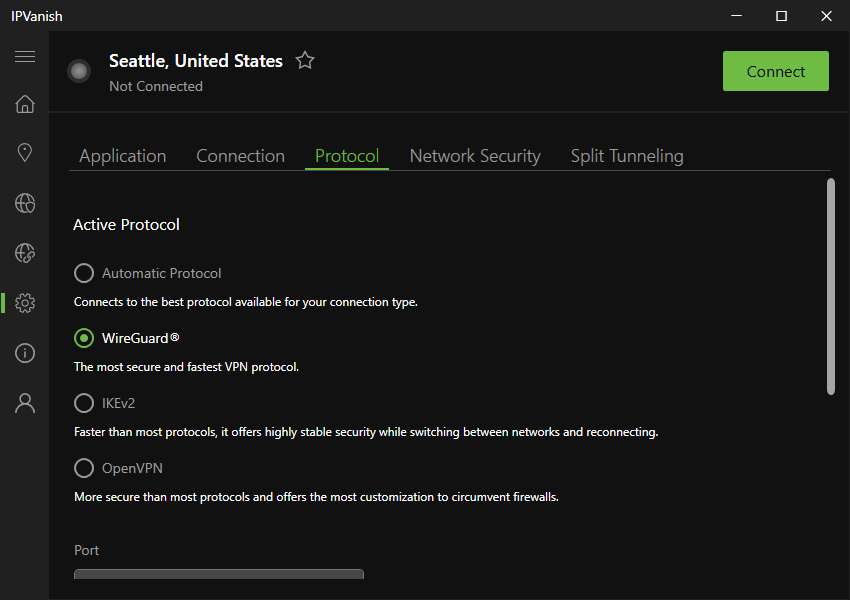
Sam Singleton
IPVanish supports a number of protocols such as WireGuard, IKEv2, and OpenVPN (UDP and TCP). It offers the additional option to customize the port options for OpenVPN connections allowing you to further tweak and optimize your connection setup. Currently, IPVanish does not have post-quantum encryption support for any protocols—something that other top VPNs are implementing. This isn’t a deal-breaker by any means, but it would be nice to have.
Being based in the U.S., IPVanish could potentially lead to privacy problems as certain domestic laws require VPN companies to log and store client information in the event that law enforcement needs it. But IPVanish promises to keep your data totally private by not logging or sharing client information at all.
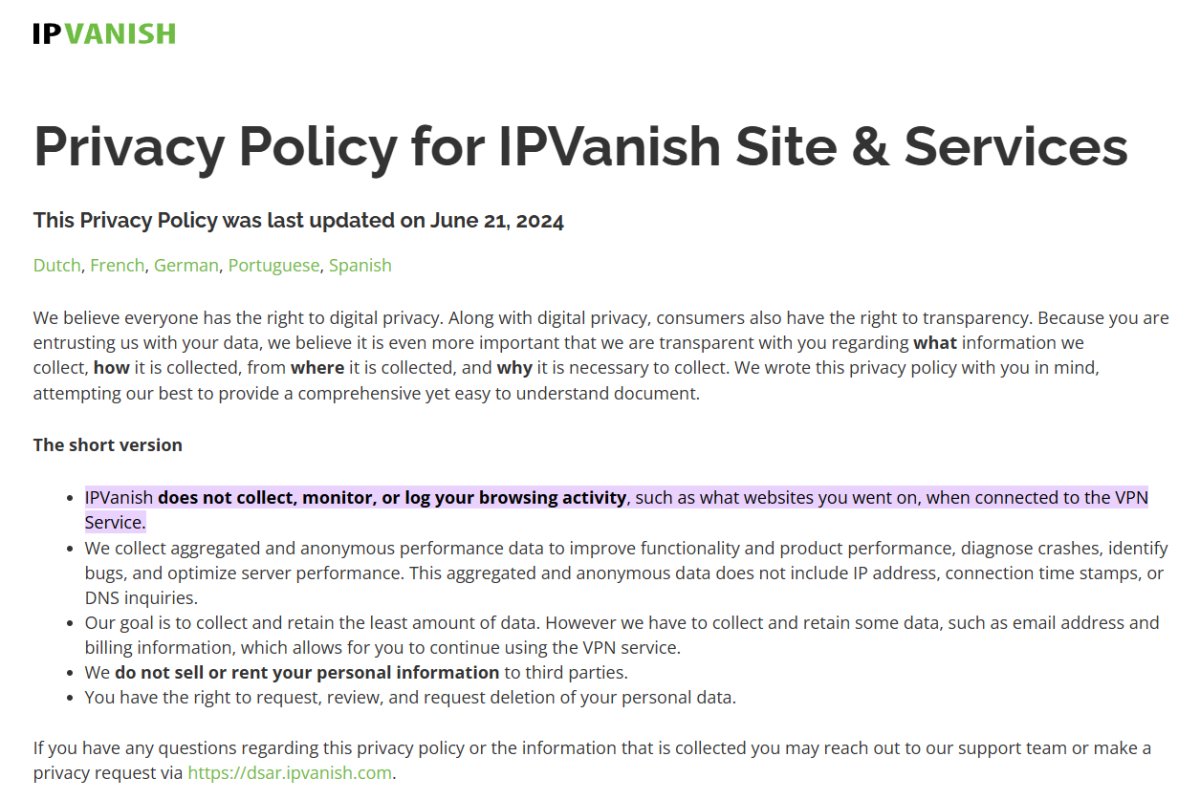
IPVanish’s privacy policy is transparent and easy to understand.
IPVanish
This is clearly stated in the company’s no-logs policy which has now been validated via independent audit multiple times. The latest audit was conducted in February 2025 by Schellman Compliance, LLC. and confirmed the claims that IPVanish does not keep logs of client data whatsoever.
These audits go a long way toward establishing and maintaining user trust. So, despite the U.S.-based operations, no-logs means there is nothing for IPVanish to provide the government even if requested.
Is IPVanish worth it?
IPVanish is a very appealing VPN based in the United States. The service is bolstered by solid overall speeds and a respectable global server network. The desktop app is easy enough to use and recent updates have made it even better. Plus, another third-party security audit is a reassuring sign that the service is committed to user privacy and willing to prove it.
The monthly pricing is admittedly expensive for what you get, but at just a little over $30 for a yearly subscription the longer-term pricing becomes hard to beat. IPVanish has solid speeds, a large server network, and nice extra features, but some competitors may edge it out in one (or more) of these categories. Still, while many people might seek out other VPN providers with more name recognition and larger marketing budgets, IPVanish shouldn’t be overlooked. It already does the basics well and at the rate it’s adding new features, IPVanish is becoming a force to be reckoned with.
Editor’s note: Because online services are often iterative, gaining new features and performance improvements over time, this review is subject to change in order to accurately reflect the current state of the service. Any changes to text or our final review verdict will be noted at the top of this article.
