
Close Menu
TechUpdateAlert

    Subscribe to Updates

    Get the latest creative news from FooBar about art, design and business.

    What's Hot

    My Health Anxiety Means I Won’t Use Apple’s or Samsung’s Smartwatches. Here’s Why

    December 22, 2025

    You can now buy the OnePlus 15 in the US and score free earbuds if you hurry

    December 22, 2025

    Today’s NYT Connections: Sports Edition Hints, Answers for Dec. 22 #455

    December 22, 2025
    Facebook X (Twitter) Instagram
    Trending
    • My Health Anxiety Means I Won’t Use Apple’s or Samsung’s Smartwatches. Here’s Why
    • You can now buy the OnePlus 15 in the US and score free earbuds if you hurry
    • Today’s NYT Connections: Sports Edition Hints, Answers for Dec. 22 #455
    • Android might finally stop making you tap twice for Wi-Fi
    • Today’s NYT Mini Crossword Answers for Dec. 22
    • Waymo’s robotaxis didn’t know what to do when a city’s traffic lights failed
    • Today’s NYT Wordle Hints, Answer and Help for Dec. 22 #1647
    • You Asked: OLED Sunlight, VHS on 4K TVs, and HDMI Control Issues
    Facebook X (Twitter) Instagram Pinterest Vimeo
    TechUpdateAlertTechUpdateAlert
    • Home
    • Gaming
    • Laptops
    • Mobile
    • Software
    • Reviews
    • AI & Tech
    • Gadgets
    • How-To
    TechUpdateAlert
    Home»How-To»iOS 26 Public Beta Is Here: Download Apple’s Liquid Glass Update Today
    How-To

    iOS 26 Public Beta Is Here: Download Apple’s Liquid Glass Update Today

    techupdateadminBy techupdateadminJuly 24, 2025No Comments3 Mins Read
    Share Facebook Twitter Pinterest LinkedIn Tumblr Reddit Telegram Email
    Mobile icon
    Share
    Facebook Twitter LinkedIn Pinterest Email

    If you’ve been itching to poke around Apple’s next big iPhone update, today’s your day.

    Apple just opened the first iOS 26 public beta (July 23) to anyone in its free Beta Software Program, letting everyday users try the new OS months before it ships alongside the iPhone 17 this fall. The public beta follows six weeks of dev-only releases, capped yesterday with developer beta 4.

    Tech Tips

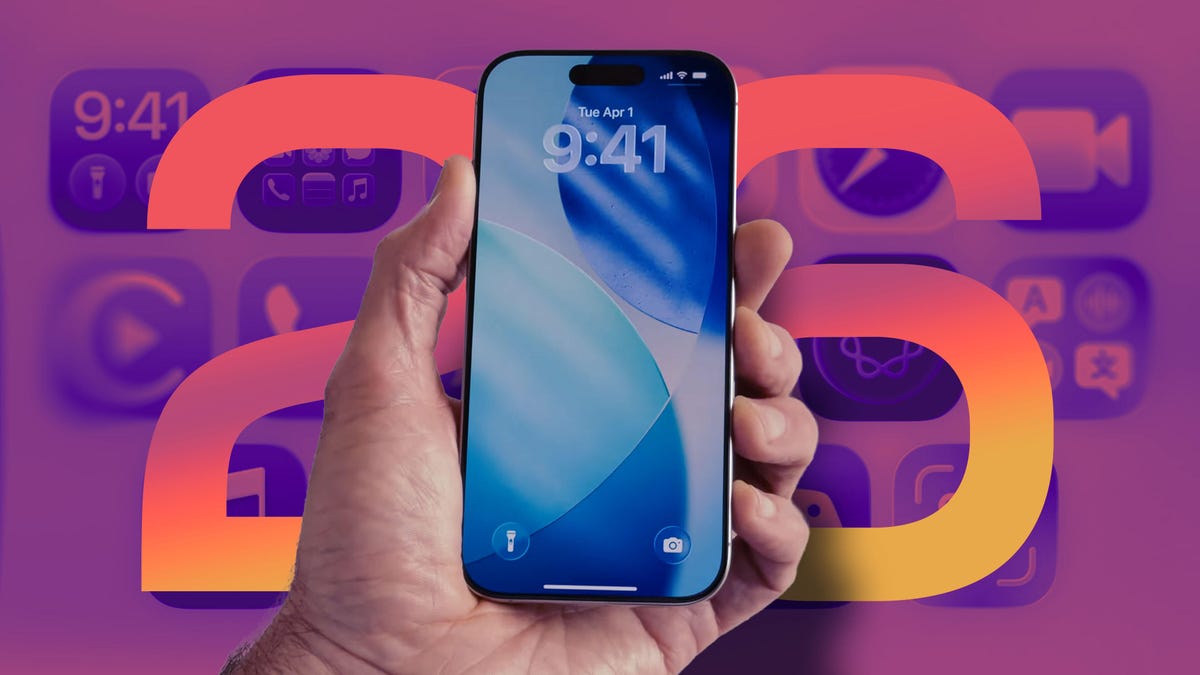
    iOS 26 is Apple’s most ambitious revamp in years. The entire interface now shimmers with Liquid Glass, a translucent layer that morphs as you scroll, and an updated Apple Intelligence powers live call translation and a souped-up Visual Intelligence search. You’ll also see other perks, like call screening and personalized text message chats.

    Before you download, double-check your hardware: iOS 26 needs at least an A13 Bionic chip, so only the iPhone 11 and newer models qualify. Apple Intelligence features stay exclusive to the iPhone 16 line and iPhone 15 Pro and Pro Max.

    Also remember that it’s still beta software. Expect bugs, battery dips and the occasional app crash. You should definitely back up your phone first (better yet, create an archive on your computer), consider installing on a spare device and keep your computer nearby in case you need to roll back to iOS 18. If that sounds good, here’s how to install the iOS 26 public beta.

    Don’t miss: Revert Back to iOS 18 From iOS 26 Beta: The No-Stress, Step-by-Step Guide

    How to download the iOS 26 public beta on your iPhone

    As long as you know the risks and have backed up your phone, you can download the iOS 26 public beta. Here’s what you need to do:

    1. Enroll in Apple’s Beta Software Program

    On the iPhone you want to update, open Safari and visit beta.apple.com. Sign in with your Apple ID. If you’re new to the program, tap Sign Up and follow the prompts to accept Apple’s beta agreement.

    2. Sign up for the iOS 26 public beta

    After signing in, choose iOS at the top of the page. You’ll land on a dashboard with details about the iOS 26 public beta. Under Get Started, tap Enroll your iOS device. Because Apple now handles betas directly in Settings (no more configuration profiles), all you need to do is link your Apple ID and you’re good to go.

    3. Enable beta updates

    On your iPhone, go to Settings > General > Software Update > Beta Updates. Choose iOS 26 Public Beta from the list.

    4. Download and install iOS 26 beta

    Now return to Settings > General > Software Update. The iOS 26 public beta should appear. Tap Download and Install and follow the on-screen instructions. Keep your phone on Wi-Fi and plugged in during the update.

    Once your iPhone reboots, you’ll be running the latest iOS 26 public beta — complete with the new Liquid Glass interface and (if your hardware supports it) Apple Intelligence features.

    Apples beta Download Glass iOS Liquid public Today Update
    Share. Facebook Twitter Pinterest LinkedIn Tumblr Email
    Previous ArticleNo, of Course You Can’t Actually Play the New Lego Game Boy
    Next Article Zenbivy Light Bed Review: Still the Best Backcountry Sleep System
    techupdateadmin
    • Website

    Related Posts

    Gadgets

    My Health Anxiety Means I Won’t Use Apple’s or Samsung’s Smartwatches. Here’s Why

    December 22, 2025
    Gadgets

    7 Useful Tips for Anyone Connecting to Public Wi-Fi

    December 20, 2025
    Mobile

    How to Watch James Madison vs. Oregon: Start Time, TV Channel for CFP First Round Game Today

    December 20, 2025
    Add A Comment
    Leave A Reply Cancel Reply

    Top Posts

    NYT Strands hints and answers for Monday, August 11 (game #526)

    August 11, 202545 Views

    These 2 Cities Are Pushing Back on Data Centers. Here’s What They’re Worried About

    September 13, 202542 Views

    Today’s NYT Connections: Sports Edition Hints, Answers for Sept. 4 #346

    September 4, 202540 Views
    Stay In Touch
    • Facebook
    • YouTube
    • TikTok
    • WhatsApp
    • Twitter
    • Instagram
    Latest Reviews

    Subscribe to Updates

    Get the latest tech news from FooBar about tech, design and biz.

    Most Popular

    Best Fitbit fitness trackers and watches in 2025

    July 9, 20250 Views

    There are still 200+ Prime Day 2025 deals you can get

    July 9, 20250 Views

    The best earbuds we’ve tested for 2025

    July 9, 20250 Views
    Our Picks

    My Health Anxiety Means I Won’t Use Apple’s or Samsung’s Smartwatches. Here’s Why

    December 22, 2025

    You can now buy the OnePlus 15 in the US and score free earbuds if you hurry

    December 22, 2025

    Today’s NYT Connections: Sports Edition Hints, Answers for Dec. 22 #455

    December 22, 2025

    Subscribe to Updates

    Get the latest creative news from FooBar about art, design and business.

    Facebook X (Twitter) Instagram Pinterest
    • About Us
    • Contact us
    • Privacy Policy
    • Disclaimer
    • Terms and Conditions
    © 2026 techupdatealert. Designed by Pro.

    Type above and press Enter to search. Press Esc to cancel.