
Close Menu
TechUpdateAlert

    Subscribe to Updates

    Get the latest creative news from FooBar about art, design and business.

    What's Hot

    My Health Anxiety Means I Won’t Use Apple’s or Samsung’s Smartwatches. Here’s Why

    December 22, 2025

    You can now buy the OnePlus 15 in the US and score free earbuds if you hurry

    December 22, 2025

    Today’s NYT Connections: Sports Edition Hints, Answers for Dec. 22 #455

    December 22, 2025
    Facebook X (Twitter) Instagram
    Trending
    • My Health Anxiety Means I Won’t Use Apple’s or Samsung’s Smartwatches. Here’s Why
    • You can now buy the OnePlus 15 in the US and score free earbuds if you hurry
    • Today’s NYT Connections: Sports Edition Hints, Answers for Dec. 22 #455
    • Android might finally stop making you tap twice for Wi-Fi
    • Today’s NYT Mini Crossword Answers for Dec. 22
    • Waymo’s robotaxis didn’t know what to do when a city’s traffic lights failed
    • Today’s NYT Wordle Hints, Answer and Help for Dec. 22 #1647
    • You Asked: OLED Sunlight, VHS on 4K TVs, and HDMI Control Issues
    Facebook X (Twitter) Instagram Pinterest Vimeo
    TechUpdateAlertTechUpdateAlert
    • Home
    • Gaming
    • Laptops
    • Mobile
    • Software
    • Reviews
    • AI & Tech
    • Gadgets
    • How-To
    TechUpdateAlert
    Home»Laptops»7 new features in Windows 11 Insider builds for September 2025
    Laptops

    7 new features in Windows 11 Insider builds for September 2025

    techupdateadminBy techupdateadminOctober 1, 2025No Comments4 Mins Read
    Share Facebook Twitter Pinterest LinkedIn Tumblr Reddit Telegram Email
    7 new features in Windows 11 Insider builds for September 2025
    Share
    Facebook Twitter LinkedIn Pinterest Email

    September is already coming to an end, so let’s take a look at the new features and improvements that Insiders have received for Windows 11 through the Windows Insider Program.

    Since my last roundup, Microsoft has released at least six preview builds in the Canary, Dev, and Beta Channels with changes that are not tied to any specific release of the operating system, as well as others for versions 25H2 and 24H2.

    In the case of the Canary Channel, Insiders received build 27954 and 27950. Additionally, the Dev and Beta Channels received two identical previews, including builds 26220.6690 and 26120.6690, as well as builds 26220.6760 and 26120.6760.


    You may like

    Here, I’ll highlight the new visual changes and features that were released during the second half of September 2025.

    Biggest changes from the Windows Insider Program in September 2025

    These are the most significant changes that Microsoft has been working on during the last two weeks of development.

    1. Click to Do new translation action

    As part of the builds 26220.6690 and 26120.6690, Windows 11 introduced the ability to translate text from selection when using the Click to Do feature.

    When you’re on snapshot using Click to Do, while in the actions menu, you’ll notice a new “Translate to English (United States)” prompt that suggests Copilot translate the selected text.

    All the latest news, reviews, and guides for Windows and Xbox diehards.

    (Image credit: Microsoft)

    This AI action is available for Copilot+ PCs and is not currently rolling out to users in Europe.

    2. Taskbar with Copilot Vision integration

    In addition, Microsoft is working to update the thumbnail preview when hovering over running applications in the Taskbar without a button that will allow you to share the application with Copilot.

    Taskbar Share with Copilot option / Enhanced with AI

    (Image credit: Microsoft)

    The idea behind this feature is to allow users to quickly start interacting with Copilot Vision. While interacting with this AI feature, you’ll also find the controls to manage experience.

    Although this may be a convenient option to access the AI feature, I don’t believe cluttering the Taskbar is an appropriate approach. If Microsoft is looking to improve the Taskbar, I prefer the company rolling back the options to set the bar at the top of the screen and allowing users to change the size of the bar.

    3. Spotlight for desktop new entries

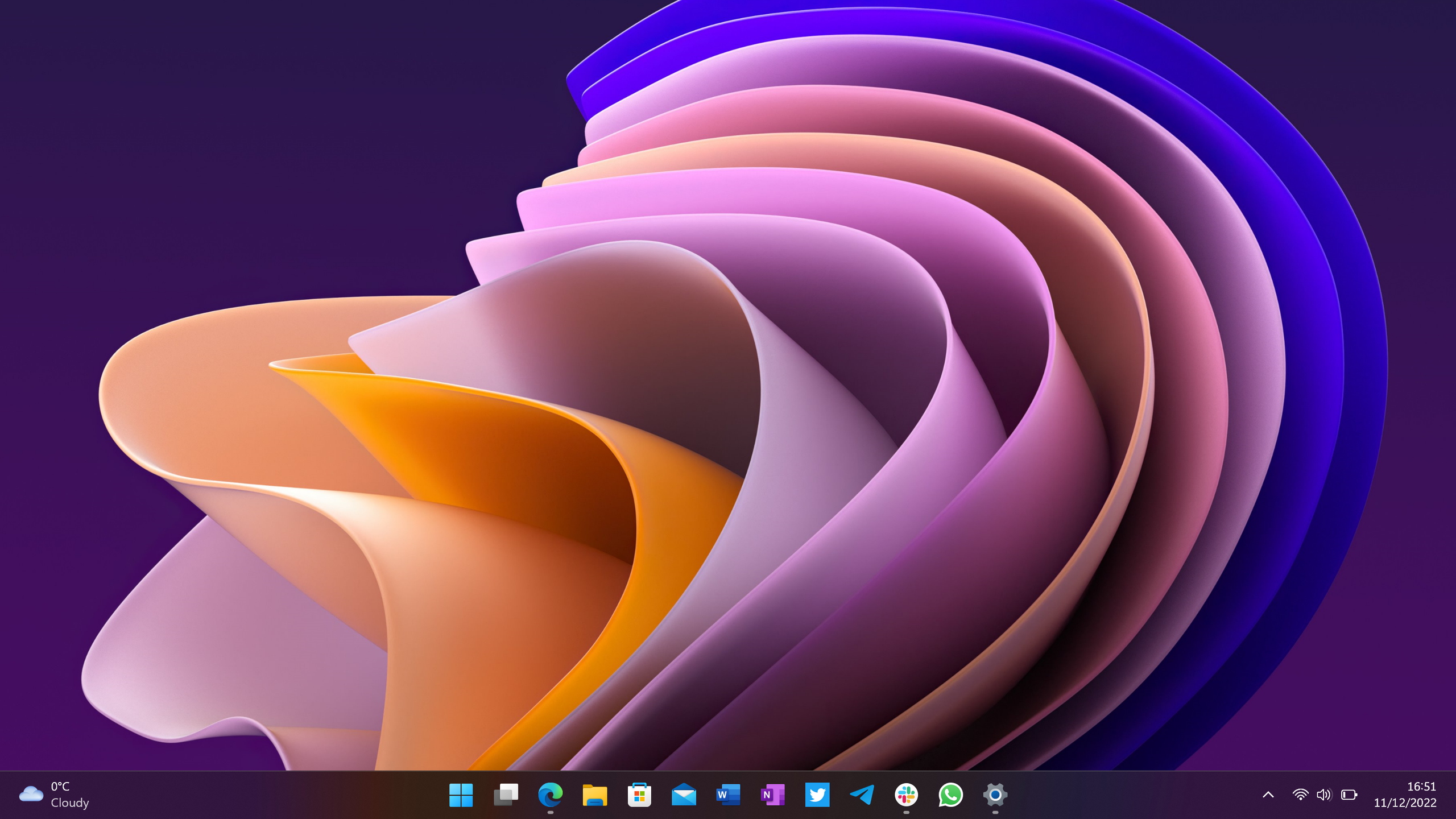
    While the Spotlight itself remains unchanged, in the latest preview of the operating system, Microsoft is updating the desktop context menu to include the “Learn more about this background” and “Next desktop background” options, without relying on the desktop icon.

    Desktop context menu new Spotlight options

    (Image credit: Mauro Huculak)

    4. Account settings changes

    In the Accounts section for the Settings app, the development team is renaming the “Email & accounts” page to “Your accounts.”

    5. Network speed test option

    As part of builds 26220.6760 and 26120.6760, Microsoft is introducing a new speed option from the Taskbar for Ethernet, Wi-Fi, and Cellular connections.

    You can access the option by right-clicking the network icon in the System Tray and choosing the “Perform speed test” option, but you can also access the option from the Wi-Fi and Cellular pages inside the Quick Settings flyout.

    Speed test on Windows 11

    (Image credit: Mauro Huculak)

    However, this isn’t a new feature. Instead, it’s a link that opens the network test extension available on the Bing search results page.

    6. File Explorer search improvements

    If you have a Copilot+ PC, after installing build 26220.6760 or 26120.6760, you’ll notice that the search box in File Explorer now includes a new “Try describing an image or file” hint text to help you understand that Windows Search uses AI to find files and images.

    File Explorer search new hint

    (Image credit: Microsoft)

    7. Voice Access new command delay control

    Microsoft is also updating Voice Access in the lastest preview available from the Dev and Beta Channels with a new “Wait time before acting” option to configure the delay before the command is executed by the feature.

    Voice Access Wait time before acting

    (Image credit: Mauro Huculak)

    Finally, as part of builds 27954 and 27950 in the Canary Channels, the company introduced only fixes and minor improvements, without any significant changes.

    More resources

    Explore more in-depth how-to guides, troubleshooting advice, and essential tips to get the most out of Windows 11 and 10. Start browsing here:


    Click to follow Windows Central on Google News

    Follow Windows Central on Google News to keep our latest news, insights, and features at the top of your feeds!

    builds Features insider September Windows
    Share. Facebook Twitter Pinterest LinkedIn Tumblr Email
    Previous ArticleBest Prime Day deals on SSDs and storage 2025
    Next Article Your Game Plan for Amazon Prime Day: 7 Perks That Will Save You More Money
    techupdateadmin
    • Website

    Related Posts

    Gadgets

    Your next Legion Go 2 might run SteamOS instead of Windows 11

    December 21, 2025
    Mobile

    NASA’s ‘Moonbound’ builds the hype for its epic Artemis II mission

    December 16, 2025
    Gadgets

    Microsoft makes theming your Windows 11 PC as easy as phones, but not as much fun

    December 15, 2025
    Add A Comment
    Leave A Reply Cancel Reply

    Top Posts

    NYT Strands hints and answers for Monday, August 11 (game #526)

    August 11, 202549 Views

    These 2 Cities Are Pushing Back on Data Centers. Here’s What They’re Worried About

    September 13, 202543 Views

    Today’s NYT Connections: Sports Edition Hints, Answers for Sept. 4 #346

    September 4, 202540 Views
    Stay In Touch
    • Facebook
    • YouTube
    • TikTok
    • WhatsApp
    • Twitter
    • Instagram
    Latest Reviews

    Subscribe to Updates

    Get the latest tech news from FooBar about tech, design and biz.

    Most Popular

    Best Fitbit fitness trackers and watches in 2025

    July 9, 20250 Views

    There are still 200+ Prime Day 2025 deals you can get

    July 9, 20250 Views

    The best earbuds we’ve tested for 2025

    July 9, 20250 Views
    Our Picks

    My Health Anxiety Means I Won’t Use Apple’s or Samsung’s Smartwatches. Here’s Why

    December 22, 2025

    You can now buy the OnePlus 15 in the US and score free earbuds if you hurry

    December 22, 2025

    Today’s NYT Connections: Sports Edition Hints, Answers for Dec. 22 #455

    December 22, 2025

    Subscribe to Updates

    Get the latest creative news from FooBar about art, design and business.

    Facebook X (Twitter) Instagram Pinterest
    • About Us
    • Contact us
    • Privacy Policy
    • Disclaimer
    • Terms and Conditions
    © 2026 techupdatealert. Designed by Pro.

    Type above and press Enter to search. Press Esc to cancel.