



Microsoft is sending the next annual feature update for Windows 11, version 25H2, out to the Release Preview channel for testing beginning today. It’s a signal that Windows 11 25H2 will arrive on your PC soon, as September quickly approaches.
Actually, chances are that you have most of the bits associated with Windows 11 H2 on your PC right now. Microsoft is servicing both Windows 11 24H2 as well as Windows 11 25H2 on the same servicing branch, and the 25H2 update will be pushed to your PC as an “enablement package.”
In simpler terms, this means that Microsoft has simply sent most of the code in Windows 11 25H2 to your PC already, and the only thing left to do will be to turn the new, updated features on. The enablement package will basically be a standard patch, delivered to your PC by Windows Update. How big the patch is and how long it will take to install is basically determined by your habits: if you’ve previously kept your PC up to date, there won’t be that much code to install and the process should go far more quickly than the sizeable Windows 11 24H2 update that took place late last year.
In June, Microsoft pitched the Windows 11 25H2 update as “as easy as a restart.” It will be rolled out in the “second half of 2025,” Microsoft said then.
Naturally, there will be bugs — though with a smaller update hopefully they will be minimal. You can always postpone the Windows 11 25H2 Update by using the “Pause updates” control in Windows Update. That will buy you seven weeks until Microsoft forces you to apply new patches, including Windows 11 25H2. Usually, there’s a small cadre of what Microsoft calls “seekers” that flip on the “Get the latest updates as soon as they’re available” toggle in Windows Update, and those users will receive Windows 11 25H2 first.
When should you get Windows 11 25H2? Typically, Microsoft’s fall release happens in September or October. I’d expect it to roll out in September, since it’s on the smaller side.
What new features are expected in Windows 11 25H2?
Typically, Microsoft tests a variety of new features throughout the year, in the Canary, Dev, Beta, and Release Preview Channels. Microsoft pushes some of these features out via app updates; with others, it enables them as part of the feature update. Here’s some of what we expect.
By Windows 11 25H2, Microsoft should be making its Start mobile sidebar available to all PCs that connect the PC to either an iPhone or preferably an Android phone. While that doesn’t do away with the Your Phone application, it’s an easy way to see if you have messages that need replying to, for example.
Microsoft
Supposedly, you should be able to resume an app that you’ve begun on your Android phone and launch it on your PC via the Your Phone app, too.
New category views within Start
Similarly, Microsoft is tweaking the Start menu to show off different views, such as a new “category” layout. That should appear in Windows 11 25H2, though it’s not guaranteed. Both the mobile sidebar and the new category views should be adjustable via the Personalization > Start menu within Windows Settings.
Improved Settings Page
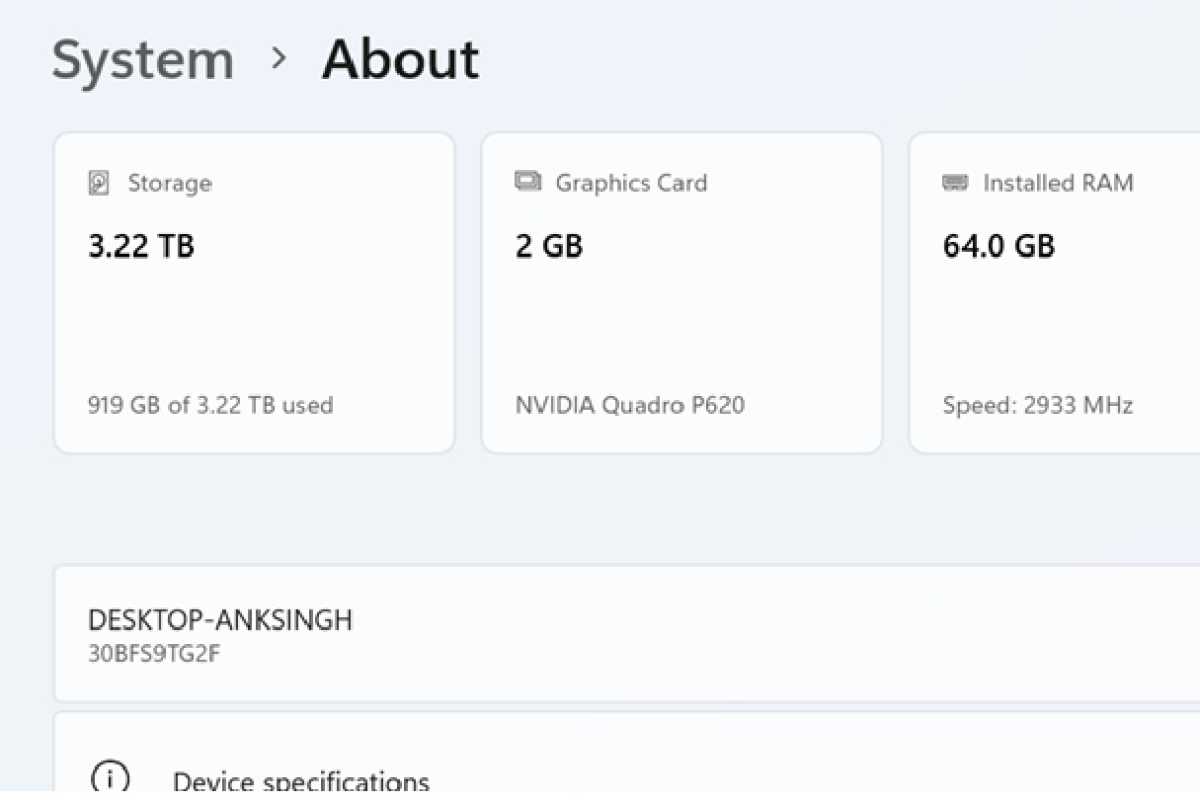
Microsoft has shown off an improved Settings page with “cards” that show off the highlights of your system at the very top. Microsoft added this to via the 25H2 release schedule earlier this year, so it should be available this fall as well. Likewise, the “smarter” Settings should respond to queries using AI.
Microsoft
Semantic search
Microsoft unveiled semantic search in the 25H2 Canary Channel earlier in August. Essentially, it allows you to search for a file using its characteristics (“the presentation I made to the town council”)without knowing the exact file name.
Quick Machine Recovery
An under-the-hood change, Quick Machine Recovery should facilitate issues when your computer crashes. Instead of putting the onus on you to solve your own problems, what QMR claims to do is search out the solution on Microsoft’s servers and apply it itself.
Click-to-Do improvements
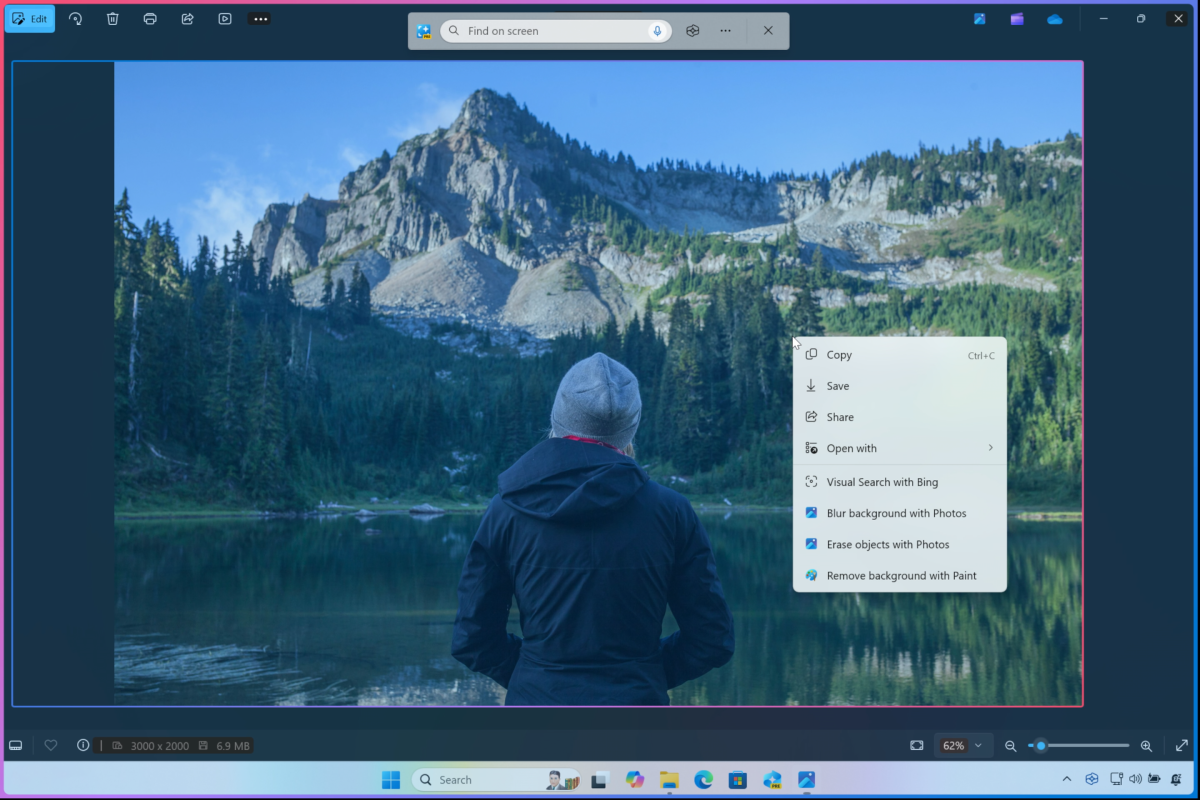
Microsoft also is adding new contextual features to Click-to-Do, such as describing an image or converting a table to Excel, with just a right-click of the mouse.
Microsoft
