
Close Menu
TechUpdateAlert

    Subscribe to Updates

    Get the latest creative news from FooBar about art, design and business.

    What's Hot

    My Health Anxiety Means I Won’t Use Apple’s or Samsung’s Smartwatches. Here’s Why

    December 22, 2025

    You can now buy the OnePlus 15 in the US and score free earbuds if you hurry

    December 22, 2025

    Today’s NYT Connections: Sports Edition Hints, Answers for Dec. 22 #455

    December 22, 2025
    Facebook X (Twitter) Instagram
    Trending
    • My Health Anxiety Means I Won’t Use Apple’s or Samsung’s Smartwatches. Here’s Why
    • You can now buy the OnePlus 15 in the US and score free earbuds if you hurry
    • Today’s NYT Connections: Sports Edition Hints, Answers for Dec. 22 #455
    • Android might finally stop making you tap twice for Wi-Fi
    • Today’s NYT Mini Crossword Answers for Dec. 22
    • Waymo’s robotaxis didn’t know what to do when a city’s traffic lights failed
    • Today’s NYT Wordle Hints, Answer and Help for Dec. 22 #1647
    • You Asked: OLED Sunlight, VHS on 4K TVs, and HDMI Control Issues
    Facebook X (Twitter) Instagram Pinterest Vimeo
    TechUpdateAlertTechUpdateAlert
    • Home
    • Gaming
    • Laptops
    • Mobile
    • Software
    • Reviews
    • AI & Tech
    • Gadgets
    • How-To
    TechUpdateAlert
    Home»Reviews»Windows 11’s Xbox app is now a hub for all PC games
    Reviews

    Windows 11’s Xbox app is now a hub for all PC games

    techupdateadminBy techupdateadminSeptember 16, 2025No Comments2 Mins Read
    Share Facebook Twitter Pinterest LinkedIn Tumblr Reddit Telegram Email
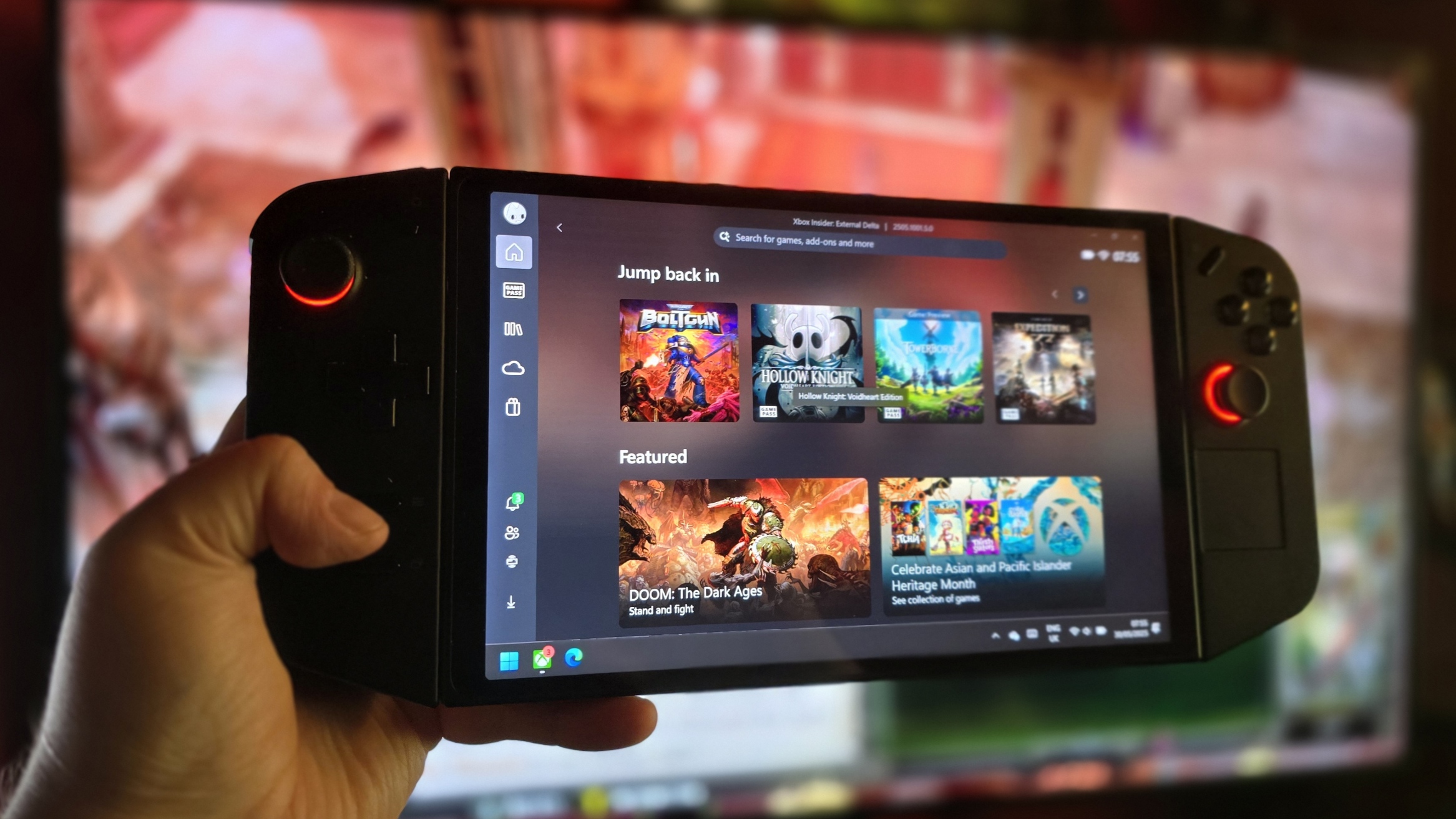
    Lenovo Legion Go with the Xbox app
    Share
    Facebook Twitter LinkedIn Pinterest Email

    Microsoft has announced a big update for the Xbox app on Windows 11 that brings it one step closer to becoming a hub for all of gaming on the platform. Starting today, the Xbox app now supports showing and launching all your installed Windows games, regardless of where you acquired them from.

    The new update brings “your game collection together with the new aggregated gaming library that shows your installed games from multiple PC storefronts, including your Xbox library, Xbox Game Pass, Battle.net and other leading PC storefronts”

    Those other storefronts include the big names such as Steam, Epic Games Launcher, GOG, and others. The new Xbox app will let you filter which games actually appear in there, letting you turn off specific sources if you don’t want to see them appear in the Xbox app.


    You may like

    Image 1 of 2

    The new library will show an icon indicating where the game originates. (Image credit: Windows Central / Zac Bowden)

    Xbox app library
    You can hide games from specific stores. (Image credit: Windows Central / Zac Bowden)

    With this new aggregated library, you can now use the Xbox app to launch any game you have installed on Windows 11, without needing to navigate through their respective storefronts or launchers first. It also makes launching these games with a controller easier, which will be a huge user experience improvement for those using Windows 11 on a handheld device.

    The new Xbox app also adds a “My apps” tab, which provides a quick and easy way of launching other storefronts if you wish to acquire a game from outside of the Microsoft Store. This will also be handy for the upcoming handheld gaming mode, which we recently had hands-on time with and is expected to ship first on the upcoming Xbox Ally and Xbox Ally X this fall.

    Lastly, Microsoft says the Xbox app will soon sync your cloud-playable games across devices so that you can easily pick up where you left off across PC and console. All of the improvements announced today are going to be available on all Windows 11 PCs, whether that be a laptop, desktop, or handheld.

    The new Xbox app update is rolling out now via the Microsoft Store on Windows 11.

    All the latest news, reviews, and guides for Windows and Xbox diehards.

    11s app Games hub Windows Xbox
    Share. Facebook Twitter Pinterest LinkedIn Tumblr Email
    Previous ArticleHow AI Is Upending Politics, Tech, the Media, and More
    Next Article Halo Infinite Warpath Update Revives Reach Invasion Mode
    techupdateadmin
    • Website

    Related Posts

    Gadgets

    Your next Legion Go 2 might run SteamOS instead of Windows 11

    December 21, 2025
    Gadgets

    You can buy your Xbox Ally an official pair of anti-drift joysticks

    December 21, 2025
    Gadgets

    Gear News of the Week: LG Debuts an RGB LED TV, and Google Brings Find Hub to Wear OS

    December 21, 2025
    Add A Comment
    Leave A Reply Cancel Reply

    Top Posts

    NYT Strands hints and answers for Monday, August 11 (game #526)

    August 11, 202545 Views

    These 2 Cities Are Pushing Back on Data Centers. Here’s What They’re Worried About

    September 13, 202542 Views

    Today’s NYT Connections: Sports Edition Hints, Answers for Sept. 4 #346

    September 4, 202540 Views
    Stay In Touch
    • Facebook
    • YouTube
    • TikTok
    • WhatsApp
    • Twitter
    • Instagram
    Latest Reviews

    Subscribe to Updates

    Get the latest tech news from FooBar about tech, design and biz.

    Most Popular

    Best Fitbit fitness trackers and watches in 2025

    July 9, 20250 Views

    There are still 200+ Prime Day 2025 deals you can get

    July 9, 20250 Views

    The best earbuds we’ve tested for 2025

    July 9, 20250 Views
    Our Picks

    My Health Anxiety Means I Won’t Use Apple’s or Samsung’s Smartwatches. Here’s Why

    December 22, 2025

    You can now buy the OnePlus 15 in the US and score free earbuds if you hurry

    December 22, 2025

    Today’s NYT Connections: Sports Edition Hints, Answers for Dec. 22 #455

    December 22, 2025

    Subscribe to Updates

    Get the latest creative news from FooBar about art, design and business.

    Facebook X (Twitter) Instagram Pinterest
    • About Us
    • Contact us
    • Privacy Policy
    • Disclaimer
    • Terms and Conditions
    © 2026 techupdatealert. Designed by Pro.

    Type above and press Enter to search. Press Esc to cancel.