
Close Menu
TechUpdateAlert

    Subscribe to Updates

    Get the latest creative news from FooBar about art, design and business.

    What's Hot

    My Health Anxiety Means I Won’t Use Apple’s or Samsung’s Smartwatches. Here’s Why

    December 22, 2025

    You can now buy the OnePlus 15 in the US and score free earbuds if you hurry

    December 22, 2025

    Today’s NYT Connections: Sports Edition Hints, Answers for Dec. 22 #455

    December 22, 2025
    Facebook X (Twitter) Instagram
    Trending
    • My Health Anxiety Means I Won’t Use Apple’s or Samsung’s Smartwatches. Here’s Why
    • You can now buy the OnePlus 15 in the US and score free earbuds if you hurry
    • Today’s NYT Connections: Sports Edition Hints, Answers for Dec. 22 #455
    • Android might finally stop making you tap twice for Wi-Fi
    • Today’s NYT Mini Crossword Answers for Dec. 22
    • Waymo’s robotaxis didn’t know what to do when a city’s traffic lights failed
    • Today’s NYT Wordle Hints, Answer and Help for Dec. 22 #1647
    • You Asked: OLED Sunlight, VHS on 4K TVs, and HDMI Control Issues
    Facebook X (Twitter) Instagram Pinterest Vimeo
    TechUpdateAlertTechUpdateAlert
    • Home
    • Gaming
    • Laptops
    • Mobile
    • Software
    • Reviews
    • AI & Tech
    • Gadgets
    • How-To
    TechUpdateAlert
    Home»Laptops»Windows 11 is getting its own video wallpaper feature
    Laptops

    Windows 11 is getting its own video wallpaper feature

    techupdateadminBy techupdateadminSeptember 20, 2025No Comments2 Mins Read
    Share Facebook Twitter Pinterest LinkedIn Tumblr Reddit Telegram Email
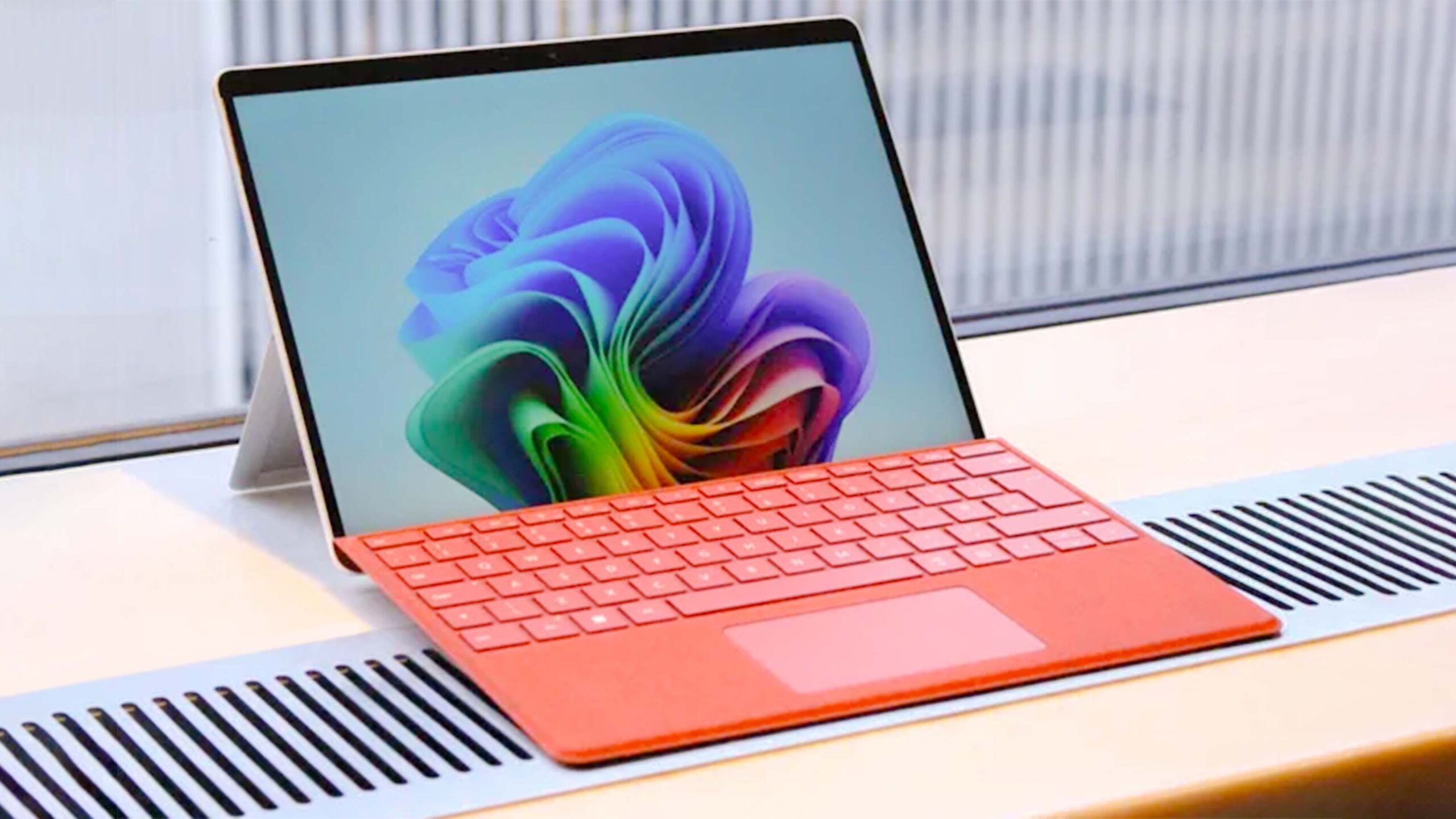
    Microsoft Copilot Plus on Surface.
    Share
    Facebook Twitter LinkedIn Pinterest Email

    Microsoft is working on bringing support for setting a video as your desktop wallpaper on Windows 11. Hidden in the latest Windows 11 preview builds, and first spotted by Insider sleuth @phantomofearth on X, the feature lets you set an MP4, MOV, AVI, WMV, M4V, or MKV file as your wallpaper, which will play the video whenever you view the desktop.

    For many years, users have wanted the ability to set a video as a desktop background. It’s a feature that many Linux distributions support, and macOS also supports the ability to set a moving background as your lock screen. Windows Vista did support setting videos as your wallpaper, but only as part of the Ultimate SKU via a feature called DreamScene.

    For whatever reason, DreamScene was never carried forward in future versions of Windows, and so the OS has been without the native capability of setting video as your desktop background ever since. Third-party apps have since stepped up to fill that void, with tools like Lively Wallpaper and Wallpaper Engine letting you set not just video, but 3D environments and interactive spaces as your wallpaper too.


    You may like

    It looks like Microsoft is working on bringing native video wallpaper support to Windows 11! Welcome back, DreamScenes https://t.co/8bHYHiF4V6 pic.twitter.com/pqmjxZWfNqSeptember 20, 2025

    But users shouldn’t have to download a third-party tool to set a basic video as their wallpaper, and it sounds like they won’t have to in the near future. With native video wallpaper support coming soon to Windows 11, the process for setting a video as your wallpaper will be the same as it is when setting an image as your wallpaper, which is to say quick and easy.

    It’s unknown how this will impact battery life or performance, but it’s good to see Microsoft is building out the feature as an option for people who want it either way. The feature was first spotted by Phantomofearth on X, and appears to be hidden in the latest Windows 11 preview builds that rolled out earlier this week to Insiders in the Dev and Beta Channels. As Microsoft is yet to officially announce the feature, we’re likely still a number of weeks out before it begins rolling out to everybody.

    All the latest news, reviews, and guides for Windows and Xbox diehards.

    Feature video wallpaper Windows
    Share. Facebook Twitter Pinterest LinkedIn Tumblr Email
    Previous ArticleThese 4 Apps Will Save You Money and Help You Waste Less Food
    Next Article iOS 26 Took Away Safari Features We’ve Had Since 2007. Here’s How to Get Them Back
    techupdateadmin
    • Website

    Related Posts

    Gadgets

    Your next Legion Go 2 might run SteamOS instead of Windows 11

    December 21, 2025
    Gadgets

    Facebook’s wants to turn basic link sharing into a paid feature

    December 18, 2025
    Mobile

    Video Game Hardware Sales Are the Worst in Decades: Here’s Why You Should Buy Now

    December 18, 2025
    Add A Comment
    Leave A Reply Cancel Reply

    Top Posts

    NYT Strands hints and answers for Monday, August 11 (game #526)

    August 11, 202545 Views

    These 2 Cities Are Pushing Back on Data Centers. Here’s What They’re Worried About

    September 13, 202542 Views

    Today’s NYT Connections: Sports Edition Hints, Answers for Sept. 4 #346

    September 4, 202540 Views
    Stay In Touch
    • Facebook
    • YouTube
    • TikTok
    • WhatsApp
    • Twitter
    • Instagram
    Latest Reviews

    Subscribe to Updates

    Get the latest tech news from FooBar about tech, design and biz.

    Most Popular

    Best Fitbit fitness trackers and watches in 2025

    July 9, 20250 Views

    There are still 200+ Prime Day 2025 deals you can get

    July 9, 20250 Views

    The best earbuds we’ve tested for 2025

    July 9, 20250 Views
    Our Picks

    My Health Anxiety Means I Won’t Use Apple’s or Samsung’s Smartwatches. Here’s Why

    December 22, 2025

    You can now buy the OnePlus 15 in the US and score free earbuds if you hurry

    December 22, 2025

    Today’s NYT Connections: Sports Edition Hints, Answers for Dec. 22 #455

    December 22, 2025

    Subscribe to Updates

    Get the latest creative news from FooBar about art, design and business.

    Facebook X (Twitter) Instagram Pinterest
    • About Us
    • Contact us
    • Privacy Policy
    • Disclaimer
    • Terms and Conditions
    © 2026 techupdatealert. Designed by Pro.

    Type above and press Enter to search. Press Esc to cancel.