
Close Menu
TechUpdateAlert

    Subscribe to Updates

    Get the latest creative news from FooBar about art, design and business.

    What's Hot

    My Health Anxiety Means I Won’t Use Apple’s or Samsung’s Smartwatches. Here’s Why

    December 22, 2025

    You can now buy the OnePlus 15 in the US and score free earbuds if you hurry

    December 22, 2025

    Today’s NYT Connections: Sports Edition Hints, Answers for Dec. 22 #455

    December 22, 2025
    Facebook X (Twitter) Instagram
    Trending
    • My Health Anxiety Means I Won’t Use Apple’s or Samsung’s Smartwatches. Here’s Why
    • You can now buy the OnePlus 15 in the US and score free earbuds if you hurry
    • Today’s NYT Connections: Sports Edition Hints, Answers for Dec. 22 #455
    • Android might finally stop making you tap twice for Wi-Fi
    • Today’s NYT Mini Crossword Answers for Dec. 22
    • Waymo’s robotaxis didn’t know what to do when a city’s traffic lights failed
    • Today’s NYT Wordle Hints, Answer and Help for Dec. 22 #1647
    • You Asked: OLED Sunlight, VHS on 4K TVs, and HDMI Control Issues
    Facebook X (Twitter) Instagram Pinterest Vimeo
    TechUpdateAlertTechUpdateAlert
    • Home
    • Gaming
    • Laptops
    • Mobile
    • Software
    • Reviews
    • AI & Tech
    • Gadgets
    • How-To
    TechUpdateAlert
    Home»Reviews»Windows 11 adds super wideband stereo Bluetooth audio
    Reviews

    Windows 11 adds super wideband stereo Bluetooth audio

    techupdateadminBy techupdateadminSeptember 2, 2025No Comments4 Mins Read
    Share Facebook Twitter Pinterest LinkedIn Tumblr Reddit Telegram Email
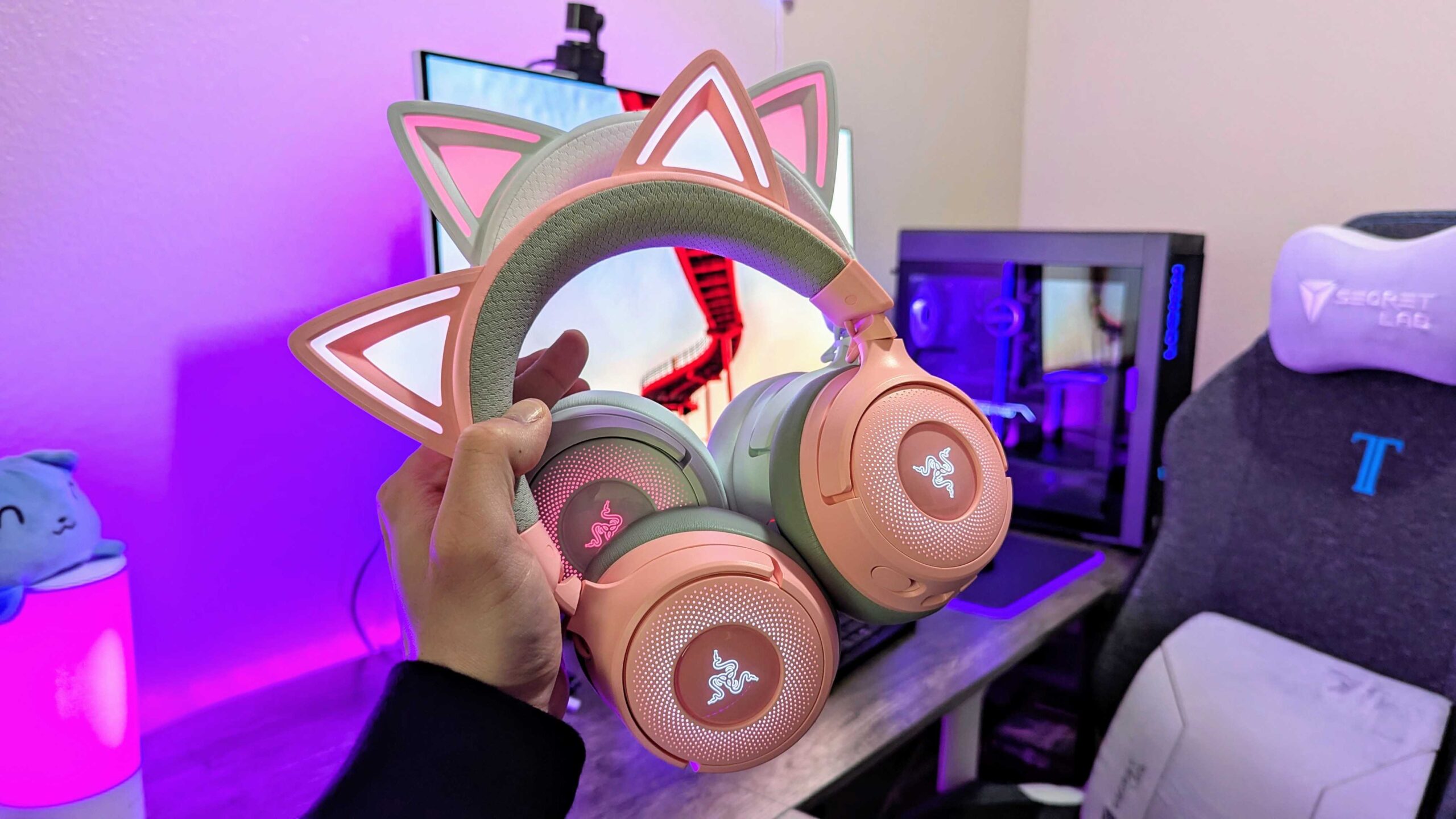
    Image of the Razer Kraken Kitty V3 Pro wireless gaming headset.
    Share
    Facebook Twitter LinkedIn Pinterest Email

    Windows 11 just got better audio quality within voice calls and game chats. Improved support for Bluetooth Low Energy Audio (Bluetooth LE Audio) adds stereo to high quality audio while using a microphone.

    Windows 11 already supported Bluetooth LE Audio, but the feature was limited to using super wideband audio in mono while using voice.

    You may have noticed that audio quality drops when using Bluetooth headphones and a microphone simultaneously on Windows 11. The behavior can show up when playing a game or using other apps, such as Microsoft Teams or Discord.


    You may like

    Microsoft explains why that was the case in a recent Tech Community blog post. Bluetooth Classic Audio was limited to two profiles: the Advanced Audio Distribution Profile (A2DP) and the Hands-Free Profile (HFP). A2DP supports high quality audio but does not allow a microphone to be used. In contrast, HFP lets you use a microphone but can only play mono audio in lower fidelity.

    Eventually, A2DP and HFP were succeeded by Bluetooth LE Audio, which uses better audio compression to support “super wideband” audio fidelity (32kHz sample rate while using voice). Until recently, super wideband audio through Bluetooth LE Audio was limited to mono output.

    The improved support means that audio quality remains clear when using game chat or apps like Microsoft Teams. Features like Teams Spatial Audio require stereo audio, so they have not been available over Bluetooth.

    “When using an LE Audio device with a Windows 11 PC that supports super wideband stereo, the switch into game chat no longer causes an abrupt drop in audio quality,” explained Microsoft.

    All the latest news, reviews, and guides for Windows and Xbox diehards.

    “Game audio will now stay in stereo and stream at super wideband quality, which is a significant improvement over Bluetooth Classic!”

    To use the new feature, you’ll need a Bluetooth headset, earbuds, or assistive hearing device that supports Bluetooth LE Audio. A Windows 11 PC that supports LE Audio is also required. You can check if your PC supports the feature by following a guide from Microsoft.

    You also need to upgrade your PC to Windows 11 version 24H2 and may need to download audio drivers that will ship later this year.

    What is Bluetooth LE Audio?

    Samsung’s Galaxy Z Fold 7 is one of many devices to support Bluetooth LE Audio. (Image credit: Future | Daniel Rubino)

    Bluetooth LE Audio delivers higher audio quality and lower latency than older standards while also being more power efficient.

    Bluetooth LE Audio also supports multiple synchronized data streams, meaning both earbuds can connect to a phone directly rather than having one connect and then relay data to the other earbud. That functionality also makes it possible to pair just a single earbud.

    Bluetooth LE Audio also improves audio quality over long distances through a feature called Periodic Advertising Enhancement. That feature lets a device confirm data has been sent and received rather than repeatedly sending the same data.

    Audio sharing is also improved with Bluetooth LE Audio, thanks to a new feature known as Auracast. That feature makes it possible to broadcast audio to multiple devices, such as having a TV in a gym send sound to multiple people’s headphones simultaneously.

    Hearing aids also get better battery life and can be smaller when using Bluetooth LE Audio.

    On the business side, Bluetooth LE Audio lacks licensing fees, which distinguishes it from Qualcomm aptX.

    Our colleagues at What Hi-Fi break down the history of Bluetooth LE Audio and all of the technical details of it.

    To have Bluetooth LE Audio, a device must support Bluetooth 5.2 or later. But even having the latest version of Bluetooth does not guarantee compatibility with the feature.

    Notably, even flagship devices from Bose, such as the QuietComfort Ultra earbuds, do not support Bluetooth LE Audio. You’ll need to check your specific device to see if the feature will work.

    adds Audio Bluetooth stereo Super wideband Windows
    Share. Facebook Twitter Pinterest LinkedIn Tumblr Email
    Previous ArticleIt finally happened! ExpressVPN drops its prices and introduces new tiered plans – here’s everything we know
    Next Article I used a standing desk treadmill for a month. Here’s what I learned
    techupdateadmin
    • Website

    Related Posts

    Gadgets

    What Is Lossless Audio, and Do You Really Need It?

    December 21, 2025
    Gadgets

    Your next Legion Go 2 might run SteamOS instead of Windows 11

    December 21, 2025
    Gadgets

    25 Amazon Super Saturday Deals on Last-Minute Gifts We’ve Tested (2025)

    December 20, 2025
    Add A Comment
    Leave A Reply Cancel Reply

    Top Posts

    NYT Strands hints and answers for Monday, August 11 (game #526)

    August 11, 202545 Views

    These 2 Cities Are Pushing Back on Data Centers. Here’s What They’re Worried About

    September 13, 202542 Views

    Today’s NYT Connections: Sports Edition Hints, Answers for Sept. 4 #346

    September 4, 202540 Views
    Stay In Touch
    • Facebook
    • YouTube
    • TikTok
    • WhatsApp
    • Twitter
    • Instagram
    Latest Reviews

    Subscribe to Updates

    Get the latest tech news from FooBar about tech, design and biz.

    Most Popular

    Best Fitbit fitness trackers and watches in 2025

    July 9, 20250 Views

    There are still 200+ Prime Day 2025 deals you can get

    July 9, 20250 Views

    The best earbuds we’ve tested for 2025

    July 9, 20250 Views
    Our Picks

    My Health Anxiety Means I Won’t Use Apple’s or Samsung’s Smartwatches. Here’s Why

    December 22, 2025

    You can now buy the OnePlus 15 in the US and score free earbuds if you hurry

    December 22, 2025

    Today’s NYT Connections: Sports Edition Hints, Answers for Dec. 22 #455

    December 22, 2025

    Subscribe to Updates

    Get the latest creative news from FooBar about art, design and business.

    Facebook X (Twitter) Instagram Pinterest
    • About Us
    • Contact us
    • Privacy Policy
    • Disclaimer
    • Terms and Conditions
    © 2026 techupdatealert. Designed by Pro.

    Type above and press Enter to search. Press Esc to cancel.