



When AI and images are mentioned together, most people first think of AI image generators like Midjourney, ChatGPT, and Gemini.
But AI can do more than just generate images. In fact, AI can also do traditional image editing—for example, removing distracting elements, replacing backgrounds, and automatic color correction.
Here are several interesting AI tools that can transform your photos and images in a snap, with varying degrees of success.
Luminar Neo
Skylum
Luminar Neo is aimed at ambitious amateurs and photographers who want quick results without a steep learning curve. In addition to classic functions like masking, exposure correction, and color adjustment, Luminar offers several exciting generative tools:
- GenErase removes objects without manual re-stamping.
- GenSwap exchanges image areas for other content, for example a gray sky for a sunny one.
- GenExpand expands sections of an image and intelligently fills in missing image areas.
There are also specialized AI features like Water Enhancer AI (enhances reflections and contrasts in water surfaces) and Twilight Enhancer AI. The latter optimizes evening moods by highlighting light sources and reducing noise in darker parts of the image.
With our discount code PCWELT30, you can currently save 30 percent on Luminar Neo’s regular prices.
- Price: Various lifetime licenses start around €99 (~$114.95 USD).
- Suitable for: Photographers who work visually, prefer uncomplicated operation, and need fast results.
- Less suitable for: Pure professionals with very complex compositions and/or special retouching requirements.
Fotor
Fotor
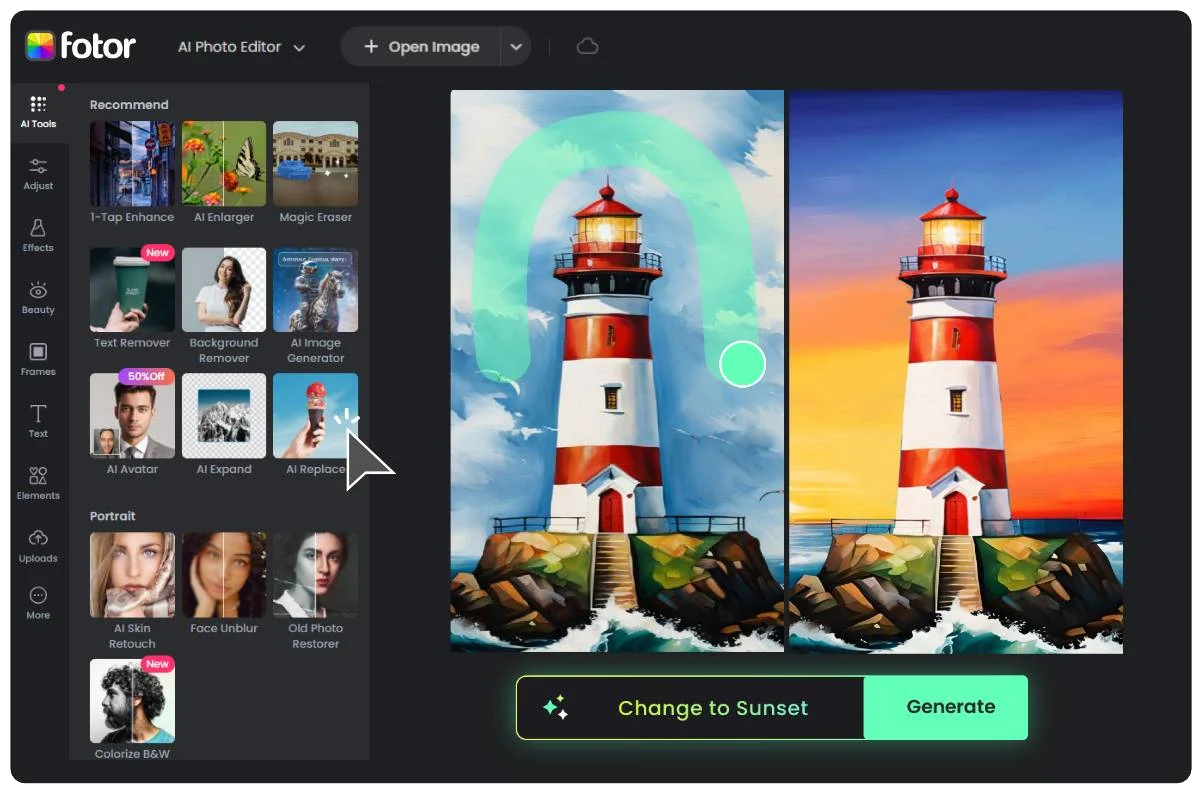
Fotor is an inexpensive all-rounder with simple operation. In the free version, it automatically makes basic adjustments such as exposure correction, sharpening, and colors. In the paid Pro version, Fotor significantly expands its repertoire:
- Automatic background and object recognition to crop people or products out of images.
- AI image enlargement that preserves details and reduces artifacts.
- Creative filters such as the AI Age Changer (simulates aging effects) or the AI Beard Filter (adds realistic beards).
- Batch processing to optimize multiple images at the same time.
The great strength of Fotor lies in its very low barrier to entry. If you have little experience with image editing, you can achieve visible results in seconds with its user-friendly interface. The cloud connection is also practical: photos can be edited directly in your browser.
For professional users, there’s a lack of advanced functions like high-level RAW support or precise manual retouching options. In addition, some filters appear too playful and not serious enough.
- Price: Basic version is free, while the Pro version costs $3.99/month and the Pro+ version costs $8.33/month.
- Suitable for: Beginners, social media users, and anyone who wants to improve photos on a basic level without much effort.
- Less suitable for: Professionals with high demands on quality, attention to detail, and advanced features.
Adobe Photoshop (with Firefly 3)
Adobe
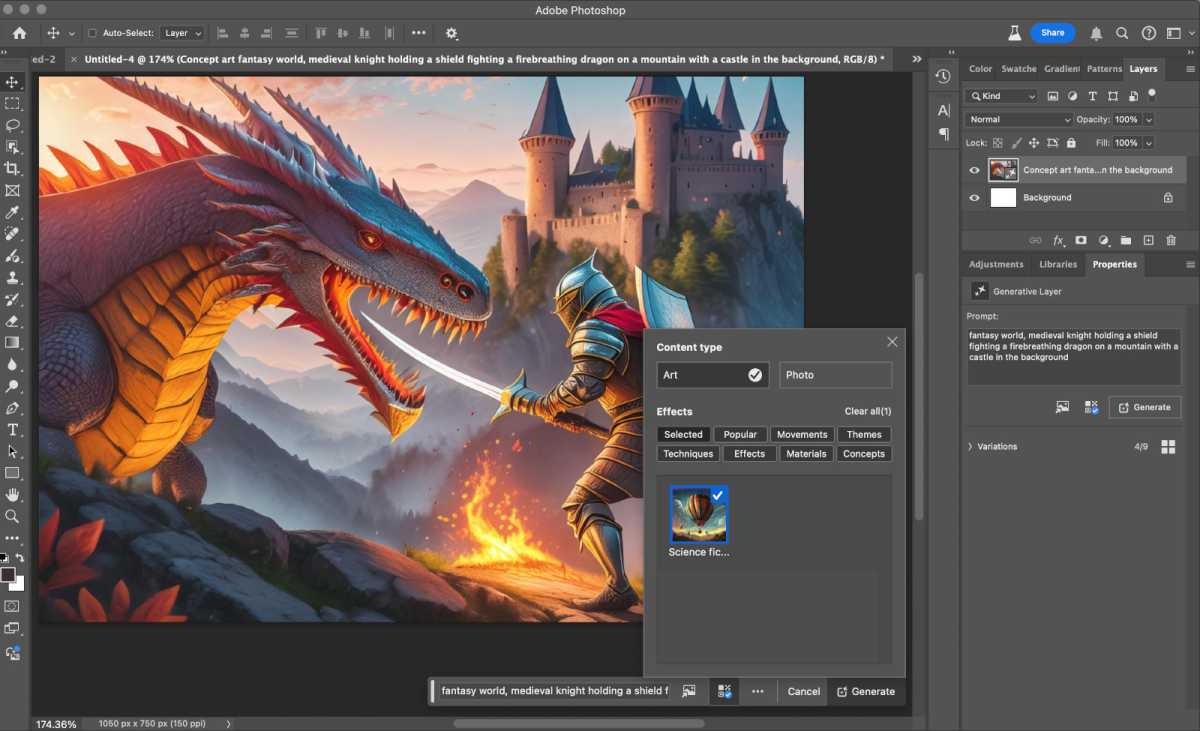
Photoshop will always be the primary reference when it comes to professional image editing. With the integration of Adobe Firefly 3, the program has been greatly expanded with AI features.
Functions such as Generative Fill make it possible to seamlessly remove unwanted objects or replace them with realistic content. With Generative Expand, image borders can be intelligently expanded so that sections that are cropped too tightly can be enlarged without any problems. Automatic background generation via text input also facilitates creative compositions.
What’s special here is the depth of integration: all AI tools are embedded directly in Photoshop’s familiar workflows. Professionals who already work with layers, masks, and filters can seamlessly use the AI features.
- Price: A single-app subscription to Photoshop costs $22.99/month while a full-blown Creative Cloud Pro subscription costs $69.99/month (with access to all Creative Cloud apps).
- Suitable for: Professional photographers, agencies, and creatives.
- Less suitable for: Beginners who only occasionally want simple adjustments. Photoshop is too complex and expensive for that.
Canva Visual Suite 2.0
Canva
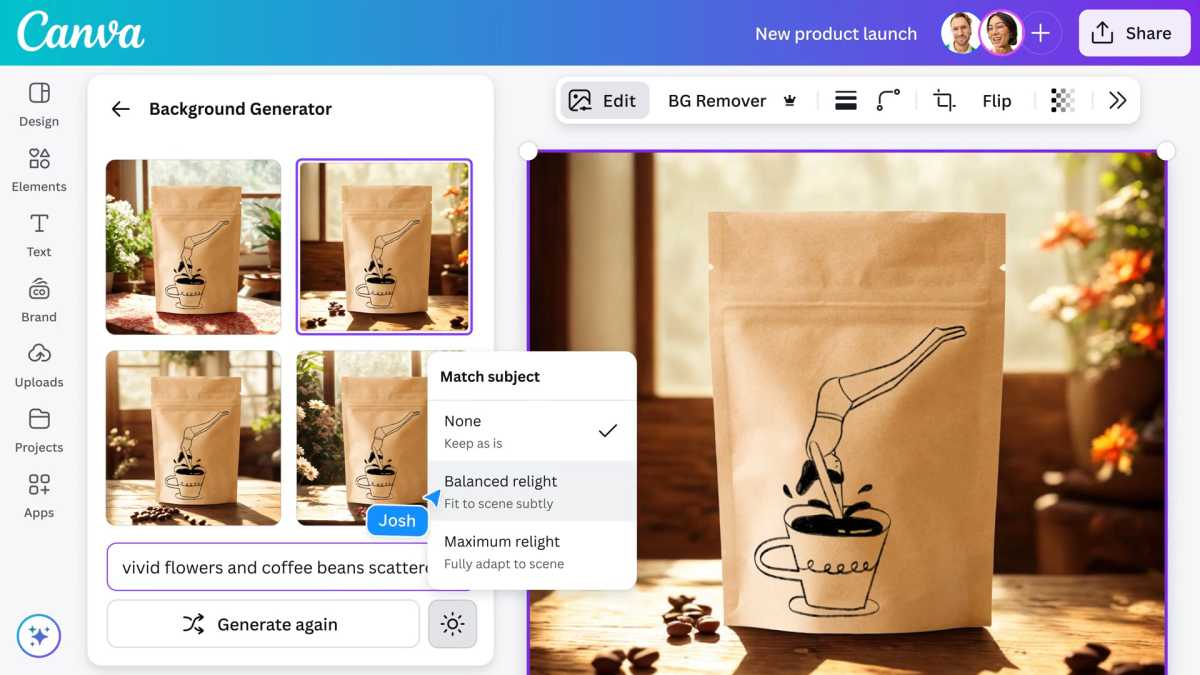
Canva has established itself in the field of AI image editing with the introduction of Magic Studio. While the free version primarily offers basic functions and the simplest AI—such as the ability to make automatic color corrections and generate text—the truly relevant AI tools are part of Canva Pro. The Magic Studio includes, among other things:
- Magic Eraser: Removes distracting objects from photos with pinpoint accuracy.
- Magic Grab: Removes individual image elements and allows them to be placed elsewhere.
- Extract text from images: Captures embedded text and makes it editable.
- Background Remover & Generator: Removes or replaces backgrounds automatically.
- Magic Edit: Exchanges image areas and replaces them with new content.
- Magic Expand: Expands sections and adds missing image areas to suit the subject.
Canva’s great strength lies in its combination of ease of use and design integration. Users can not only edit photos, but also insert them directly into templates and quickly publish them. However, there are limitations in terms of the level of detail. Canva is not a good first choice for precise retouching, RAW files, or complex layer editing.
- Price: Basic version is free while Canva Pro (including Magic Studio) costs $120/year (which comes out to $10/month).
- Suitable for: Social media teams, marketing departments, and beginners looking for a quick all-in-one solution.
- Less suitable for: Users who expect full creative control and professional retouching functions.
Topaz Photo
Topaz Labs
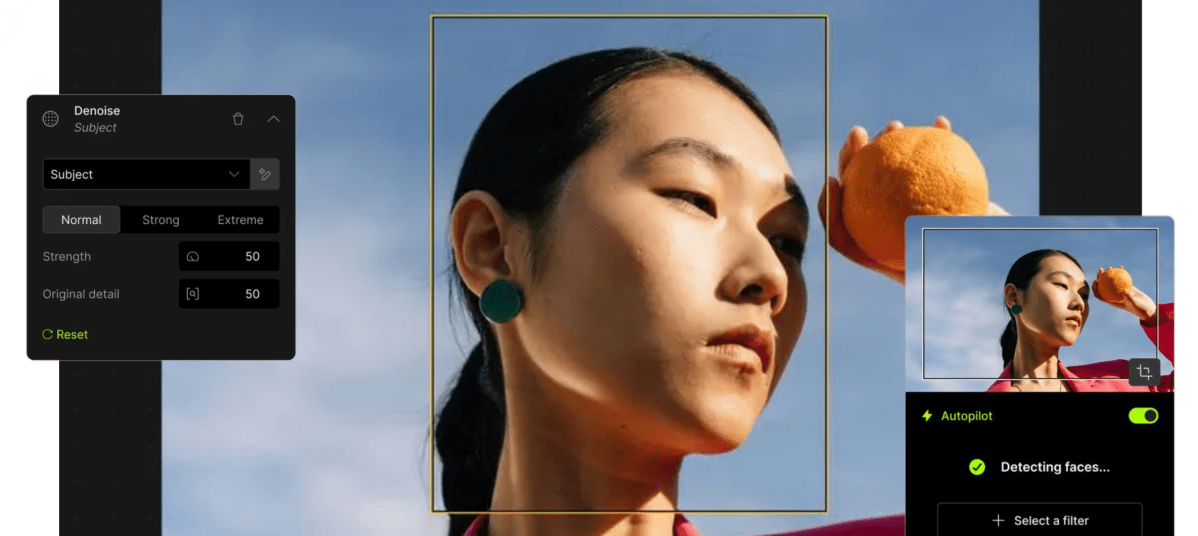
Topaz Photo differs significantly from most other AI tools: instead of creative editing, the focus here is on maximizing image quality. The software combines several specialized AI engines in one interface and is therefore particularly suitable for photographers who want to get the best out of difficult shots. The central features include:
- Denoise AI: Reliably removes image noise, even at high ISO values or when shooting in low light.
- Sharpen AI: Analyzes motion blur or slight misfocusing and corrects it in a targeted manner.
- Recover Faces: Reconstructs details in portraits when faces appear washed out due to blurring or low resolution.
- Upscale AI: Scales up photos with minimal loss (e.g., for large printouts or processing old digital photos).
What’s special about Topaz is its combination of automation and control: if desired, the tool can optimize images on its own, but professionals can also specify which AI engine should intervene and to what extent. There are limits when it comes to creative tasks like replacing backgrounds or complex retouching—this is not what Topaz is designed for.
- Price: The Personal plan costs $21/month with annual commitment while the Pro plan costs $58/month with annual commitment.
- Suitable for: Professional photographers, enthusiasts, and anyone working with difficult lighting conditions or old shots.
- Less suitable for: Users looking for creative effects, design integration, or quick social media features.
