


Windows Explorer has always seemed like a part of a small car’s toolkit: perfectly usable, but limited to the basic functions.
Over the years, Microsoft has repeatedly revised the software and added a search function that, upon closer inspection, proves to be surprisingly complex. However, the operating concept of Explorer is still not intuitive and tends to hinder smooth working.
Software companies and independent developers therefore seized their opportunity early on and presented alternatives for more powerful file managers, which are often referred to as “commanders.”
There are two different types of file managers:
- On the one hand, there are programs which, like Windows Explorer, only offer one window. They are clearer as there are fewer control elements such as icons and menus.
- On the other hand, you will also find many programs that work with a two-window view. In this case, you’ll have to first find your way around the interface, but they make copying processes easier.
Free Commander XE
Free Commander is available in 32- and 64-bit versions. However, only the 32-bit version is free to use.
Free Commander combines its functions in a modern, largely self-explanatory interface.
Free Commander
The program features a dual-window view, with tabs in each window that provides one-click access to available drives. The layout has large, modern-looking icons, the design of which makes it easy to deduce the assigned function.
Free Commander also includes commands for packing and unpacking ZIP files, for synchronizing two folders, or for changing attributes and timestamps. A convenient option allows you to set favorite folders for quicker access.
Multi Commander
The developers of Multi Commander are also fans of two-window technology. Their file manager is available in 32- and 64-bit versions as well as a portable version that lets you copy onto a USB stick.
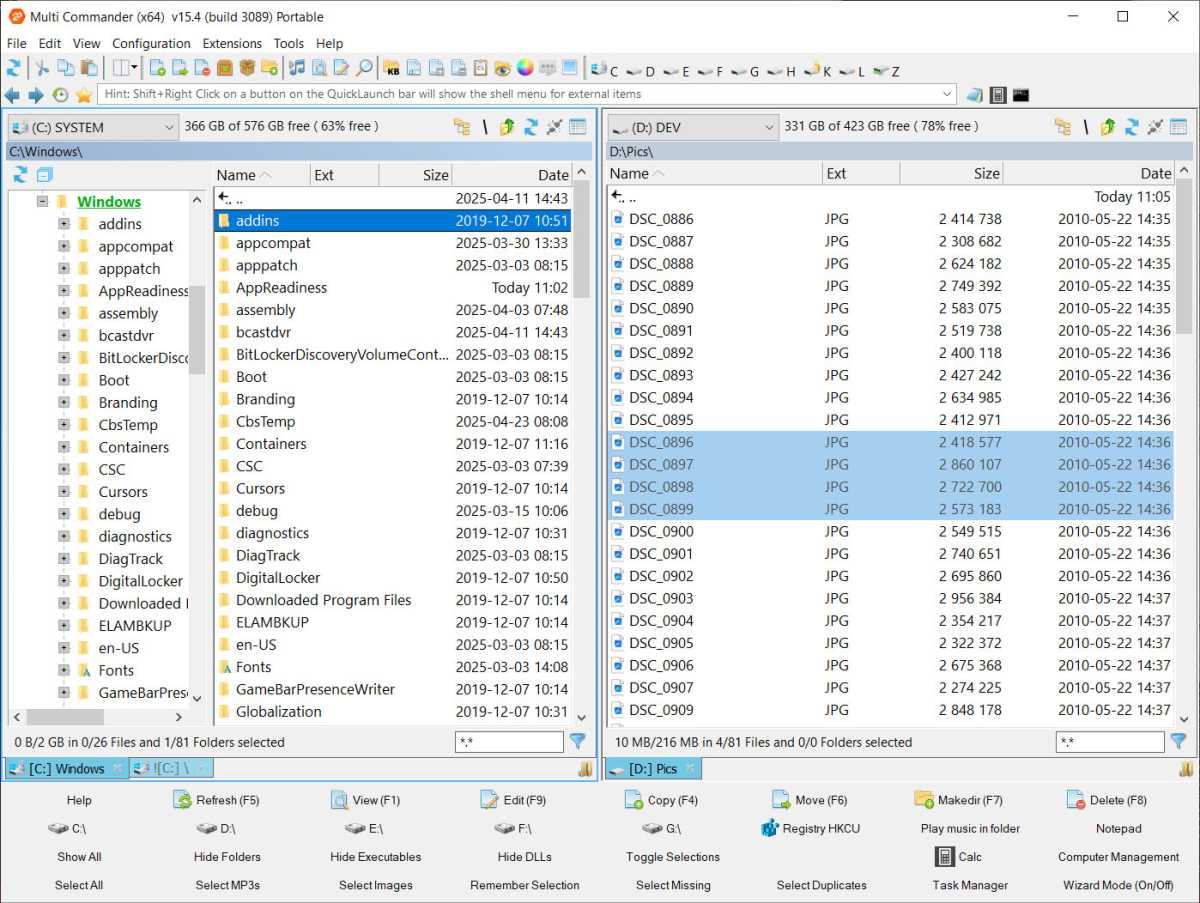
Multi Commander helps you work productively with numerous auxiliary tools such as batch renaming.
Multi Commander
Using the mouse and keyboard differs slightly from Windows Explorer, so there may be a short adjustment period. However, Multi Commander is a fast and extremely feature-rich tool.
It can, for instance, rename multiple files in one go, edit metadata in audio and video files, create backups of files and folders, and even play audio files directly within the file manager.
Multi Commander is by far the most comprehensive of the free tools. The SE version, which is available in the Microsoft Store, has the advantage of automatic updates.
Double Commander
Double Commander comes from the open source scene. The program is available in 32- and 64-bit versions as well as portable versions.
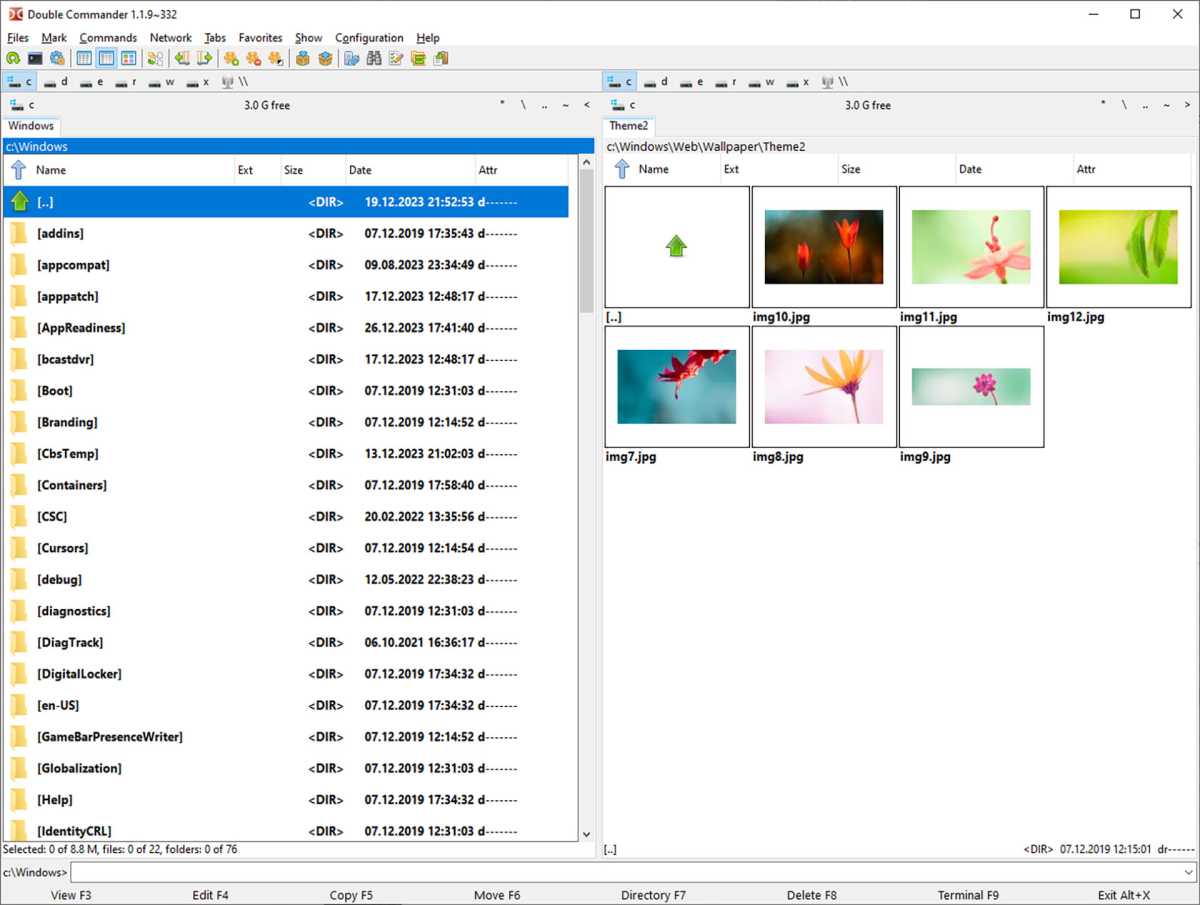
Double Commander
The concept of the user interface is reminiscent of Free Commander: tab bars are arranged above the two windows, allowing you to quickly switch to the installed drives. A special feature of the program is that it can create symlinks, i.e. symbolic links to files and folders, as well as hard links.
Additional functions include calculating and verifying checksums, synchronizing folders, splitting large files, and, of course, all the usual commands for marking, copying, and moving files.
The interface, with its small icons, is not as clear as the one in Free Commander, but it adheres to Windows standards and is therefore quickly understood.
One Commander
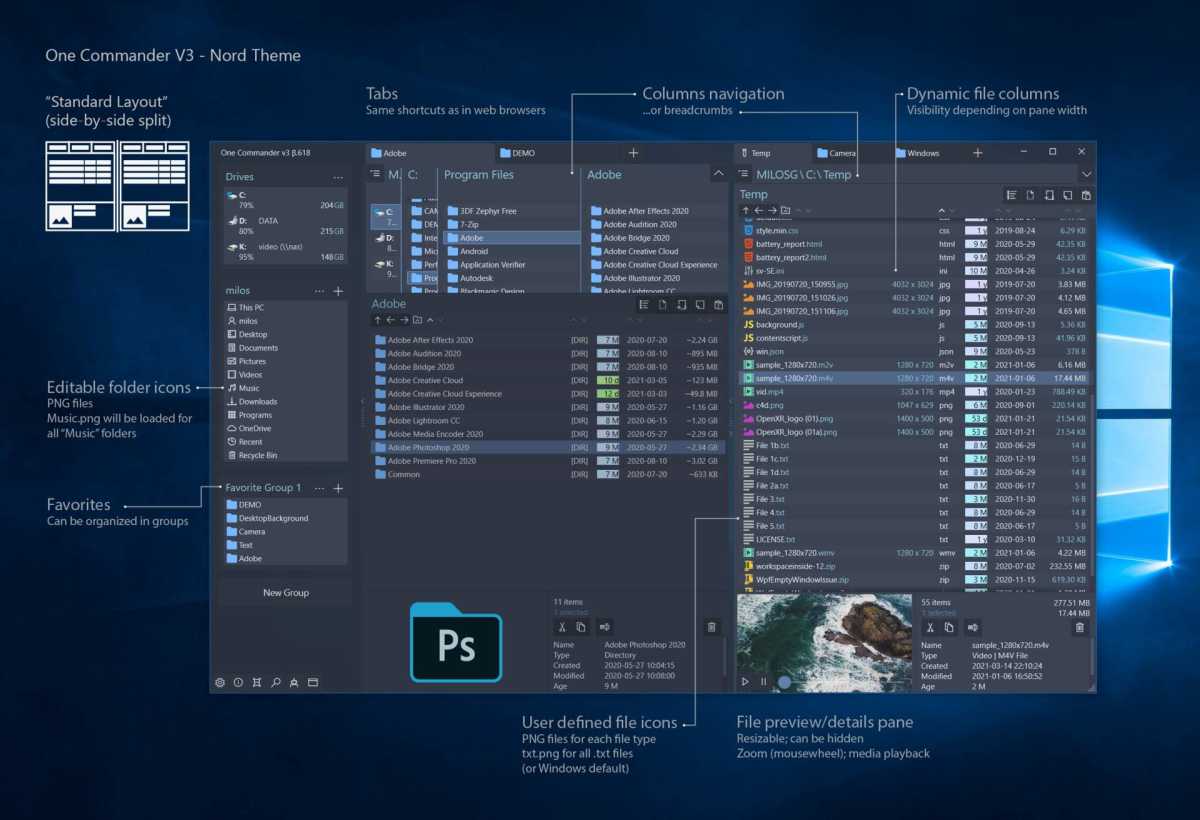
One Commander leaves it up to the user to decide whether they prefer to work with a single or dual-window view. The buttons at the bottom of the program window allow you to switch the view quickly.
One Commander
The program is also flexible in other ways. For example, it offers a dark mode and an download alternative icon packages from the website upon request.
Its operation is similar to Windows Explorer. Folders and files can be copied and cut via the right-click context menu. Marking is done by pressing the Shift or Ctrl keys while clicking.
One Commander offers direct access to the OneDrive folder and remembers which folders were last opened in a history.
Overall, however, the feature set doesn’t extend much beyond what you’re used to in Windows Explorer. The main advantage of One Commander is its dual-window view.
Paid file managers
In addition to the free program, there are also paid options for file management. Here are some of the most notable ones:
- Total Commander: A long-standing classic in the field, Total Commander still impresses with its clear, dual-pane layout and features such as an FTP and LAN client, an advanced search function, and built-in archive support.
- SpeedCommander: This is the second major classic among file managers. It can connect to network drives and FTP servers and includes a link to the Windows formatting function. The dual-pane interface is clear and well-structured, and drives can be accessed directly via buttons.
- XYplorer: XYplorer adopts the single-pane style of Windows Explorer but includes an option to display a second pane. It expands the Explorer feature set with scripting capabilities and lets you add files and folders to a favorites list. The paste function is also significantly enhanced—for instance, copied files can be pasted directly as ZIP archives to a chosen location. Although the program may seem modest at first glance, its full potential becomes clear with continued use.
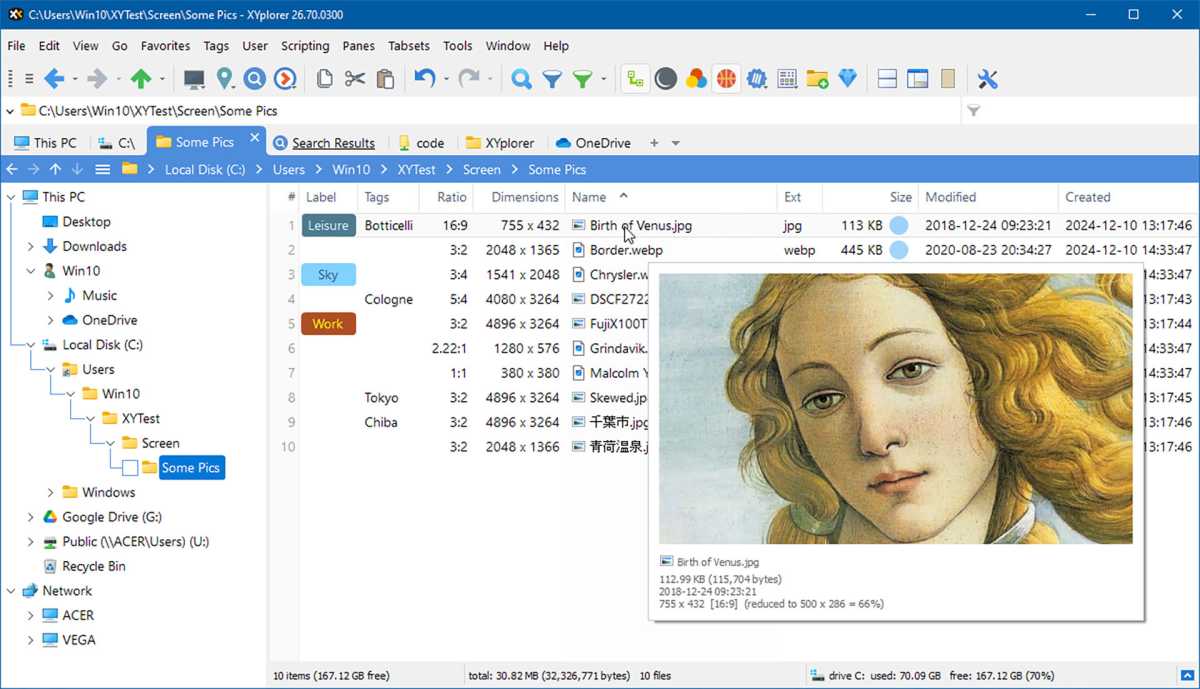
Xyplorer
Q-Dir
The Q in Q–Dir stands for Quad, indicating the most outstanding feature of the program. It opens four windows at the start, which you can then arrange horizontally and vertically in various patterns or reduce it to three or two.
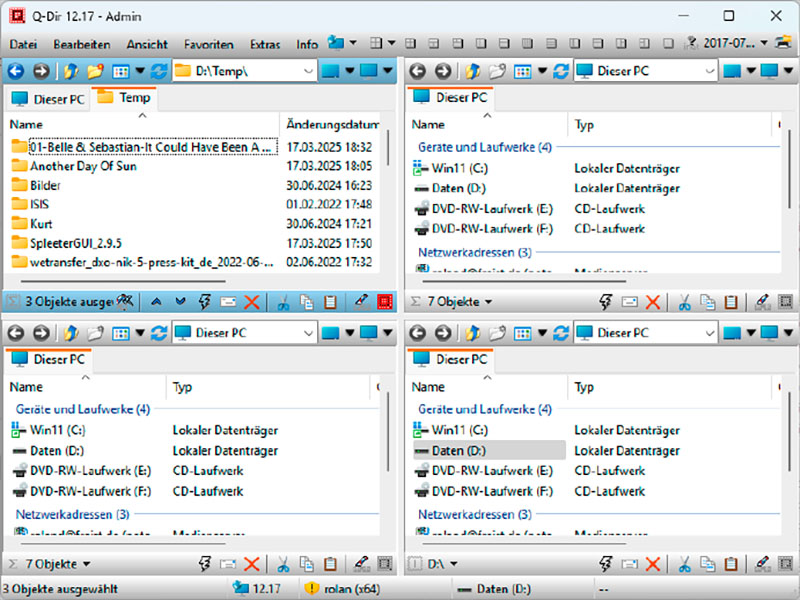
IDG
The functionality of this free software largely mirrors that of Windows Explorer. For example, Q-Dir uses Windows file manager’s context menu. However, users can customize the layout and the visible elements to a much greater extent than in Explorer.
As an added feature, Q-Dir offers the option of making folders quickly accessible via a favorites list.
Common Windows Windows tools such as the command prompt or PowerShell can be accessed directly from the file manager, and the software can also print folder structures and start scanning processes.
File Voyager
The manufacturer of File Voyager advertises the program as the “Swiss Army knife of file management” to emphasize its comprehensive functionality.
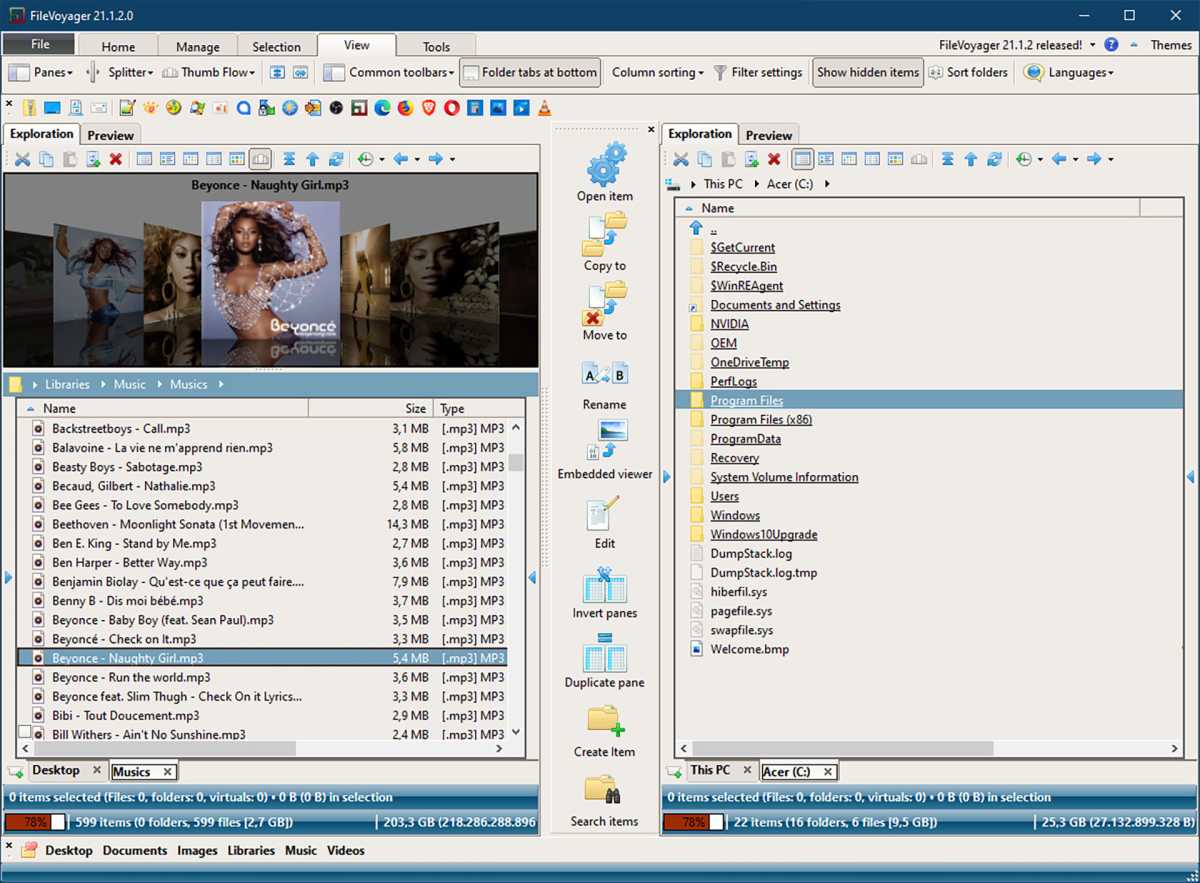
File Voyager
However, the range of functions is actually not that extensive. What is impressive about the software is the modern interface with its three-dimensional controls, clear organization, and two-window view.
Like the programs from Microsoft’s Office suite, File Voyager works with ribbons instead of menus. If you click on a menu, a new ribbon appears with new commands.
Below the ribbons is a small bar that you can use to send the selected files to TeamViewer, to the installed mail program, to the Documents folder, to the desktop, to a zipped folder, or to a device paired via Bluetooth.
However, not all of these shortcuts worked in our test.
In addition to the usual commands for selecting, copying and moving files, File Voyager comes with an extensive selection of viewers and its own pack function. It also includes its own audio and video players, which play the selected files in one pane to be previewed in the other.
The developers have adopted the required codecs from the open source player VLC. The image and video preview can also be enlarged to full screen.
File Voyager is one of the best, if not the best, free Explorer alternative on the market. However, the good impression is spoilt by an instability that was observed several times in our test. For example, the tool often pauses for a long time or even freezes when reading drive or folder contents.
File manager for Android
File managers aren’t just available for Windows, they’re also used on smartphone and tablets. Due to the smaller screen size, their layout looks different, and dual-pane views are rare. However, the core features are usually there.
- Google Files: Google’s file manager comes pre-installed on all newer Android devices. It displays the most recently viewed files on the start page and organizes the files on the smartphone into the categories “Downloads,” “Images,” “Videos,” “Audio,” “Documents,” and “Apps.” The user can also mark files as favorites or move them to a secure folder, which they can protect with a PIN or pattern. The device’s file system can be accessed through “Internal storage,” while “Other storage” provides access to cloud services like OneDrive, Google Drive, and Dropbox.
- Total Commander: Unlike its Windows counterpart, Total Commander for Android is free of charge. The app provides all the necessary file actions and can also organize the files according to various criteria such as size or creation date. Photos can be edited directly in the app. Files can also be sent directly to other network devices using the small WLAN transfer add-on program.
- X-plore: This file manager offers a wide range of functions: it can create ZIP archives, serve as an FTP server and Wi-Fi access point, and access network shares. If desired, the app can create a password-protected vault for storing sensitive data and access the most important cloud services. The only point of criticism are the small icons with barely legible labels.
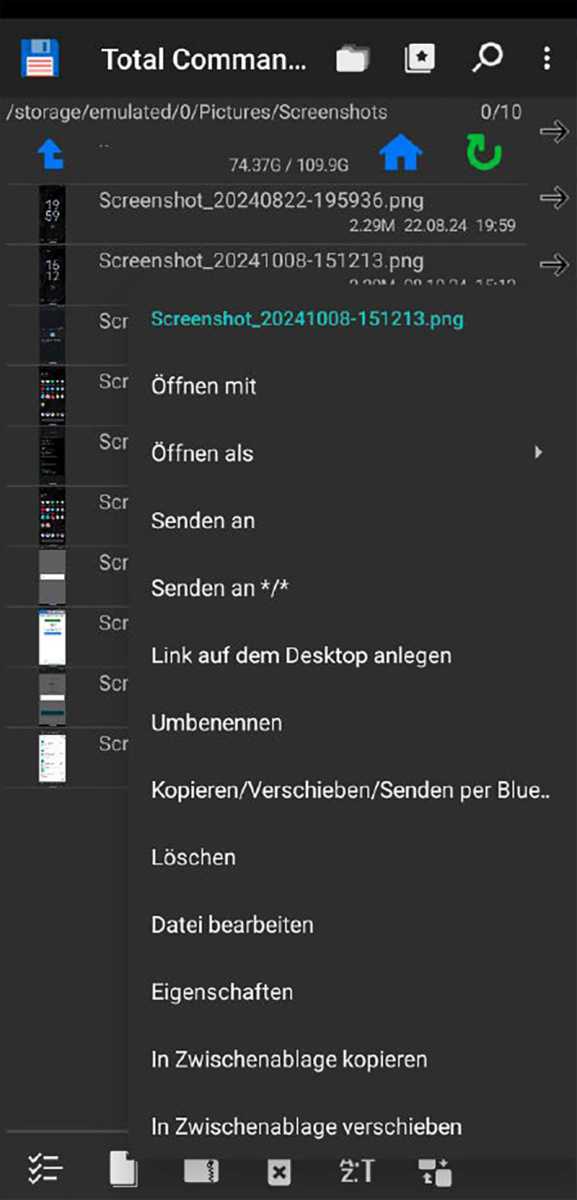
IDG
This article originally appeared on our sister publication PC-WELT and was translated and localized from German.
