


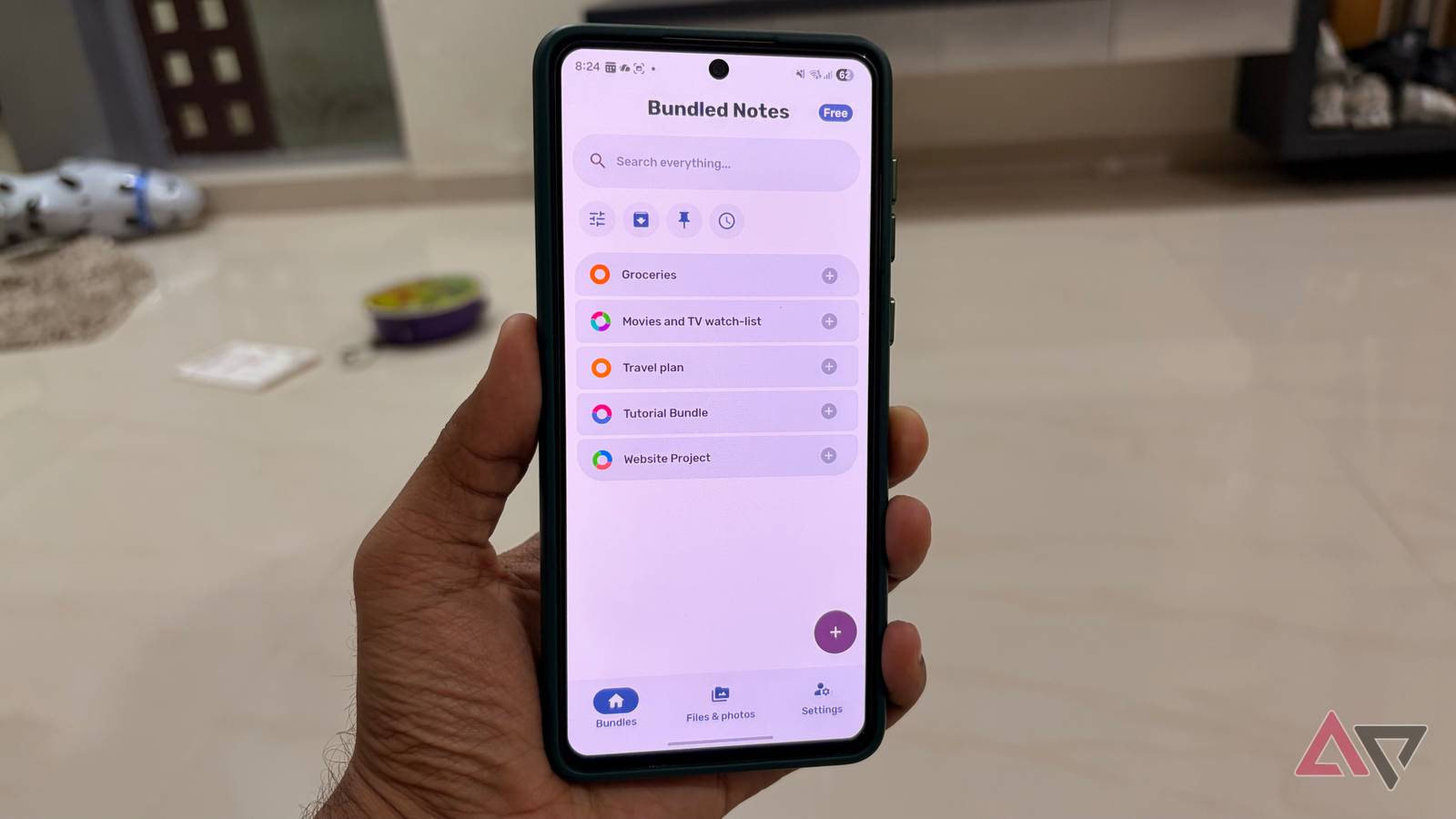
The note-taking conversation is usually dominated by the likes of OneNote, Evernote, Notion, and Obsidian.
However, a small, fiercely capable application is quietly achieving what the giants often complicate: perfect organization. That app is Bundled Notes.
This Android powerhouse delivers a robust, flexible, and surprisingly intuitive system.
If you have ever felt overwhelmed by feature bloat or frustrated by the limitations of the current market leaders, prepare to discover the minimalist tool that might be the last note-taking app you ever download.
Bundled Notes has a beautiful UI and smooth animations

Bundled Notes has nailed the app aesthetics.
If you have spent any time in the note-taking heavyweights lately, you know the vibe: OneNote feels heavy, Evernote is clunky and overloaded with legacy code, and Notion often feels like a slow-loading web page.
And don’t even get me started on Obsidian. Powerful, yes, but its UI is strictly basic at best. That’s why the release of Bundled Notes 4.0 is such a game-changer.
The developer didn’t just tweak a thing or two; they literally rewrote the core from scratch (using modern tech like Jetpack Compose, for the tech-savvy among us).
It’s pure Android fluidity. This is where Bundled Notes truly beats the giants. The whole experience feels native. It’s polished, modern, and perfectly aligned with Material You dynamic theming.
With the legacy code cleaned out, the app feels blazing fast. Even when switching between my complex Kanban boards or filtering massive Bundles by tags, there is zero friction.
The new Kanban board UI in v4.0 deserves special mention. Dragging and dropping notes between columns is silky smooth, and the side-scrolling experience is far superior to trying to manage a long list of cards in a cramped vertical feed.
Bundled Notes is packed with powerful features


Bundled Notes isn’t just a pretty face; it’s feature-rich. It manages to pack in power features without the typical bloat, which is why I consider it a genuine giant-slayer.
It takes the simplicity of Google Keep and adds serious features to turn it into an ultimate productivity tool.
Bundled Notes offers a full, integrated, live Markdown editor. That means I can quickly write a heading, make text bold, or create checklists, and the note renders it beautifully.
It’s perfect for everything from drafting blog posts to structuring detailed meeting notes.
Unlike Evernote, which can sometimes feel like a heavy word processor, the Bundled Notes editor is light and fast.
It includes all the essentials: headings, quotes, code blocks, and lists, accessible through a simple toolbar when I need it.
Kanban board is where Bundled Notes elevates itself from a simple note-taker to a dedicated lightweight project manager, easily surpassing the basic checklist functionality of almost every competitor.
I can take any single Bundle and activate the Kanban view. It uses my existing tags and automatically creates columns.
Bundled Notes understands that I need tags that are more than just simple labels (looking at you, Google Keep). Since tags are contained within a specific Bundle, I can reuse general tags like #urgent without cluttering my main, global tag list.
Beyond the core note-taking experience, Bundled Notes includes all the essential extras I expect from a modern productivity app.
I can attach photos and videos directly to my notes, set reminders for important notes, and even play with the dozens of customization options.
Multiple use cases


One of the biggest mistakes people make when choosing a note app is thinking it’s only for quick thoughts. Bundled Notes isn’t just a note app; it’s a toolkit for managing my entire digital life.
The brilliance of the Bundle system is that it allows the app to be radically different things in different contexts, all under one roof.
I no longer need a separate app for tasks, reading lists, and long-form notes. I simply create a new Bundle and customize its layout.
For example, I set a Bundle to use the Kanban board view, where notes become draggable cards across my Backlog, Doing, and Done columns.
It’s the perfect lightweight replacement for Trello or Notion databases, handled right in my notes app.
I use a separate Bundle purely for long-form writing or collecting web links. I enable the rich text editor, set the view to a dense list, and my Markdown notes look exactly like published articles.
I also have a Bundle for Movies/TV where I use colorful tags and link previews, and create my personal, visual database of things I want to watch.
For desktop users (which I’m often), the web application is essential, and it’s robust.
Forget Notion and Evernote
The verdict is in: while Google Keep offers speed and Evernote offers sheer archival volume, Bundled Notes delivers the perfect balance of structure and function for the modern organizer.
For the Android user tired of digital noise, this app proves that focusing on fewer, better-designed features can easily beat volume.
Overall, if you value a focused, beautiful, and highly capable note-taking experience on Android, I can’t recommend Bundled Notes enough.
If Bundled Notes doesn’t work for you, check out these note-taking apps to fly through your ideas.
