


At a glance
Expert’s Rating
Pros
- Lots of features for the price
- Fast 2.5GbE port
- Very advanced OS with media streaming and backup galore
- No hidden charges to enable features
- No license needed to connect IP cameras
Cons
- Occasional interface rough spots
- All-plastic case
Our Verdict
The TerraMaster F2-425 two-bay NAS box is a good value for streaming media over your home network, handling IP cams, and backing up your computer and other device data.
Price When Reviewed
This value will show the geolocated pricing text for product undefined
Best Pricing Today
Best Prices Today: TerraMaster F2-425 two-bay NAS
£239.52
Millions of people pay month in, month out to store their data in the cloud, seemingly oblivious to the fact they can store their data privately, in their own home, on their own network, without any recurring costs whatsoever. All you need is a NAS box (Network Attached Storage) like the TerraMaster F2-425 reviewed here connected to your router.
You can keep the NAS in a physically safe location, stream movies and music to any of networked display, smart TV, or speakers, as well as back up your the photos, videos, and other data stored on any of your devices to it. And the best part is that you don’t need to trust your data to a broadband conduit and some large corporation that quite frankly–wouldn’t give a darn about your data if you weren’t paying them to store it.
Specifications
If you’re not familiar with a NAS box, it’s basically a tiny computer that’s designed for storing and distributing data–a file server, in the vernacular, although it can do much more.
NAS attaches via an ethernet cable, or in some cases Wi-Fi (the F2-425 is hardwired only). You access the files stored on a NAS box via your operating system’s (Windows Explorer, the MacOS Finder, etc.) network browsing and administer it or access its virtual machines and apps with a Web browser.
In some cases, you can attach a keyboard via the NAS box’s USB port and a display via its DisplayPort or HDMI; however, while the F2-425 has an HDMI port, it’s used for terminal (aka command line) use only. Unlike some NAS boxes, this one has no graphical desktop or direct streaming media output.
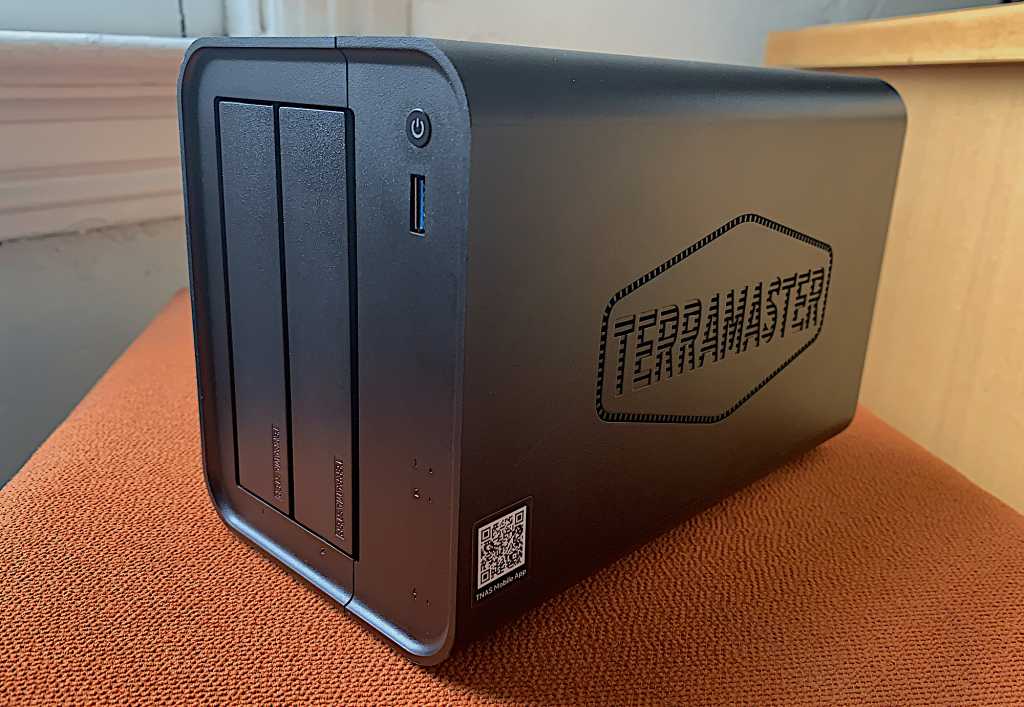
The all-black TerraMaster F2-425 is constructed largely from plastic with some metal framing to secure the components inside. It measures around 9-inches long, 5.5-inches high, and 4.6-inches wide, and it weighs just a tad under four pounds unpopulated (i.e., before you add any of the drives that are needed for storage).
I’d love to say it’s ruggedly constructed, but on one of the rubberized feet was falling off after only a few drags across the rough surface you see in the photos. It’ll do, but don’t set it in the back of your jeep while off-roading and expect it to survive.
As you can see in the photo at the top of this page, the F2-425’s front panel is home to the power button, activity and power lights, a single a 10Gbps USB 3.2 Type-A port for quickly copying data from the NAS, and the two quick-change drive bays. There’s no drive-locking mechanism, but we’re hoping you trust everyone in your home. If you don’t, well….
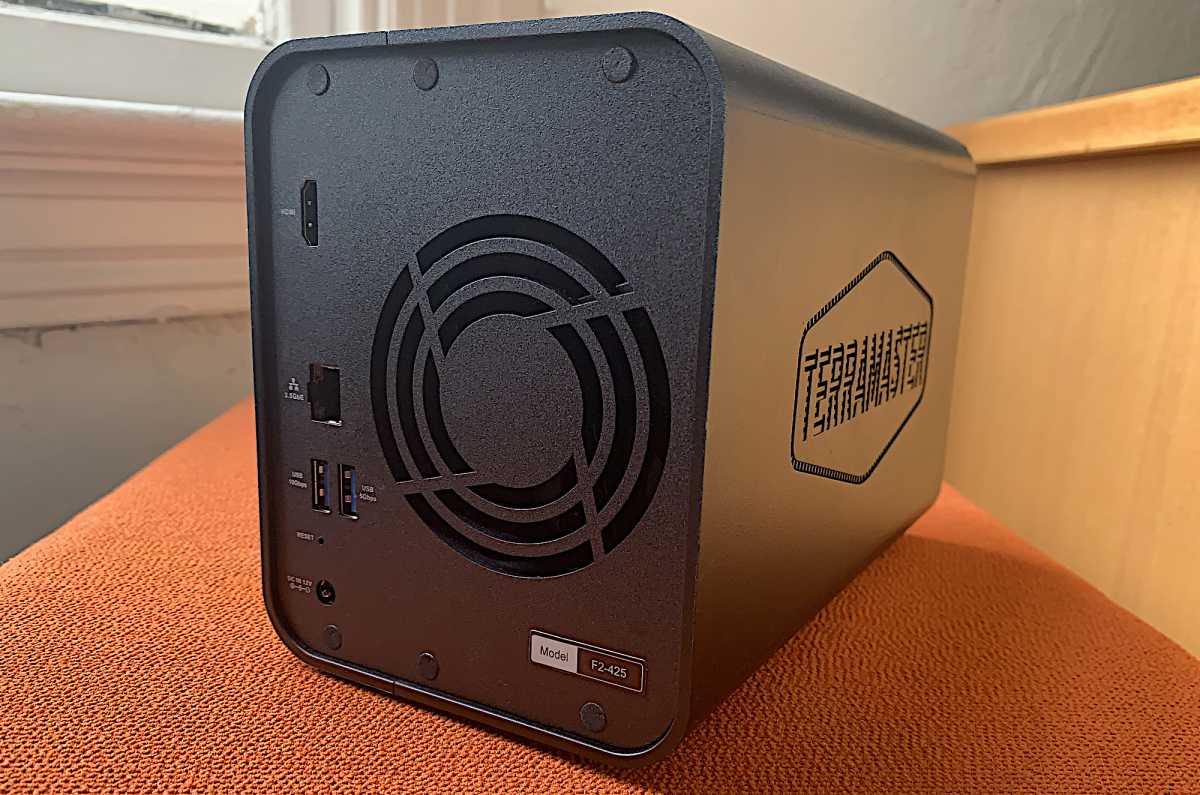
The box’s rear panel features the 2.5GbE ethernet port, two more 10Gbps Type-A USB ports, the power jack, an HDMI port, and a large fan to keep things cool. There’s also a pinhole reset button that I had to use since I couldn’t remember the first password I used. Dummy.
The fastest transfer rate you’ll get from a 2.5GbE network device is 300MBps–only a skosh faster than today’s high-capacity hard disk drives (HDDs) (which can transfer files at around 275MBps), but slower than SATA solid state drives (SSDs) (they can perform file transfers at 550MBps). Streaming even high-resolution 4K video, however, requires transfer speeds less than 50Mbps (that’s megabits per second), so you’ll have bandwidth to spare with the F2-425.
You’ll find two quick-change drive bays inside the F2-425 that can accommodate either 2.5- or 3.5-inch HDDs or 2.5-inch SATA SSDs, and you can hot-swap drives if you so desire. While HDDs and SATA SSDs might seem quaint in the age of NVMe (Non Volatile Memory Express), you can get up to 72TB of storage with the former, but only 32TB with the latter–and then only with a pair of VectoTech 16TB V-MAX drives that cost $1,700 each! Normies can figure on 8TB with two $250 4TB consumer-grade SATA SSDs (4TB if configured as RAID 1).
And in at least the case of HDDs, I would recommend that mirror them (RAID 1) if there’s anything irreplaceable on them. That halves the storage, but it reduces the chance of catastrophic data loss if one drive fails in striped RAID 0.
The processor is a four-core Intel Celeron N5095 and there’s 4GB of DRAM on board–easily enough to run the Linux-based TNAS operating system that’s provided, but not powerful enough to host the Roon music server. (Roon recommends having at least an Intel Core i3 processor and 8MB of DRAM.)
Of most interest to the average home user will be the F2-425’s video, music, and photo features. For streaming video and music, there’s TerraMaster’s own Multimedia Server, which leverages DLNA. The acronym stands for Digital Living Network Alliance, a trade group Sony founded in 2003, and it’s become the baseline for even the included (and more powerful) Emby, Plex, and Jellyfin media servers. You can click on the preceding links for TechHive’s reviews of those product, but Plex is the most mainstream option.
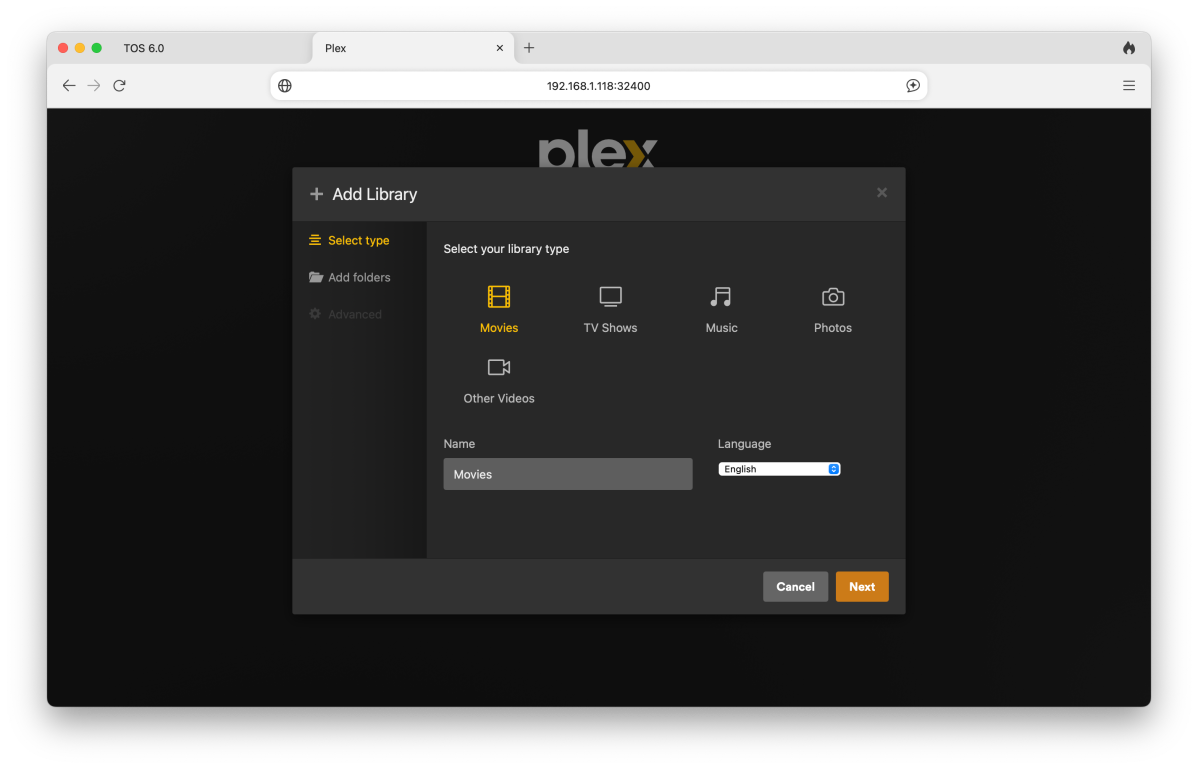
The Photos app features “AI”, aka pattern recognition, and it will auto-sort photos based on various criteria. Bittorrent clients and an iTunes server are also on board.
Using the F2-425 for client backup
TNAS’s Centralized Backup is one of my favorite NAS backup apps. You can of course install clients for it on your computers and devices, but you don’t have to. If you share the files on your devices, you can access them via Centralized Backup’s SMB (i.e., normal Windows file sharing).
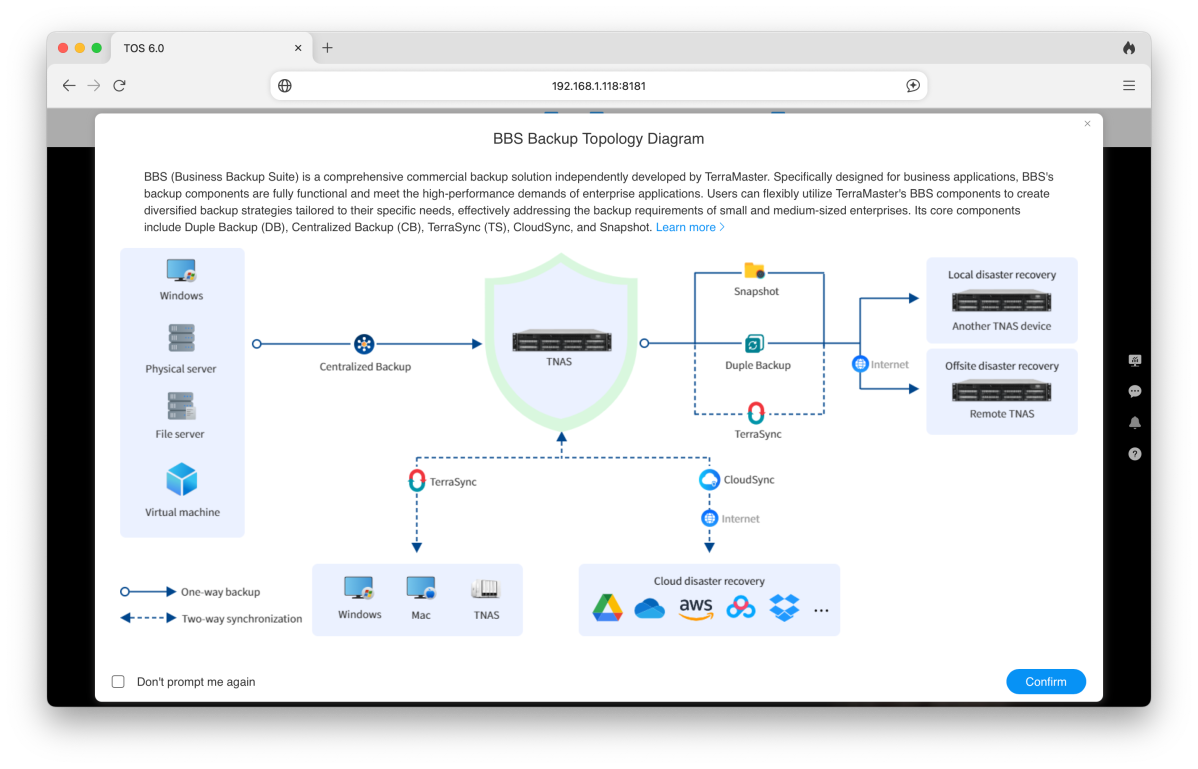
In other words, turn on file sharing on your computer or device, share the folders you want backed up, then add them as sources to a Centralized Backup file server backup.
From there, you can use TNAS’s online storage backup software to sync your backed-up data to the cloud, and/or sync it from the cloud to the F2-425. The commercial services supported include BackBlaze B2, Google Drive, OneDrive, Amazon S3, Dropbox, Box Baidu Cloud, Alibaba Cloud, and others. There’s Time Machine support for Apple users, but iCloud is not supported.
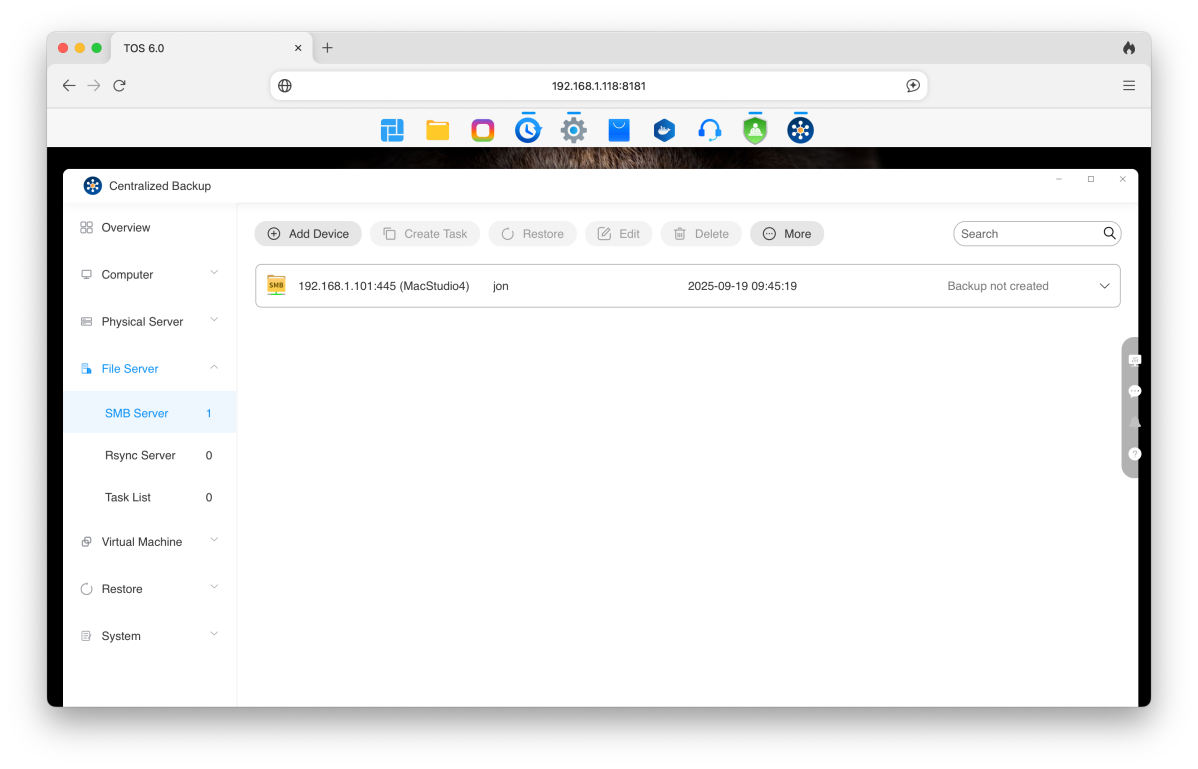
On a side note, I highly recommend keeping a local copy of your precious photos. There have been no huge losses of data from a major online repository, but it’s an increasingly dangerous online world.
Using the F2-425 for security cameras
Did you know that you don’t need to pay through the nose to have online surveillance vendors monitor your premises? Indeed, before those services were available, local security systems employing hardwired or IP cameras (Internet Protocol cameras that use your local network via Ethernet or Wi-Fi rather than an online service.) were the norm. IP cams are still readily available for not a whole lot of cash.
And you can still access IP cameras remotely, although that requires configuring the ports on your router so that you can reach the F2-425 from outside your home network. Alternatively, you can use the TerraMaster TNAS Web portal/forwarding service, which is a far easier and more secure way to go about it.
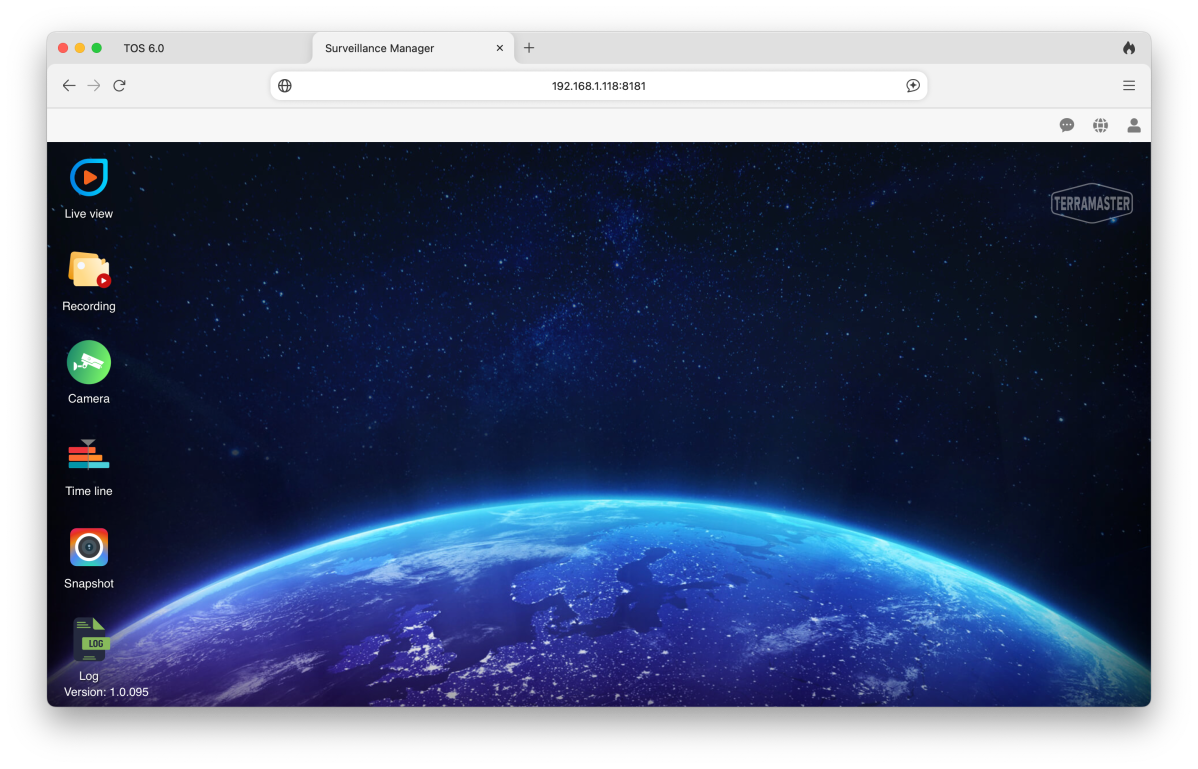
To that end, TerraMaster provides its Surveillance Manager app (shown above) which will accommodate multiple ONVIF-compliant (Open Network Video Interface Forum) IP cams without expensive additional licenses as the boxes from QNAP and Synology typically require. Yay TerraMaster!
What are the FS-425’s other features?
While media streaming and backup will be the most important features for the average user, the TerraMaster is also suitable for SMBs (small to medium-sized businesses) and even enterprise use. It supports virtual machines, too, so you can compute over your web browser; and there’s a Docker host, so you can do the same via Docker modules.
As to the basics, the F2-425 runs the BTRFS (Better File System) which features copy-on-write, snapshots, and data scrubbing. There’s also deduplication, MyBB and phpBB bulletin boards, NextCloud shared storage, FTP client, Portainer (like Docker), a web server), Java. iBos, and a lot of other stuff that IT types love.
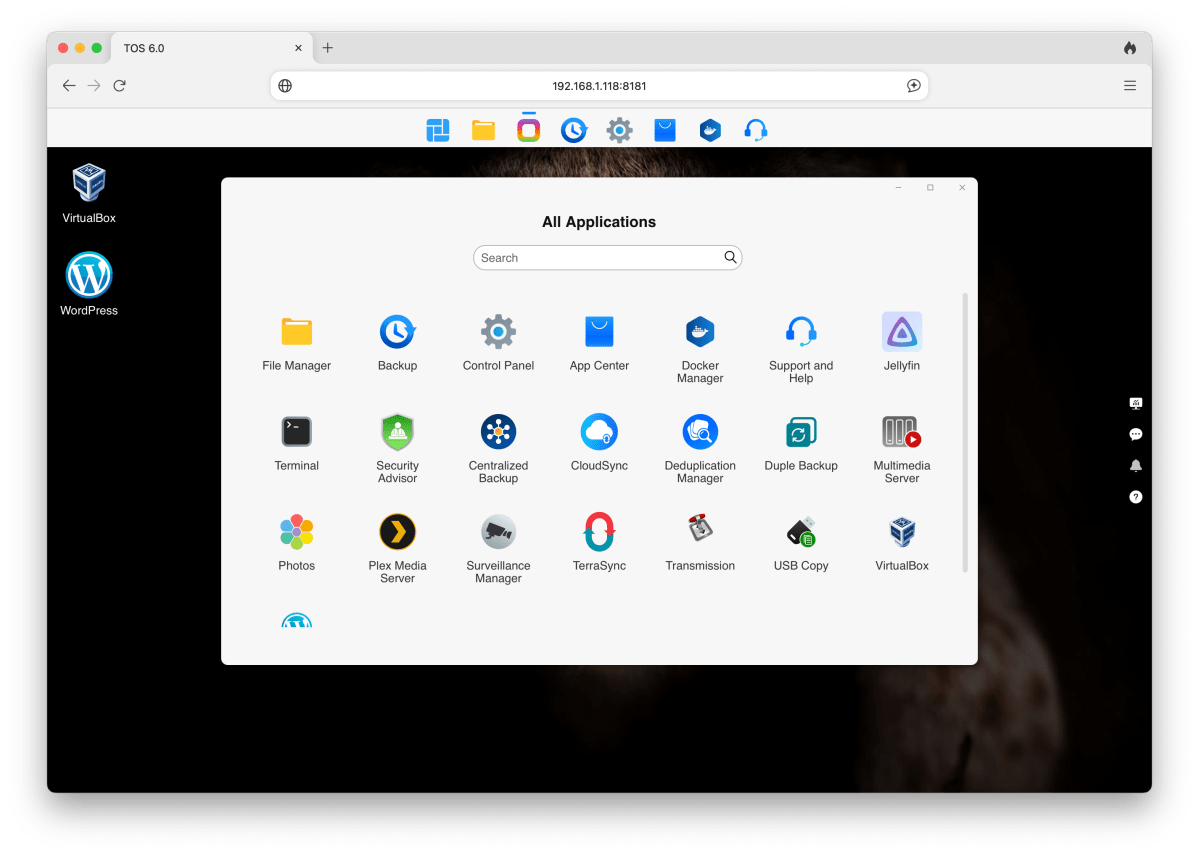
A reasonably recent (6.7/2024) version of WordPress is included (keep it updated if you decide to use it) if you want to create and host your own website. Be careful with that. I was malware-attacked hosting my own website (I was running a very outdated and vulnerable version of WordPress), and only diligent backup policies saved me.
I’m not totally against hosting your own site, but do so only if there’s nothing else of importance on the box, and keep the site constantly backed up to less vulnerable external media. The open-source ClamAV antivirus engine is available as a TNAS app, though I’m not sure it would protect you from a WordPress exploit.
TerraMaster F2-425 performance
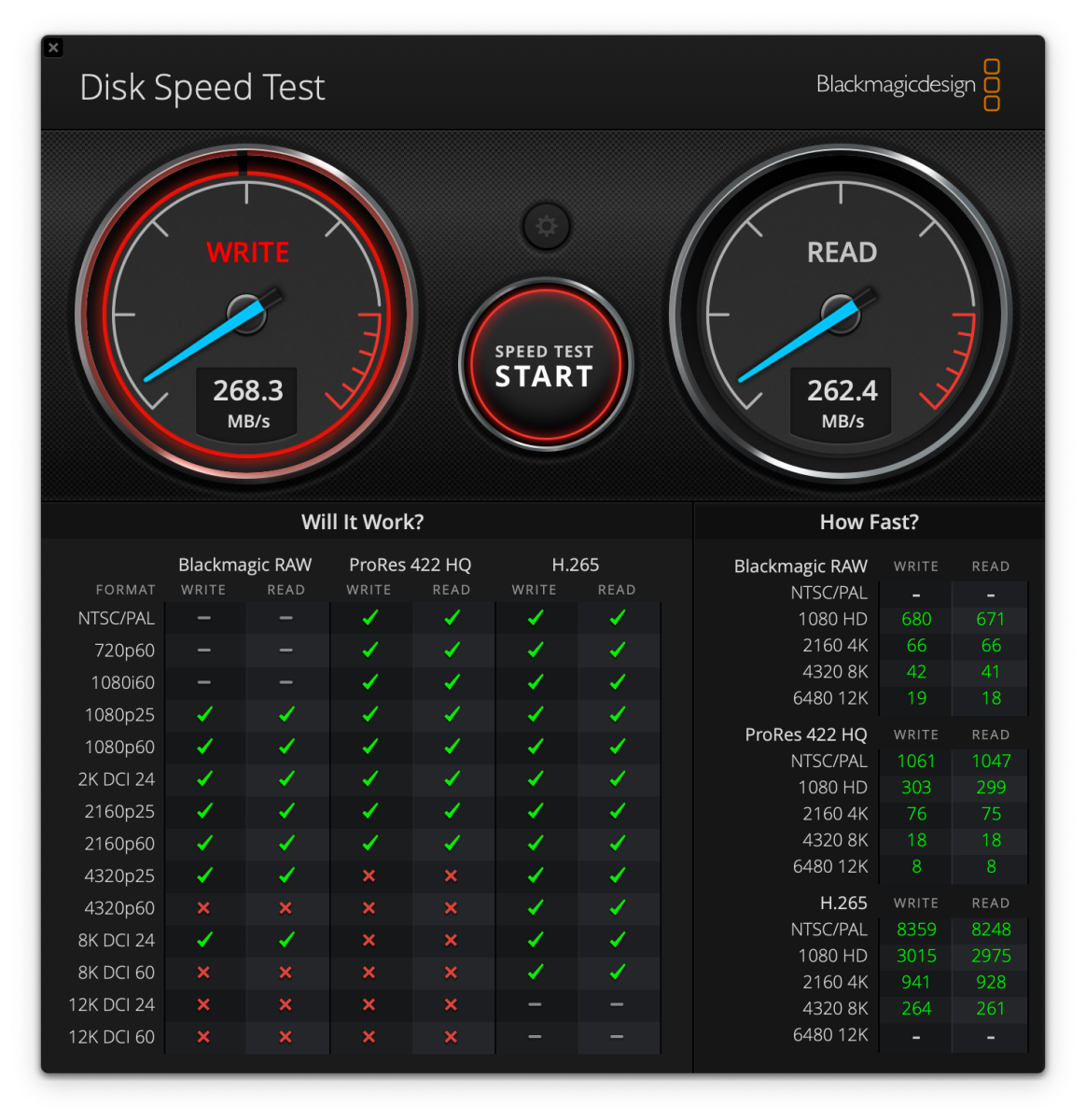
While not quite the fastest 2.5Gbe NAS box I’ve tested, the F2-425 isn’t far enough off the pace to worry about. Generally speaking, with a single 2TB SATA SSD inside, read and write speeds varied between 250- and 300MBps.

Given that 4K video requires only around 25- to 50Mbps, the the F2-425 should easily stream video to multiple clients simultaneously. And client backups, while not extraordinarily speedy, shouldn’t take more than a few minutes each. At least after the initial slog of a few hours at roughly 250GB per hour. This all, of course, depends on the amount of data involved.
Fast enough aside, if you want to know what 10GbE and NVMe bring to the table, check out my review of the TerraMaster D8 SSD Plus in Macworld. Short story: Almost 1GBps best case, though larger NVMe SSDs are pricey.
One thing I don’t like about TNAS is that it doesn’t multitask particularly well. For instance, I couldn’t retreat to the desktop and fire up the file manager while installing an app. That’s not a deal killer, but there are four cores. Let’s use em’!
Should you buy the TerraMaster F2-425?
While I’ve traditionally recommended QNAP and Synology as the go-to vendors in the consumer NAS space, TerraMaster’s TNAS OS has matured to the point where it’s every bit as capable, and the company doesn’t nickel-and-dime you for “extras,” such as security camera license fees the way those other vendors now do.
So yes, I’m recommending the F2-425 as a top choice in a two-bay NAS box for multimedia streaming, backup, home file sharing, and storing video from ONVIF IP cams. Good job TerraMaster.
