
Close Menu
TechUpdateAlert

    Subscribe to Updates

    Get the latest creative news from FooBar about art, design and business.

    What's Hot

    My Health Anxiety Means I Won’t Use Apple’s or Samsung’s Smartwatches. Here’s Why

    December 22, 2025

    You can now buy the OnePlus 15 in the US and score free earbuds if you hurry

    December 22, 2025

    Today’s NYT Connections: Sports Edition Hints, Answers for Dec. 22 #455

    December 22, 2025
    Facebook X (Twitter) Instagram
    Trending
    • My Health Anxiety Means I Won’t Use Apple’s or Samsung’s Smartwatches. Here’s Why
    • You can now buy the OnePlus 15 in the US and score free earbuds if you hurry
    • Today’s NYT Connections: Sports Edition Hints, Answers for Dec. 22 #455
    • Android might finally stop making you tap twice for Wi-Fi
    • Today’s NYT Mini Crossword Answers for Dec. 22
    • Waymo’s robotaxis didn’t know what to do when a city’s traffic lights failed
    • Today’s NYT Wordle Hints, Answer and Help for Dec. 22 #1647
    • You Asked: OLED Sunlight, VHS on 4K TVs, and HDMI Control Issues
    Facebook X (Twitter) Instagram Pinterest Vimeo
    TechUpdateAlertTechUpdateAlert
    • Home
    • Gaming
    • Laptops
    • Mobile
    • Software
    • Reviews
    • AI & Tech
    • Gadgets
    • How-To
    TechUpdateAlert
    Home»Laptops»Razer HyperFlux V2 Wireless Charging System Review: A $120 Mousepad
    Laptops

    Razer HyperFlux V2 Wireless Charging System Review: A $120 Mousepad

    techupdateadminBy techupdateadminOctober 29, 2025No Comments3 Mins Read
    Share Facebook Twitter Pinterest LinkedIn Tumblr Reddit Telegram Email
    Razer HyperFlux V2 Wireless Charging System Review: A $120 Mousepad
    Share
    Facebook Twitter LinkedIn Pinterest Email

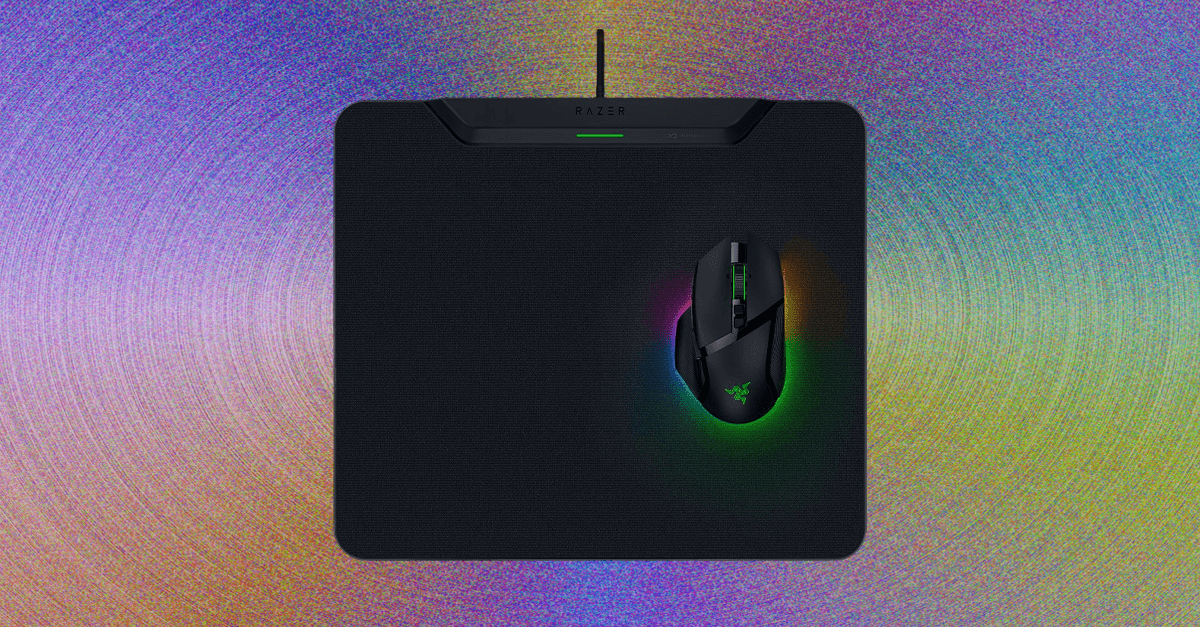
    The HyperFlux V2 mousepad is only compatible with five of Razer’s gaming mice right now: Razer Basilisk V3 Pro 35K, Razer Basilisk V3 Pro, Razer Cobra Pro, Razer Cobra HyperSpeed, and Razer Naga V2 Pro. Pop any of these on top of the pad and they’ll automatically recharge.

    The largest issue was occasional warmth from the charging elements. The heat wasn’t strong enough to cause any concern, and it only happened intermittently when the mouse was (presumably) running low on power and needed a boost, but it was just warm enough to distract me. It’s worth noting that Razer doesn’t recommend placing the HyperFlux V2 on metal surfaces (sorry to anyone with a Secretlab Magnus desk).

    This mousepad’s second ability is to function like a wireless dongle. The HyperFlux can connect to both Razer mice and keyboards, which can help to free up some USB ports if you’re running short. It’s similar to having multiple Logitech peripherals connected to one Logi Bolt receiver. But there’s a tradeoff: Many of Razer’s mice are capable of 8,000-Hz polling rates, a top-of-the-line spec for gaming peripherals. This extra polling—how many times per second the mouse communicates with the computer—can be unlocked with the HyperPolling dongle, but it isn’t available here. That should be included in a mousepad that costs this much.

    Infinite Life

    Battery life is a fickle thing. The longevity of your mouse’s charge relies not only on usage but also on the settings. Increasing the polling rate or cranking the RGB can significantly cut down battery life. However, mouse batteries have become so energy-dense that even the battery in a lightweight mouse, like the Cobra HyperSpeed, is rated for up to 110 hours of use. Even with the settings at the max, you likely won’t have to charge your mouse more often than once a month unless you’re spending multiple hours gaming every day or working from home on your desktop.

    My biggest concern was keeping a device with a battery at 100 percent charge for a prolonged period. It’s a surprisingly common issue with wireless mechanical keyboards right now, since some of them don’t have a way to differentiate between charging and being used wired. In a worst-case scenario, this can lead to the battery swelling over time. Keeping a battery fully-charged and plugged-in can also significantly lower the battery’s maximum capacity over time. Luckily, the HyperFlux accounts for this: The battery can be limited to a certain capacity (I chose 80 percent for my testing), and past that point, the mousepad will disable charging.

    Charging HyperFlux mousepad Razer review System Wireless
    Share. Facebook Twitter Pinterest LinkedIn Tumblr Email
    Previous ArticleCreative Aurvana Ace 3 review: audiophile favorites with some much-needed improvements
    Next Article Samsung’s Galaxy S26 Edge may not be cancelled after all
    techupdateadmin
    • Website

    Related Posts

    Mobile

    Huawei Mate X7 in for review

    December 20, 2025
    Mobile

    The Future of Wireless Headphones is Here: Your Guide to Bluetooth 6.0

    December 20, 2025
    Mobile

    Dispatch review: not just another superhero story

    December 19, 2025
    Add A Comment
    Leave A Reply Cancel Reply

    Top Posts

    NYT Strands hints and answers for Monday, August 11 (game #526)

    August 11, 202545 Views

    These 2 Cities Are Pushing Back on Data Centers. Here’s What They’re Worried About

    September 13, 202542 Views

    Today’s NYT Connections: Sports Edition Hints, Answers for Sept. 4 #346

    September 4, 202540 Views
    Stay In Touch
    • Facebook
    • YouTube
    • TikTok
    • WhatsApp
    • Twitter
    • Instagram
    Latest Reviews

    Subscribe to Updates

    Get the latest tech news from FooBar about tech, design and biz.

    Most Popular

    Best Fitbit fitness trackers and watches in 2025

    July 9, 20250 Views

    There are still 200+ Prime Day 2025 deals you can get

    July 9, 20250 Views

    The best earbuds we’ve tested for 2025

    July 9, 20250 Views
    Our Picks

    My Health Anxiety Means I Won’t Use Apple’s or Samsung’s Smartwatches. Here’s Why

    December 22, 2025

    You can now buy the OnePlus 15 in the US and score free earbuds if you hurry

    December 22, 2025

    Today’s NYT Connections: Sports Edition Hints, Answers for Dec. 22 #455

    December 22, 2025

    Subscribe to Updates

    Get the latest creative news from FooBar about art, design and business.

    Facebook X (Twitter) Instagram Pinterest
    • About Us
    • Contact us
    • Privacy Policy
    • Disclaimer
    • Terms and Conditions
    © 2026 techupdatealert. Designed by Pro.

    Type above and press Enter to search. Press Esc to cancel.