


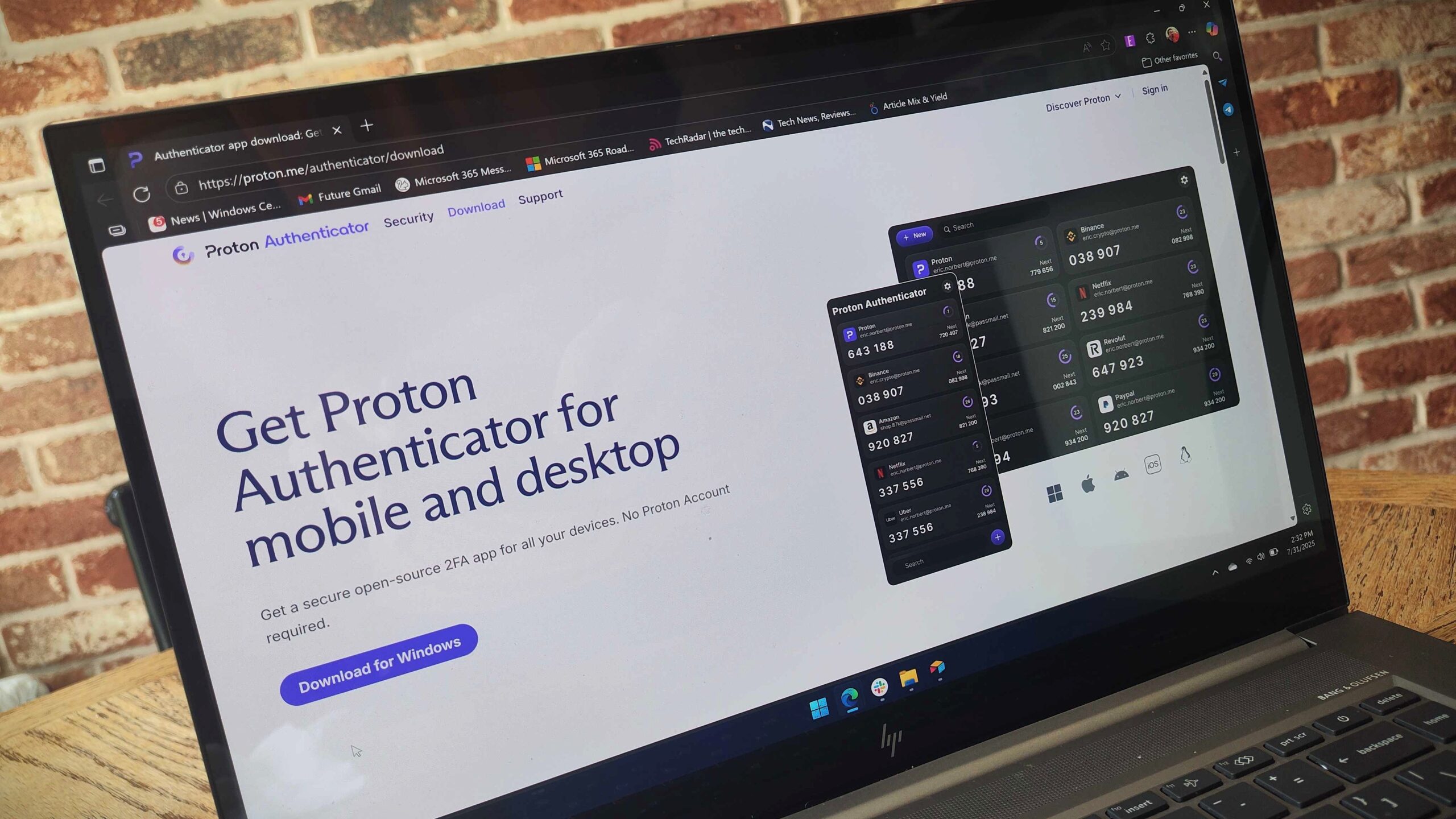
On the same day Microsoft is cutting off autofill with its Authenticator app, Proton has announced a potential alternative. Proton Authenticator is a free two-factor authentication (2FA) app available on Windows, iOS, Android, macOS, and Linux.
To be clear, Proton already had a password manager called Proton Pass that has been around for a couple of years. Proton Authenticator is a dedicated 2FA app that adds an additional layer of security to your accounts.
But considering the change to Microsoft Authenticator, some people are likely on the hunt for a new authentication app. Proton Authenticator is not a one-to-one replacement for Microsoft Authenticator, but it could be an option for people searching for a new app to secure logins.
Several 2FA apps are available, but Proton has made an effort to make its app stand out. Proton Authenticator is open source, uses encrypted sync, and lacks ads or tracking. It also supports exporting and importing 2FA data.
Google Authenticator, Microsoft Authenticator, and Duo support some of those features, but none of them support all of the features highlighted by Proton.
The company also emphasizes that “Proton Authenticator will always be free to use on desktop and mobile apps.”
You can download Proton Authenticator for free through the company’s website, which will direct you to the appropriate app store for your device.
Is Microsoft Authenticator going away?
No, Microsoft Authenticator is not going away. It is, however, seeing a shift in its functionality.
What is going away is Autofill in Microsoft Authenticator. In fact, the functionality is already being phased out. In June, Microsoft stopped users from being able to add or import new passwords to the Authenticator app. In July, the company removed the ability to use autofill passwords within Authenticator.
In August, Microsoft will prevent saved passwords from being accessible through the app.
The shift is being made to promote the use of passkeys, which are generally considered to be more secure than passwords. Microsoft has been clear that its “ultimate goal is to remove passwords completely.”
Passkeys rely on a private key stored on your device and a public key used by websites and services to ensure your identity. They are not vulnerable to many of the methods used to obtain passwords, including data breaches and phishing scams.
You can use Passkeys across a wide range of devices and operating systems. They work with biometric security features, such as face unlock or a fingerprint scan, but they can also support local PINs.
Can I still sync my passwords?
While Passkeys are more secure than passwords, some people still prefer to use usernames and passwords to log in to websites and services. Microsoft Authenticator no longer supports autofilling passwords, but another Microsoft app can do so.
Microsoft Edge can sync to your Microsoft account and autofill passwords in other apps on your mobile device. That means you’ll need to migrate to another app, but the same functionality remains available through a Microsoft app.
Our Editor-in-Chief Daniel Rubino shared why it’s a good idea for Microsoft to move autofill functionality to Edge in a comment on our initial article covering the change to Authenticator:
“Authenticator had no desktop equivalent, and Edge already had all the same passwords, so having them in two places on your phone was redundant. Now, with it only being in Edge, it matches your desktop.
Authenticator pulls passwords from Edge, so if you use autofill in Authenticator, you’re automatically using Edge for most of your other passwords.
Now, if they eliminated the ability to autofill passwords in third-party apps, that would be terrible. But Edge can now do that, making it a 1:1 replacement for Authenticator for this function.”
The autofill functionality discussed here refers to Edge being able to autofill passwords in external apps, effectively making it a replacement to Microsoft Authenticator now that the latter has lost that functionality.
Of course, there are other apps that can be used to sign in to apps and services, such as the newly announced Proton Authenticator.
