


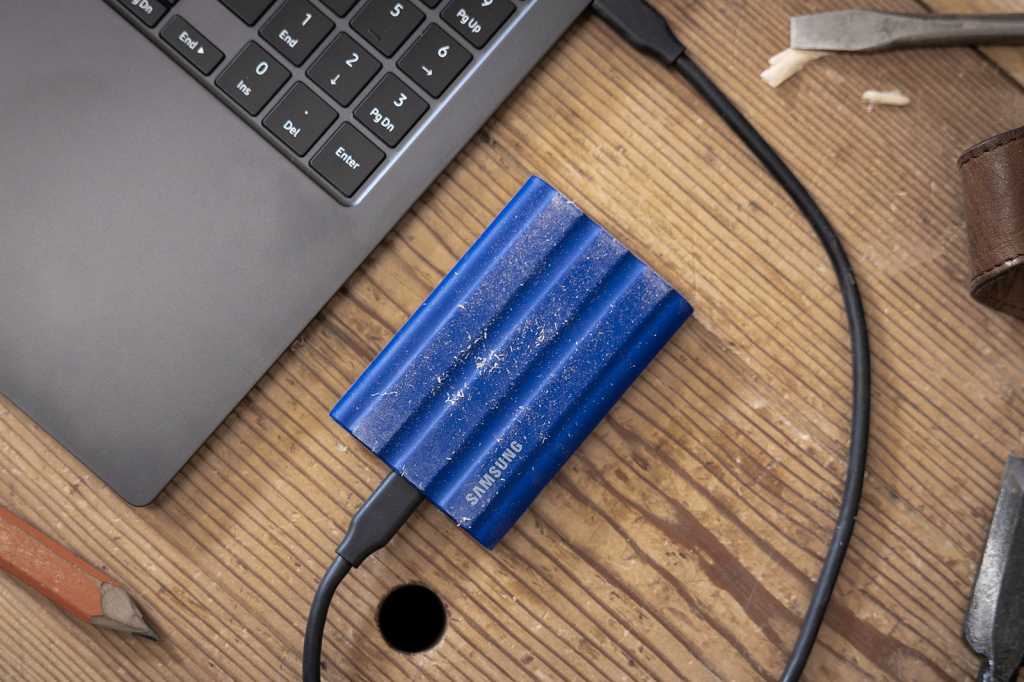
Portable solid-state drives are great, offering lots of storage and faster speeds than a USB flash drive while in a still-portable package. People often use them to back up their PCs with backup software.
But portable SSDs aren’t just for backups. Even if you prefer using online backup software and don’t plan on backing up anything to a physical drive, there are lots of great reasons to have a compact, portable SSD on hand. (Our go-to recommendation? The Crucial X9 Pro, which tops our roundup of the best external drives). Here are some especially useful uses to consider.
A portable SSD is an excellent and near-foolproof way to get media files (e.g., videos, music, and photos) from your PC to your home media center. It’s way faster than via wireless transfer!
For example, if you have a Roku streaming box or Roku TV with a USB port, you can connect a portable SSD to that USB port and use the Roku Media Player app to watch videos, play music, and view photos straight off the drive. That’s just one option for one streaming platform — there’s a good chance your own streaming device or gaming console of choice has a USB port, and if it does, it likely has its own media player app.
Ben Patterson/Foundry
People often use smaller USB flash drives for this, but a portable SSD can be the better option because it typically offers much more storage space, making it a great addition to your media center. An SSD like the surprisingly affordable SK Hynix Tube T31 blends the best of both worlds, delivering top-notch SSD performance in a form factor that looks just like a flash drive.
Long story short, it’s a super-simple way to get media files from your PC to your TV. There’s no need to set up a network server with something like Plex and leave it running on another device. You can just copy some files over and plug in the drive.
When buying a portable SSD for media center use, focus on capacity. You don’t need the fastest speeds just to watch videos (although it’s nice to have because those media files will copy over much faster). You mainly need ample storage space to hold it all. And bear in mind that most streaming devices have larger USB-A ports, so if you get a USB-C portable SSD, you’ll need a USB-C-to-USB-A cable.
Set up shared network file storage
A portable SSD could be an easy way to add network-attached storage to your home network… but only if your router supports it.
Many modern Wi-Fi routers have USB ports, to which you can connect a portable SSD. When you do, your router can basically turn that drive into network-attached storage — any device on the network can access the files on the drive, and those files may even be accessible remotely over the internet if your router has that feature.
It’s a convenient way to get network-attached storage without buying a dedicated NAS device. Plus, your Wi-Fi router is already running 24 hours a day, so you don’t have to use extra electricity to run a separate device.
When buying a portable SSD for your router, you’ll likely want to focus on capacity. Look for lots of storage space! You don’t need the absolute fastest portable SSD that supports the latest high-end speeds, as the network connection will likely be the bottleneck here.
Related: Ways to repurpose your old SSD or hard drive
A portable SSD is a great way to add extra storage to your PC. Sounds obvious, right? But hear me out.
Sure, if you have a desktop PC, you could crack open the case and install an extra drive inside if you wanted to. You might even be able to install a new SSD in some modern laptops, too, but it’s usually not that easy with laptops and you’re usually limited to whatever amount of storage your laptop came with. The same is true for mini PCs, which may not have room for more storage inside but may have plenty of USB ports.
Samsung
So, whether you have a desktop PC, laptop, or mini PC, if you need extra storage space, consider doing it with a portable SSD. You can use said storage for basically anything, including storing large videos for creative applications, huge photo libraries, and other data you need. (Most portable SSDs are significantly faster than USB flash drives, by the way.)
If you have a dock for your laptop, you could also connect your portable SSD to a USB port on your dock. When you dock your laptop, you’ll get instant access to that extra storage plus your other peripherals.
When buying a portable SSD to add on extra storage, capacity and speed are both important. If your PC supports USB4, consider getting a portable SSD with USB4. You’ll pay a premium, but that 40Gbps data transfer speed means you’ll have much-improved performance when working with huge video files on the drive, for example. If you don’t need those speeds, or if your PC doesn’t support them, a slower 20Gbps drive will still be a good pick that’ll also save you money.
Get more storage space for PC games
A fast portable SSD is a great upgrade for PC gamers, too. This is especially true for PC gamers who play on laptops, as it’s usually easier to add more internal storage to a desktop PC than a laptop, whereas you may not easily be able to upgrade a laptop’s storage.
With PC games getting larger than ever — many games are now well over 100GB, just for a single game — a portable SSD gives you a lot more room to store those games. You can install games straight to your portable SSD and play them from there with decent performance. Or you can also use a portable SSD to “offload” your games.
Chris Hoffman / IDG
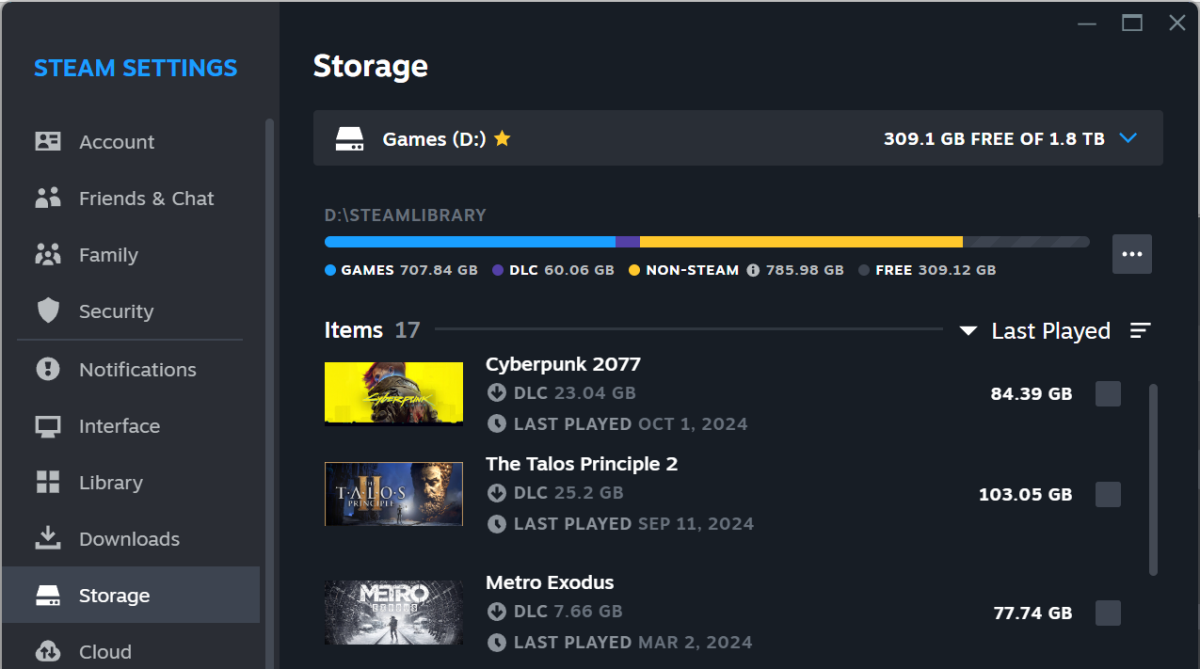
For example, Steam lets you set up multiple game library folders and move games between them. You could move games you aren’t currently playing to the portable SSD to free up space, then move them back later when you want to play them again for maximum performance. It all takes just a few clicks. Depending on your internet connection speed — and whether you have a data cap or not — this may be far superior to uninstalling and redownloading games.
When buying an external SSD for gaming, you’ll want a lot of space for those games, so capacity is a big concern. But if you plan on playing games straight from the SSD, speed is the top concern. You should look for one of the fastest drives your PC supports, even if that means a drive with smaller overall capacity. If you’re looking to pick one up,, check out our handy roundup of the best external SSDs for gaming, or simply pick up the Lexar SL600 Blaze, our top pick in the category, for $90 on Amazon.
Transfer data to and from your phone
Did you know that you can connect an SSD drive directly to any modern Android phone, iPhone, or iPad? Since all modern phones have USB-C ports, you can plug a USB-C portable SSD directly into your phone as well as your computer. Then, you can use a file management app on your Android phone or iPhone to access its contents.
This makes a portable SSD a great way to move files between your phone and your PC. Solid-state drives use less power than mechanical hard drives with spinning magnetic platters, so a portable SSD draw power straight from your phone and still function well enough.
When buying a portable SSD to use with your phone and your PC, you should get one with a USB-C port for convenience. Then, you’ll be able to use any typical USB-C cable to connect it. It’s not the end of the world if you get a portable SSD with a USB-A port, though — you’ll just need a USB-A-to-USB-C cable to make the connection.
You would also benefit from a more compact portable SSD that fits more easily in a pocket. As far as how much speed you’ll need? That’s up to your use cases. If you’re moving large amounts of RAW photos, speed may be a priority; otherwise, if you don’t mind waiting a few more minutes per transfer, you can settle for a slower one.
You may not need to buy one
If you’ve decided that you need a portable SSD, then great! You can find some top-notch recommendations in PCWorld’s list of favorite portable SSDs. There you’ll find all kinds of options, including rugged drives that can stand up to more challenging environments.
But you may not have to buy a new drive at all! In fact, if you have an old or spare internal SSD that’s lying around and collecting dust, you can actually turn it into a portable SSD with an enclosure. Learn more about that in our guide to turning an internal SSD into an external SSD.
