


At a glance
Expert’s Rating
Pros
- Solid image quality
- Easy setup
- Works well with other myQ gear and service plans
Cons
- No interior chime option for now, unless it’s hardwired to an existing chime
- Weak night vision
- App needs some TLC
- A subscription is required for it to be useful
Our Verdict
The myQ Doorbell Camera fits right in with Chamberlain’s expanding ecosystem, although a few bugs—and for the time being, the absence of an indoor chime—hobble the device.
Price When Reviewed
This value will show the geolocated pricing text for product undefined
Best Pricing Today
Best Prices Today: myQ Video Doorbell (model MYQ-D49TXXB)
The world needs another doorbell camera like it needs another social media influencer, but I get it: Every smart home device manufacturer needs a video doorbell to round out its product line.
Chamberlain is the latest to enter this space after cranking out myQ-branded indoor and outdoor cameras like mad as it steps further away from its garage door-centric heritage.
You can register faces with the myQ Video Doorbell to get a detailed look at who’s coming and going.
Specifications
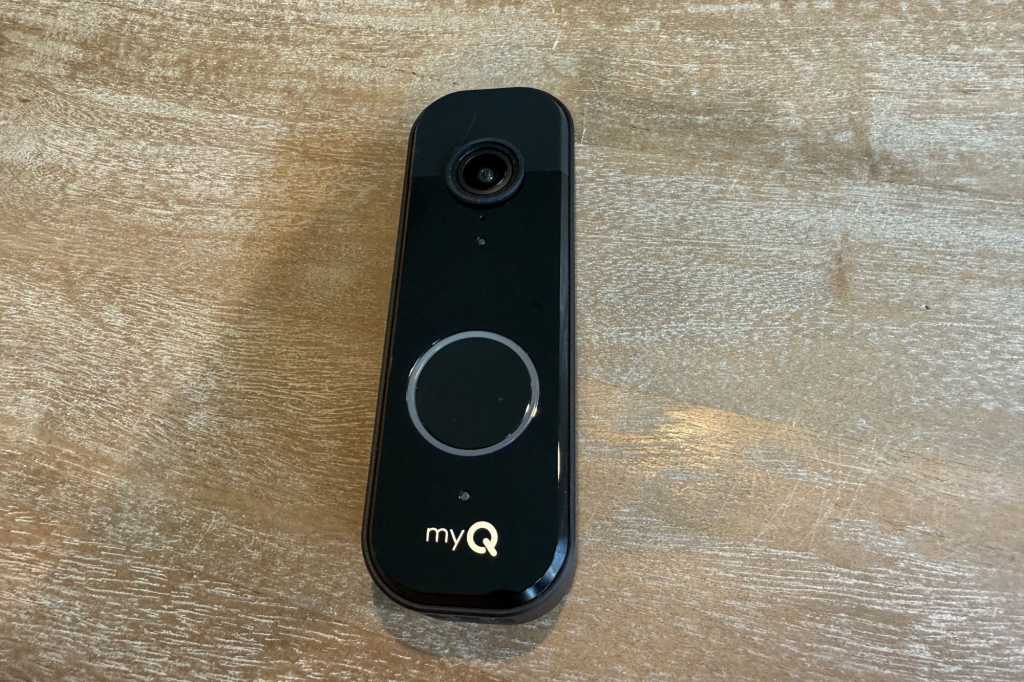
The myQ Video Doorbell will surprise absolutely no one in design or function. The oblong, black rectangle is about 6 inches high and features a large doorbell button beneath a camera lens that captures video in a 1:1 aspect ratio (1952 x 1952 pixels) with a 150-degree viewing angle.
The unit contains a built-in (and non-removeable) battery that charges via USB-C cable. It can also charge via standard 24V doorbell wiring, via two wiring posts on the back of the device. Chamberlain does not specify the size of the battery but estimates it will run for 4 to 6 months before a recharge will be needed.
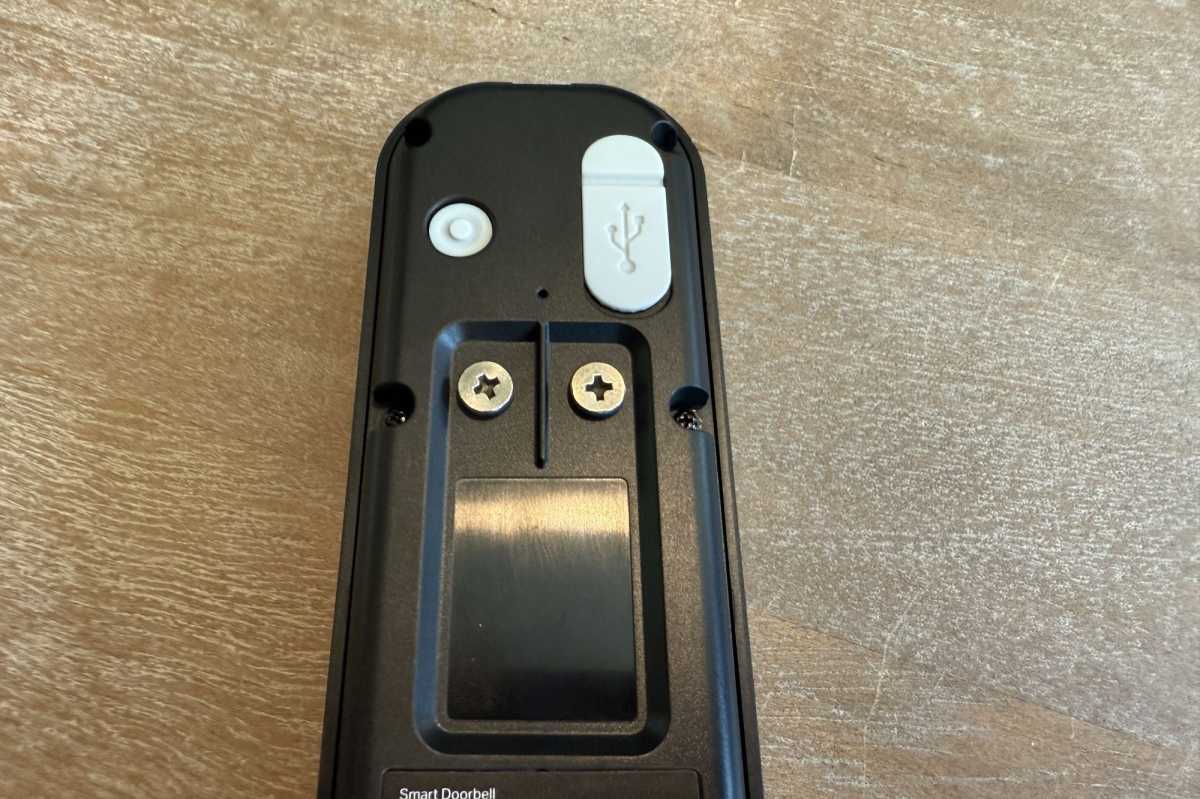
The myQ Video Doorbell runs on battery power, but it can also be hardwired to a 24V transformer and indoor chime if you have one.
Christopher Null/Foundry
While there’s no formal IP rating on the device, the only electronic element you might need to worry about–the USB-C port for charging its battery–is well covered by a rubber flap. myQ does specify an operating temperature of -4 to 122 degrees Fahrenheit.
Installation and setup
Physical setup is straightforward. A flat mounting bracket attaches to the wall with two provided screws, and the camera then slips onto the bracket. No angled mounting bracket option is available. As with the myQ Smart Garage Video Keypad, a security screw on the underside of the camera helps hold it in place while adding an obstacle to deter easy theft.
As with most myQ devices, electronic setup is a simple affair involving selecting your device of choice and pressing a small button on the back of the camera to complete the connection to the myQ app. Once onboarded to your 2.4GHz Wi-Fi network, the doorbell camera appears in the app alongside any other myQ equipment.
Performance
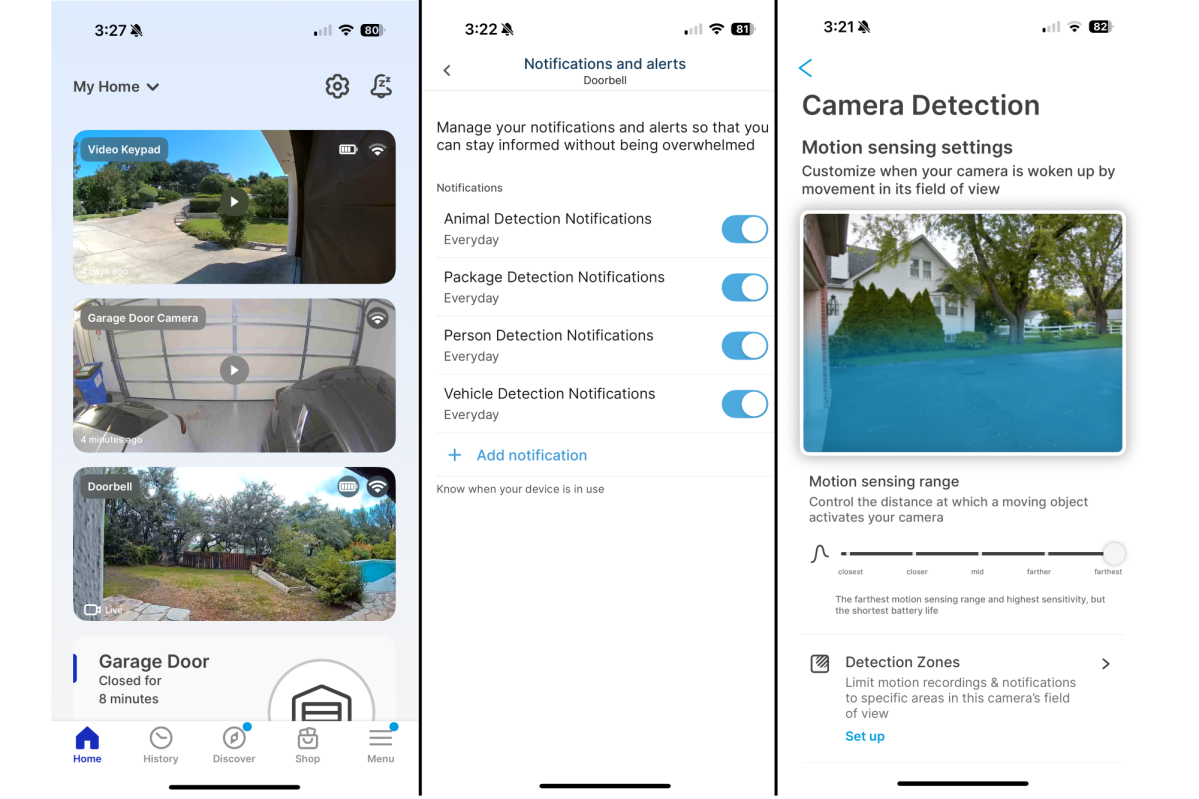
The myQ Video Doorbell fits in well if you have other myQ home security products.
Christopher Null/Foundry
There aren’t a lot of surprises with the way the doorbell works, except for one I noticed right away. The large doorbell button is ringed with a blue light, but this light doesn’t illuminate until after the button is pressed, which also causes a loud chime to erupt from the device (and from your existing chime if you’ve hardwired it.
In my mind, the main point of the light ring is so visitors can see the button in the dark before they press it, not after. This needs a simple but important rethink, namely using the camera’s built-in motion sensor to detect when someone is approaching and turning the light on when they’re nearby.
The motion sensor does do a good job of detecting people nearby, which promptly causes a small green LED to light up while launching a video recording operation. As with other myQ gear, there’s no way to initiate a manual recording (although the feed can always be viewed on demand) and the resulting clips are short, usually 10 to 30 seconds, but as long as 43 seconds in my testing.
Video quality is fine for a doorbell, and although it’s aggressively fish-eyed, the clarity of recordings was solid in my testing. Infrared night vision is less capable, with the camera’s functional range topping out at less than 15 feet. Fortunately, most recordings will be up close and personal, given the camera’s location next to the front door.
As with all other myQ camera gear, the doorbell can recognize and categorize clips based on the type of activity in the frame: any type of motion or a person, animal, package, or vehicle. You can turn off push notifications for each of these in the myQ app, but there’s no way to disable the notification for a doorbell press.
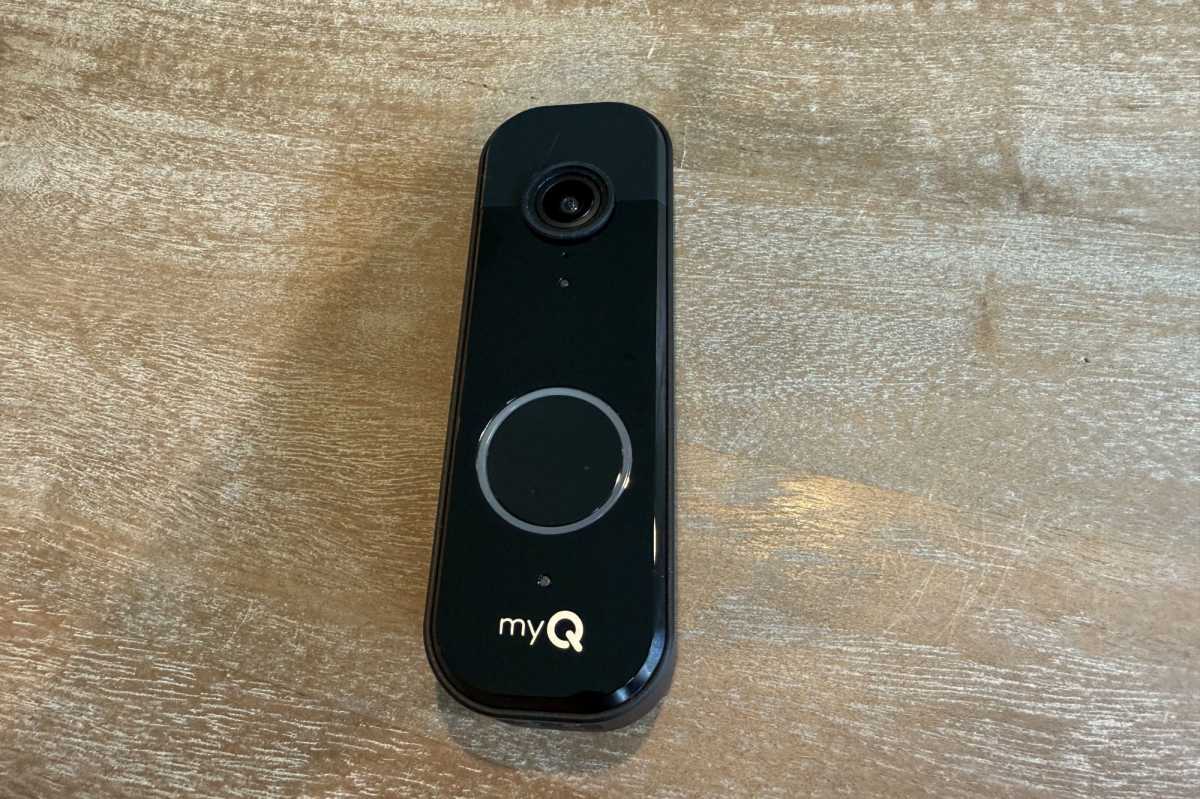
The light ring around the myQ Video Doorbells ring button glows only after a visitor pushes it. So, it won’t help anyone find the button in the dark.
Christopher Null/Foundry
You can also register faces with the app, giving you a more detailed look at who’s coming and going. The feature is especially handy with a doorbell, given the likelihood that you’ll see a lot of people’s faces at a range of just a few feet. Other video options let you adjust the range of the motion sensor and establish up to three detection zones if you’re getting too many false motion alerts for distant activity. The microphone can be disabled, and speaker volume can be adjusted in the app, as well.
The myQ Video Doorbell drops all recorded clips into a monolithic collection of video snippets, along with all your various myQ camera activity. A filtering system is supposed to make it easier to find what you’re looking for, but I ran into a bug where the doorbell camera shows up in my devices with the name “Camera,” though I have it set with the name “Doorbell.”
This is a problem with other myQ devices, as it turns out. Multiple devices are called “Camera” and can’t be easily distinguished. Some thumbnails were also inexplicably missing from my recordings, and the app would frequently crash when trying to refresh the list of clips, requiring a force quit and restart. None of those problems are deal-breakers, but they’re all a nuisance.
The bigger issue is that, for now, Chamberlain doesn’t offer an indoor chime, so the only visitor notification you’ll get is via the app on your phone—unless you hardwire the doorbell to an existing chime. myQ says a wireless “myQ Chime” is coming in October, but you never know how real a projected release date is until it happens.
Should you buy a myQ Video Doorbell?
As with all myQ cameras, the myQ Video Doorbell stores video only to Chamberlain’s cloud service, there is no option for local storage. So, if you don’t subscribe to that service, you’ll only ever see a live video stream from the camera. That cloud service costs $4/month or $40/year for seven days of storage for a single device; $10/month or $100/year for 30 days of storage for all your myQ devices. A 30-day trial of the single-device, seven-day plan is included with your purchase.
As with all myQ gear, it probably makes little sense to opt for this doorbell camera unless you already have other myQ products installed and can make use of the $10/month subscription plan.
The $100 myQ Video Doorbell isn’t the most full-featured option on the market, and given its inability to fully perform its primary function—letting you know when someone’s at the door— it’s difficult to fully recommend in its current incarnation. Fix the buggy app and release the myQ Chime, and then maybe we can revisit it. Even then, it’s probably only a worthwhile pick for homes with other myQ infrastructure.
