
Close Menu
TechUpdateAlert

    Subscribe to Updates

    Get the latest creative news from FooBar about art, design and business.

    What's Hot

    My Health Anxiety Means I Won’t Use Apple’s or Samsung’s Smartwatches. Here’s Why

    December 22, 2025

    You can now buy the OnePlus 15 in the US and score free earbuds if you hurry

    December 22, 2025

    Today’s NYT Connections: Sports Edition Hints, Answers for Dec. 22 #455

    December 22, 2025
    Facebook X (Twitter) Instagram
    Trending
    • My Health Anxiety Means I Won’t Use Apple’s or Samsung’s Smartwatches. Here’s Why
    • You can now buy the OnePlus 15 in the US and score free earbuds if you hurry
    • Today’s NYT Connections: Sports Edition Hints, Answers for Dec. 22 #455
    • Android might finally stop making you tap twice for Wi-Fi
    • Today’s NYT Mini Crossword Answers for Dec. 22
    • Waymo’s robotaxis didn’t know what to do when a city’s traffic lights failed
    • Today’s NYT Wordle Hints, Answer and Help for Dec. 22 #1647
    • You Asked: OLED Sunlight, VHS on 4K TVs, and HDMI Control Issues
    Facebook X (Twitter) Instagram Pinterest Vimeo
    TechUpdateAlertTechUpdateAlert
    • Home
    • Gaming
    • Laptops
    • Mobile
    • Software
    • Reviews
    • AI & Tech
    • Gadgets
    • How-To
    TechUpdateAlert
    Home»Laptops»Microsoft’s new Copilot has a secret: It can turn into Clippy, if you know how
    Laptops

    Microsoft’s new Copilot has a secret: It can turn into Clippy, if you know how

    techupdateadminBy techupdateadminOctober 23, 2025No Comments3 Mins Read
    Share Facebook Twitter Pinterest LinkedIn Tumblr Reddit Telegram Email
    Microsoft's new Copilot has a secret: It can turn into Clippy, if you know how
    Share
    Facebook Twitter LinkedIn Pinterest Email

    Microsoft just announced Mico, a new expressive avatar interface for Copilot that will appear when you talk to it. It can emote, change shape, and float around the Copilot interface while you chat, providing a more human and interactive chatting experience.

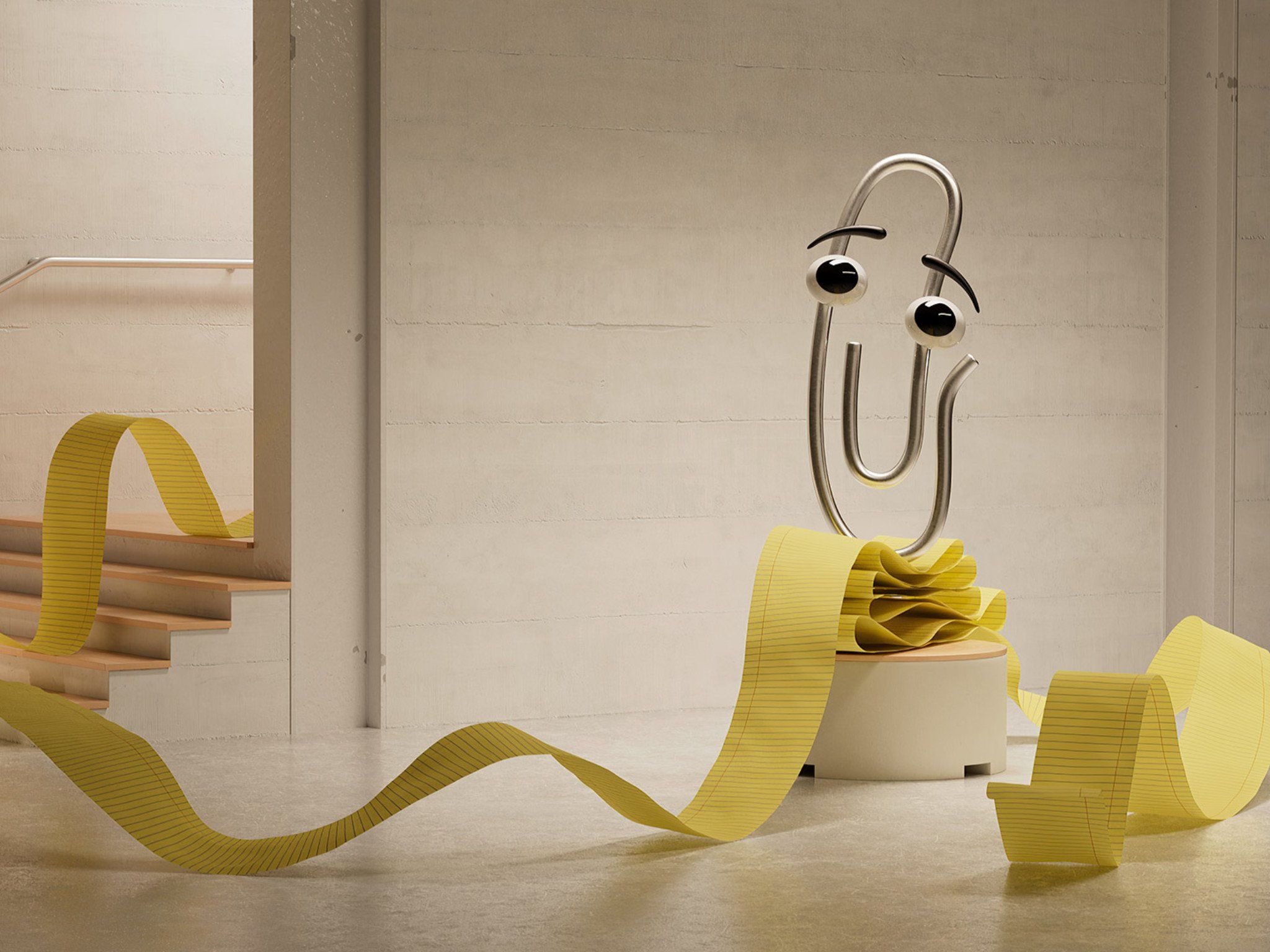
    But hidden within Mico is another assistant, one far more legendary and potentially capable. If you tap on Mico a number of times, it’ll eventually turn into… CLIPPY.

    Spotted by TestingCatalog on X, the Clippy avatar is fully animated just like Mico, and although it seems you can’t set Clippy to be your default avatar just yet, he’s always there waiting in the background for you to awaken him. Clippy has finally entered the modern AI era.


    You may like

    Hint – Mico on mobile can turn into clippy 🔥 pic.twitter.com/0grwDoXcaROctober 23, 2025

    Clippy is Microsoft’s original assistant. Before Copilot and before Cortana, there was Clippy, which was first introduced in Microsoft Office 97 as a way to teach users how to use Word.

    When Clippy first debuted, it was dunked on by pretty much everyone. It became a joke among those in the tech world, and Microsoft eventually phased it out. Fast forward to 2025, and Clippy has gained legendary status in pop culture. It’s no longer hated by the masses, but adored thanks to nostalgia.

    And now, it’s back, spiritually, inside Copilot. Mico is just Clippy with a fresh coat of paint, and a more advanced capability set of course. It’s a fun easter egg that I appreciate Microsoft for including, harkening back to its original roots.

    Now, we just need Microsoft to bring back Rover the dog, and the gang will be all back together.

    All the latest news, reviews, and guides for Windows and Xbox diehards.

    Alongside Mico, Microsoft also announced a number of other capabilities coming to Copilot, including the ability to chat with the assistant in groups of up to 32 people, and have Copilot push back against misplaced assumptions in certain topics.

    FAQ

    Can Microsoft Copilot really turn into Clippy?

    Yes — if you type “/clippy” into Copilot’s prompt bar, it activates a hidden mode that brings back Clippy, the iconic paperclip assistant, as a playful overlay. It’s a nod to Microsoft’s past, now powered by modern AI.

    What does Clippy mode actually do?

    Clippy doesn’t change Copilot’s core functionality, but it adds a nostalgic visual and tone. You’ll see Clippy pop up with animated reactions and retro-style commentary while Copilot continues to assist with tasks like writing, summarizing, and answering questions.

    Is Clippy mode available to everyone?

    It’s currently available in select builds of Windows 11 and Microsoft 365 Copilot experiences. Not all users may see it yet, and it’s considered more of an Easter egg than a formal feature.

    Why did Microsoft bring back Clippy?

    It’s part of a broader effort to make AI more approachable and fun. Clippy was once mocked, but it’s now embraced as a nostalgic icon — and this hidden mode helps soften the perception of AI tools by adding personality and humor.

    Does Clippy mode affect productivity or performance?

    Not at all. It’s purely cosmetic and playful. Copilot’s capabilities remain unchanged, so you can still use it for serious work — just with a retro companion cheering you on.


    Follow Windows Central on Google News to keep our latest news, insights, and features at the top of your feeds!


    Clippy Copilot Microsofts Secret Turn
    Share. Facebook Twitter Pinterest LinkedIn Tumblr Email
    Previous ArticleRazer Raiju V3 Pro review: The best for PS5 and PC players
    Next Article How to use Google Messages on your laptop or desktop
    techupdateadmin
    • Website

    Related Posts

    Mobile

    NotebookLM can turn your messy data into structured tables for Google Sheets

    December 19, 2025
    Gadgets

    LG forced a Copilot web app onto its TVs but will let you delete it

    December 19, 2025
    Gadgets

    Facebook’s wants to turn basic link sharing into a paid feature

    December 18, 2025
    Add A Comment
    Leave A Reply Cancel Reply

    Top Posts

    NYT Strands hints and answers for Monday, August 11 (game #526)

    August 11, 202545 Views

    These 2 Cities Are Pushing Back on Data Centers. Here’s What They’re Worried About

    September 13, 202542 Views

    Today’s NYT Connections: Sports Edition Hints, Answers for Sept. 4 #346

    September 4, 202540 Views
    Stay In Touch
    • Facebook
    • YouTube
    • TikTok
    • WhatsApp
    • Twitter
    • Instagram
    Latest Reviews

    Subscribe to Updates

    Get the latest tech news from FooBar about tech, design and biz.

    Most Popular

    Best Fitbit fitness trackers and watches in 2025

    July 9, 20250 Views

    There are still 200+ Prime Day 2025 deals you can get

    July 9, 20250 Views

    The best earbuds we’ve tested for 2025

    July 9, 20250 Views
    Our Picks

    My Health Anxiety Means I Won’t Use Apple’s or Samsung’s Smartwatches. Here’s Why

    December 22, 2025

    You can now buy the OnePlus 15 in the US and score free earbuds if you hurry

    December 22, 2025

    Today’s NYT Connections: Sports Edition Hints, Answers for Dec. 22 #455

    December 22, 2025

    Subscribe to Updates

    Get the latest creative news from FooBar about art, design and business.

    Facebook X (Twitter) Instagram Pinterest
    • About Us
    • Contact us
    • Privacy Policy
    • Disclaimer
    • Terms and Conditions
    © 2026 techupdatealert. Designed by Pro.

    Type above and press Enter to search. Press Esc to cancel.