


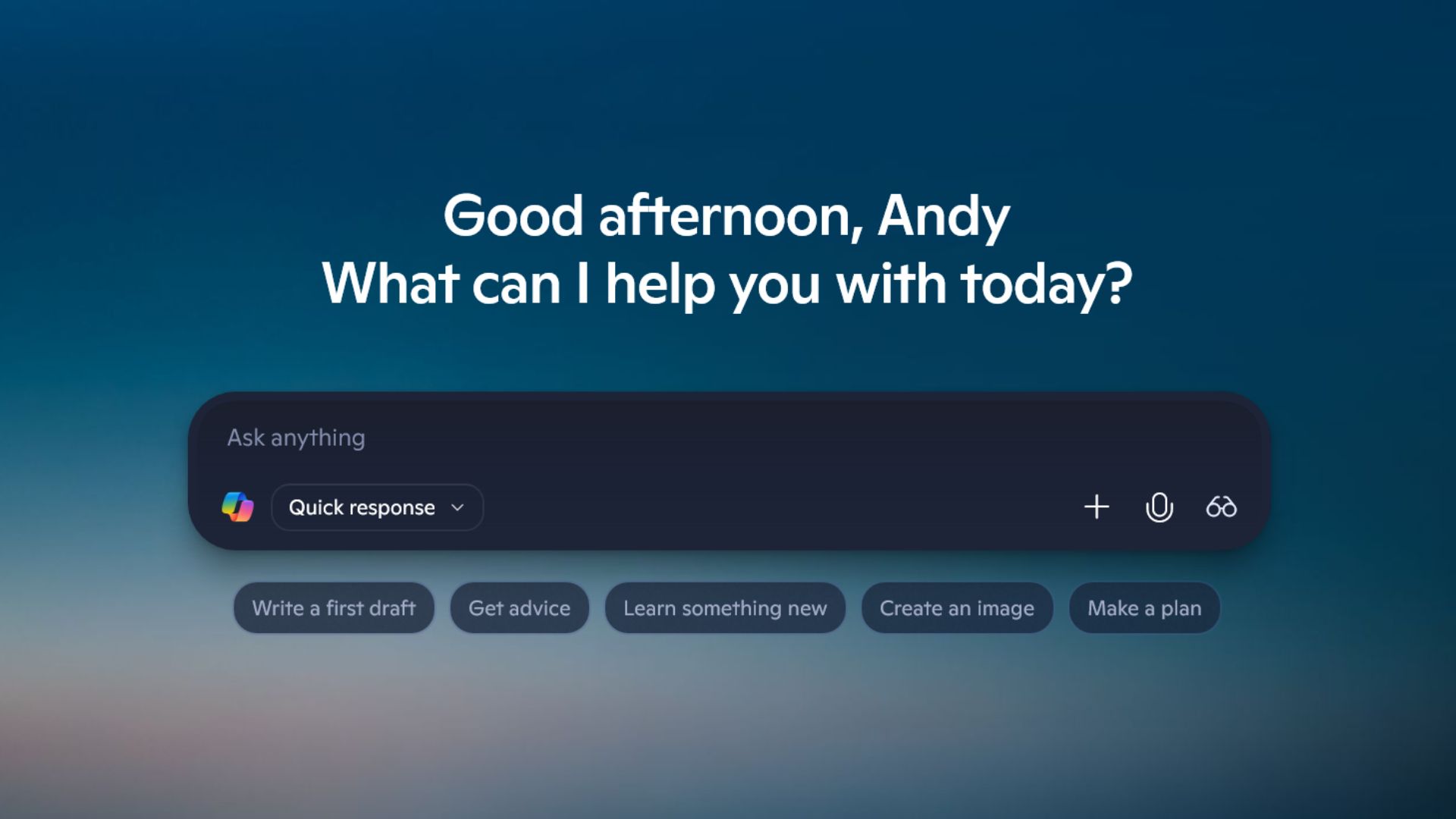
Microsoft has released a blog update detailing a raft of upcoming upgrades to Copilot, including the addition of voice activation, so you can merrily shout “Hey Copilot” at your PC and receive a response from the MS AI tool, among other things. Cool. What’s slightly troubling, however, is its declaration that it’s “making every Windows 11 PC an AI PC.”
Oh fiddlesticks. Don’t make me go through all this again. The term ‘AI PC’ has always been a struggle to define, ranging from Microsoft’s earlier assertion that an AI PC must have an NPU with at least 45 TOPS of processing power to meet the qualification (that rules out most AMD-chipped desktop machines, then) to whether it’s got a physical Copilot button on the keyboard.
The good news is, MS seems to think we’ll all have an AI PC soon, thanks to Copilot. Well, as long as you’re running the latest version of Windows 11, that is. If I were a cynical man, I’d say it was almost like the term had no viable definition in the first place and merely served as a marketing tool to boost new PC sales. But I’m not, so put that idea out of your head immediately. Let’s talk about those upgrades.
According to Microsoft, an AI PC should be capable of three things. Firstly, you should be able to interact with it naturally, in text or voice, and have it understand you.
That’d be solved by the newly announced Copilot Voice feature, which is supposed to lead to “deeper engagement” with Microsoft’s AI tool. According to MS, you’ll soon be able to turn on the feature in the Settings menu of your Copilot app, then cheerily announce “Hey, Copilot”, before asking it questions—like why most people stopped announcing “Ok, Google” or “Hey Siri” to their phones many moons ago.
Copilot’s text search will also gain the ability to be integrated into the taskbar as an opt-in setting, right where that sometimes-less-than-helpful regular search segment goes. The goal here is “to make the taskbar a dynamic hub that helps you accomplish more with less effort, transforming everyday interactions into moments of productivity and delight.” Which sounds like a lofty aspiration, doesn’t it?
Anyway, moving on. The second thing an AI PC should be able to do, according to MS, is “to see what you see and be able to offer guided support.” That’d be the Copilot Vision feature, then, which has been available in the US since June, but now appears to be making its big debut on the worldwide stage. Microsoft Recall, is that you hiding Scooby Doo-style underneath a Copilot mask?
Well, not quite. While Recall was, well, recalled several times due to an unfavourable reception (mainly due to potential privacy concerns and a perceived lack of control over what it could or could not see), Copilot Vision appears to have had the reins taken in. It now looks like you’ll have to specifically share your desktop or applications for Copilot to be able to see them, including games.
Yes, games. Apparently, Copilot Vision will be able to give you tips while you’re playing, presumably alongside Gaming Copilot, which appears to be a separate thing. MS says Vision will also have full app context in Word, Excel, and PowerPoint, which means it can perform tasks like looking at an entire presentation without needing to flip through each slide.
And thirdly… well, here’s where things get really interesting. Microsoft says the third defining factor of an AI PC is that it “should be able to take action on your behalf”, which immediately makes me want to bonk my PC on the nose and tell it “not on my watch.”

This agentic-AI-like behaviour comes in multiple forms, including within the Copilot Actions feature, which will soon have “the experimental capacity to expand beyond the browser to take actions directly on local files” in Windows Insider builds. It’s essentially becoming a general-purpose AI agent platform within the OS, by the sounds of things, which is just what I wanted for the holiday season.
Copilot “connectors” are also available to Windows Insiders, which allow you to link OneDrive files, Outlook contacts, emails, and calendar events to the AI, complete with agentic behaviour, like exporting text into Word documents at your request.
Once you’ve hooked your services in (including a fair few Google alternatives, it must be said), you can then ask Copilot something like “find my dentist appointment details” to lead you to the correct calendar entry. And presumably cancel it, because who wants to go to the dentist, anyway?

But wait, there’s more. Like Manus, for example, a “general AI agent” that will soon be integrated into the File Explorer, and is also available as a native app. You can get it to build a website for you by right-clicking on a document, apparently, which sounds… specific. Still, it’s coming, and we’re all very excited.
Phew. That’s a whole host of AI-based features, some of which seem to overlap in ways that make the whole suite somewhat difficult to parse, and with no clear timeframe as to when we’ll see many of them arrive. Still, the whole thing feels like a series of inevitable stutter-steps towards Microsoft’s vision of the future, which is Windows as one big AI tool bonanza, which will make “the world of mousing and keyboarding around feel as alien as it does to Gen Z to use DOS.”
Does that mean our best gaming mouse and best gaming keyboard guides are mere years away from retirement? Somehow, I doubt it. Anyway, the future is very much AI, according to MS, and it looks like most of us now have the AI PC to handle it. There’s nothing like a free upgrade, is there?
Best gaming rigs 2025
