



At a glance
Expert’s Rating
Pros
- Palm vein scanner works especially well
- Robust multi-user support
- Reasonably priced
Cons
- Still has some kinks to work out
- Troubleshooting notifications required multiple days of tech support and factory resets
Our Verdict
This simpler and less expensive version of Lockin’s flagship smart lock drops the integrated camera—mostly for the best.
Price When Reviewed
This value will show the geolocated pricing text for product undefined
Best Pricing Today
Best Prices Today: Lockin Veno Palm Vein Recognition Smart Lock
Lockin was a pioneer with the palm vein scanning feature on its Veno Pro Palm Vein Recognition Video Smart Lock, and it didn’t stop there, throwing in a massive collection of additional features on top of that, including an integrated camera and a video doorbell. While rough around the edges, the kitchen-sink approach was at least an interesting concept and a nice starting point—albeit an expensive one.
If you like the general direction Lockin is going with its smart locks, but don’t need the video camera features in the Veno Pro—which weren’t all that great anyway—Lockin has an alternative for you: the Veno Palm Vein Recognition Smart Lock (yes, it’s the very same product name, less the “Pro” moniker).
A sensor embedded in the Lockin Veno Palm Vein Recognition Smart Lock works with a custom strike plate to detect whether the door is open or closed.
Specifications
This more basic model removes the camera from the Veno Pro but keeps virtually all its other features. Apart from the missing camera lens, it even looks identical. But its $160 street price–$190 cheaper than Lockin’s flagship product–renders it much more competitively priced.
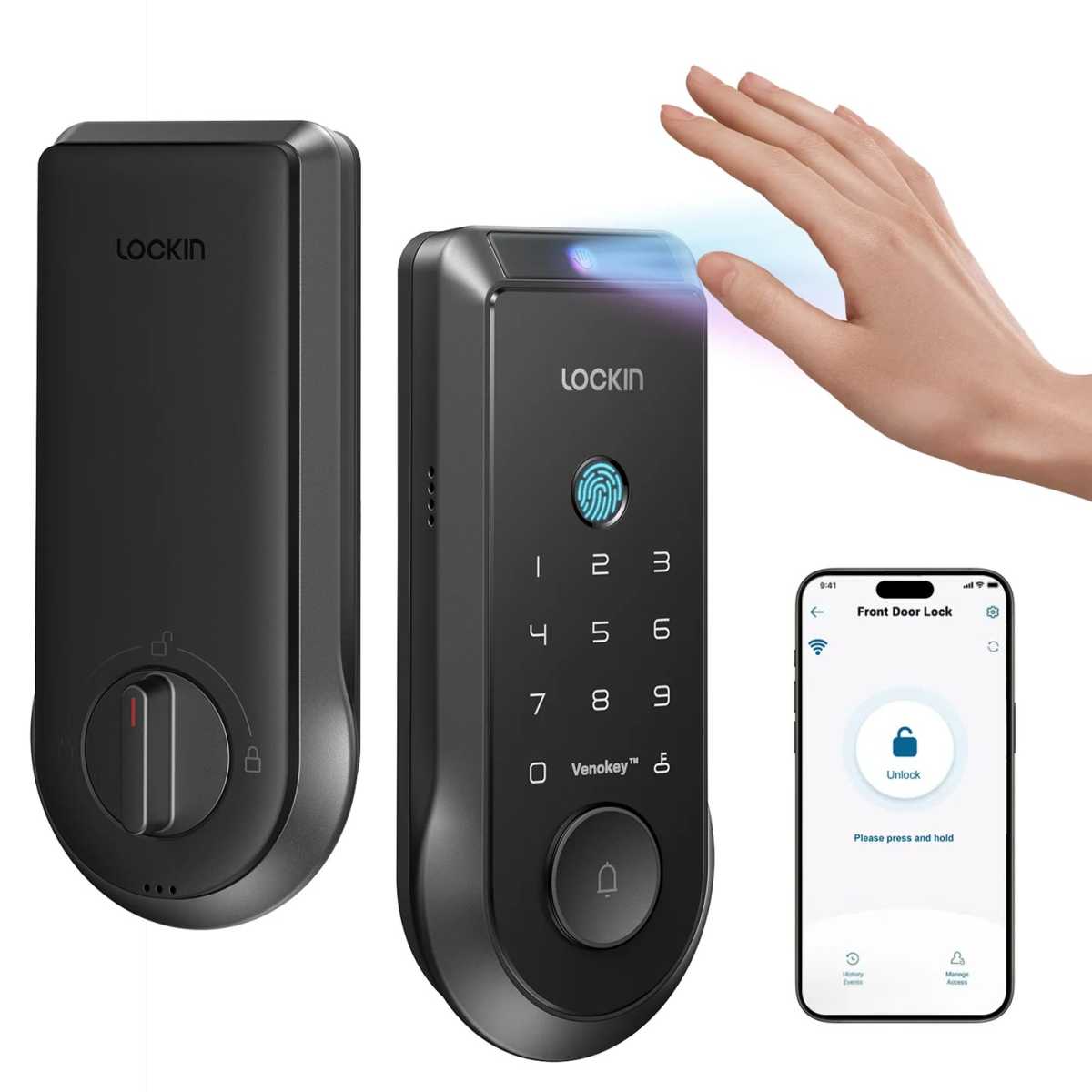
The palm vein scanner on the Lockin Veno Palm Vein Recognition Smart Lock is amazingly accurate, but a fingerprint reader, a numeric keypad, and the Lockin app are also available as backup.
Lockin
The overall specs remain the same: IP65 weatherproofing, ANSI grade 2 certification, and an array of unlocking options that allow for operation via physical key, mobile app, numeric touchpad (with 6- to 10-digit PINs), or fingerprint reader, in addition to the palm vein scanning feature. There’s still a doorbell button covering the keyhole, and pressing it rings a chime on the device, although the button is not backlit, making it virtually invisible in the dark.
Power comes courtesy of the same size and shape rechargeable battery (5,000 mAh) as the Pro, which can be charged via USB-C when disconnected or via an optional 5.5-watt solar panel ($70) that attaches to the emergency USB port on the underside of the external escutcheon for real-time trickle charging. Lockin says the lock should last for about 7 months on a charge, significantly better than the 3 months on the Pro (likely due to the absence of the camera).
Installation and setup
The installation process is identical to that of the Pro. An interior frame bolts with two screws through the door to the exterior escutcheon, and the interior escutcheon connects via three bolts to the frame. As with the Pro, the deadbolt is unique, with an embedded sensor that works with a custom strike plate to detect whether the door is open or not, a handy feature that spares you the eyesore of having an external magnetic sensor attached to the door.
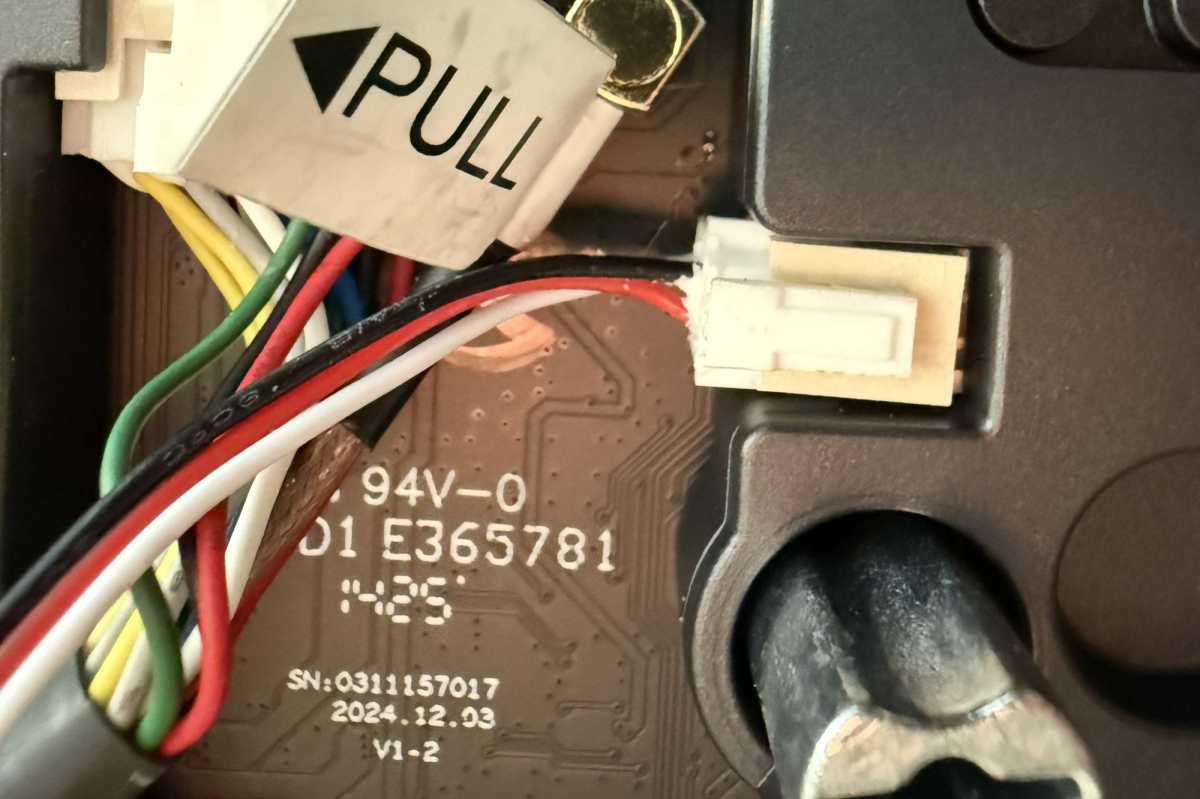
The Lockin Veno Palm Vein Recognition Smart Lock has more than the usual number of cables to deal with during installation.
Christopher Null/Foundry
As with the Pro, there’s a lot of wiring to contend with among the various components. There’s one cable leading to the deadbolt, which must be attached to the motor housing on the interior escutcheon, and two additional cables trailing out from the exterior escutcheon. It makes for a crowded bunch of wire connections; fortunately, getting them all seated properly was the only difficult part of physical setup this time around. (Needle-nose pliers help a lot.) Unlike when I reviewed the Pro, I didn’t have any trouble with the bolts getting jammed, and the lock otherwise came together smoothly.
The unit offers native 2.4GHz Wi-Fi connectivity, and it also supports Matter—although you’ll need to use the Lockin Smart app to accomplish nearly anything with the lock. A quick Bluetooth connection gets the lock bridged to your Wi-Fi network, and a wizard-based setup now makes the rest of the process more convenient, prompting you to configure your admin user credentials, add additional users, calibrate the door’s open/closed status, and even set auto-locking settings (configurable from immediate to 180 seconds). With many other smart locks, all this work must be done after the fact, piecemeal.
Using the Lockin Veno Palm Vein Recognition Smart Lock
I did encounter trouble when attempting to update the lock’s firmware, as the process repeatedly stalled out. But oddly (and fortunately), when I left the lock to its own devices overnight, I found that the firmware had automatically updated on its own by the next day.
Nothing has changed from the Pro when it comes to access management, and Lockin provides an intuitive system for keeping users organized. Each user can have multiple PINs, fingerprints, and palm scans. You can have 50 of each access type stored at any given time; though again, any user created in this manner invariably gets 24/7 access—there is no provision for restricting them to particular days and/or times.
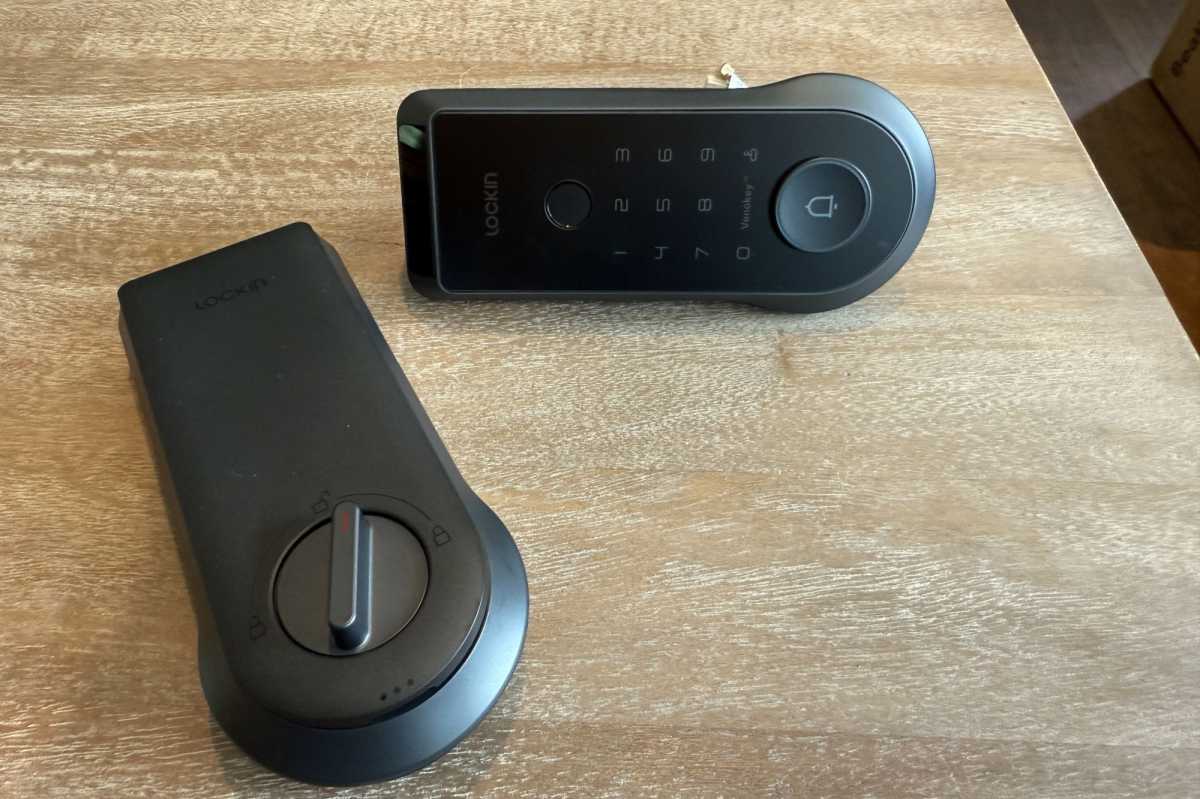
I see the absence of an integrated camera as a money-saver more than a missing feature.
Christopher Null/Foundry
All temporary users must be managed via a separate menu that only supports PIN-based access. One-time passwords that expire within one hour can also be created via the Temporary Password menu. These passwords can now be set to go into effect at a later time rather than immediately, up to a day in the future. Note also that the geofencing feature of the Veno Pro has been removed from this lock.
While Lockin has made some upgrades and fixed some of the aggravations I cited in my previous coverage of the Pro, some kinks still need working out. For example, locking the door from the outside still requires you to hold down the lock button on the numeric keypad—but this button is not illuminated (although the numerals are). The button is effectively invisible without a backlight, so you’ll need to remember where it is to press it.
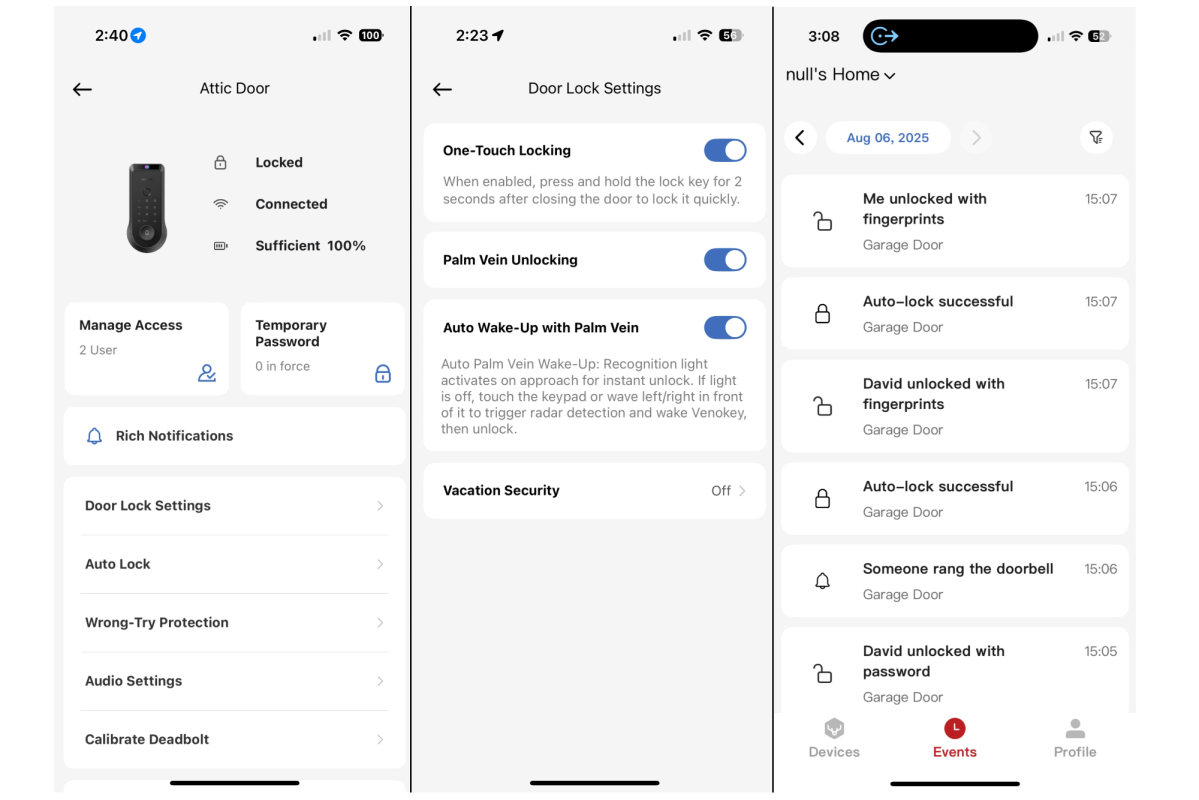
Robust logging keeps tabs on all operations, but push notifications did not initially work in our testing.
Christopher Null/Foundry
The fingerprint reader on this unit also often took more than one attempt to properly read my print. I had better luck with the palm vein scanner, which woke up on approach more easily than it did on the Pro and never had any significant trouble quickly scanning my hand.
My biggest issue with the lock was that none of its notification features worked during my testing; this despite all settings in the Lockin Smart app and on my iPhone being set to allow them. After two full days of tech-support troubleshooting, I finally got notifications to work, via a process that required deleting and reinstalling the app and factory-resetting the lock multiple times, which erased all its credentials. This was a huge hassle, but in the end, it did at least get notifications operating normally.
Should you buy the Lockin Veno Palm Vein Recognition Smart Lock?
While its MSRP is a hefty $249, the Lockin Veno Palm Vein Recognition Smart Lock’s $160 street price is much more reasonable and competitive, even with other palm vein scanning locks, although the TCL D1 Pro (which doesn’t have a fingerprint reader or a doorbell) costs a bit less.
I’ve really come to appreciate palm vein scanning on door locks, as it’s very reliable and means you can open the lock completely without needing to touch it. That’s a great add.
After all, who knows where that thing has been?
This review is part of TechHive’s in-depth coverage of the best smart locks.
