


1 of 42Andrew Lanxon/CNET
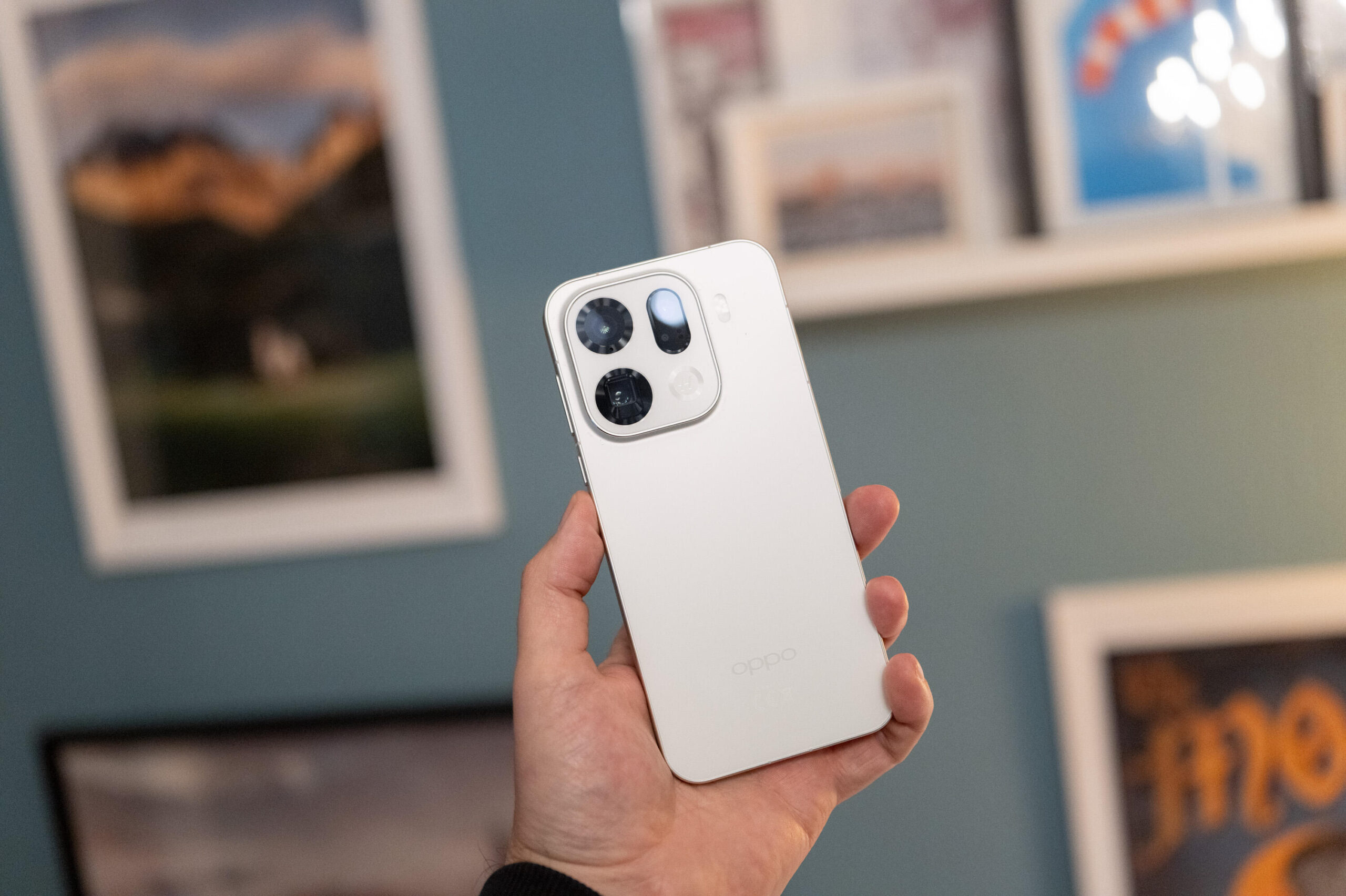
The Find X9 Pro is Oppo’s latest flagship phone. It packs a host of upgrades, from the processor to the camera. I’ve been using the phone for a while now, but there’s a lot I can’t tell you yet due to the company’s odd policy around when I can disclose certain bits of information.
What I can show you is the phone and a wealth of my favorite photos that I’ve taken with its multi-camera array, including those shot with the new Hasselblad telephoto lens attachment.
Amusingly, what I can’t do is share any opinions, either of the phone or of the photos I’m showing you. So, you’ll have to make up your own minds on how these images look while I try and write about them in a way that definitely, totally, completely doesn’t give my opinion at all, OK?
Let’s dive in.

2 of 42Andrew Lanxon/CNET
We start with a photo of St Paul’s Cathedral in London, and it’s totally not an opinion to tell you that sunlight was indeed falling on it and that interesting clouds were in the sky. A lesser man might say that these shadows look nice and rich and that the colors are accurate, but I couldn’t possibly comment.

3 of 42Andrew Lanxon/CNET
This image was taken using the telephoto zoom lens, and again, it’s absolutely not my place to say that the details look crisp.

4 of 42Andrew Lanxon/CNET
This is the telephoto lens attachment. As you can see (and this is clearly not my opinion), it’s almost as long as the phone itself, and it attaches using a dedicated case. Do you think this might sometimes be a bit awkward? Remember: Your opinions are not under a nondisclosure agreement.

5 of 42Andrew Lanxon/CNET
Here’s a shot taken at the main camera’s standard 1x zoom to give an objective example of the zoom lens in action.

6 of 42Andrew Lanxon/CNET
This is taken with the telephoto lens attached at 40x zoom. You don’t need me to tell you that there are lots of details in the image.

7 of 42Andrew Lanxon/CNET
The phone has a main camera and an ultrawide camera, but I’m not allowed to discuss the specifics here. However, the telephoto camera has 200 megapixels. This camera is used when you attach the zoom lens, which gives it a huge zoom range when combined.

8 of 42Andrew Lanxon/CNET
Long zooms can be great for shooting candid street photography (opinion), and so I put the Oppo zoom lens to the test in various street scenes like this one (fact).

9 of 42Andrew Lanxon/CNET
Here is another image taken using the high-contrast black-and-white mode. In my regular photography (which I’m free to talk about, thank you), I love shooting in black-and-white, especially street photography, as it can really help remove distractions and focus attention on the subject.
Anyway, here’s a photo I took with the zoom lens.

10 of 42Andrew Lanxon/CNET

11 of 42Andrew Lanxon/CNET

12 of 42Andrew Lanxon/CNET
Oh, fine. And one more. As an unrelated side note, zoom lenses can be a great way to isolate your subject in street photography, which makes them extremely powerful tools for interesting compositions.

13 of 42Andrew Lanxon/CNET
It’s not an opinion if I encourage you to look at what the camera’s AI has done in trying to recreate the details on the person’s face closest to the camera. Then, you can make up your own opinion.
Go on, I’ll wait.

14 of 42Andrew Lanxon/CNET
I don’t see any AI errors in this shot using the telephoto zoom lens.

15 of 42Andrew Lanxon/CNET
This sweet moment is also free of errors.

16 of 42Andrew Lanxon/CNET
While I don’t see any errors, I do see blurred details in this telephoto image, which is surprising given that it was a perfectly bright day.

17 of 42Andrew Lanxon/CNET
A black-and-white photo taken inside the London Underground.

18 of 42Andrew Lanxon/CNET
I shot this in black and white, but also used DNG raw, so I could have converted it back to color had I wanted to. But I didn’t because the rabbit looks terrifying like this.

19 of 42Andrew Lanxon/CNET
The cameras are certified by iconic camera maker Hasselblad.

20 of 42Andrew Lanxon/CNET
At the Lady Gaga concert in London’s O2, I also shot this interior scene in black and white. I typically like this kind of look, and maybe I do here as well.

21 of 42Andrew Lanxon/CNET
Maybe it also works with the ultrawide lens, but I couldn’t say for certain at this point.

22 of 42Andrew Lanxon/CNET
I noticed the lighting mixing desk, and this is as far as I could zoom in digitally using just the phone. You can zoom in further on the screens if you like, but you can’t really see anything.

23 of 42Andrew Lanxon/CNET
With the telephoto lens attached, however, it’s like I’m standing in front of them. Using this lens is absolutely [REDACTED]!

24 of 42Andrew Lanxon/CNET
Here’s Lady, doing her thing with an enormous dress.

25 of 42Andrew Lanxon/CNET
Surprise! It’s full of people. That’s SO Lady.

26 of 42Andrew Lanxon/CNET
The zoom lens let me get close up on the concert, as you can see here.

27 of 42Andrew Lanxon/CNET
An indoor image taken with the main lens.

28 of 42Andrew Lanxon/CNET
This is a scene taken using the Hasselblad XPAN mode. This mode mimics the wide, narrow aspect ratio of Hasselblad’s old XPAN cameras, and while it basically just crops your image, I like being able to shoot in this format at the time of capture so that I can properly visualize how it will look.
And before you say that’s an opinion, I’m referring to the same feature found on the OnePlus 14, which operated in an identical way.

29 of 42Andrew Lanxon/CNET
That zoom lens in action again.

30 of 42Andrew Lanxon/CNET
I took a photo with the front-facing camera. Dare I share my opinions of myself? My mum would certainly advise against it.

31 of 42Andrew Lanxon/CNET
Another panoramic XPAN photo.

32 of 42Andrew Lanxon/CNET
You can shoot with a variety of filmic color presets, and here’s one I chose to use for no reason at all.

33 of 42Andrew Lanxon/CNET
A photo taken with the main camera.

34 of 42Andrew Lanxon/CNET
The same scene, but taken with the 5x digital zoom.

35 of 42Andrew Lanxon/CNET
My hand is holding a delicious flat white in my favorite coffee spot in Edinburgh.

36 of 42Andrew Lanxon/CNET
Three people are sitting on a wall. Zoomed in using the telephoto lens.

37 of 42Andrew Lanxon/CNET
Subject isolation with the telephoto zoom.

38 of 42Andrew Lanxon/CNET

39 of 42Andrew Lanxon/CNET
An indoor scene using the main camera.

40 of 42Andrew Lanxon/CNET
An indoor scene using the ultrawide camera.

41 of 42Andrew Lanxon/CNET
I tried using the XPAN mode here, and it’s up to you if you think it looks very drab compared to the shot taken in the regular camera mode.

42 of 42Andrew Lanxon/CNET
The edge of the Find X9 Pro.
