


Antivirus software is not free of errors and sometimes reports computer viruses where there are none. For this reason, the company Procolored, a manufacturer of textile printers, indignantly defended itself against the report of a printer tester that the software of one of its devices contained a virus.
The testing official explained to Procolored that both Google Chrome and Microsoft Defender had triggered an alarm when the printer software was downloaded, and quarantined it.
Despite Procolored’s protests, the tester persisted. He sent the software to the security company G Data, a manufacturer of antivirus programs.
Upon investigation, it turned out that the printer software actually contained a backdoor virus called Xred and a Trojan.
When G Data then confronted Procolored with the results, the company admitted that a virus had crept into its download area and provided a new version of its software.
The online sandbox Any.run lets you start suspicious programs in a virtual Windows environment and study their behavior.
Foundry
How false alarms arise
Procolored’s initially defensive attitude is understandable. After all, it does happen that antivirus tools sometimes recognize malware where there is none.
But not often. Long-term tests have repeatedly shown that false alarms usually account for less than 1 percent of virus reports. However, they are always annoying, as many users are initially alarmed when their computer reports malware.
How do these false positives come about?
It has to do with the way antivirus programs work. On the one hand, they access daily updated virus definitions, which they can use to recognize intruders very reliably.
However, as there are also many previously unknown malware threats on the internet for which no virus definitions exist, the manufacturers also incorporate heuristic and behavioral analysis methods into their software. Heuristic means that the programs look for suspicious characteristics of a file or program.
Behavioral analysis, on the other hand, observes the programs running on the PC. Both methods work with probabilities and calculate whether a program with these or those characteristics could be a virus. False alarms occur from time to time.
System programs particularly affected
False alarms occur particularly frequently with programs that access system settings or data that the antivirus program classifies as confidential or even secret.
This applies, for example, to several tools from the software company Nirsoft, such as the Produkey program. It reads the license keys for Windows and Office 2003/2007 and displays them in its window.
A harmless process in itself, but it apparently provides the antivirus software with enough suspicious facts to classify the application as a virus.
The same applies to numerous other programs that read out data such as license keys or passwords or change system settings. Among other things, the heuristics of the antivirus software look for combinations of certain system calls that are typical of malware.
However, known hacker tools, such as those used to crack passwords, are also blocked by the virus guards. Even though they are offered for download legally. Hacking your own computer, for example to reconstruct a forgotten password, is not prohibited.
A perfectly functioning antivirus program that produces no false alarms is an illusion. On the one hand, the software must not overlook malware under any circumstances, while on the other hand it should recognize harmless programs as such.
It is therefore inevitable that the virus hunter will play it safe from case to case and report software as dangerous even if it is not.
Check the trigger of a false alarm
If your virus protection triggers an alarm, you must always scrutinize the trigger yourself. Otherwise, there is a risk that the antivirus program will block parts of the software that are absolutely necessary for it to function. A multi-stage procedure is recommended.
Check the purpose of the tool: As a first step, you should consider what you have downloaded. If it is one of the tools already mentioned for determining license codes or passwords, you can assume that it is a false alarm.
Check for reputation: However, you should also check where you obtained the software from and think about its reputation. To do this, you need to look at the file that caused the alarm and clarify its origin.
If you are using Microsoft Defender as virus protection, you can find the file and its origin in the “Settings” under “Privacy and Security > Windows Security > Virus and Threat Protection > Protection History.”
All malware found by Defender is listed there. Click on one of the entries to find out the file name and origin. There are similar directories in every other antivirus program.
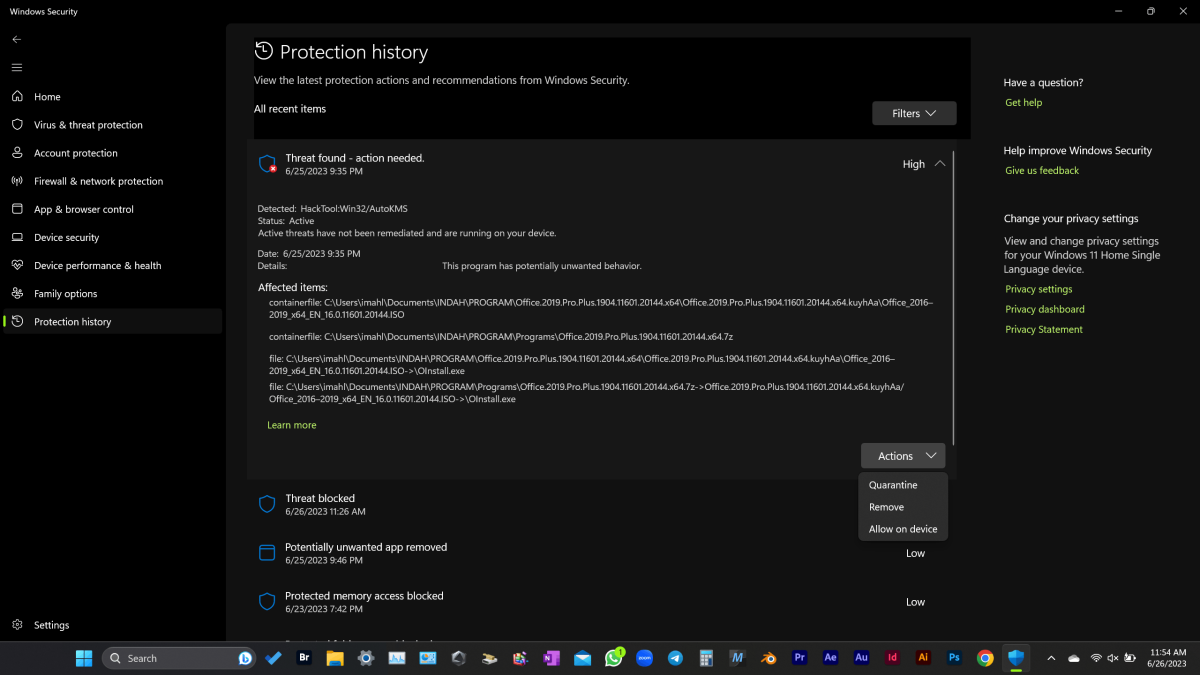
Defender lists the most recently found threats and shows you details if you wish. To do this, you need to point to an area with the mouse. A pop-down menu is then displayed.
Microsoft
It is important to know where you got the file from and whether this download site has a good or bad reputation.
Sites that offer cracked programs and games or tools for hacking license queries etc., for example, have a poor reputation. Hackers often use this software to transfer malware to users’ computers.
Websites that illegally make films and videos available for download also fall into this category.
Check for signs of social engineering: Social engineering refers to tricks that cause a person to exhibit certain behaviors that they would not exhibit without these tricks.
Social engineering is regularly used in the phishing of private data and, somewhat less frequently, in the distribution of malware. For example, emails or text messages claim that an order is in danger of getting stuck in the post if you don’t take action quickly and install a service tool. However, this is actually a virus.
If the antivirus program now reports malware, there is a high probability that it really is malware. Typical social engineering techniques are pressure, urgency, emergencies, and requests for help.
Watch out for scams: On the internet, the general rule is that if something seems too good to be true, then it usually is. This could be very favorable purchase offers, for example. If a virus message appears in such a context, then it’s probably justified.
What to do in the event of a false alarm
If your antivirus software declares a downloaded program to be malware, but you are sure that it is not, you can define the download file or the address of the source on the internet as an exception. Every protection program offers a corresponding function.
Use alternative virus scanners
If your antivirus program has reported malware and you are not sure whether it is actually malware or a false alarm, you can obtain a second opinion from another antivirus tool in a further step.
It is not necessary to uninstall your existing software and then download and install a competitor’s product. It is quicker and easier to scan the suspicious file with an online scanner.
Some antivirus manufacturers offer online scanners as a free service on their website. There is an area where you can upload suspicious files to the manufacturer’s servers and have them scanned there.
Corresponding offers are available from Eset, F-Secure, and Trend Micro.
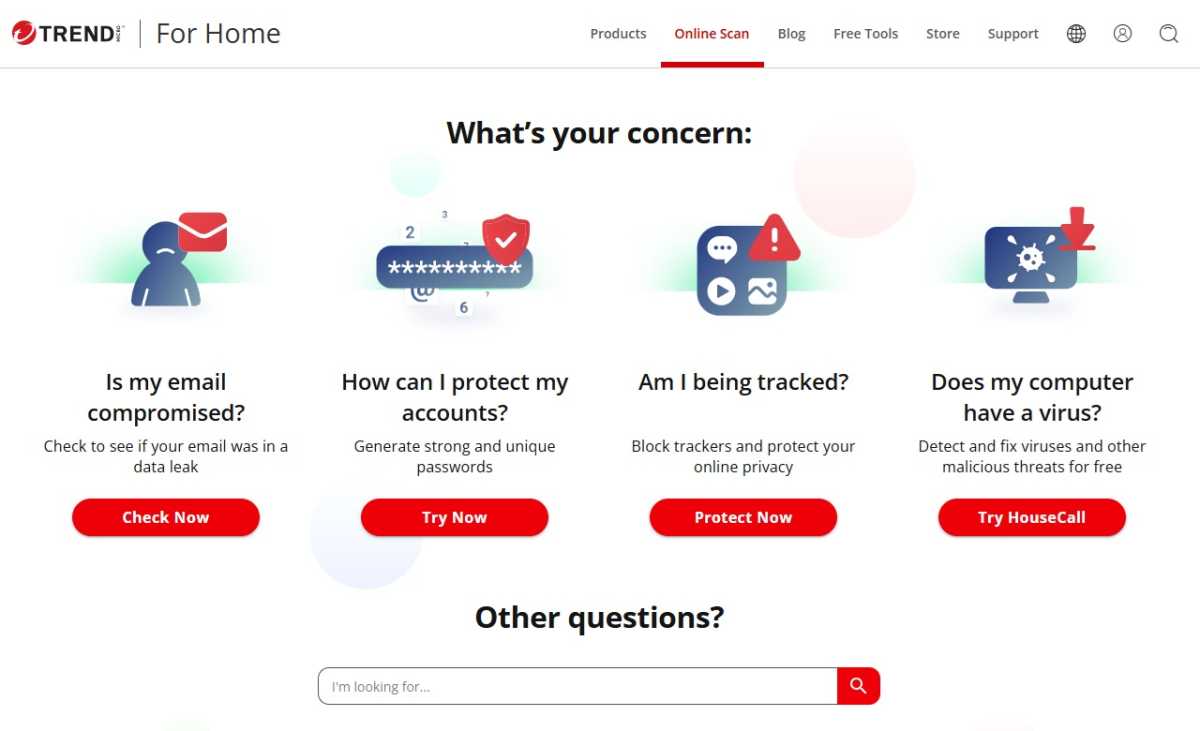
You can use the online scanner from Trend Micro to scan your computer for existing malware. No installation is required.
Foundry
Or you can go straight to Virustotal, the online scanner from Google. It presents the suspicious file to several dozen antivirus programs from various manufacturers and displays their scan results.
Although there have been isolated cases in the past in which Virustotal also failed to recognize malware, this is probably the safest way to rule out a false alarm.
There are also alternatives to Virustotal, including Metadefender Cloud, Hybrid Analysis, and Jotti’s Malware Scan.
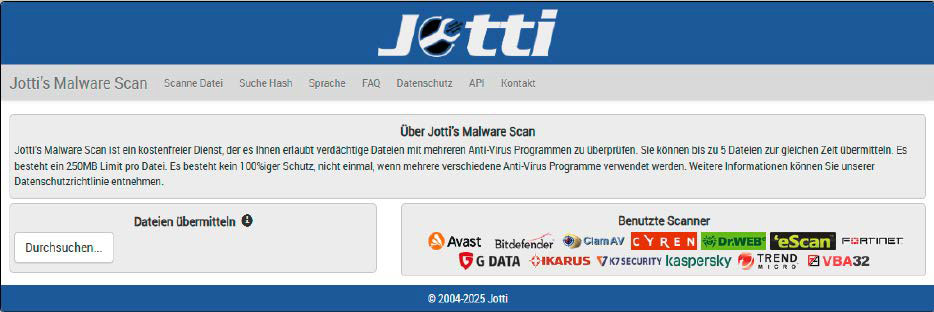
Jotti’s Malware Scan is an alternative to Virustotal and sends uploaded files to a total of 13 different antivirus scanners. There is a data limit of 250MB per file.
Foundry
Offline scan with bootable USB sticks and DVDs
If you frequently use different computers, you can also install a virus scanner on a bootable USB stick or DVD. In this way, you can check the respective PC first before you start your work.
There are several ways to obtain such a stick or DVD. Some antivirus programs contain wizards that allow you to create a portable version on a stick or DVD directly from the software.
This applies to the identical programs from Avast and AVG as well as the paid-for Norton Antivirus.
The disadvantage: You must first install the respective antivirus program in order to create the disc.
Other manufacturers offer rescue discs as ready-to-use downloads. These discs are usually based on a Linux live system that has been supplemented with a virus scanner. They are available from Avira and Kaspersky.
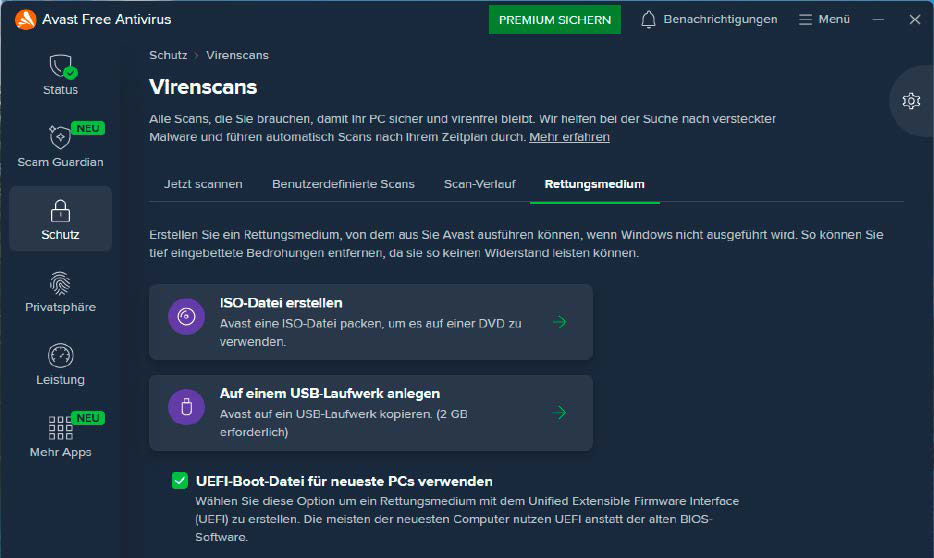
After installing an additional component, the Avast virus scanner offers to create a rescue disc on DVD or USB stick with an integrated virus scanner.
Foundry
Third, you can also use Sardu. With this freeware you can create bootable USB sticks and DVDs and equip them with an antivirus tool of your choice.
For this purpose, Sardu provides links to freely available rescue systems from antivirus manufacturers and offers to download the programs directly and integrate them into the stick or DVD.
Start suspicious programs safely
Another method of detecting false alarms is to run a suspicious program in a secure environment.
This can be a virtual machine in which you install Windows and then start the software to be analyzed.
If it brings a virus with it, it remains locked in the virtual machine. As a rule, it is not possible to skip to your desktop Windows. You can therefore take your time to observe whether it is ransomware, for example, which is now starting to encrypt the virtual SSD.
The alternative is to use a sandbox. This is also a shielded environment that offers the malware no opportunity to break out. Online sandboxes such as Any.run are easy to use, but you can also use locally installable sandbox software such as Sandboxie.
Caution: Many viruses are programmed in such a way that they only become active after a period of several hours, days, or even weeks. So if a program in a sandbox does not initially show any abnormalities, this does not mean that it is certainly safe.
Virus warnings as a lure
Especially in the dark corners of the internet, browser windows pop up again and again, reporting that a virus has allegedly been found on your PC. To solve the problem, you should immediately agree to download an antivirus program.
Caution: These messages are invariably scams. The software offered normally has no function. However, it tries to persuade you to pay for a license by regularly displaying notices.
Worse still, these programs often contain a virus themselves, making your PC part of a botnet, for example.
Related content
This article originally appeared on our sister publication PC-WELT and was translated and localized from German.
