


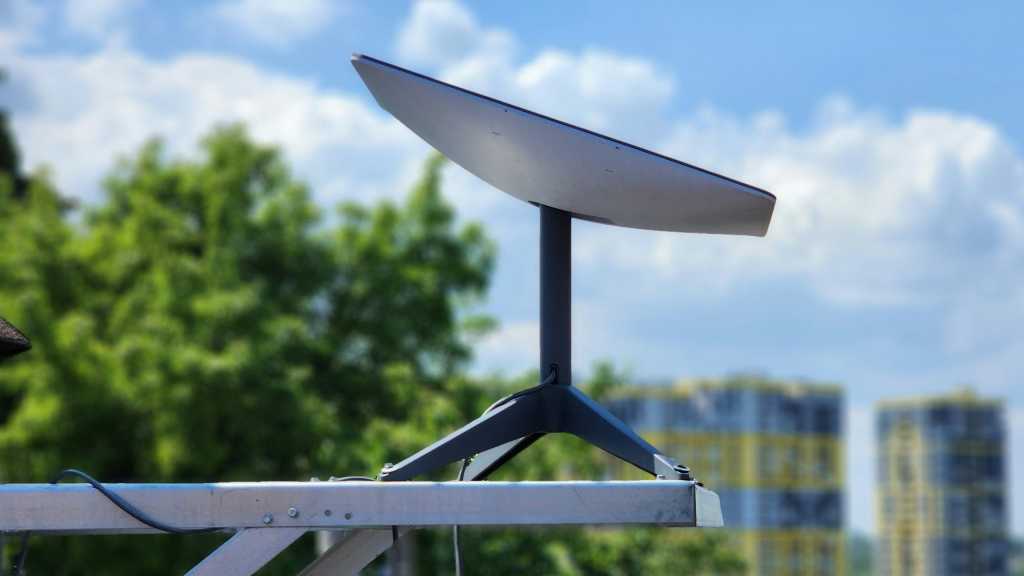
I’ve had Starlink at home for over a month now and I’m impressed. It feels like magical space age tech, with a small white dish on my roof giving me high-speed internet even though I’m in the middle of nowhere.
With huge hills blocking affordable fiber installation and vast hectares of trees surrounding me on all sides, I’d normally be cut off from modern civilization. Starlink gets me online and I’m grateful for that.
But Starlink isn’t perfect and it certainly isn’t the right choice for most homes. Once you know all the “gotchas,” you might find that it isn’t so appealing after all—or maybe one of those gotchas is a deal-breaker.
If you’re thinking of getting Starlink at home, here are several questions you need to consider before you do. If you can’t answer “Yes” to all of them, you might want to look into alternative solutions.
Are you rural enough?
Plenty of regions around the country still lack broadband internet, and the number one reason for that is they’re too rural. They’re too far from existing infrastructure with too few potential customers, meaning it just isn’t worth it for companies to dig and run that much cabling.
If you live in a place that’s remote enough that your high-speed internet options are poor at best (or non-existent at worst), then Starlink can be a good last resort. Its coverage map is almost universal at this point, with availability throughout North America and Europe, as well as large sections of South America, Australasia, and Africa.
In short, if you’re reading this article, you can probably get access to Starlink. Just make sure to check your other options first though, because even though Starlink is fast, it’s nowhere close to fiber. (Other satellite internet services exist, but they tend to have worse latency, making them ill-suited to tasks like video calling and gaming.)
Are you okay with slow upload speeds?
Starlink’s download speeds are pretty great. Despite recently moving to a remote corner of the country, my internet is faster now with Starlink. I went from a basic 70 Mbps fiber plan to a Starlink package that offers between 150 Mbps and 300 Mbps depending on the time of day and the weather (more on that below). That’s plenty fast for files, streaming, gaming, and anything else besides.
What I do wish I had, though, was faster uploads. One of the core features of gigabit fiber broadband is that it’s usually fast across both download and upload rates. With Starlink, you might get 30 Mbps uploads if you’re lucky—the rest of the time, you’re stuck closer to 10 or 15 Mbps. That’s fine for sending photos or short videos to friends, but nowhere near fast enough for uploading lots of data to the cloud or streaming 4K footage over YouTube or Twitch.
Can you afford it?
Starlink is more expensive than standard broadband or fiber internet. Whereas most home internet providers are competing with each other—and thus keeping prices somewhat reasonable—Starlink holds a bit of a monopoly in the low-latency, high-bandwidth satellite internet market.
That means Starlink can, for now, charge whatever it wants. The standard residential package with unlimited data and 150 to 300 Mbps downloads is $120/month. You also have to buy the dish and router, which costs $175 plus taxes (that’s with a 50% discount) as of this writing.
And don’t forget installation costs if you don’t want to mount it yourself. Starlink sells that service for $185 through approved third-party contractors. (You might have a handy friend or family member who can do it for you more cheaply, but that comes with its own risks.)
All in, that first month of Starlink will likely cost you around $400 if you pay for installation. Comparatively, you can grab a gigabit AT&T residential fiber package for $65/month plus taxes and $99 installation fee with no need to mount a dish on your roof.
Is your sky clear enough?
Whereas fiber internet needs an underground connection to a fiber network, Starlink connects to its network through the sky—a network that happens to be orbiting hundreds of miles above our heads.
Other satellite internet companies have one or two satellites at extreme distances always in view, but Starlink satellites are zooming by in low-Earth orbit, so your dish is constantly switching satellites. That means you need a sky view that’s as clear as possible all the time. (Yes, the latest generation of Starlink satellites and dishes with “Beam Switching” are better at dealing with momentary obstructions like tree branches, but there’s no denying you’ll have a better experience with a clear sky.)
Weather is a factor, too. Light rain is fine and thin cloud cover doesn’t make a huge difference. But thick clouds? Snow? Heavy rain? Sandstorms? Smog? All of that can limit Starlink performance and even cause connection drops at times.
Are you okay giving your money to SpaceX and Elon Musk?
Without delving too much into politics, it’s fair to say that the company behind Starlink (SpaceX) and its CEO (Elon Musk) have been controversial over the past few years. Some might even call them immoral.
SpaceX has repeatedly been criticized for its pollution problems (with spacecraft breaking up in the atmosphere and washing up on shores) and Starlink satellites ruining astronomical images with their light pollution. Elon Musk involved himself in US elections and the US government, wreaking havoc with DOGE and other initiatives.
The hard truth is that Starlink has no real competition right now. It may be the only option for you, but if you decide to go with it, you have to be aware of where your payments are ultimately going.
I’d love to take my money elsewhere if I could. Unfortunately, there’s nowhere else I can take it… yet.
Are you comfortable using a VPN?
Starlink, like any ISP, can peek at your internet activity at any time. That’s no big deal if you aren’t up to anything nefarious or legally dubious. But if your internet habits do stray into gray areas, or if you care to maintain your privacy from CEOs like Elon Musk, then you’ll need to learn how to use a VPN and get comfortable with it real fast.
There are many posts on the Starlink subreddit about people getting copyright strikes in the mail after torrenting files over Starlink. If that’s something you might be caught out by, make sure you know how to use a VPN before taking out a Starlink subscription.
A virtual private network (VPN) is basically an app that encrypts your internet traffic so no one can snoop, and also shields your IP address so your web activity can’t be traced back to you. If you don’t have one, get started with one of our top pick VPNs depending on your needs.
