


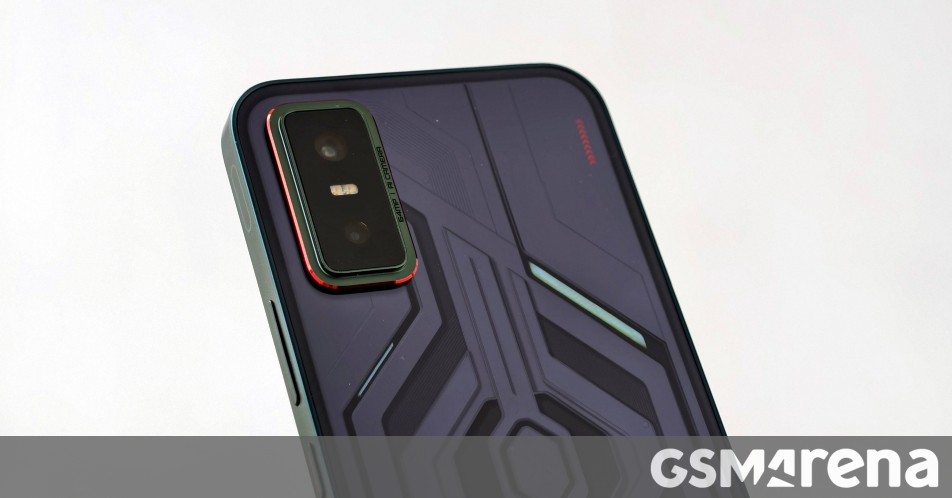
Infinix launched the GT 30 Pro in May, and followed it up with the GT 30 in August, which was introduced in India first and made its global debut a few days ago. We spent some time with the Infinix GT 30 (aka Infinix GT 30 5G+), and here are our first impressions of the gamer-centric smartphone.
Infinix GT 30 Pro 5G
The Infinix GT 30’s retail box includes a SIM ejector tool, a protective case, some documents, a charging cable, and a 45W power adapter.
The Infinix GT 30 is built around a 6.78″ LTPS AMOLED display having 2,720×1,224-pixel resolution and 4,500 nits of peak brightness. The panel has a 144Hz refresh rate, up to 240Hz touch sampling rate, and 10-bit color depth. Moreover, the display is protected by Gorilla Glass 7i and supports the Always On Display function, which, in reality, isn’t always on since the screen only shows information when you tap it. We find this misleading and would like Infinix to fix it with a software update.
Moving on, the Infinix GT 30 supports HDR10, HDR10+, and HLG codecs and has Widevine L1 certification, which allows 1080p video streaming in supported apps. The GT 30’s display supports 60Hz, 90Hz, 120Hz, and 144Hz refresh rates and has three refresh rate modes in its display settings: Auto-Switch, Standard, and High.
Auto-Switch automatically chooses the optimal screen refresh rate based on scenarios to strike a balance between battery life and a smooth experience. The Standard mode refreshes the screen at 60Hz, while the High mode goes up to 144Hz.
The Screen Refresh Rate menu under Settings > Display & Brightness has a “Customize App Refresh Rate” option, which lets you select the desired app refresh rate on a per-app and game basis. However, many of the games and apps (including the Settings app) don’t refresh at a high refresh rate even if you select the 90Hz, 120Hz, or 144Hz option.
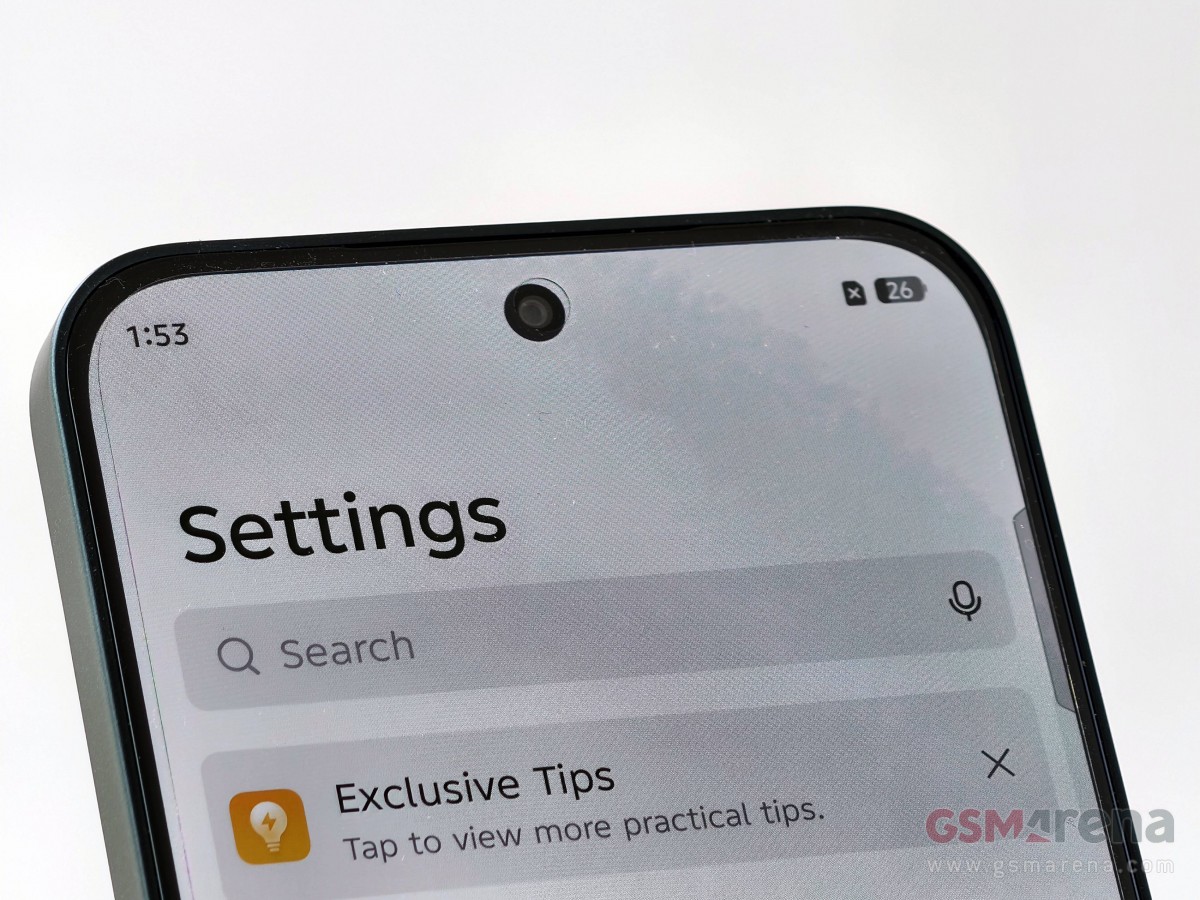
That said, the Infinix GT 30’s display has a centered punch hole for the 13MP selfie camera with a f/2.2 aperture and an 82° FOV. It can also record 4K videos at 30 fps.
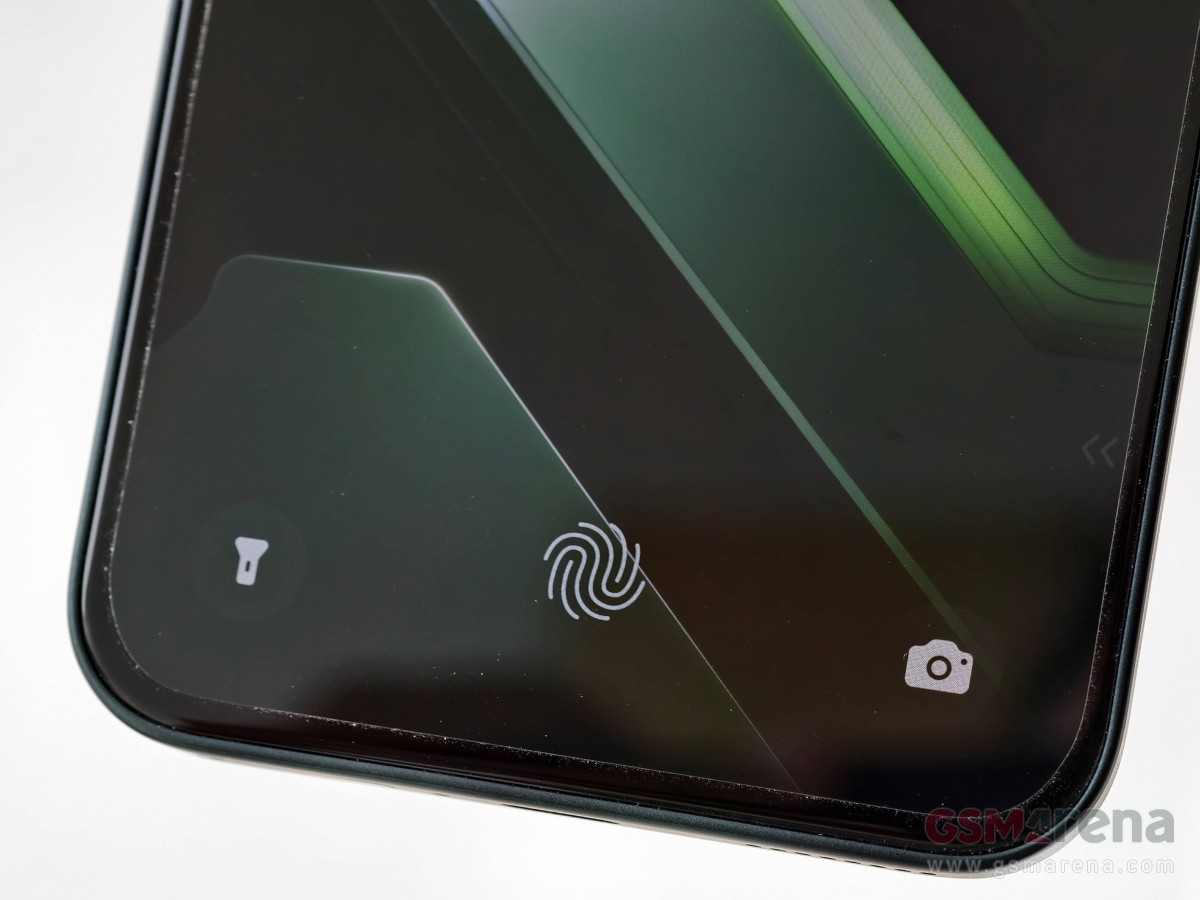
Under the GT 30’s display is an optical fingerprint scanner, which we found to be fast and accurate during our time with the smartphone. However, we’d have liked it to be placed higher for a more convenient phone-unlocking experience.
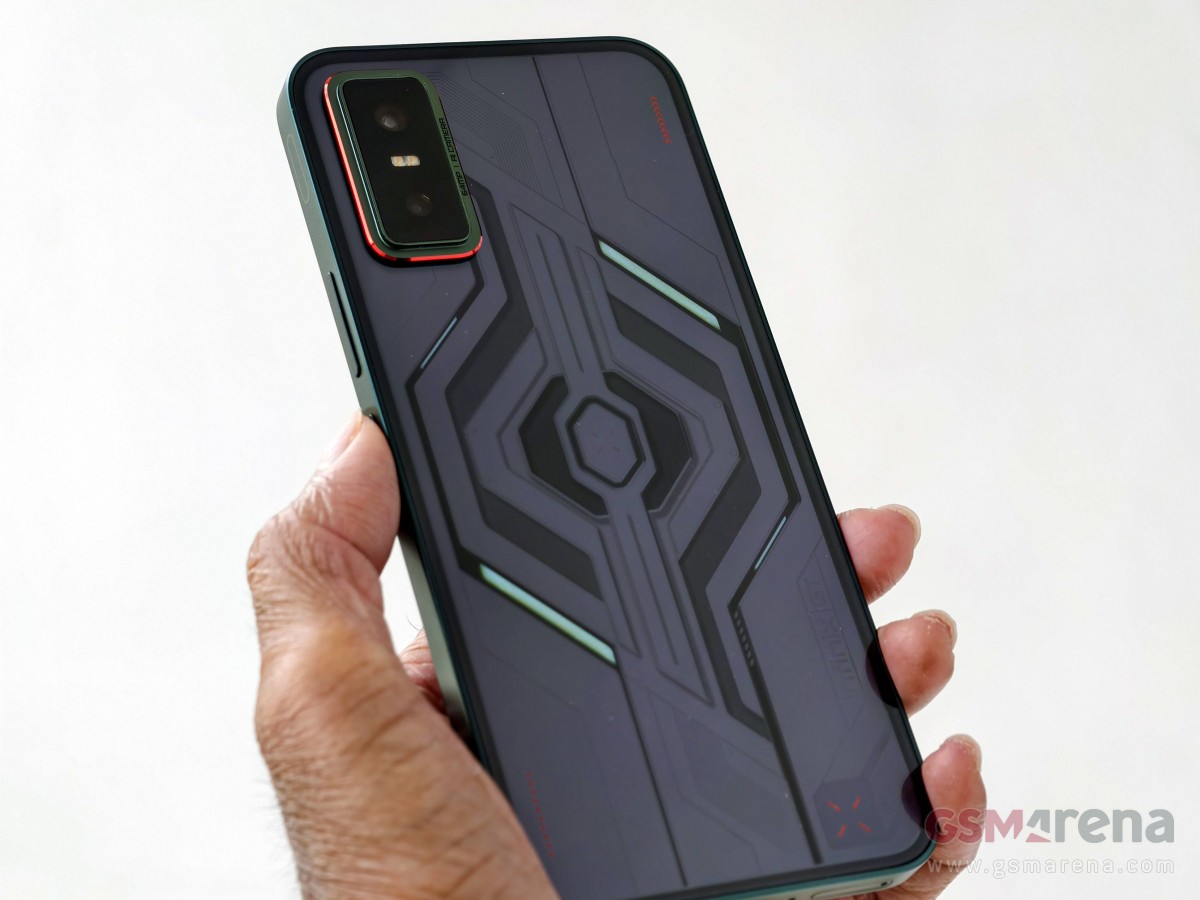
Turn the Infinix GT 30 around and you see what Infinix calls the Cyber Mecha 2.0 design, which “delivers a bold and futuristic look, combining sharp geometric lines with a modern, edgy style that speaks to the OG gamer’s taste.”
The GT 30’s rear panel, made of plastic with a glossy finish, did a decent job resisting smudges. However, its flat design may not be to everyone’s taste as it may not offer a comfortable in-hand experience due to the lack of curves around the edges.
The Infinix GT 30’s back cover features a dual camera setup, consisting of a 64MP primary and an 8MP ultrawide unit. The primary camera uses the Sony IMX682 sensor, has an f/1.75 aperture, and an FOV of 86.2°. It can record 1080p videos at 60 fps, but 4K recording is limited to 30 fps. The ultrawide camera has an f/2.2 aperture and a 111.4° FOV. It also has auto-focus.
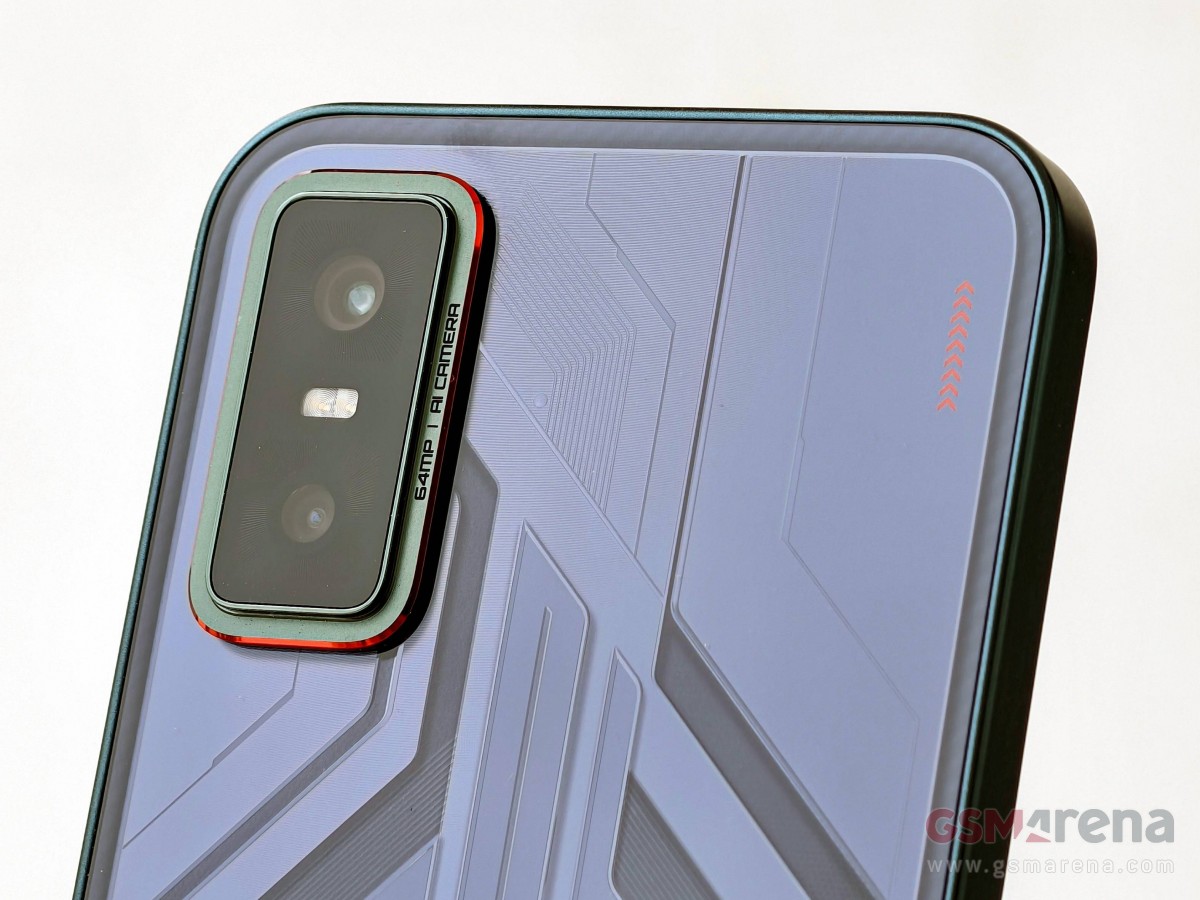
The Infinix GT 30 comes in four colors – Cyber Blue, Pulse Green, Blade White, and Shadow Ash, which isn’t available in India. All four have the same weight and dimensions, but their rear panels have different designs. The Blade White and Shadow Ash versions lack the geometric design found in the Cyber Blue and Pulse Green models. The subject of this hands-on is the Pulse Green version, which doesn’t look green at certain angles and under certain lighting conditions.
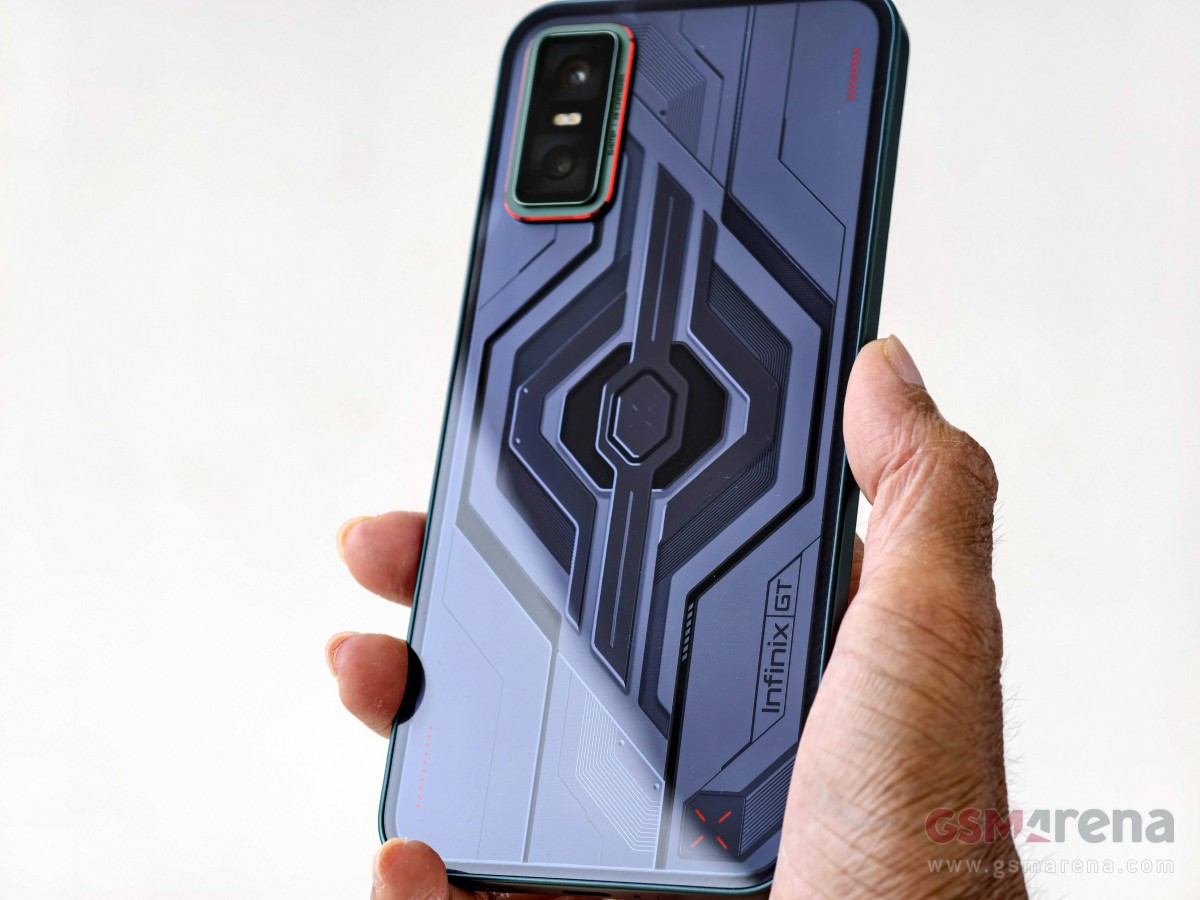
Infinix GT 30’s Pulse Green version doesn’t look green at certain angles and under certain lighting conditions
The GT 30’s back panel also features customizable white LED lights called Mecha Lights or Mechanical Light Waves, which are one of the highlights of the smartphone. These blink for app notifications, missed calls, incoming calls, and music playback. They also turn on at phone startup or when you start a game, charge the phone, use Folax, or record videos. Additionally, the lights glow when you are using the photo timer. You can customize the time period during which you want these lights enabled for different purposes.
Moreover, the Mechanical Light Waves support Party Mode, and when it’s enabled, the LEDs blink in different patterns. And there are three of them – Breathe, Meteor, and Rhythm.
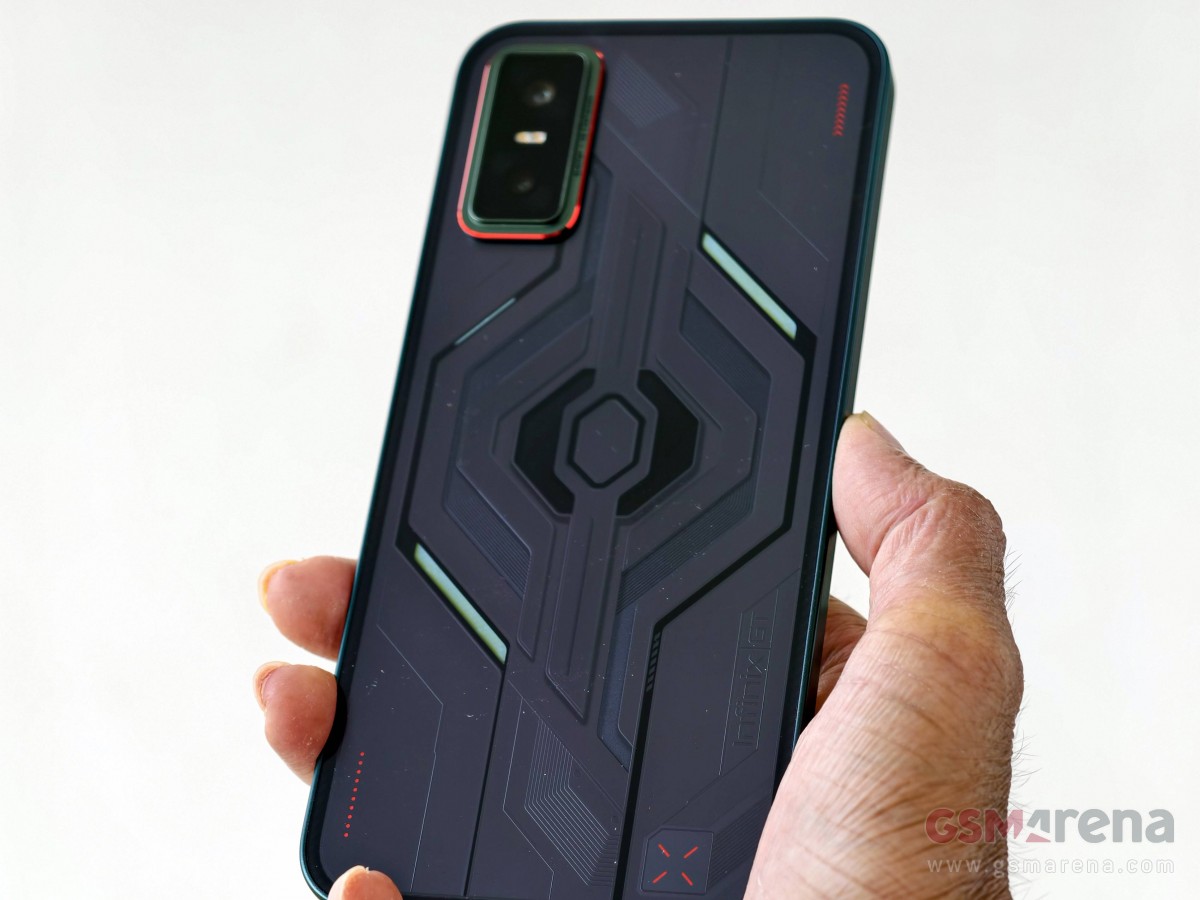
Infinix GT 30 with the Mechanical Light Waves turned on
We view the Mechanical Light Waves as a feature that might occasionally draw attention as notification support is only useful when the phone is placed screen-side down.
That said, the Infinix GT 30 has a USB-C port at the bottom, flanked by a speaker grille, a microphone, and a SIM card slot. Up top is another mic and a speaker, joined by an IR blaster. On the right side is the volume rocker and power button, which has a red accent on the Pulse Green model.
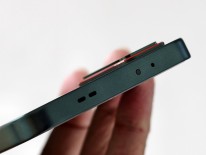
Ports and controls
This brings us to the biggest highlight of the Infinix GT 30 – the GT Shoulder Triggers. These are capacitive buttons, and there are two of them – one each on the top and bottom side of the right frame. They have a 520Hz touch sampling rate, 7ms hardware latency, and support for both wet and greasy touch.
These triggers offer haptic feedback and can be customized to perform different actions with a single press, double press, or long-press. For instance, you can press both triggers at the same time to open apps or games, or long-press just one trigger to record the screen or fast forward/rewind a video. Double-pressing one trigger will open the Camera app or turn on the phone’s flashlight, but you can also create a custom action.
Moreover, when you have the default Camera app open, pressing one trigger will click a photo, while long-pressing a trigger will burst shoot pictures.
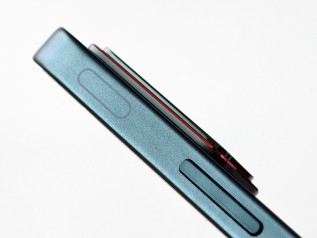
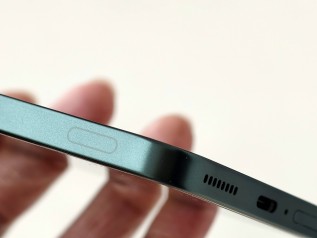
Infinix GT 30 with customizable GT Shoulder Triggers
When gaming, you can customize these GT Shoulder Triggers via the XBOOST panel and map the “L” and “R” symbols to your preferred in-game actions. These triggers worked impressively, whether it was gaming or performing other actions, and they actually improved the gaming experience, which was absolutely enjoyable. We’d like to see more smartphones featuring these GT Shoulder Triggers, especially the ones aimed at gamers.
Speaking of gaming, the Infinix GT 30’s Indian model, which is the subject of this hands-on, is advertised with 90 fps support for BGMI. The global version, on the other hand, is marketed with high frame rate support for 10 games, including MLBB, PUBG Mobile, ROV, Standoff 2, HOK’s Chinese version, HOK’s global version, BGMI, COD Mobile, FreeFire, and Delta Force. Out of these, MLBB, Free Fire, HOK (global version), Standoff 2, and ROV are advertised to support 120 fps gameplay.
It’s worth mentioning that our Indian unit could run COD Mobile at 60 fps only.
Well, regardless of whether you have the Infinix GT 30’s Indian or global model, you’ll get the smartphone with the Dimensity 7400 SoC under the hood with 8GB of LPDDR5X RAM and up to 256GB of UFS 2.2 storage. The smartphone runs Android 15-based XOS 15 out of the box and comes with the promise of two Android OS upgrades and three years of security updates.
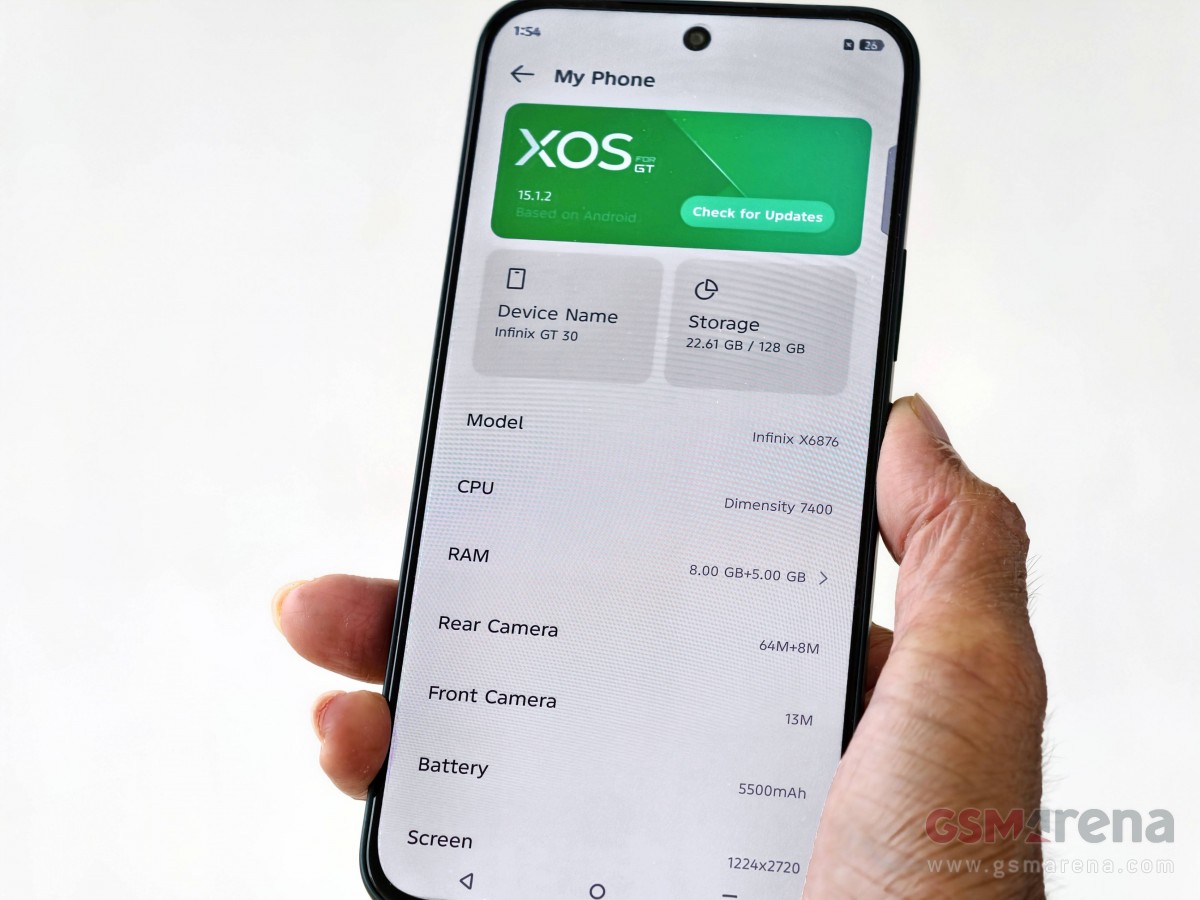
Our Indian model hardly had any pre-installed third-party apps or games, which is commendable, as we’ve seen more expensive smartphones come with 15-20 pre-loaded apps/games (yes, Oppo, we are talking about you).
We ran some synthetic benchmarks on the Infinix GT 30, and you can check the charts below to see how the smartphone performed.
And here’s how the Infinix GT 30 performed in the CPU Throttling Test and the 3DMark Wild Life Extreme Stress Test.
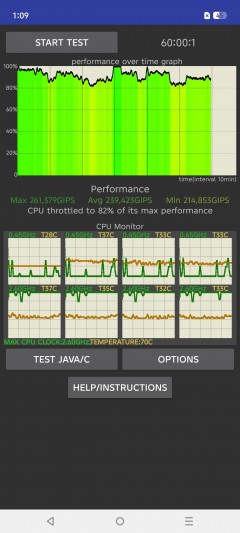
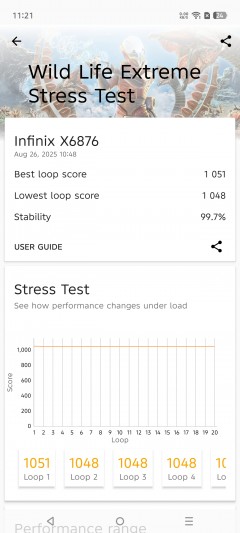
CPU Throttling Test • 3DMark Wild Life Extreme Stress Test
The Infinix GT 30 did well in real-world usage, as the popular gaming titles we played multiple times for over an hour at the highest graphics setting supported ran without any issues, with the smartphone remaining reasonably cool.
Keeping the lights on (literally) for the Infinix GT 30 is the 5,500 mAh battery with 45W wired and 10W reverse wired charging support. It also supports bypass charging.
We couldn’t run our battery life test on the Infinix GT 30 since it cannot be run outside our HQ, and we tested the phone in India, but we did run the charging test.
In our testing, the Infinix GT 30 charged from 1% to 25% in 15 minutes, 50% in 30 minutes, 96% in 1 hour, and 100% in 1 hour and 5 minutes with the bundled 45W power adapter.
The Infinix GT 30 supports three charging modes: Low-Temp, Smart, and Hyper. By default, the phone charges in Smart mode, and this information is displayed on the phone’s lock screen, from where you can switch between the three modes. We ran our charging test in Hyper Mode for the best result, and note that your mileage will likely vary depending on your usage and ambient temperature when charging the phone, as well as the charging mode you select.
The rest of the Infinix GT 30’s highlights include an NFC chip (not on the Indian model), Hi-Res Audio certification for speakers, and an IP64 rating.
The Infinix GT 30 is available in India in Cyber Blue, Pulse Green, and Blade White colors with two memory options – 8GB/128GB and 8GB/256GB, priced at INR19,499 ($220/€190) and INR20,999 ($240/€200), respectively.
In other global markets, the Infinix GT 30 also comes in Shadow Ash color, with the base model having 8GB RAM and 256GB storage. It will be priced around $200 (€170/INR17,655) in the global markets, with Malaysia being one of the first countries to get it.
