
Close Menu
TechUpdateAlert

    Subscribe to Updates

    Get the latest creative news from FooBar about art, design and business.

    What's Hot

    My Health Anxiety Means I Won’t Use Apple’s or Samsung’s Smartwatches. Here’s Why

    December 22, 2025

    You can now buy the OnePlus 15 in the US and score free earbuds if you hurry

    December 22, 2025

    Today’s NYT Connections: Sports Edition Hints, Answers for Dec. 22 #455

    December 22, 2025
    Facebook X (Twitter) Instagram
    Trending
    • My Health Anxiety Means I Won’t Use Apple’s or Samsung’s Smartwatches. Here’s Why
    • You can now buy the OnePlus 15 in the US and score free earbuds if you hurry
    • Today’s NYT Connections: Sports Edition Hints, Answers for Dec. 22 #455
    • Android might finally stop making you tap twice for Wi-Fi
    • Today’s NYT Mini Crossword Answers for Dec. 22
    • Waymo’s robotaxis didn’t know what to do when a city’s traffic lights failed
    • Today’s NYT Wordle Hints, Answer and Help for Dec. 22 #1647
    • You Asked: OLED Sunlight, VHS on 4K TVs, and HDMI Control Issues
    Facebook X (Twitter) Instagram Pinterest Vimeo
    TechUpdateAlertTechUpdateAlert
    • Home
    • Gaming
    • Laptops
    • Mobile
    • Software
    • Reviews
    • AI & Tech
    • Gadgets
    • How-To
    TechUpdateAlert
    Home»How-To»I was a passkey sceptic. But now I’m a believer in the password-free future
    How-To

    I was a passkey sceptic. But now I’m a believer in the password-free future

    techupdateadminBy techupdateadminSeptember 11, 2025No Comments3 Mins Read
    Share Facebook Twitter Pinterest LinkedIn Tumblr Reddit Telegram Email
    What Are Passkeys And How Do They Replace Passwords?
    Share
    Facebook Twitter LinkedIn Pinterest Email

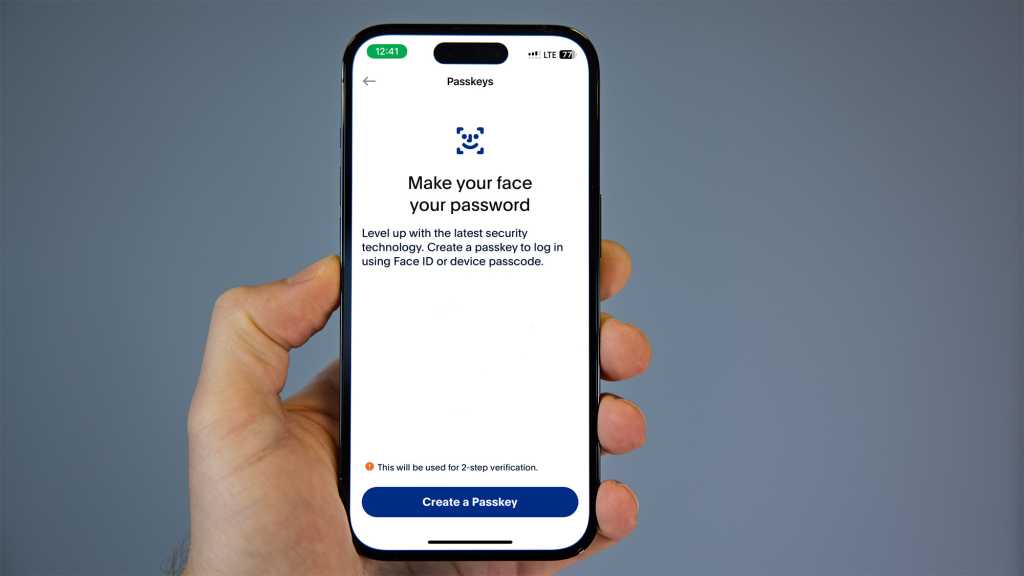
    Microsoft began rolling out passkey support to its consumer accounts in May 2024, allowing users to sign in with their face, fingerprint, or device pin as an alternative to a password. In May of this year Microsoft shifted to making passkey the default sign-in for all new Microsoft accounts.

    According to Microsoft, the point of passkey is to make the future password-less and to counteract the close to 4,000 password attacks estimated to occur worldwide every second.

    How does passkey work?

    Instead of a single vulnerable secret password that can be stolen or guessed by hackers, passkey access uses two unique keys known as a cryptographic pair.

    One key is stored on your devices guarded by your biometrics or pin, and the other key stays with the app or website for which you created the passkey. The key combination is unique to you and a successful sign in requires both keys to work.

    Passkey represents a change to the way most PC users have logged in previously. I’ve always used a password to log in to my Microsoft account and was skeptical at first, but after doing a bit of research, I’ve changed my mind about it. Here are the four reasons I’m now glad I now use passkey.

    1. It’s so much quicker than using a password

    I timed myself typing in my password versus using my passkey and I judge it takes me on average 3 seconds less to log in via a passkey than with a password (that’s taking into consideration the spelling mistakes I often make) using Windows Hello login. It may be just a short amount of time, but it feels a lot faster, which makes a difference to my day.

    2. Security is stronger

    Passkey uses both a public cryptography key and a private pin. That means there’s a component linked to my physical device and requires biometric or a pin authentication, so there’s no chance that my login will be stolen via a phishing attempt or my account will be taken over by hackers.

    3. I can use my passkey across all my devices

    I used to remember a bunch of complex passwords on my different devices, but now, since I can use passkey across devices, I can log in quickly and easily without even needing to remember one password. What’s more, if I lose or upgrade my device my passkey will be ready and waiting for me when I set up my new device.

    Pexels: Tara Winstead

    4. I can use it to sign into my most used websites

    Having a passkey simplifies signing into Microsoft apps and websites like Microsoft 365 and Copilot on desktop. Plus, the number of websites that use passkey is expanding all the time.

    believer future Passkey passwordfree sceptic
    Share. Facebook Twitter Pinterest LinkedIn Tumblr Email
    Previous ArticleStill Running Windows 10? Make Sure You Take This Step Before Oct. 14
    Next Article DreamCloud Hybrid Mattress Review: Support and Value
    techupdateadmin
    • Website

    Related Posts

    Mobile

    The Future of Wireless Headphones is Here: Your Guide to Bluetooth 6.0

    December 20, 2025
    Gadgets

    Your future Samsung phone might finally run on truly “Samsung-made” silicon

    December 5, 2025
    Gadgets

    Samsung Galaxy Z TriFold is cool, but I’m more psyched about the future it teases

    December 4, 2025
    Add A Comment
    Leave A Reply Cancel Reply

    Top Posts

    NYT Strands hints and answers for Monday, August 11 (game #526)

    August 11, 202545 Views

    These 2 Cities Are Pushing Back on Data Centers. Here’s What They’re Worried About

    September 13, 202542 Views

    Today’s NYT Connections: Sports Edition Hints, Answers for Sept. 4 #346

    September 4, 202540 Views
    Stay In Touch
    • Facebook
    • YouTube
    • TikTok
    • WhatsApp
    • Twitter
    • Instagram
    Latest Reviews

    Subscribe to Updates

    Get the latest tech news from FooBar about tech, design and biz.

    Most Popular

    Best Fitbit fitness trackers and watches in 2025

    July 9, 20250 Views

    There are still 200+ Prime Day 2025 deals you can get

    July 9, 20250 Views

    The best earbuds we’ve tested for 2025

    July 9, 20250 Views
    Our Picks

    My Health Anxiety Means I Won’t Use Apple’s or Samsung’s Smartwatches. Here’s Why

    December 22, 2025

    You can now buy the OnePlus 15 in the US and score free earbuds if you hurry

    December 22, 2025

    Today’s NYT Connections: Sports Edition Hints, Answers for Dec. 22 #455

    December 22, 2025

    Subscribe to Updates

    Get the latest creative news from FooBar about art, design and business.

    Facebook X (Twitter) Instagram Pinterest
    • About Us
    • Contact us
    • Privacy Policy
    • Disclaimer
    • Terms and Conditions
    © 2026 techupdatealert. Designed by Pro.

    Type above and press Enter to search. Press Esc to cancel.