


For years, I bounced between productivity apps, each promising to be the one that would finally organize my life.
From feature-rich to-do apps to note-taking systems, I have tried them all, only to find myself searching for something more intuitive and less frustrating.
After a long cycle of trial and error, I finally stumbled upon Capacities, and it didn’t just meet my expectations – it surpassed them in style and made me realize I’m never going back to the traditional tools.
Here’s how Capacities reshaped my understanding of what a true productivity system should be, and why the old ways simply won’t cut it anymore.
Related
6 offline Android apps I use to stay productive when there’s no Wi-Fi
My go-to offline Android productivity kit
Capacities has nailed the basics
You won’t miss your existing setup

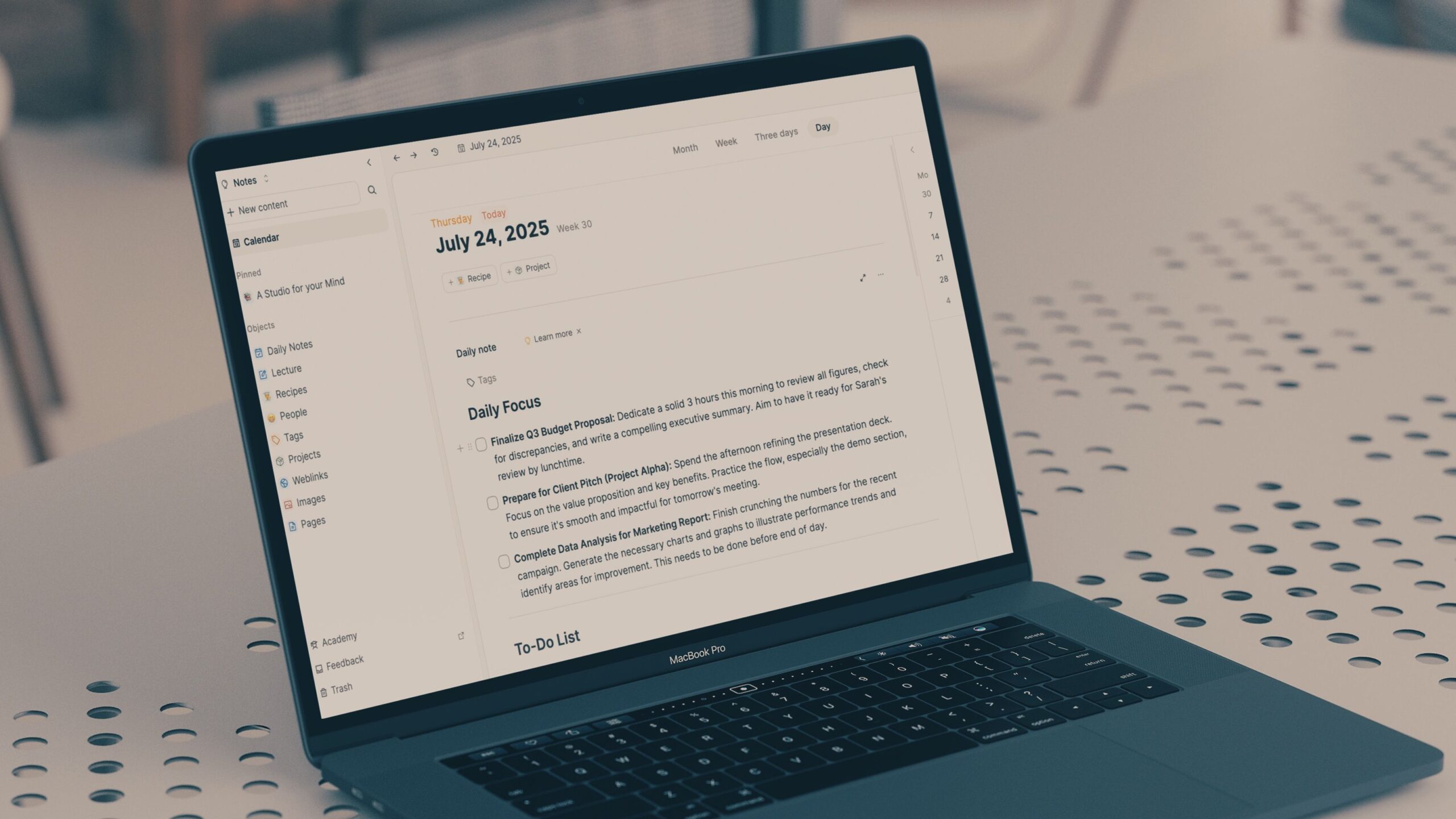
When I say Capacities has the basics covered, I mean in a way that feels thoughtful and integrated. Let’s start with daily notes.
Every day, there is a dedicated page waiting for me. It’s my central hub for quick thoughts, captures, and initial planning.
And then there is a calendar view where my life happens. Previously, my notes about meetings and events were completely separate.
With Capacities calendar integration, that barrier is gone. I can connect my Google or Microsoft 365 calendar, glance over all my meetings, and connect relevant objects to it (more on that in a minute).
My meeting notes are directly connected to the event itself. And as expected, there is a way to connect related notes in Capacities. This creates a dense, interconnected web of knowledge that mirrors my thought process.
Now, let’s have a quick word about cross-platform availability, too.
Since I frequently switch between my desktop, MacBook, and Pixel 8, I need a solution that works well on those devices. And Capacities doesn’t disappoint here.
This isn’t just a web wrapper. These are well-optimized apps that feel at home on each system. This means I can reliably access all my content, create new objects, and interact with my knowledge base whether I’m at my desk or commuting.
Object-based approach is unique
Take your knowledge management to the next level

Most productivity apps, whether they are note-takers, task managers, or project trackers, are built around the concept of files, folders, and databases. However, Capacities has a different take here.
For Capacities, everything is an object. This means that instead of just a note or a document, I can create an object type for it. I can have objects like Projects, People, Books, Meetings, Ideas, Articles, Recipes, and more, and have specific properties for each.
For instance, I have an object type called Project. When I start a new client project, I create an object for it that has several properties, like Status, Client, Due Date, Budget, and Key Deliverables.
Similarly, I have a Recipe object with specific properties.
The possibilities are endless here. This object-based approach changes how I interact with my information.

Related
13 simple Google Gemini tips and tricks for maximum productivity
Summarize, simplify, streamline, and more
Offline mode and an optional AI add-on
A must-have checkmark for me

When I first log in to Capacities on any of my devices, it downloads all the content to the device.
This means that whether I’m on a plane with no Wi-Fi, in a coffee shop with spotty internet connection, or in a part of my house where the signal dies, my Capacities workspace is fully functional.
I can create new objects, edit existing notes, link blocks, and restructure my content as if I were online.
Just last week, I was flying from Surat to Bengaluru for a business meeting. I had a few hours of flight time, a perfect opportunity to finalize my presentation and review some client research.
With Capacities, I was able to access all the objects and notes without a single bar of Wi-Fi.
I have experimented with AI in many tools, but often like a separate chatbot slapped onto an existing interface. With Capacities, the AI acts as a quick summarizer, research assistant, and data organizer within the context of my work.
The Android app is robust
The mobile experience isn’t an afterthought


Here is where it gets interesting. Whether it’s Notion, Obsidian, or Evernote, their Android apps feel afterthought. Besides, they are not built for taking quick notes.
That’s not the case with Capacities. The company’s Android app is native, feels smooth, and gets the job done in no time.
The best part is the share sheet, where I can add content from other apps to Capacities with a single tap. This works with web links, photos, and blocks of text from WhatsApp, Telegram, and more.
Needless to say, Capacities remains a crucial part of my Pixel 8 home screen.

- SoC
-
Google Tensor G3
- RAM
-
8GB
The Google Pixel 8 is Google’s best phone yet, and it’s the most distinct regular model when compared to the Pro version. It comes with a wonderful form factor that fits well in the hands and has the usual software prowess that you expect from a Pixel.
Is this the end of Notion, Evernote, and Clickup?
Overall, Capacities has really hit it out of the park with solid fundamentals and a unique approach to knowledge management. Still, there is a learning curve, and it may take some time to get the hang of Objects in Capacities.
Also, unlike many productivity apps, the free plan is reasonable with unlimited spaces, objects, blocks, offline support, and custom object types.
Go ahead, give it a try on your desktop and Android phone and boost your productivity in no time.
