



Earlier this year, I impulse-bought a tiny, inexpensive desktop PC for research purposes. I didn’t expect it to change my entire computing setup.
But here I am now, using the $319 Beelink SER5 Mini PC as my daily workhorse, powering an ultrawide 1440p 100Hz monitor and smoothly handling any productivity task I’ve thrown at it. This little computer has been so delightful to use that I’ve relegated my full-sized desktop tower PC to the basement television, where it’s now serving exclusively as a gaming rig.
Consider this a lesson on technological overkill. Outside of some specialized use cases, the required compute power for getting things done might be a lot less than you think.
Further reading: 5 reasons to get a mini PC instead of a laptop
Sizing up the mini PC
Beelink sells an array of miniature computers, but the one I bought currently costs $319 with the following specs:
- AMD Ryzen 5 5825U processor
- 16GB of RAM (DDR4)
- 512GB of storage (M.2 NVMe)
- Windows 11 Pro
- Wi-Fi 6, Bluetooth 5.2
- Front ports: Two USB-A 3.2, one USB-C, 3.5mm audio
- Rear ports: One USB-A 3.0, one USB-A 2.0, two HDMI 2.0, gigabit ethernet
Jared Newman / Foundry
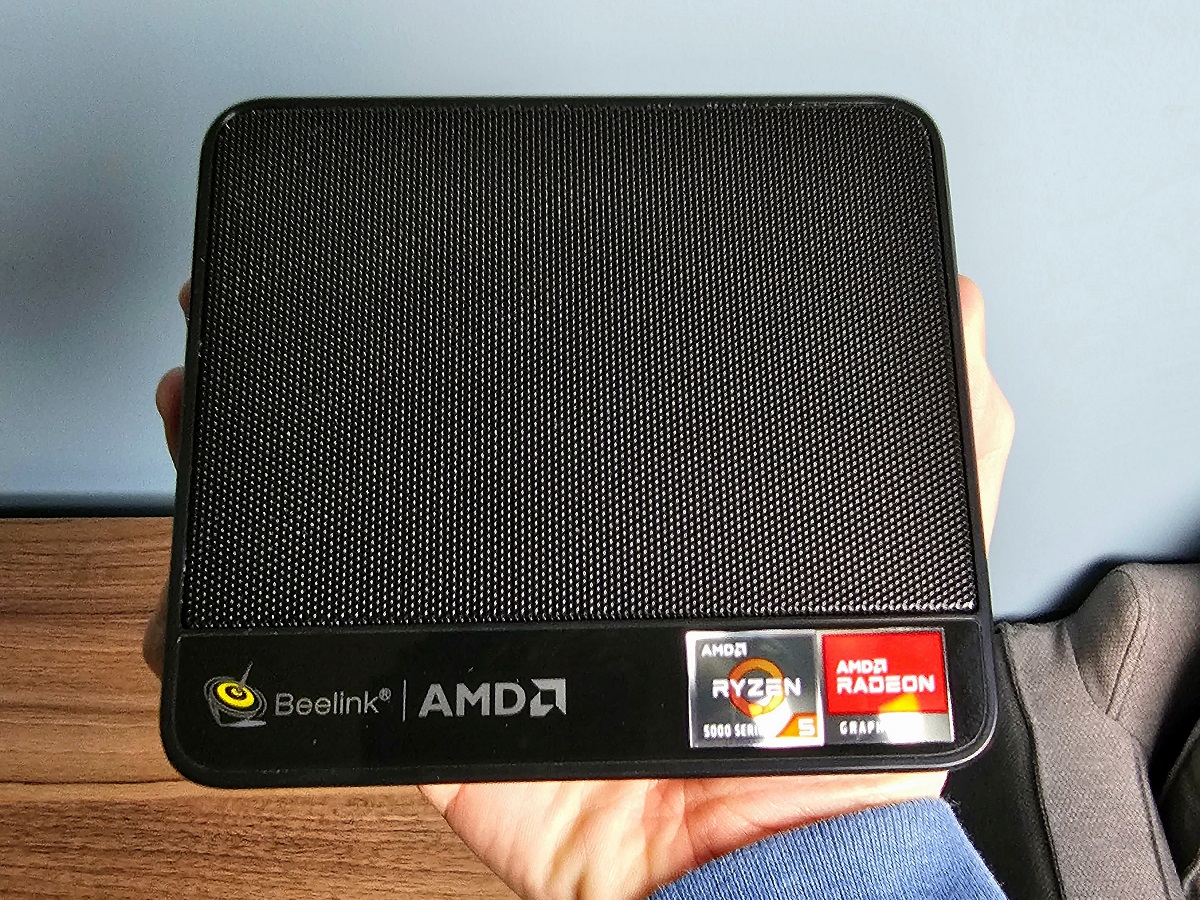
Spec-wise, this is roughly on par with laptops in the $500 to $700 price range, except of course you’ll have to supply your own mouse, keyboard, and screen. The 5×5-inch frame is small enough to pick up with one hand, and it comes with VESA brackets for mounting the computer to the back of a monitor or television.
Further reading: The best monitors we’ve tested
The Beelink SER5 also hides a neat feature on its underside: Removing the bottom plate reveals a slot for a 2.5-inch storage drive. I bought a 1TB solid state drive to store all my OneDrive files locally, and the PC recognized it without issue. (The device’s RAM and M.2 storage drive are upgradeable as well.)
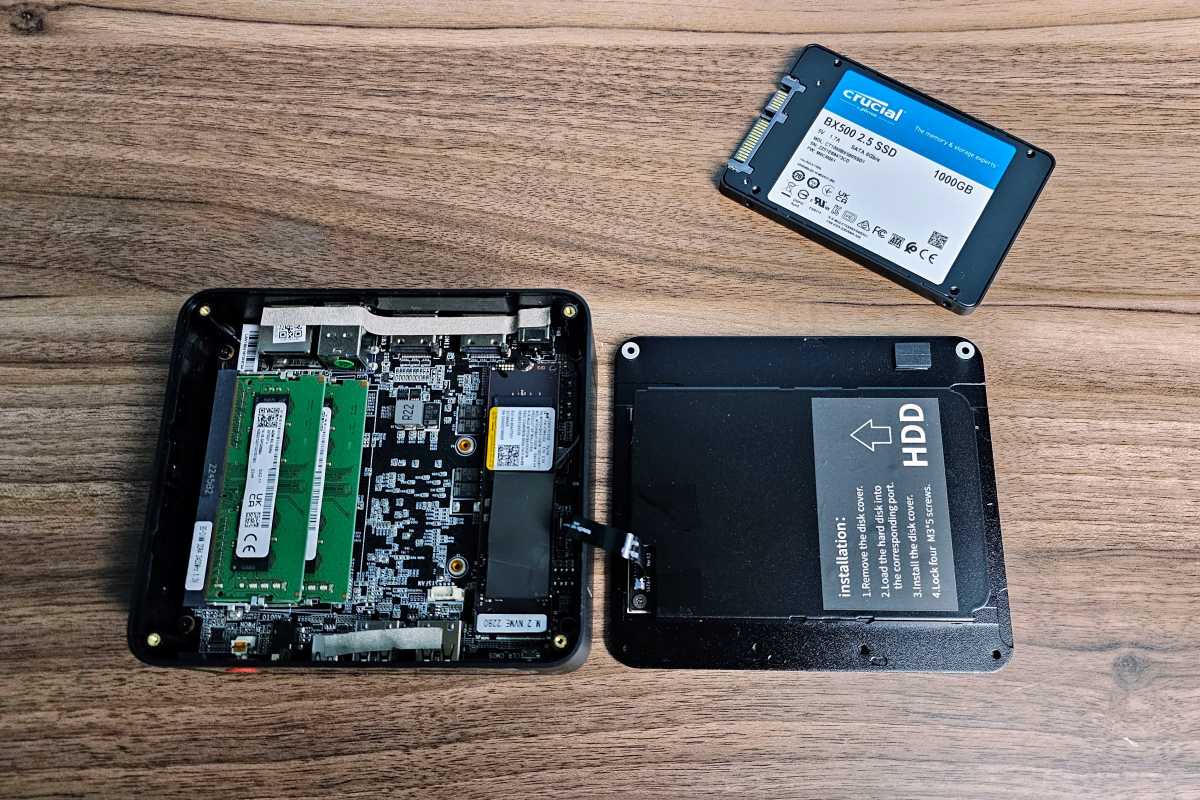
There’s room for a 2.5-inch SSD in the bottom cover.
Jared Newman / Foundry
How it fares
Going in, my plan was to briefly play around with the SER5’s default Windows 11 Pro installation before going back to my regular desktop for work. Even if I didn’t use the mini PC regularly, I figured it’d be useful for experimenting with other operating systems such as Linux or Chrome OS Flex.
In the end, the transition to daily work was so seamless that I never went back to my old computer at all.
As a tech journalist, my work typically involves writing in Obsidian, chatting in Slack with colleagues (and my newsletter readers), juggling a few dozen browser tabs in Brave, and attending video calls in Zoom or Google Meet. The Beelink SER5 handled all those tasks without ever noticeably slowing down, and it’s much quieter than the full-sized desktop I’d been using before.
I threw some more ambitious tasks at the mini PC as well, such as digitizing some old VHS tapes, recording streaming video sources via PlayOn Home, and running a Plex media server. Even with Plex’s commercial detection and PlayOn’s recording engine running in the background, I continued to work without any noticeable performance setbacks.
And while integrated Radeon graphics are no match for a dedicated graphics card, the Beelink SER5 has fared well as a low-end gaming device. Yakuza Kiwami runs at a smooth 60 frames per second on high settings at 1080p, and both Fortnite and the post-apocalyptic cat simulator Stray are playable at 1080p with framerates closer to 30 frames per second. I’ve also used it to play less-demanding games such as the Quake II remaster and The Elder Scrolls III: Morrowind, while leaning on Nvidia’s GeForce Now for more intensive fare.
All this led to a realization that my hulking desktop PC was just wasting space while also being excessively loud and energy-intensive, and after a couple weeks I moved it out of my office for good. I gave it a factory reset, configured it exclusively for gaming in the basement, and now only turn it on as needed.
Lesson learned
Jared Newman / Foundry
When shopping for computers, it’s always tempting to buy for every potential use case, both real and perceived, now and in the future.
The $319 Beelink SER5 is a reminder that we’ve reached a point of diminishing returns for most computing use cases. Despite having just a mid-range processor (one designed for laptops, at that), I was never wanting for more power or wishing I’d splurged on a pricier computer.
But mostly, I’m just happy to have a quieter office and a better place for the gaming PC that once occupied it.
This story first appeared in Advisorator, Jared’s weekly tech advice newsletter. Sign up to learn new tech tricks every Tuesday.
