
Close Menu
TechUpdateAlert

    Subscribe to Updates

    Get the latest creative news from FooBar about art, design and business.

    What's Hot

    My Health Anxiety Means I Won’t Use Apple’s or Samsung’s Smartwatches. Here’s Why

    December 22, 2025

    You can now buy the OnePlus 15 in the US and score free earbuds if you hurry

    December 22, 2025

    Today’s NYT Connections: Sports Edition Hints, Answers for Dec. 22 #455

    December 22, 2025
    Facebook X (Twitter) Instagram
    Trending
    • My Health Anxiety Means I Won’t Use Apple’s or Samsung’s Smartwatches. Here’s Why
    • You can now buy the OnePlus 15 in the US and score free earbuds if you hurry
    • Today’s NYT Connections: Sports Edition Hints, Answers for Dec. 22 #455
    • Android might finally stop making you tap twice for Wi-Fi
    • Today’s NYT Mini Crossword Answers for Dec. 22
    • Waymo’s robotaxis didn’t know what to do when a city’s traffic lights failed
    • Today’s NYT Wordle Hints, Answer and Help for Dec. 22 #1647
    • You Asked: OLED Sunlight, VHS on 4K TVs, and HDMI Control Issues
    Facebook X (Twitter) Instagram Pinterest Vimeo
    TechUpdateAlertTechUpdateAlert
    • Home
    • Gaming
    • Laptops
    • Mobile
    • Software
    • Reviews
    • AI & Tech
    • Gadgets
    • How-To
    TechUpdateAlert
    Home»AI & Tech»I put my gaming PC in the wrong spot, and learned it the hard way
    AI & Tech

    I put my gaming PC in the wrong spot, and learned it the hard way

    techupdateadminBy techupdateadminOctober 17, 2025No Comments4 Mins Read
    Share Facebook Twitter Pinterest LinkedIn Tumblr Reddit Telegram Email
    Gaming PC
    Share
    Facebook Twitter LinkedIn Pinterest Email

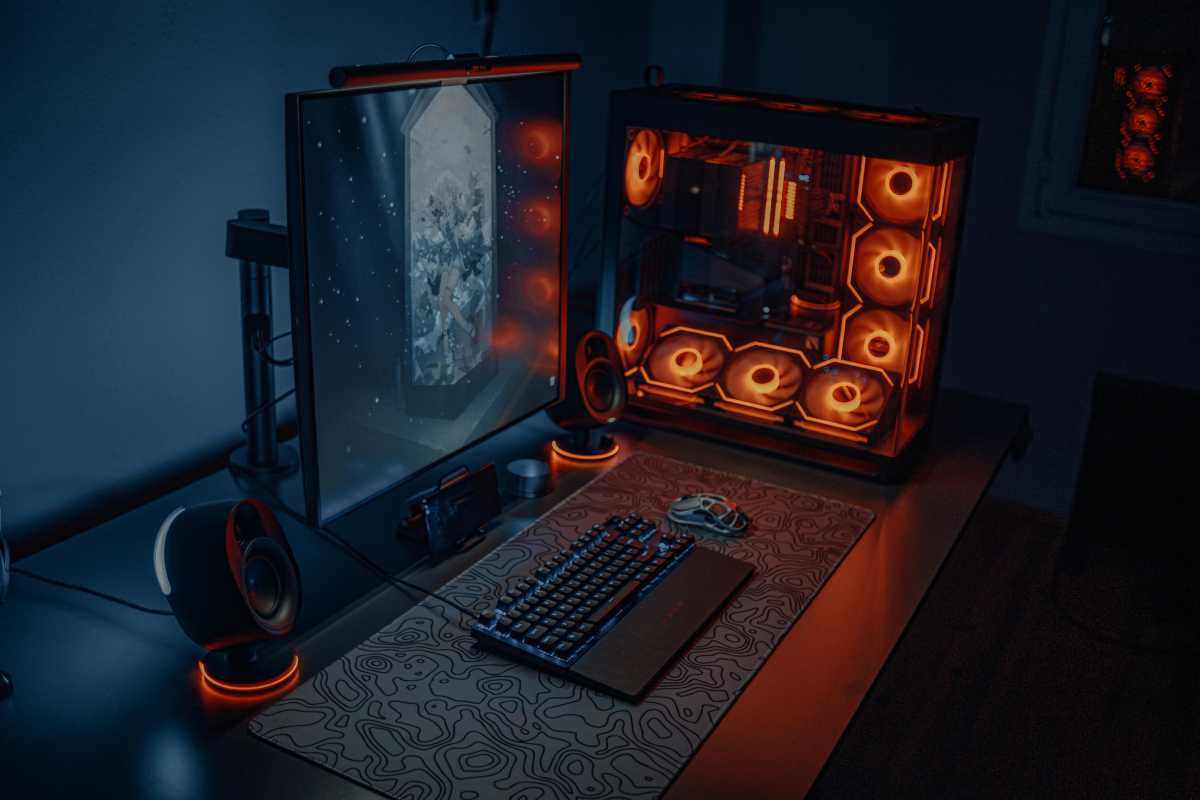
    I had a desktop gaming rig built for me about 10 years ago. I chose large and chunky parts, which the tower reflected in its sheer enormity. The size of it meant that it was never going to be something I could place on my desk without it looking out of place.

    It was heavy too. But the base was skinny, so it wobbled when I moved it. I figured if it fell off the side of my desk it was going to cause some serious damage — if not to me, then my floor. So, under my desk it went to live, and it stayed there next to my legs as I played endless rounds of Day of Defeat.

    The position worked from a practical point of view, in that I had more space to spread out on my desk. I was glad it wasn’t blowing hot air anywhere near my face, too. Overall, I was happy — I had a solid, reliable workhorse that wasn’t an eyesore or a drop hazard.

    Fast forward six months, and one day I messed all that up when I moved it to get to my AC outlets. The move caused the four tiny feet on the rig’s underside to fall off, first the two on the back and then the two on the front. I thought that was no big deal. It’s not like I needed them to run my games, so I chose to just leave them off.

    But without those tiny feet to lift the tower an inch off the floor, my PC had to rest on my fluffy carpet. It was probably a year after that, that I started getting throttling problems and big temperature-rise alerts in my PC stats — but I didn’t know why. Had I pushed my fans too far by overclocking, or was something else to blame?

    A friend diagnosed the problem after running some diagnostics: It turns out I had turned my rig into a dust bucket with my shoddy careless placement on the carpet, such that for the last year it had been pulling in every spec of microfiber, disintegrated skin cells, pollen, and fur from my American Shorthair that it possibly could.

    Pexels: Atahan Demir

    Needless to say, it was now chock-full of the stuff — especially the fans. There was so much fluffy dust in there that I could seriously have opened my own ceiling insulation business; it took more than a whole day’s work to clean it all out.

    Another thing… my PC was so far backed up against my wall that airflow through the rear vents was almost nonexistent.

    I’ll round up my story by saying that I now know how important it is to find the right place to place my PC. So, I’ll leave you with a few PC placement dos and don’ts that I now go by to keep them running smoothly.

    The Dont’s of PC placement

    • Place it on carpet when any vents on the underside are going to be blocked and prevent air circulation and where your rig is going to be susceptible to getting dust inside it.
    • Place it so far back against a wall or other object that air circulation at the back is going to be stifled.
    • Place it too close to heaters, hot lights, or other sources of heat.
    • Cover it with anything like a blanket.

    The Dos of PC placement

    • Place it on a desk or shelf or on a PC stand. Some users like a desk that’s separate from their own desk so that they can free up space.
    • Placing it on a non-carpeted floor is okay too, preferably with elevation.
    • Clean dust out of your gaming rig at least once a year.

    Related content

    6 big PC hardware myths, exposed

    How to check your PC’s CPU temperature

    7 advanced tools every PC enthusiast needs in their toolkit

    Clean up cable clutter: These tricks create beautiful cord order

    Gaming Hard Learned put Spot Wrong
    Share. Facebook Twitter Pinterest LinkedIn Tumblr Email
    Previous ArticleI finally stopped making typos with these underrated Gboard features
    Next Article Ligue 1 Soccer: Stream PSG vs. Strasbourg Live From Anywhere
    techupdateadmin
    • Website

    Related Posts

    Gadgets

    I Bought a Used iPhone 13 Mini and Learned a Hard Lesson

    December 20, 2025
    Gadgets

    Lenovo Legion Pro 5 gaming laptop deal packs OLED, RTX 5060, and 32GB RAM

    December 20, 2025
    Gadgets

    Court Ruling Against Tesla Threatens to Put the Brakes on California Sales

    December 18, 2025
    Add A Comment
    Leave A Reply Cancel Reply

    Top Posts

    NYT Strands hints and answers for Monday, August 11 (game #526)

    August 11, 202545 Views

    These 2 Cities Are Pushing Back on Data Centers. Here’s What They’re Worried About

    September 13, 202542 Views

    Today’s NYT Connections: Sports Edition Hints, Answers for Sept. 4 #346

    September 4, 202540 Views
    Stay In Touch
    • Facebook
    • YouTube
    • TikTok
    • WhatsApp
    • Twitter
    • Instagram
    Latest Reviews

    Subscribe to Updates

    Get the latest tech news from FooBar about tech, design and biz.

    Most Popular

    Best Fitbit fitness trackers and watches in 2025

    July 9, 20250 Views

    There are still 200+ Prime Day 2025 deals you can get

    July 9, 20250 Views

    The best earbuds we’ve tested for 2025

    July 9, 20250 Views
    Our Picks

    My Health Anxiety Means I Won’t Use Apple’s or Samsung’s Smartwatches. Here’s Why

    December 22, 2025

    You can now buy the OnePlus 15 in the US and score free earbuds if you hurry

    December 22, 2025

    Today’s NYT Connections: Sports Edition Hints, Answers for Dec. 22 #455

    December 22, 2025

    Subscribe to Updates

    Get the latest creative news from FooBar about art, design and business.

    Facebook X (Twitter) Instagram Pinterest
    • About Us
    • Contact us
    • Privacy Policy
    • Disclaimer
    • Terms and Conditions
    © 2026 techupdatealert. Designed by Pro.

    Type above and press Enter to search. Press Esc to cancel.