
Close Menu
TechUpdateAlert

    Subscribe to Updates

    Get the latest creative news from FooBar about art, design and business.

    What's Hot

    My Health Anxiety Means I Won’t Use Apple’s or Samsung’s Smartwatches. Here’s Why

    December 22, 2025

    You can now buy the OnePlus 15 in the US and score free earbuds if you hurry

    December 22, 2025

    Today’s NYT Connections: Sports Edition Hints, Answers for Dec. 22 #455

    December 22, 2025
    Facebook X (Twitter) Instagram
    Trending
    • My Health Anxiety Means I Won’t Use Apple’s or Samsung’s Smartwatches. Here’s Why
    • You can now buy the OnePlus 15 in the US and score free earbuds if you hurry
    • Today’s NYT Connections: Sports Edition Hints, Answers for Dec. 22 #455
    • Android might finally stop making you tap twice for Wi-Fi
    • Today’s NYT Mini Crossword Answers for Dec. 22
    • Waymo’s robotaxis didn’t know what to do when a city’s traffic lights failed
    • Today’s NYT Wordle Hints, Answer and Help for Dec. 22 #1647
    • You Asked: OLED Sunlight, VHS on 4K TVs, and HDMI Control Issues
    Facebook X (Twitter) Instagram Pinterest Vimeo
    TechUpdateAlertTechUpdateAlert
    • Home
    • Gaming
    • Laptops
    • Mobile
    • Software
    • Reviews
    • AI & Tech
    • Gadgets
    • How-To
    TechUpdateAlert
    Home»AI & Tech»How to Use AI Greetings and Quick Replies on Your Video Doorbell
    AI & Tech

    How to Use AI Greetings and Quick Replies on Your Video Doorbell

    techupdateadminBy techupdateadminOctober 18, 2025No Comments4 Mins Read
    Share Facebook Twitter Pinterest LinkedIn Tumblr Reddit Telegram Email
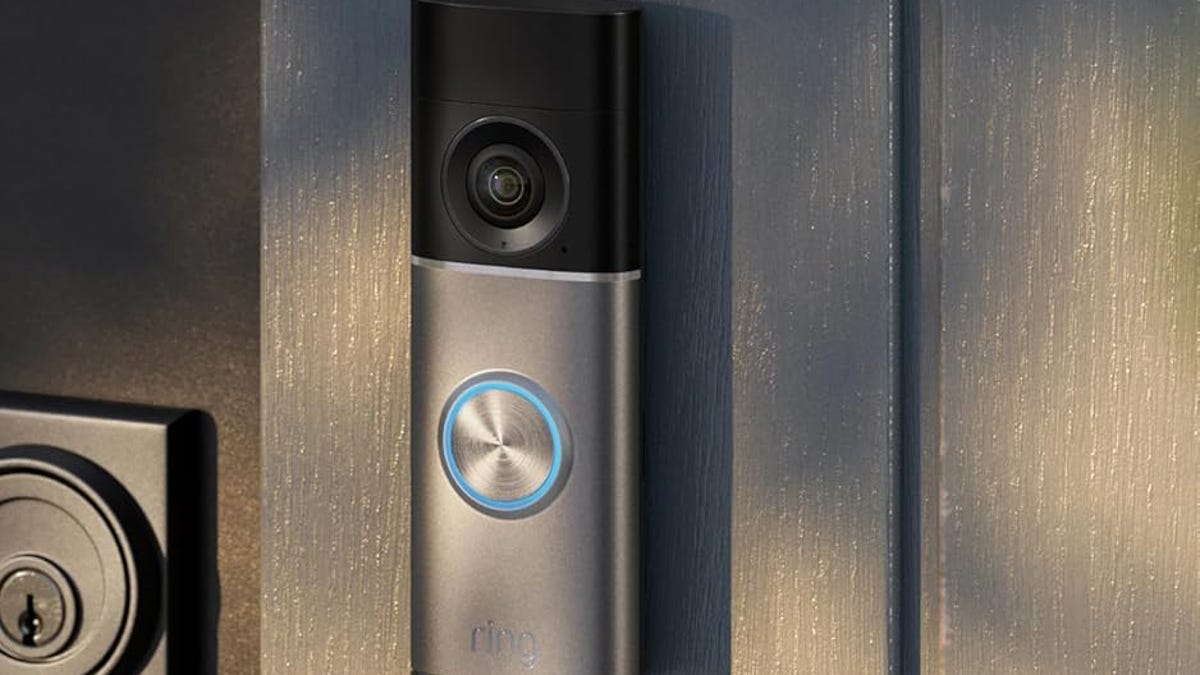
    Ring's 4K doorbell on a wood slat.
    Share
    Facebook Twitter LinkedIn Pinterest Email

    Video doorbells have many advantages, but one of the most notable is their two-way audio. These features let you talk to a person through the app or a smart display when they notice someone approaching. But many doorbells have evolved beyond that to add an additional, handy feature: The ability to create automatic replies with built-in voice assistants and similar tricks. You could even use customizable options for fun Halloween greetings for trick-or-treaters, especially on Ring doorbells.

    Does that mean an AI video doorbell can hold a conversation for you? We’re certainly headed that way in the near future, although for now they most offer precreated messages when someone rings the bell. Here’s how to enable these useful modes and what different capabilities they have.

    Read more: My Favorite AI Features in the Smart Home

    Head into your app and find your doorbell settings

    Ring's app shows Smart Responses.

    The Smart Responses section has most of Ring’s video doorbell replies.

    Tyler Lacoma/CNET

    Open up your doorbell app and navigate to the Devices menu if necessary. Choose your doorbell device, and then find the settings button, which is usually a hamburger icon (three lines), a gear icon or three dots. In my screenshots, I’m using the Ring app, which does a good job of offering reply settings, but you should be able to find similar settings in most doorbell apps.

    Enable greetings and quick replies

    Ring's app showing Quick Replies turned on.

    Toggle your doorbell’s quick replies on if necessary.

    Tyler Lacoma/CNET

    Look for the option to enable quick replies or responses. In Ring’s app, that’s under Smart Responses, so you should go there first. Here, you’ll find options to enable quick replies or make sure the feature is functional.

    Choose your quick replies (seasonal options often available)

    Ring's app showing Halloween quick reply options.

    Some doorbells have lots of customized greetings to choose from.

    Tyler Lacoma/CNET

    Some doorbells, including Ring’s, allow you to customize your doorbell replies. It’s an easy way to have fun with guests, like setting a Halloween greeting. Other Ring options include a Thursday night football message or just a general “Leave a message at the beep” response. Many doorbells offer customizations here.

    Note that you can typically access your chosen messages from the live view screen for your video doorbell, activating them manually rather than waiting for someone to press the doorbell.

    Enable voice assistant greetings if available

    Brand new Echo lineup designed for Alexa Plus announced

    New Alexa Plus abilities will include more conversational greetings.

    Joseph Maldonado/CNET

    Some doorbells have more advanced greeting options that link them with voice assistants that offer greater customization and can hold limited conversations. Alexa greetings, for example, are enabled on the Ring Wired Doorbell Plus and Ring Wired Doorbell Pro, and more conversational Alexa Plus Greetings are coming to the latest 2K Ring doorbells in December 2025. Likewise, I expect Gemini for Home, which began rolling out in October 2025, to start offering more conversational greetings for compatible Nest/Google Home doorbells as well. This is a fun frontier for doorbells to explore and us to test as features keep rolling out.

    Adjust reply settings as needed

    Ring app showing times for quick reply responses.

    Some apps let you adjust the delay of your doorbell responses.

    Tyler Lacoma/CNET

    Video doorbell greetings usually have other settings to play with as well. For example Ring’s replies allow you to set a delay — mine were set to 10 seconds by default, which is a ridiculously long time, so I set them to play immediately.

    Google’s Nest Doorbells may not have those options, but they do allow you to change what the spoken language is. Always review settings like these to make sure the greetings play as you intend.

    Alternative: Tap the doorbell phone alert when you get one

    Google Home app showing doorbell responses.

    Nest’s responses are accessed by tapping on alerts for immediate action.

    Tyler Lacoma/CNET

    For doorbells like Google Nest models, quick replies (here called Quick Responses) work a little differently. Instead of playing automatically when a doorbell is rung, these replies are made to be manually activated by the user. When a Nest doorbell sends an alert like, “Person detected,” you can tap on that alert and then tap on the response that you’d like to use, like “You can just leave it.” These options are also accessible via live view.

    Unfortunately, Nest doorbells don’t currently have the customization options that Ring doorbells do, but again Gemini for Home may well start changing all this in the months to come.

    For more info, take a look at my top picks for DIY home security, advice on stopping burglars and how to foil porch pirates. 

    doorbell Quick Replies video
    Share. Facebook Twitter Pinterest LinkedIn Tumblr Email
    Previous ArticleToday’s NYT Strands Hints, Answer and Help for Oct. 18 #594
    Next Article Top TurboTax Discount Codes & Coupons October 2025
    techupdateadmin
    • Website

    Related Posts

    Gadgets

    Your Ring doorbell now lets Alexa+ answer the door for you

    December 19, 2025
    Mobile

    Video Game Hardware Sales Are the Worst in Decades: Here’s Why You Should Buy Now

    December 18, 2025
    Gadgets

    Jaguar Type 00 EV First Ride: It Still Looks Odd, but It’s Seriously Quick

    December 17, 2025
    Add A Comment
    Leave A Reply Cancel Reply

    Top Posts

    NYT Strands hints and answers for Monday, August 11 (game #526)

    August 11, 202545 Views

    These 2 Cities Are Pushing Back on Data Centers. Here’s What They’re Worried About

    September 13, 202542 Views

    Today’s NYT Connections: Sports Edition Hints, Answers for Sept. 4 #346

    September 4, 202540 Views
    Stay In Touch
    • Facebook
    • YouTube
    • TikTok
    • WhatsApp
    • Twitter
    • Instagram
    Latest Reviews

    Subscribe to Updates

    Get the latest tech news from FooBar about tech, design and biz.

    Most Popular

    Best Fitbit fitness trackers and watches in 2025

    July 9, 20250 Views

    There are still 200+ Prime Day 2025 deals you can get

    July 9, 20250 Views

    The best earbuds we’ve tested for 2025

    July 9, 20250 Views
    Our Picks

    My Health Anxiety Means I Won’t Use Apple’s or Samsung’s Smartwatches. Here’s Why

    December 22, 2025

    You can now buy the OnePlus 15 in the US and score free earbuds if you hurry

    December 22, 2025

    Today’s NYT Connections: Sports Edition Hints, Answers for Dec. 22 #455

    December 22, 2025

    Subscribe to Updates

    Get the latest creative news from FooBar about art, design and business.

    Facebook X (Twitter) Instagram Pinterest
    • About Us
    • Contact us
    • Privacy Policy
    • Disclaimer
    • Terms and Conditions
    © 2026 techupdatealert. Designed by Pro.

    Type above and press Enter to search. Press Esc to cancel.