



Option 2: Switch to Linux – how to get started
Linux Mint
If you’re tired of Microsoft’s shenanigans and feel ready for an adventure, try switching to Linux instead of harping on about Windows. Linux is more capable today than ever, and thanks to open source projects like Wine, Vulkan, and Proton, it’s easy to run many, if not most, Windows programs and games.
Linux is not a unified operating system that looks and works in a particular way. Instead, there are a large number of so-called distributions, different flavors of Linux that may use different graphical user interfaces and different tools for basic functions like system updates.
To give you an idea of what a jungle it is, I can list some of the major distributions: Arch, Debian, Fedora, Manjaro, Mint, Opensuse, Red Hat, and Ubuntu. There are many more, and often several variants of each distribution. It’s no wonder that many people who want to try Linux get decision anxiety and give up.
My recommendation if you come from Windows and have never used Linux is to start with Linux Mint. It has a graphical interface that is fairly close to Windows and is designed to work well right after installation without having to tinker with settings. If you don’t like it, you can always try something else.
I recommend starting by installing Linux on a separate hard drive or SSD alongside Windows, so you can easily switch back.
1. Download and create installation drive
Download an .iso file of the latest version of Linux Mint from the distribution website. Then download and open the Balena Etcher application. Select the .iso file in step one and a connected USB stick of at least 4GB (without any important files!) in step two. Then click on Flash and authorize to overwrite the USB stick with the Mint installer.
Linux Mint
2. Start the installation
Restart your computer and press the correct key to access the start menu before Windows starts. Which key it is varies between different computer manufacturers, but it is usually, for example, the Esc key, F2, or F10. Select the USB stick and wait until Mint has started.
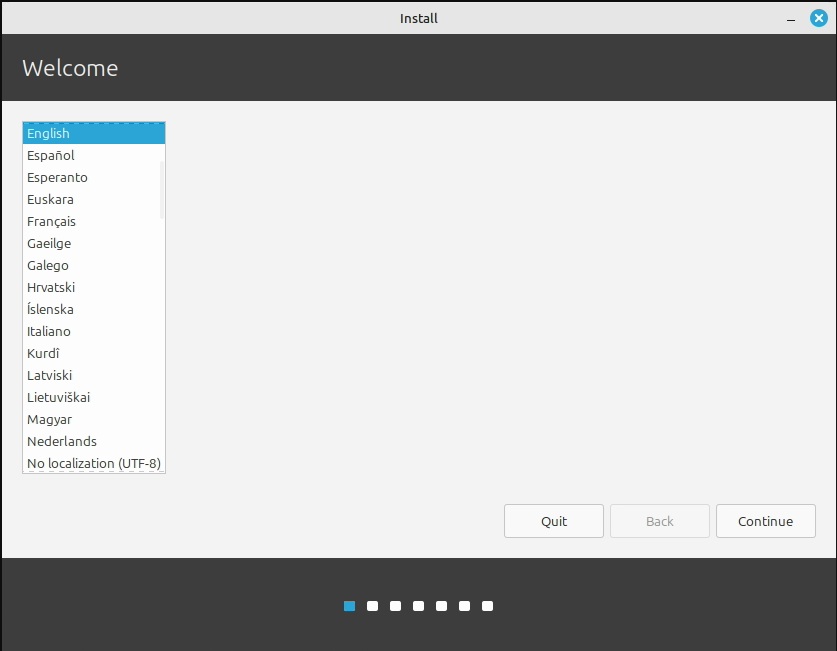
Double-click on the Install Linux Mint icon on the desktop and the installer will start. The first thing to do is to select the language. Then select the keyboard layout and move on. In the next step, you should tick Install multimedia add-ons.
Linux Mint
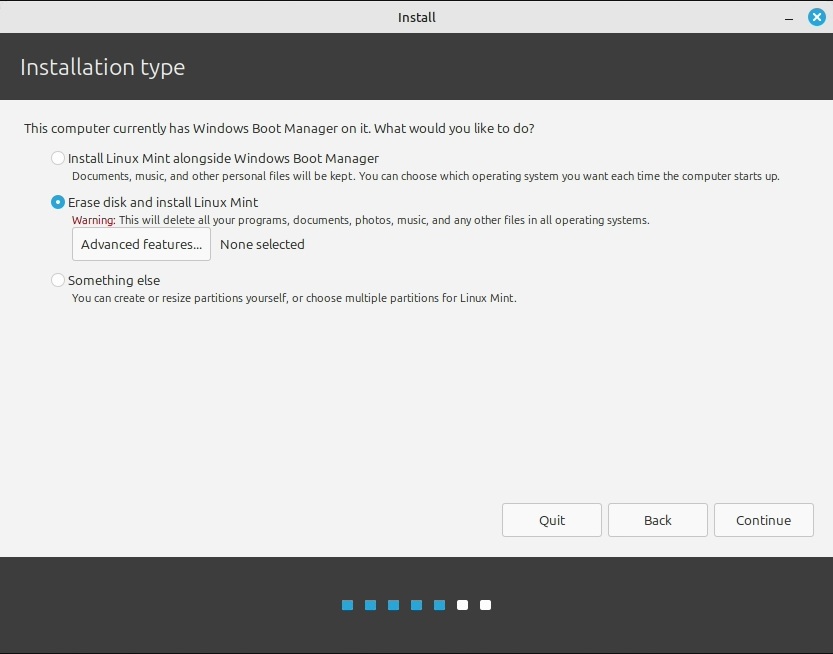
Next, it’s time for disc formatting. Select Erase the disc and install Linux Mint and move on. The next step is important: Choose the right disc to install on. You can usually start from the size. For example, if Windows is on a 1TB SSD and you’re installing Linux on a 512GB SSD and you don’t have any other SSDs or hard drives, simply select the 512GB drive. Click Install Now and then Continue.
While the installation is running in the background, select the time zone, fill in a username and password, and a few other things. Then just sit back and wait for it to finish.
Further reading: Newbie’s guide to Windows BitLocker: Why you need it and how to set it up
3. Getting started with Linux Mint
When you restart your computer after installation and enter the password you chose, you’ll be greeted by the Mint desktop and a welcome program to help you get started. The First Steps tab provides shortcuts to a number of important features that you can use right from the start.
Here, for example, you’ll find Driver Manager, which you should run to see if there are drivers for your hardware that are not pre-installed. If you have an Nvidia graphics card, this can be particularly useful, as the system does not pre-install the company’s proprietary drivers, which often work better than its open-source drivers.
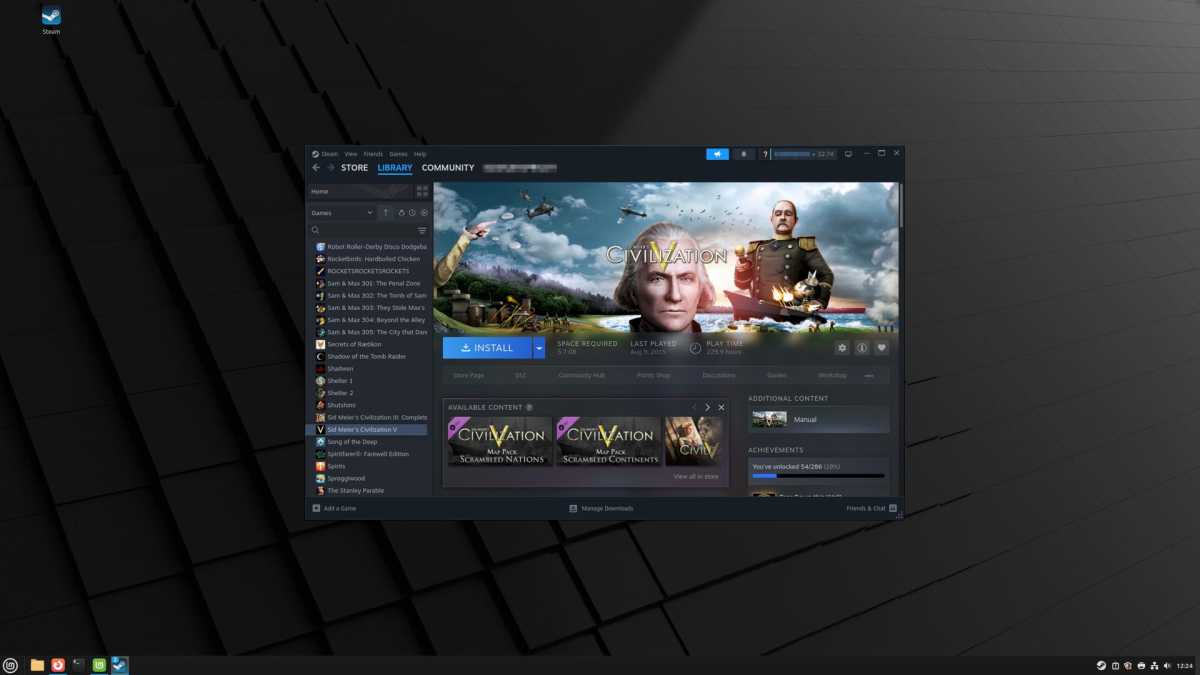
To install software, you can usually use the Software Manager application, and system updates are installed using Update Manager. However, there are exceptions. For example, if you want to play Windows games from Steam, go to store.steampowered.com and click Install Steam, and do not use the version that appears in the Application Manager. Valve has made it very easy, and most games will work as long as you have enough modern hardware.
Try it out! Much of the system is similar enough to Windows that you should be able to find your way around as long as you are curious.
Foundry
If you run into trouble, a quick web search is usually enough, but there are also plenty of forums with helpful members, not least on Reddit. It can help to keep in mind that Mint is based on Ubuntu, so if there are no instructions specifically for Mint, you can usually use those for Ubuntu.
‘Linux Lite’ with Chrome OS
If you don’t fancy getting into Linux “for real,” Google’s Chrome OS can be an alternative. This is the system that powers Chromebooks, and although it is essentially Linux, it is greatly simplified and almost all interaction with the system is via the Chrome browser.
