
Close Menu
TechUpdateAlert

    Subscribe to Updates

    Get the latest creative news from FooBar about art, design and business.

    What's Hot

    My Health Anxiety Means I Won’t Use Apple’s or Samsung’s Smartwatches. Here’s Why

    December 22, 2025

    You can now buy the OnePlus 15 in the US and score free earbuds if you hurry

    December 22, 2025

    Today’s NYT Connections: Sports Edition Hints, Answers for Dec. 22 #455

    December 22, 2025
    Facebook X (Twitter) Instagram
    Trending
    • My Health Anxiety Means I Won’t Use Apple’s or Samsung’s Smartwatches. Here’s Why
    • You can now buy the OnePlus 15 in the US and score free earbuds if you hurry
    • Today’s NYT Connections: Sports Edition Hints, Answers for Dec. 22 #455
    • Android might finally stop making you tap twice for Wi-Fi
    • Today’s NYT Mini Crossword Answers for Dec. 22
    • Waymo’s robotaxis didn’t know what to do when a city’s traffic lights failed
    • Today’s NYT Wordle Hints, Answer and Help for Dec. 22 #1647
    • You Asked: OLED Sunlight, VHS on 4K TVs, and HDMI Control Issues
    Facebook X (Twitter) Instagram Pinterest Vimeo
    TechUpdateAlertTechUpdateAlert
    • Home
    • Gaming
    • Laptops
    • Mobile
    • Software
    • Reviews
    • AI & Tech
    • Gadgets
    • How-To
    TechUpdateAlert
    Home»Reviews»How to install Windows 11 version 25H2 before it releases
    Reviews

    How to install Windows 11 version 25H2 before it releases

    techupdateadminBy techupdateadminSeptember 6, 2025No Comments4 Mins Read
    Share Facebook Twitter Pinterest LinkedIn Tumblr Reddit Telegram Email
    How to install Windows 11 version 25H2 before it releases
    Share
    Facebook Twitter LinkedIn Pinterest Email

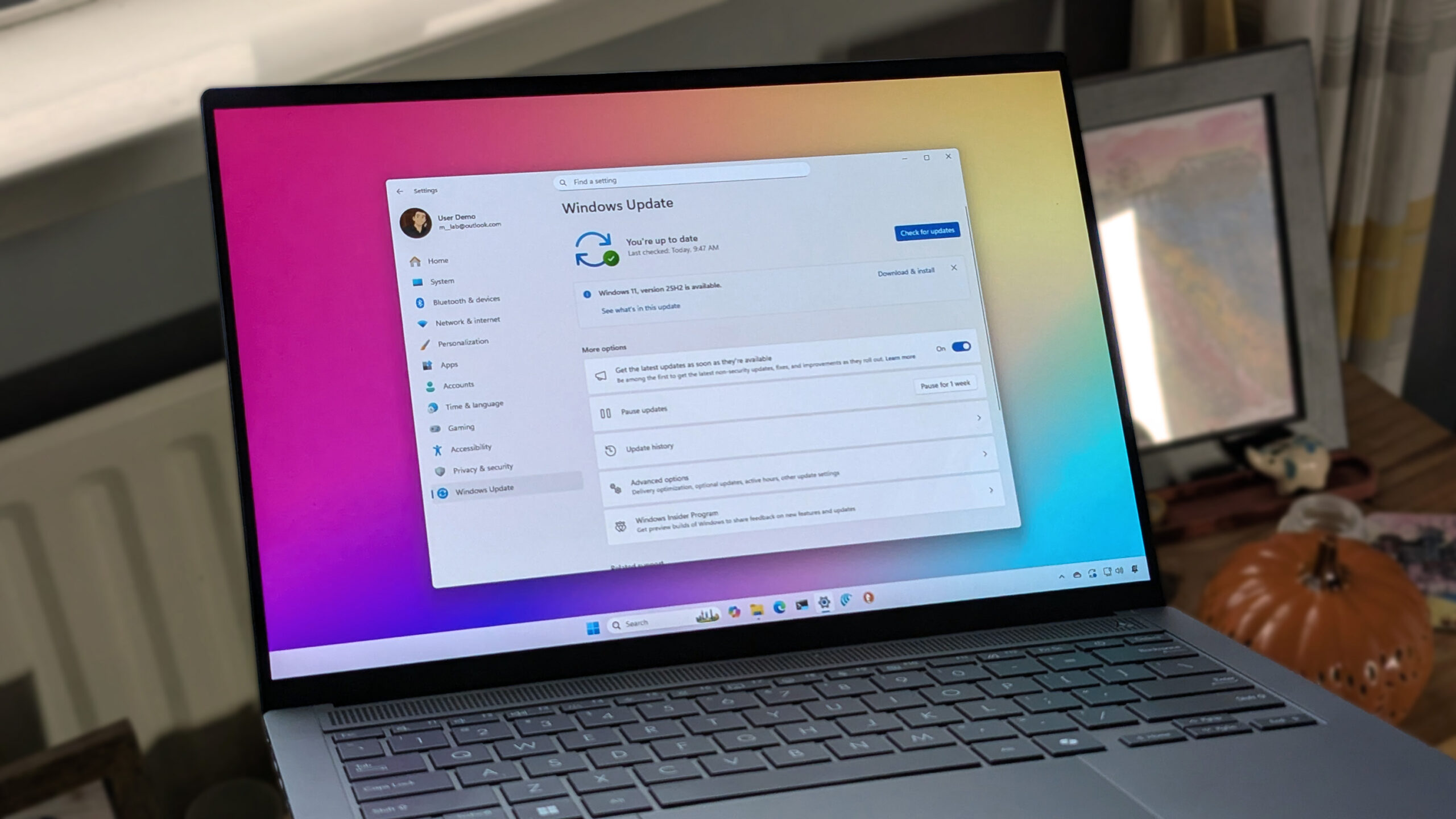
    Although Microsoft won’t launch Windows 11 version 25H2 for another few weeks, the next feature update is already available as a preview through the Windows Insider Program, and you can get it now before anyone else.

    Currently, the feature update is available through the Release Preview Channel for devices already running version 24H2. If you have a device running version 23H2, you can still install the latest version, but you’ll have to install version 24H2 before the option to access version 25H2 becomes available.

    In this how-to guide, I will outline the process to install the final version of Windows 11 for 2025 ahead of the official release.


    You may like

    How to switch to Windows 11 version 25H2 early

    The current installation process for the Windows 11 2025 Update requires you to enroll your computer in the Windows Insider Program, install the latest preview of the feature update, and then unenroll the device from the Windows Insider Program.

    You’ll be installing an update that’s still in the testing phase. As a result, it’s possible that you may come across errors and issues during and after the installation. It’s recommended to create a backup of your computer before proceeding, in case you have to roll back to the previous version. Additionally, since this update is still in preview, it’s recommended to install it on a spare device, not your main system. You have been warned.

    Step 1: Enroll PC in Release Preview

    Currently, the feature update is available as an enablement package for version 24H2 through the Release Preview Channel. As a result, you must first enroll your computer in the Windows Insider Program to access the upgrade option.

    To enroll Windows 11 in the Release Preview Channel, use these steps:

    1. Open Settings.
    2. Click on Windows Update.
    3. Click the Windows Insider Program page on the right side.

    (Image credit: Mauro Huculak)
    1. Click the Get started button.

    Windows Insider Get Started button

    (Image credit: Mauro Huculak)
    1. Click the “Link an account” button.

    Windows Insider Program link Microsoft account

    (Image credit: Mauro Huculak)
    1. Confirm your Microsoft account credentials.
    2. Click the Continue button.
    3. Select the “Release Preview” option under the “Pick your Insider settings” section.

    Windows 11 enroll PC in the Release Preview Channel

    (Image credit: Mauro Huculak)
    1. Click the Continue button.
    2. Click the Continue button to agree to the terms and conditions.
    3. Click the Restart button.

    Windows Insider Program restart option

    (Image credit: Mauro Huculak)

    Once you complete the steps, the device will be part of the Windows Insider Program, and you can proceed with the upgrade process to version 25H2.

    Step 2: Install Windows 11 version 25H2

    After enrolling this device in the correct channel, you can proceed with the upgrade of the operating system from the “Windows Update” settings.

    Since this is only an enablement package, the process should only take a few minutes, as it won’t require reinstallation of the operating system.

    To get the Windows 11 version 25H2 on your computer, use these steps:

    1. Open Settings after the reboot.
    2. Click on Windows Update.
    3. Turn on the “Get the latest updates as soon as they’re available” toggle switch.

    Windows 11 check for updates

    (Image credit: Mauro Huculak)
    1. Click the “Check for updates” button to download the latest updates for version 24H2 (if applicable).
    2. Click the Restart button.
    3. Open Settings.
    4. Click on Windows Update.
    5. Click the “Download & install” button to switch to version 25H2.

    Windows 11 get version 25H2

    (Image credit: Mauro Huculak)
    1. Click the Restart now button.

    After you complete the steps, the enablement packages to switch the version number from 24H2 to 25H2 and activate related features will apply to your computer (if applicable).

    You can determine that the feature update has been applied to your computer by navigating to Settings > System > About and checking that the version number of the operating system has been updated to version “25H2” under the “Windows Specifications” section.

    Step 3: Unenroll PC from Release Preview

    After the computer has been upgraded to version 25H2, you can gracefully opt out of the program to keep the new version and continue receiving updates through the Stable Channel after the feature update becomes officially available for everyone, for as long as the latest version is supported.

    To opt out of the Windows Insider Program, use these steps:

    1. Open Settings.
    2. Click on Windows Update.
    3. Click the Windows Insider Program page on the right side.

    Settings app open Windows Insider Program page

    (Image credit: Mauro Huculak)
    1. Click the “Stop getting preview builds” setting.
    2. Turn on the “Unenroll this device when the next version of Windows releases” toggle switch to remove the PC from the program.

    Unenroll this device when the next version of Windows releases

    (Image credit: Mauro Huculak)

    Once you complete the steps, when the feature update launches officially, the computer will be gracefully removed from the Windows Insider Program and placed in the Stable Channel, as both channels will share the same codebase at that time.

    After the device is no longer in the program, you won’t have to reinstall the operating system. You can actually keep the same installation, and the device will continue to receive updates regularly for as long as version 25H2 is supported.

    More resources

    Explore more in-depth how-to guides, troubleshooting advice, and essential tips to get the most out of Windows 11 and 10. Start browsing here:

    25H2 Install Releases version Windows
    Share. Facebook Twitter Pinterest LinkedIn Tumblr Email
    Previous ArticleThe Apple Watch Series 11 Could Share the Stage at Next Week’s Event
    Next Article Score the Galaxy S24 Ultra for an absolute steal as it drops to its lowest price ever
    techupdateadmin
    • Website

    Related Posts

    Gadgets

    Your next Legion Go 2 might run SteamOS instead of Windows 11

    December 21, 2025
    Gadgets

    Microsoft makes theming your Windows 11 PC as easy as phones, but not as much fun

    December 15, 2025
    Mobile

    Apple releases iOS 26.2 and iPadOS 26.2, here’s what’s new

    December 13, 2025
    Add A Comment
    Leave A Reply Cancel Reply

    Top Posts

    NYT Strands hints and answers for Monday, August 11 (game #526)

    August 11, 202545 Views

    These 2 Cities Are Pushing Back on Data Centers. Here’s What They’re Worried About

    September 13, 202542 Views

    Today’s NYT Connections: Sports Edition Hints, Answers for Sept. 4 #346

    September 4, 202540 Views
    Stay In Touch
    • Facebook
    • YouTube
    • TikTok
    • WhatsApp
    • Twitter
    • Instagram
    Latest Reviews

    Subscribe to Updates

    Get the latest tech news from FooBar about tech, design and biz.

    Most Popular

    Best Fitbit fitness trackers and watches in 2025

    July 9, 20250 Views

    There are still 200+ Prime Day 2025 deals you can get

    July 9, 20250 Views

    The best earbuds we’ve tested for 2025

    July 9, 20250 Views
    Our Picks

    My Health Anxiety Means I Won’t Use Apple’s or Samsung’s Smartwatches. Here’s Why

    December 22, 2025

    You can now buy the OnePlus 15 in the US and score free earbuds if you hurry

    December 22, 2025

    Today’s NYT Connections: Sports Edition Hints, Answers for Dec. 22 #455

    December 22, 2025

    Subscribe to Updates

    Get the latest creative news from FooBar about art, design and business.

    Facebook X (Twitter) Instagram Pinterest
    • About Us
    • Contact us
    • Privacy Policy
    • Disclaimer
    • Terms and Conditions
    © 2026 techupdatealert. Designed by Pro.

    Type above and press Enter to search. Press Esc to cancel.