
Close Menu
TechUpdateAlert

    Subscribe to Updates

    Get the latest creative news from FooBar about art, design and business.

    What's Hot

    My Health Anxiety Means I Won’t Use Apple’s or Samsung’s Smartwatches. Here’s Why

    December 22, 2025

    You can now buy the OnePlus 15 in the US and score free earbuds if you hurry

    December 22, 2025

    Today’s NYT Connections: Sports Edition Hints, Answers for Dec. 22 #455

    December 22, 2025
    Facebook X (Twitter) Instagram
    Trending
    • My Health Anxiety Means I Won’t Use Apple’s or Samsung’s Smartwatches. Here’s Why
    • You can now buy the OnePlus 15 in the US and score free earbuds if you hurry
    • Today’s NYT Connections: Sports Edition Hints, Answers for Dec. 22 #455
    • Android might finally stop making you tap twice for Wi-Fi
    • Today’s NYT Mini Crossword Answers for Dec. 22
    • Waymo’s robotaxis didn’t know what to do when a city’s traffic lights failed
    • Today’s NYT Wordle Hints, Answer and Help for Dec. 22 #1647
    • You Asked: OLED Sunlight, VHS on 4K TVs, and HDMI Control Issues
    Facebook X (Twitter) Instagram Pinterest Vimeo
    TechUpdateAlertTechUpdateAlert
    • Home
    • Gaming
    • Laptops
    • Mobile
    • Software
    • Reviews
    • AI & Tech
    • Gadgets
    • How-To
    TechUpdateAlert
    Home»How-To»Google Pixel’s Always-on Display could soon know when to chill
    How-To

    Google Pixel’s Always-on Display could soon know when to chill

    techupdateadminBy techupdateadminOctober 22, 2025No Comments2 Mins Read
    Share Facebook Twitter Pinterest LinkedIn Tumblr Reddit Telegram Email
    Google Pixel’s Always-on Display could soon know when to chill
    Share
    Facebook Twitter LinkedIn Pinterest Email

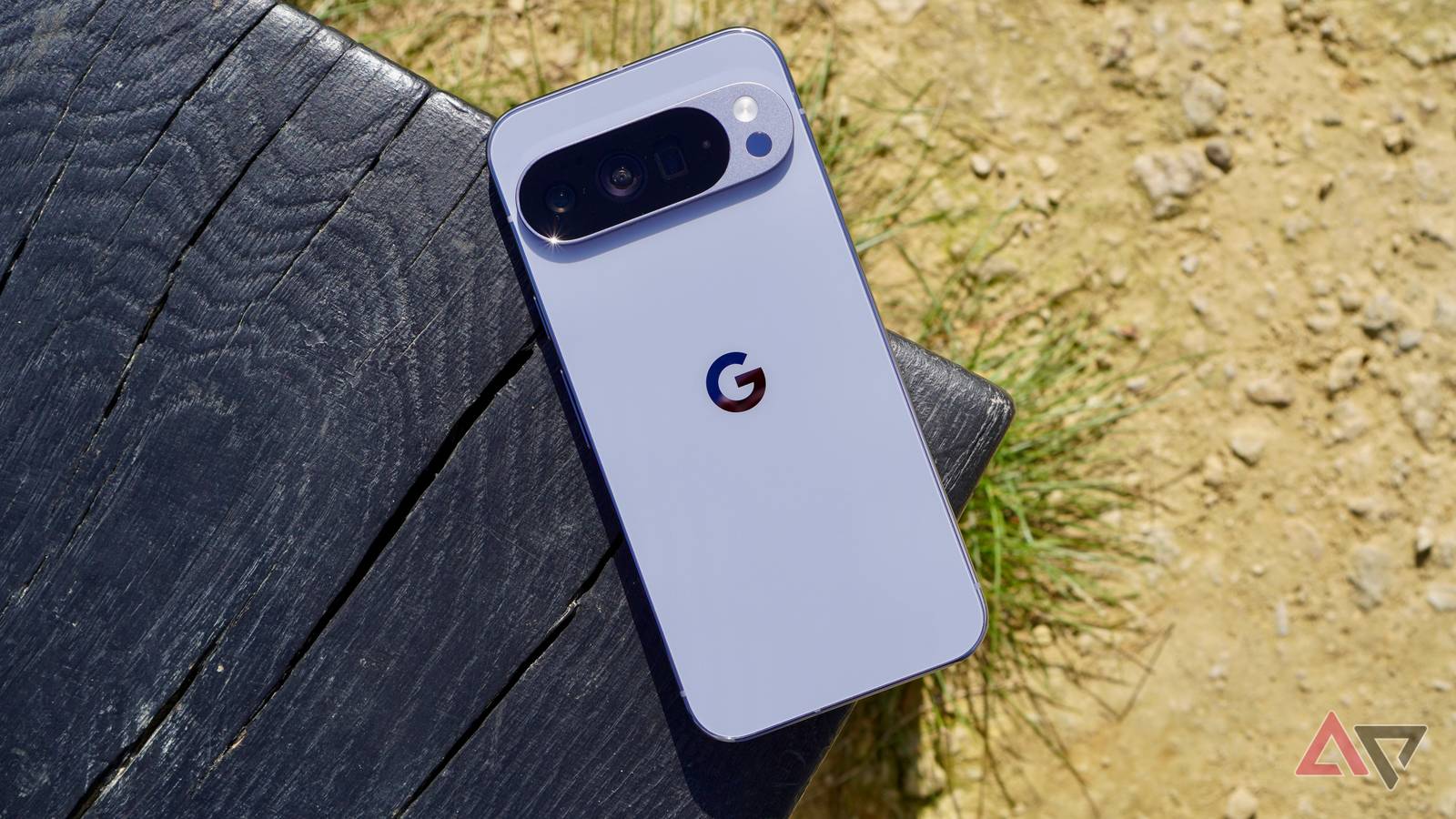
    Taking inspiration from Apple’s newer iPhones, Google added wallpaper support to the Pixel 10’s Always-on Display screen. But a new report suggests the company is working on an even bigger change for the AOD feature that could significantly improve battery life.

    Right now, Pixel phones offer minimal control over the Always-on Display. You can either turn it on or off, with the Pixel 10 offering the an extra option of displaying the lock screen wallpaper when AOD is active.

    While Google doesn’t explicitly mention it, Pixel phones are smart enough to automatically turn off the Always-on Display when placed face down or during Bedtime mode. But Google’s implementation doesn’t go far enough. Ideally, Pixels should also turn off the AOD after a period of user inactivity to save battery life.

    Samsung already offers a similar option on its phones, turning off the Always-on display when there’s no user activity. This helps reduce power consumption while also ensuring the AOD is ready whenever you need it. Plus, it helps increase the panel’s lifespan and avoid burn-in issues.

    Android Authority found references to Google working on a similar “turn off display on inactivity” feature in the newest Android Canary build. The option will “power(s) down the display when no user activity is detected to save power.”

    Every bit of battery savings counts for Pixels

    Modern OLED panels have gotten increasingly power-efficient and sip very little power in AOD mode — all by ramping down the refresh rate to 1Hz. So, you might think this AOD improvement might not make much of a difference to the phone’s overall battery life.

    While this might have been true for a Samsung or OnePlus phone, that’s not the case with Pixels. As the Pixel 10 Pro XL shows, even with a more efficient Tensor G5 chip and a beefy 5,000mAh+ battery, it only delivers respectable battery life, so any improvement is always welcome.

    Given that the feature only appears in code strings from the latest Android Canary build, it may be some time before Google rolls it out publicly, if ever. And even when the change goes public, it might be only limited to newer Pixels.

    alwayson Chill Display Google Pixels
    Share. Facebook Twitter Pinterest LinkedIn Tumblr Email
    Previous ArticleBlack Ops 7 release date likely stays set for November 14, despite early launch rumors
    Next Article Ricoh is making a dedicated black and white camera
    techupdateadmin
    • Website

    Related Posts

    Gadgets

    Gear News of the Week: LG Debuts an RGB LED TV, and Google Brings Find Hub to Wear OS

    December 21, 2025
    Mobile

    Deals: Freebies with Google Pixels, discounts on Xiaomi 15, Poco F7 Ultra, and more

    December 20, 2025
    Gadgets

    Google confirms Gemini will fully replace Assistant on phones in 2026

    December 20, 2025
    Add A Comment
    Leave A Reply Cancel Reply

    Top Posts

    NYT Strands hints and answers for Monday, August 11 (game #526)

    August 11, 202545 Views

    These 2 Cities Are Pushing Back on Data Centers. Here’s What They’re Worried About

    September 13, 202542 Views

    Today’s NYT Connections: Sports Edition Hints, Answers for Sept. 4 #346

    September 4, 202540 Views
    Stay In Touch
    • Facebook
    • YouTube
    • TikTok
    • WhatsApp
    • Twitter
    • Instagram
    Latest Reviews

    Subscribe to Updates

    Get the latest tech news from FooBar about tech, design and biz.

    Most Popular

    Best Fitbit fitness trackers and watches in 2025

    July 9, 20250 Views

    There are still 200+ Prime Day 2025 deals you can get

    July 9, 20250 Views

    The best earbuds we’ve tested for 2025

    July 9, 20250 Views
    Our Picks

    My Health Anxiety Means I Won’t Use Apple’s or Samsung’s Smartwatches. Here’s Why

    December 22, 2025

    You can now buy the OnePlus 15 in the US and score free earbuds if you hurry

    December 22, 2025

    Today’s NYT Connections: Sports Edition Hints, Answers for Dec. 22 #455

    December 22, 2025

    Subscribe to Updates

    Get the latest creative news from FooBar about art, design and business.

    Facebook X (Twitter) Instagram Pinterest
    • About Us
    • Contact us
    • Privacy Policy
    • Disclaimer
    • Terms and Conditions
    © 2026 techupdatealert. Designed by Pro.

    Type above and press Enter to search. Press Esc to cancel.