


Expert’s Rating
Pros
- Displays up to four camera feeds at once
- No cloud, no ads, no subscription required
- Easy setup and intuitive interface
- Long battery life with flexible mounting options
Cons
- Only works with Eufy devices
- No support for Alexa, Google Assistant, or third-party integrations
- No built-in voice assistant or smart display features
- Some features require the Homebase S380 NAS box
Our Verdict
The Eufy Smart Display E10 is a fast, focused, and private way to manage your home security–provided you’re living in Eufy’s home security ecosystem.
Price When Reviewed
This value will show the geolocated pricing text for product undefined
Best Pricing Today
Best Prices Today: Eufy Smart Display E10
Smart displays aren’t new, but Eufy’s take on the category is a little different. The Smart Display E10 isn’t a voice assistant with a screen. Rather, it’s a dedicated visual control panel for your Eufy-powered home security system, one that puts live video feeds, visitor alerts, and event summaries all in one place. Unlike an Echo Show or Nest Hub, it does it all without leaning on the cloud, serving up ads, or connecting to a server somewhere.
Design and features
The Eufy Smart Display E10 looks more like a small tablet than a security device. Its 8-inch, high-definition (1280 x 800 pixels) touchscreen is framed by slim bezels and a matte white housing that blends easily into most rooms. There’s nothing flashy here—no light rings (apart from a low-battery warning), no oversized branding. It’s designed to fade into the background until you need it. (Note: I’ll repeatedly write “Smart Display E10” for clarity, because Eufy markets disparate products using the model number E10, including a breast pump for nursing mothers.)
The Eufy Smart Display E10 will automatically switch to the Live Streaming screen whenever motion is detected, based on the trigger types you’ve set in the Eufy app.
Above the display are dual microphones, an ambient light sensor, a low-battery indicator, and a time-of-flight sensor (basically, a proximity detector that wakes the display when someone approaches it). On the top, you’ll find physical buttons for power, volume, and an “action button” that’s essentially a manual alarm trigger for compatible Eufy devices. A speaker and a set of charging pins—for use with the included dock—sit on the bottom edge. A microSD card slot (supporting cards with capacities up to 512GB) and a USB-C port for direct charging are set into the side. There’s also a folding stand and wall-mount slots built into the rear.
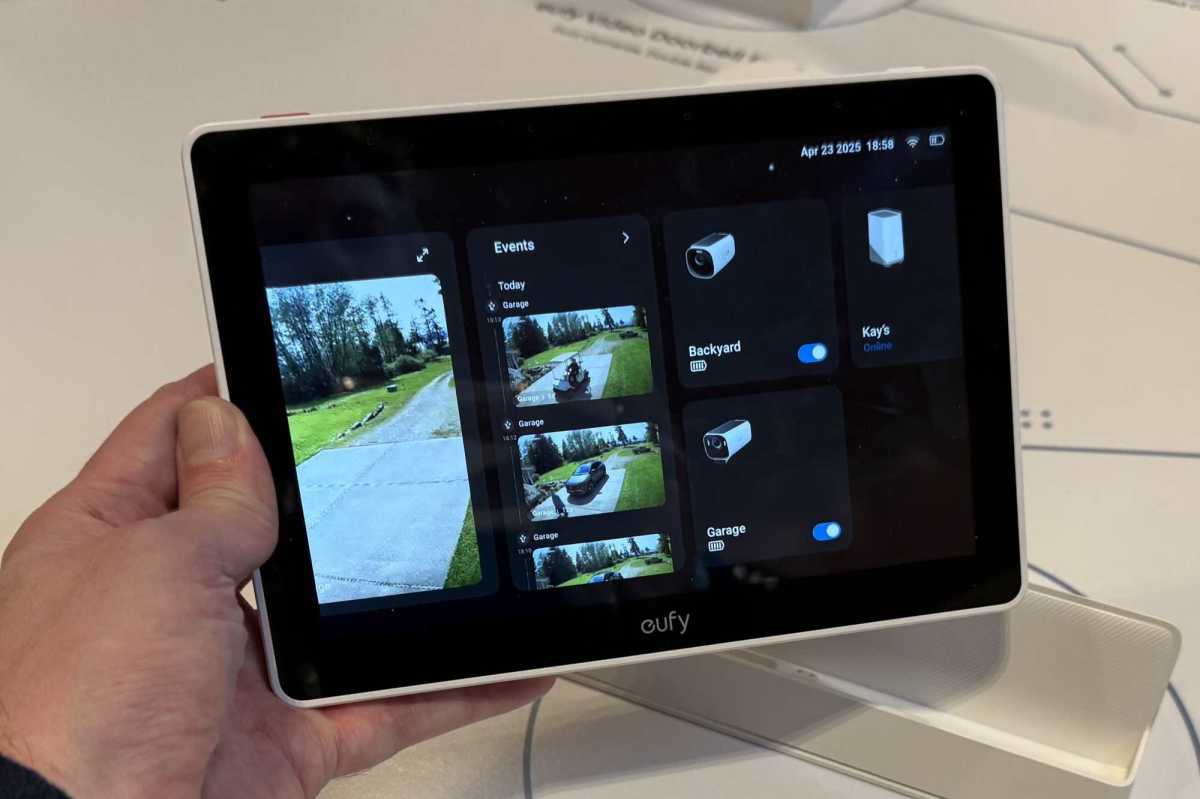
The Smart Display E10 has and 8-inch touchscreen and a 4,050 mAh battery that gives you more than 24 hours of use on a single charge.
Ben Patterson/Foundry
You can place the Smart Display E10 wherever it makes the most sense—on a shelf, a nightstand, or mounted to the wall—using the included dock or mounting hardware. The 4,050 mAh battery gives you more than 24 hours of use on a single charge, so it’s easy to move the display from room to room without plugging in. When it’s time to recharge, you can drop it onto the magnetic dock or plug it in directly using the USB-C port.
The Smart Display E10 is meant purely for viewing and interacting with your existing Eufy home security gear, including arming and disarming your Eufy home security system. You can view up to four camera feeds at once on the screen, which is handy if you want to keep an eye on multiple entry points or monitor different areas of your property without switching between views. If you have a compatible Eufy video doorbell or smart lock, the Smart Display E10 will announce who’s at the door by name when the bell is pressed. And if you pair the Smart Display E10 with Eufy’s Homebase 3 network-attached storage device (that’s Eufy model S380), you unlock the Smart Daily Event Summary, which compiles a quick video recap of the day’s activity. You get one in the morning and one at night, which saves you from scrubbing through endless alerts.
Setup and performance
Getting the Smart Display E10 up and running is straightforward. Assuming you already have one or more Eufy devices on your network, you just power on the display, connect it to your Wi-Fi network (both 2.4- and 5GHz networks are supported), and log in to your Eufy account. From there, the setup wizard guides you through the rest of the process. Compatible cameras and other devices automatically appear on the display’s dashboard.
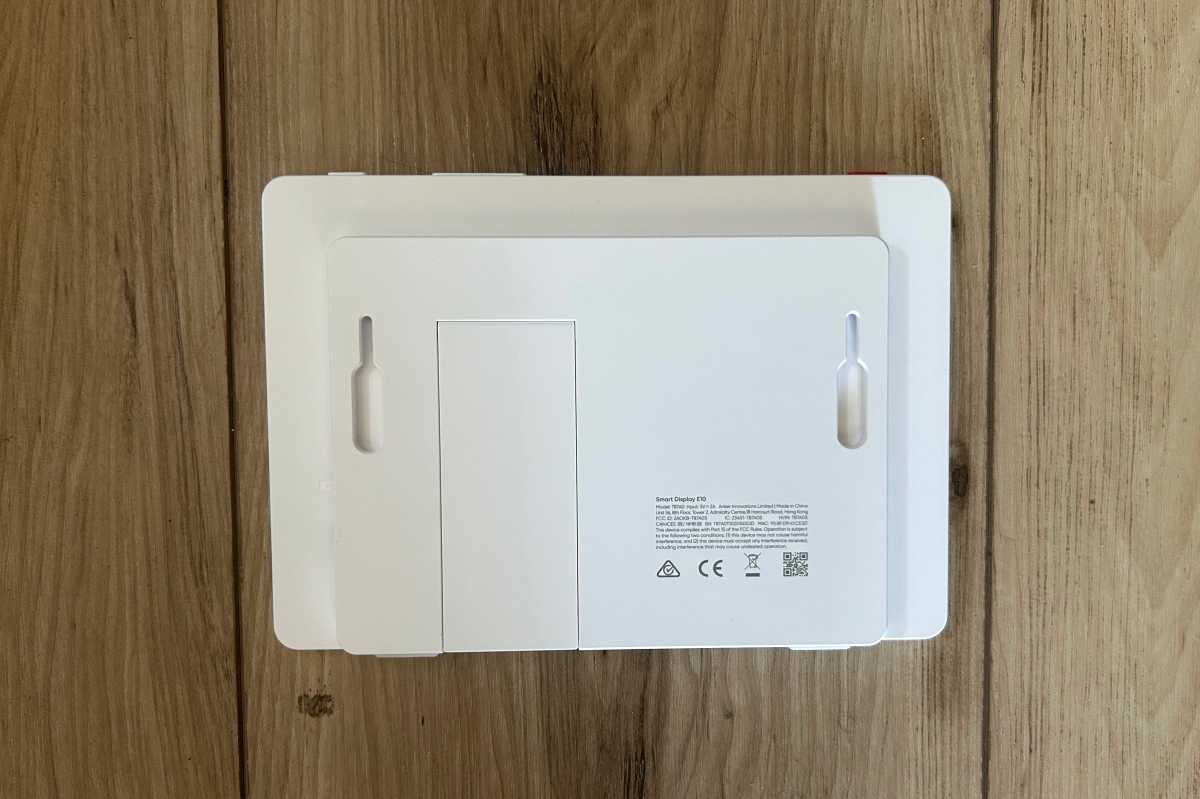
The display can be mounted to a wall or slotted into its charging dock.
Michael Ansaldo/Foundry
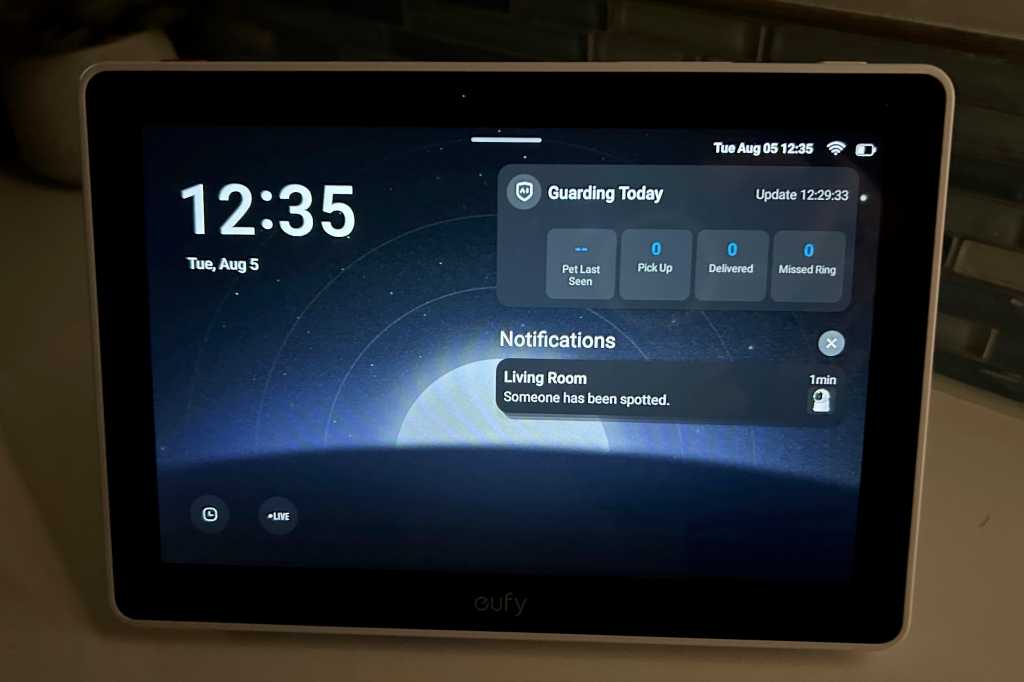
The Smart Display E10’s lock screen gives you a quick snapshot of activity around your home. The time and date are displayed in the top left corner, with network and battery icons in the top right. Beneath that is a “Guarding Today” panel showing counts for common events—such as package pickups, deliveries, or missed rings—along with the last time a pet was seen, if applicable. Notifications appear front and center as they come in; motion alerts, like someone spotted in the living room, are timestamped and stacked in a clear list. A small thumbnail of the associated device appears next to each notification, so you can immediately tell where the activity occurred.
The main screen presents three horizontally scrollable tiles. The first is a live-view panel that can display up to four live camera feeds at once, letting you monitor multiple areas of your home in real time. The thumbnail image for each updates in regularly to give you an at-a-glance view of recent activity, and tapping on any one opens a full-screen view of that camera’s live feed.
The second tile is labeled Recent Events and shows motion-triggered recordings as they occur. Until activity is detected, it simply displays a “No Detections Yet” message. The third tile displays icons for each connected camera and provides quick access to that device’s settings. The interface is clean and swipeable, making it easy to flip between live monitoring, recorded events, and individual camera settings like privacy modes or night vision without digging through menus.
You can access the Smart Display E10’s settings through the small gear icon in the top right corner of the main screen. From here, you can adjust screen brightness, notification preferences, audio volume, and other device-level controls. One setting worth noting is Auto Live View. When enabled, the Smart Display E10 will automatically switch to the Live Streaming screen whenever motion is detected, based on the trigger types you’ve set in the Eufy app.
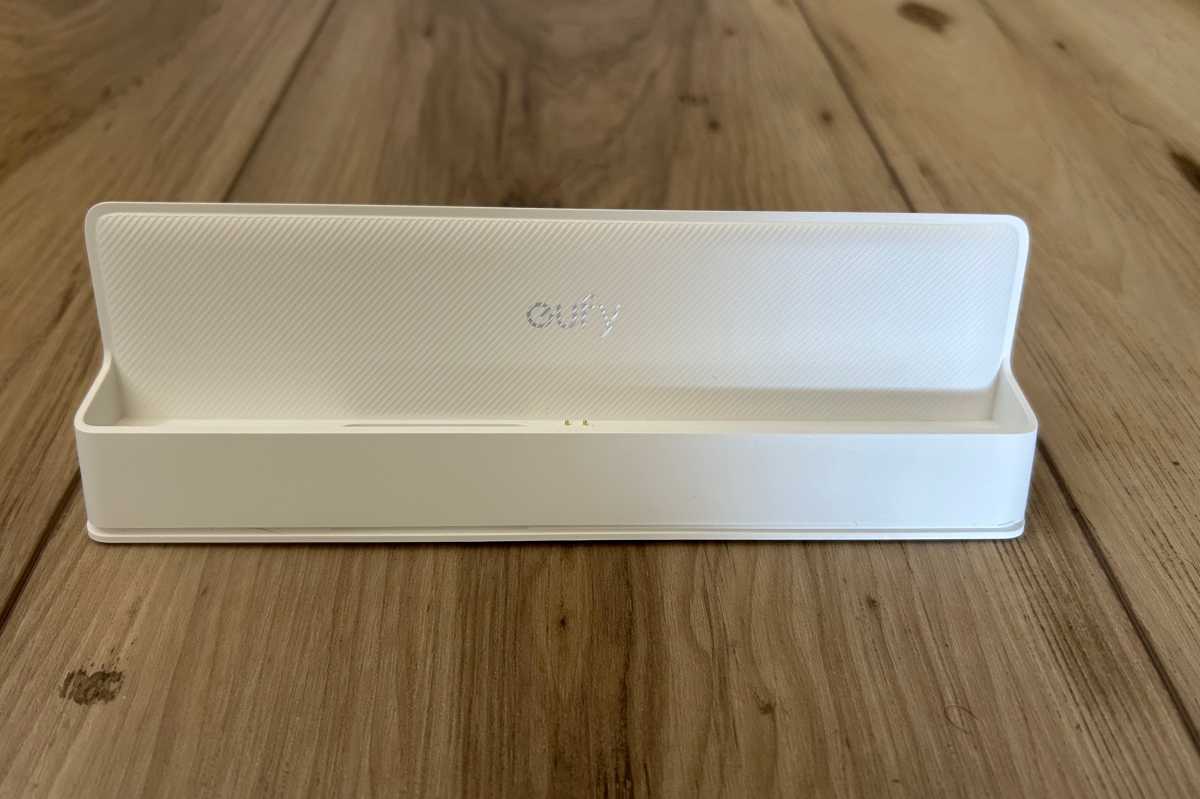
You can plug the display into its dock for continuous power.
Michael Ansaldo/Foundry
Day to day, it’s a genuinely helpful tool. If a camera spots movement or someone comes to the door, the Smart Display E10 can put that camera’s feed on screen automatically. You don’t need to fish out your smartphone or launch an app. It’s especially helpful in households with small children, or older adults who might not be as comfortable with tech. They can see who’s outside without pressing a thing. It also makes sense in a small business setting; say, at a front desk or office with deliveries coming and going.
That said, the Smart Display E10 is a closed system. It doesn’t work with Alexa, Google Assistant, or any third-party smart home gear. And if you want features like facial recognition or daily event summaries, you’ll need to pair it with the Eufy Homebase 3). Without it, you’re getting basic video and alerts, nothing more.
Should you buy the Eufy Smart Display E10?
At $199, the Eufy Smart Display E10 is priced in line with other smart displays, including the newish Amazon Echo Hub and the aging Google Nest Hub Max, but that comparison only goes so far. This isn’t a device for checking the weather, streaming music, or video-chatting with Grandma. It’s a dedicated home security monitor, built for one job and it does it well. If you’re using a mix of brands, or rely heavily on voice assistants like Alexa or Google, the Smart Display E10 won’t slot easily into your setup.
If you already own Eufy cameras, doorbells, smart locks, or motion and door/window sensors—or plan to go all-in with that home security brand—the Eufy Smart Display E10 makes a lot of sense. It centralizes everything, works fast, and makes it easier for everyone in the house to stay on top of what’s happening around your space. Families with kids or elderly relatives, or anyone running a small business with frequent foot traffic, will appreciate having that live view always within reach.
This review is part of TechHive’s in-depth coverage of the best smart speakers and displays.
