
Close Menu
TechUpdateAlert

    Subscribe to Updates

    Get the latest creative news from FooBar about art, design and business.

    What's Hot

    My Health Anxiety Means I Won’t Use Apple’s or Samsung’s Smartwatches. Here’s Why

    December 22, 2025

    You can now buy the OnePlus 15 in the US and score free earbuds if you hurry

    December 22, 2025

    Today’s NYT Connections: Sports Edition Hints, Answers for Dec. 22 #455

    December 22, 2025
    Facebook X (Twitter) Instagram
    Trending
    • My Health Anxiety Means I Won’t Use Apple’s or Samsung’s Smartwatches. Here’s Why
    • You can now buy the OnePlus 15 in the US and score free earbuds if you hurry
    • Today’s NYT Connections: Sports Edition Hints, Answers for Dec. 22 #455
    • Android might finally stop making you tap twice for Wi-Fi
    • Today’s NYT Mini Crossword Answers for Dec. 22
    • Waymo’s robotaxis didn’t know what to do when a city’s traffic lights failed
    • Today’s NYT Wordle Hints, Answer and Help for Dec. 22 #1647
    • You Asked: OLED Sunlight, VHS on 4K TVs, and HDMI Control Issues
    Facebook X (Twitter) Instagram Pinterest Vimeo
    TechUpdateAlertTechUpdateAlert
    • Home
    • Gaming
    • Laptops
    • Mobile
    • Software
    • Reviews
    • AI & Tech
    • Gadgets
    • How-To
    TechUpdateAlert
    Home»Gaming»Drives, images, and virtual disks: A guide to storage terms & concepts
    Gaming

    Drives, images, and virtual disks: A guide to storage terms & concepts

    techupdateadminBy techupdateadminAugust 28, 2025No Comments2 Mins Read
    Share Facebook Twitter Pinterest LinkedIn Tumblr Reddit Telegram Email
    HDD
    Share
    Facebook Twitter LinkedIn Pinterest Email

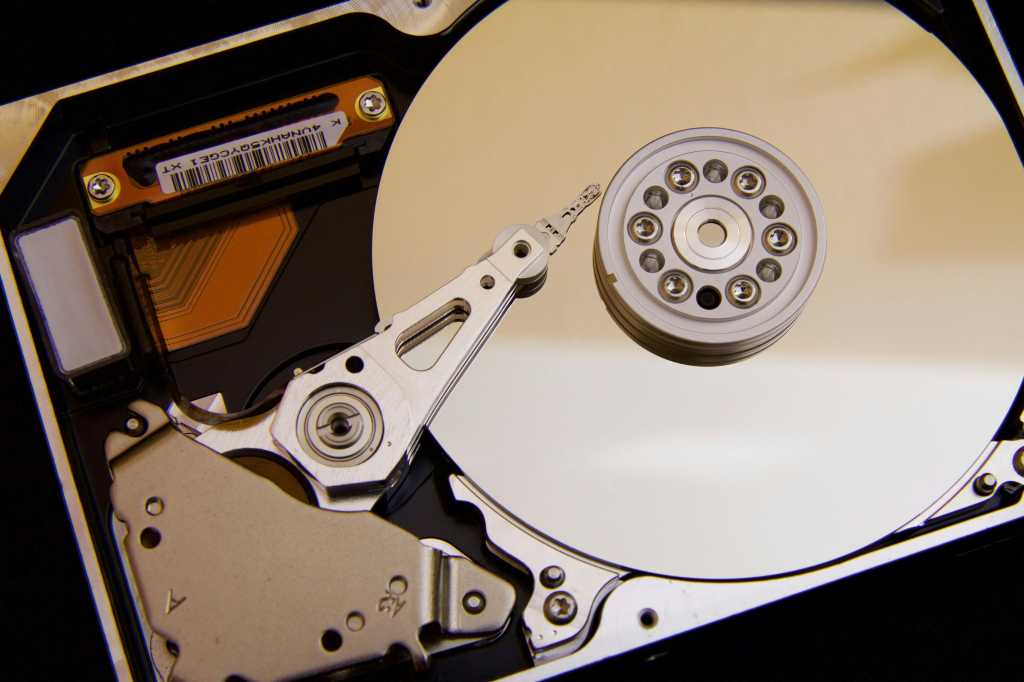
    The term hard drive refers to the actual storage medium — either in the classic sense with rotating magnetic discs (HDD) or as a modern SSD with flash memory. The term drive refers to the electronics and technology that handle reading and writing on these storage devices. In practice, both are usually combined in one device. Even SSDs without mechanical parts are still referred to as “drives.”

    Partitions are logical subdivisions of a data carrier. They organize the memory, but are initially empty and unusable. Only when a partition is formatted and assigned a file system does it become a volume. This appears in the operating system as an independent drive with a letter such as “C:” or “D:.” A hard drive can contain multiple partitions and, therefore, multiple volumes.

    You’ll often encounter storage-related terms—like in Windows Disk Management, where you can view both drives and their partitions.

    IDG

    Virtual hard disks, such as those used in virtualization programs like VirtualBox or VMware, are files that behave like real data carriers. Virtual partitions are also possible, for example, when several physical areas are combined into one logical storage. This technology is often used in Linux.

    An image is a complete copy of a volume — including all data, file systems, and boot information. Images are used to back up or restore a system. To access an image, it must be mounted with special software. macOS uses so-called containers with the APFS file system. These containers hold multiple volumes that dynamically share storage space, offering more flexibility than classic partitions, whose sizes are fixed. Containers allow for more efficient use of available memory.

    In short: hard disks and drives refer to physical components, while partitions and volumes are logical units for organizing the storage. Images are used for backup, and containers enable flexible storage management. Making a clear distinction between the terms helps you work more precisely and protect data more effectively.

    This article originally appeared on our sister publication PC-WELT and was translated and localized from German.

    concepts disks Drives guide Images storage terms Virtual
    Share. Facebook Twitter Pinterest LinkedIn Tumblr Email
    Previous ArticleCast Iron Is Tough but These 4 Foods Will Destroy Your Pan’s Coating
    Next Article Wahoo Kickr Run Review: a (Mostly) Screen-Free Treadmill
    techupdateadmin
    • Website

    Related Posts

    Mobile

    ChatGPT gets safety rules to protect teens and encourage human relations over virtual pals

    December 20, 2025
    Mobile

    The Future of Wireless Headphones is Here: Your Guide to Bluetooth 6.0

    December 20, 2025
    Mobile

    ChatGPT Images is now faster and better than ever

    December 17, 2025
    Add A Comment
    Leave A Reply Cancel Reply

    Top Posts

    NYT Strands hints and answers for Monday, August 11 (game #526)

    August 11, 202545 Views

    These 2 Cities Are Pushing Back on Data Centers. Here’s What They’re Worried About

    September 13, 202542 Views

    Today’s NYT Connections: Sports Edition Hints, Answers for Sept. 4 #346

    September 4, 202540 Views
    Stay In Touch
    • Facebook
    • YouTube
    • TikTok
    • WhatsApp
    • Twitter
    • Instagram
    Latest Reviews

    Subscribe to Updates

    Get the latest tech news from FooBar about tech, design and biz.

    Most Popular

    Best Fitbit fitness trackers and watches in 2025

    July 9, 20250 Views

    There are still 200+ Prime Day 2025 deals you can get

    July 9, 20250 Views

    The best earbuds we’ve tested for 2025

    July 9, 20250 Views
    Our Picks

    My Health Anxiety Means I Won’t Use Apple’s or Samsung’s Smartwatches. Here’s Why

    December 22, 2025

    You can now buy the OnePlus 15 in the US and score free earbuds if you hurry

    December 22, 2025

    Today’s NYT Connections: Sports Edition Hints, Answers for Dec. 22 #455

    December 22, 2025

    Subscribe to Updates

    Get the latest creative news from FooBar about art, design and business.

    Facebook X (Twitter) Instagram Pinterest
    • About Us
    • Contact us
    • Privacy Policy
    • Disclaimer
    • Terms and Conditions
    © 2026 techupdatealert. Designed by Pro.

    Type above and press Enter to search. Press Esc to cancel.