



Engineering school is no joke. You’re juggling serious software, long study sessions, and tight deadlines. So your laptop needs to be more than just powerful; it has to be reliable and easy to take with you everywhere.
You’ll want something that can handle all the heavy stuff like CAD and simulations, but still be light enough to toss in your backpack. You’ll also need a screen that won’t tire your eyes during those late-night study sessions, a comfortable keyboard for all that typing, and loads of ports so you’re not stuck carrying around a dongle. Battery life matters, too. Believe me, you don’t want to be scrambling for an outlet mid-class.
The following recommendations have been rigorously tested and carefully selected with these needs in mind, while also allowing for different budgets, preferences, and tastes.
Asus Zenbook 14 OLED – Best overall
Pros
- Robust build quality
- Attractive OLED touchscreen
- Good CPU and integrated GPU performance
- Outstanding battery life
Cons
- Uninspiring design
- Keyboard isn’t memorable
- Mediocre connectivity options
Price When Reviewed:
£1,099
Best Prices Today:

£699

£979
Who should buy the Asus Zenbook 14 OLED?
The Asus Zenbook 14 OLED tops our list thanks to a winning combination of power, portability, and solid battery life. The AMD Ryzen 7 chip inside (eight cores and 16 threads, by the way) can handle heavy stuff like CAD without slowing down, even if you’ve got a bunch of tabs open. The 14-inch 1920×1200 OLED touchscreen also looks fantastic and will make your diagrams and projects really stand out.
One of the standout features is its battery life. It lasted over 16 hours in our standard battery test, so that means you can get through a full day of classes and not worry about scrambling for an outlet. The audio is also quite good and it should offer you good volume and clarity during remote lectures.
Asus Zenbook 14 OLED: Further considerations
The build quality’s pretty good, especially considering it’s just $850 right now. It’s also thin (0.59 inches) and light (2.82 pounds), by no means back-breaking. While the keyboard isn’t the best we’ve ever used due to the undersized keys, it’s totally fine for daily tasks.
Read our full
Asus Zenbook 14 OLED review
Acer Aspire Go 15 – Best budget option
Pros
- Affordable
- Decent battery life
- Good display visibility
Cons
- Cheap build
- Limited performance
Price When Reviewed:
£399
Best Prices Today:
£375

£399
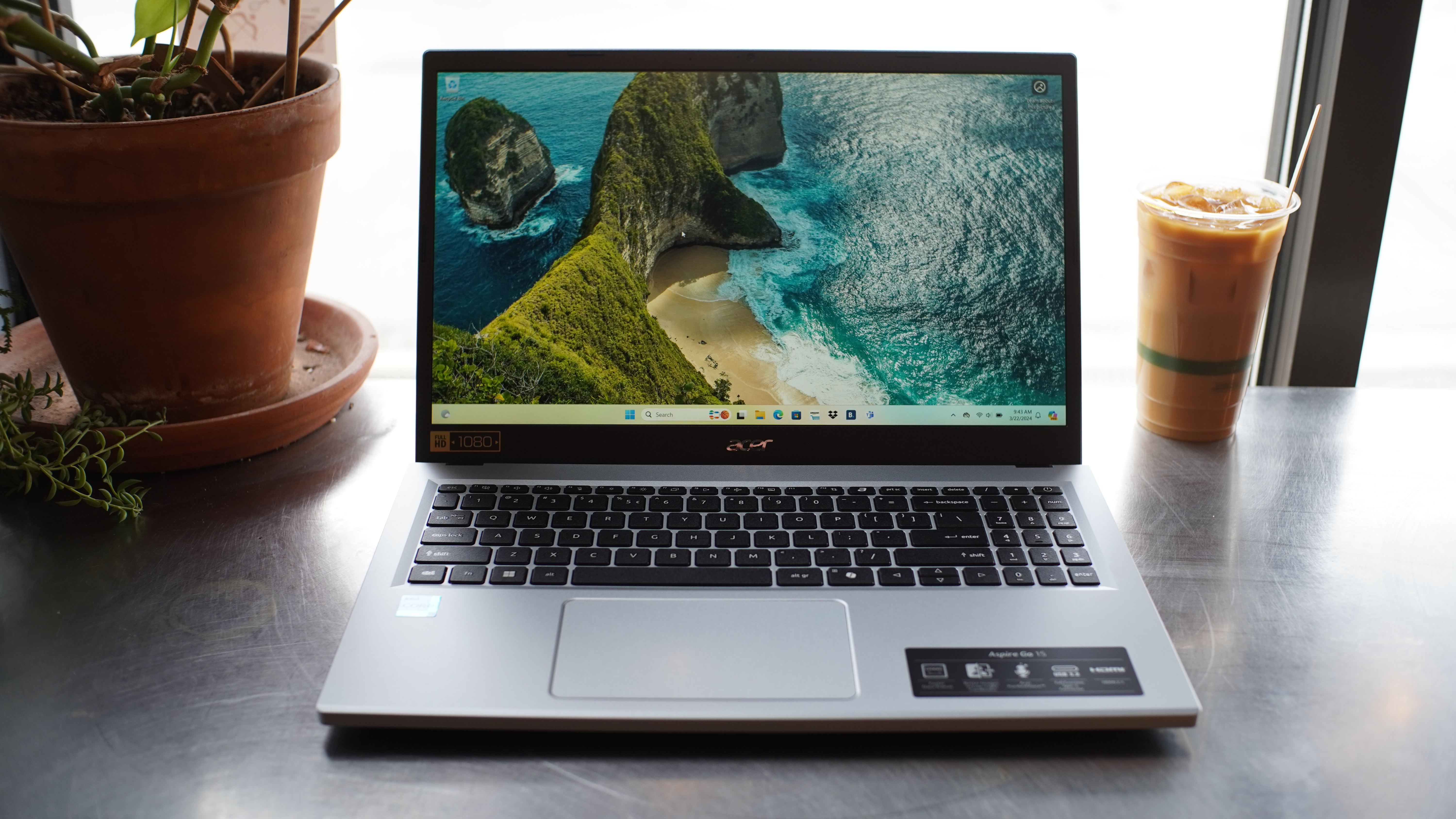
Who should buy the Acer Aspire Go 15?
If you’re on a strict budget and need a straightforward laptop for note taking and running light coding software, the Acer Aspire Go 15 is a fantastic choice. The Intel Core i3-N305 processor can easily run basic tasks like research, basic coding, and video streaming. You can also count on solid battery performance here, with up to 12 hours on a single charge. The port selection is pretty generous as well, offering USB-A, USB-C, and HDMI.
Acer Aspire Go 15: Further considerations
This Acer Aspire Go 15 laptop is made of all plastic, so it may feel a bit flimsy to some. There’s no backlit keyboard or fingerprint reader, either (if that matters to you). That said, for students doing just general coursework, this laptop will get the job done very affordably.
Read our full
Acer Aspire Go 15 (2024) review
Lenovo ThinkPad X1 2-in-1 Gen 10 Aura Edition – Best battery life
Pros
- Over 24 hours of battery life (in our standard test)
- Solid build quality
- Snappy desktop performance
- 2-in-1 experience with pen
Cons
- On the expensive side
- Lunar Lake’s low multithreaded performance is an issue for some workflows
Best Prices Today:
Who should buy the Lenovo ThinkPad X1 2-in-1 Gen 10 Aura Edition?
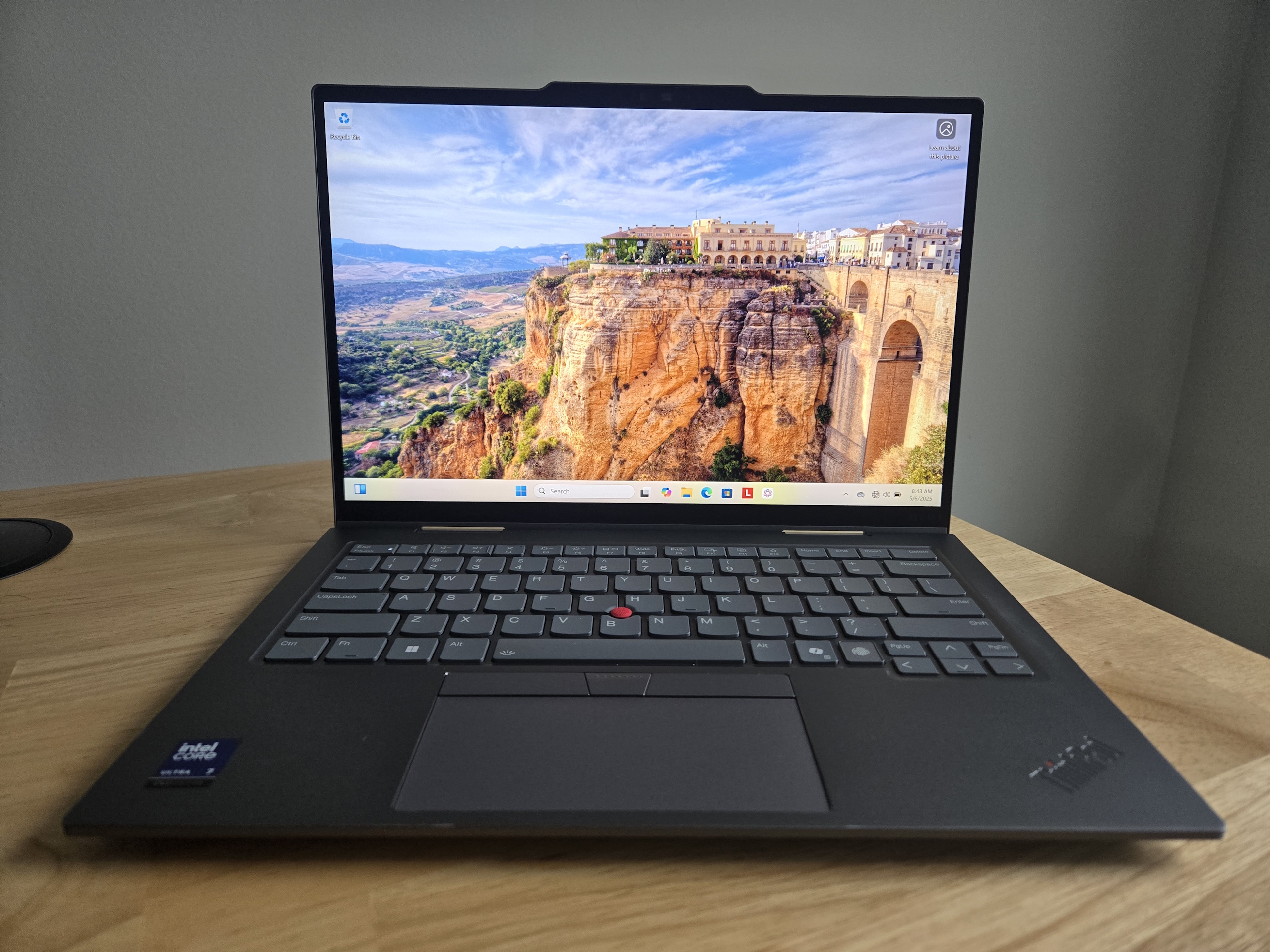
If you need a laptop that just won’t quit, the Lenovo ThinkPad X1 2-in-1 is an excellent choice with its incredible battery life–PCWorld recorded up to 25 hours on a single charge. That means you can power through long study sessions without constantly searching for an outlet.
Weighing just under three pounds, it’s actually pretty portable for a 2-in-1 device. The switch between laptop and tablet modes is truly seamless. This is great if you’re sketching out engineering diagrams or taking notes with the included Lenovo Yoga Pen.
The keyboard is comfortable to use, and you’ve got the classic ThinkPad TrackPoint there if precision is your thing. The 14-inch 1920×1200 IPS touchscreen is also bright (500 nits) and has an anti-reflective coating, making it easy to see even when you’re outside in the elements.
Lenovo ThinkPad X1 2-in-1 Gen 10 Aura Edition: Further considerations
This laptop is a premium business machine and the price definitely reflects that ($2,336). But keep in mind that you’re paying for good build quality and a battery life that only a select few can match right now.
Read our full
Lenovo ThinkPad X1 2-in-1 Gen 10 Aura Edition review
Acer Nitro V 16 – Best for work and gaming on a budget
Pros
- Solid performance
- Competitive price
- Dedicated button for quick performance mode switching
- Fast 165Hz display with good colors
Cons
- Fully plastic build
- Mushy keyboard
- Weak battery life
Price When Reviewed:
1,099
Who should buy the Acer Nitro V 16?
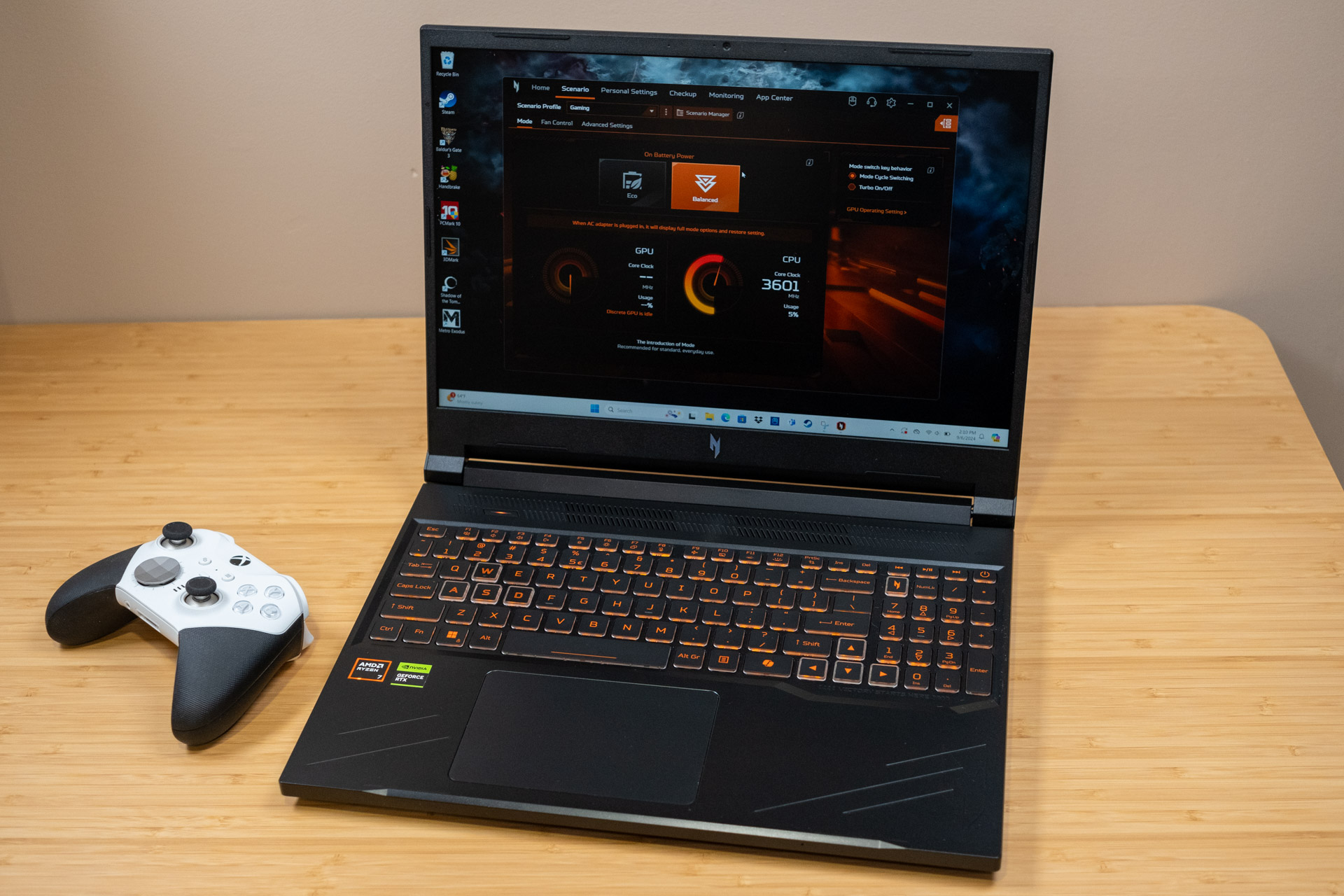
If you want something that can handle school and gaming without fuss, the Acer Nitro V 16 is a pretty sweet pick. It’s got a Ryzen 7 CPU and an RTX 4060 GPU, so most modern games run smooth on medium to high settings. Plus, if you’re into 3D modeling or any heavy graphics work, the GPU has got your back. The 16-inch 1920×1200 screen with a 165Hz refresh rate also makes faster paced games look super smooth too.
Acer Nitro V 16: Further considerations
Design-wise, it leans into a gamer aesthetic with its orange backlit keys and noticeable branding but it’s not overly flashy. Still, it might not suit everyone’s taste. As you might expect from a gaming rig, the battery life doesn’t last too long–around four hours on average. The keys also feel somewhat mushy.
Read our full
Acer Nitro V 16 review
Microsoft Surface Pro (2025) – Best ultraportable
Pros
- Compact and well-built
- Good office performance
- All Copilot Plus features available
- Good battery life
Cons
- Narrow screen to work on
- No HDR support
- No charger included
Best Prices Today:

£949
Who should buy the Microsoft Surface Pro (2025)?
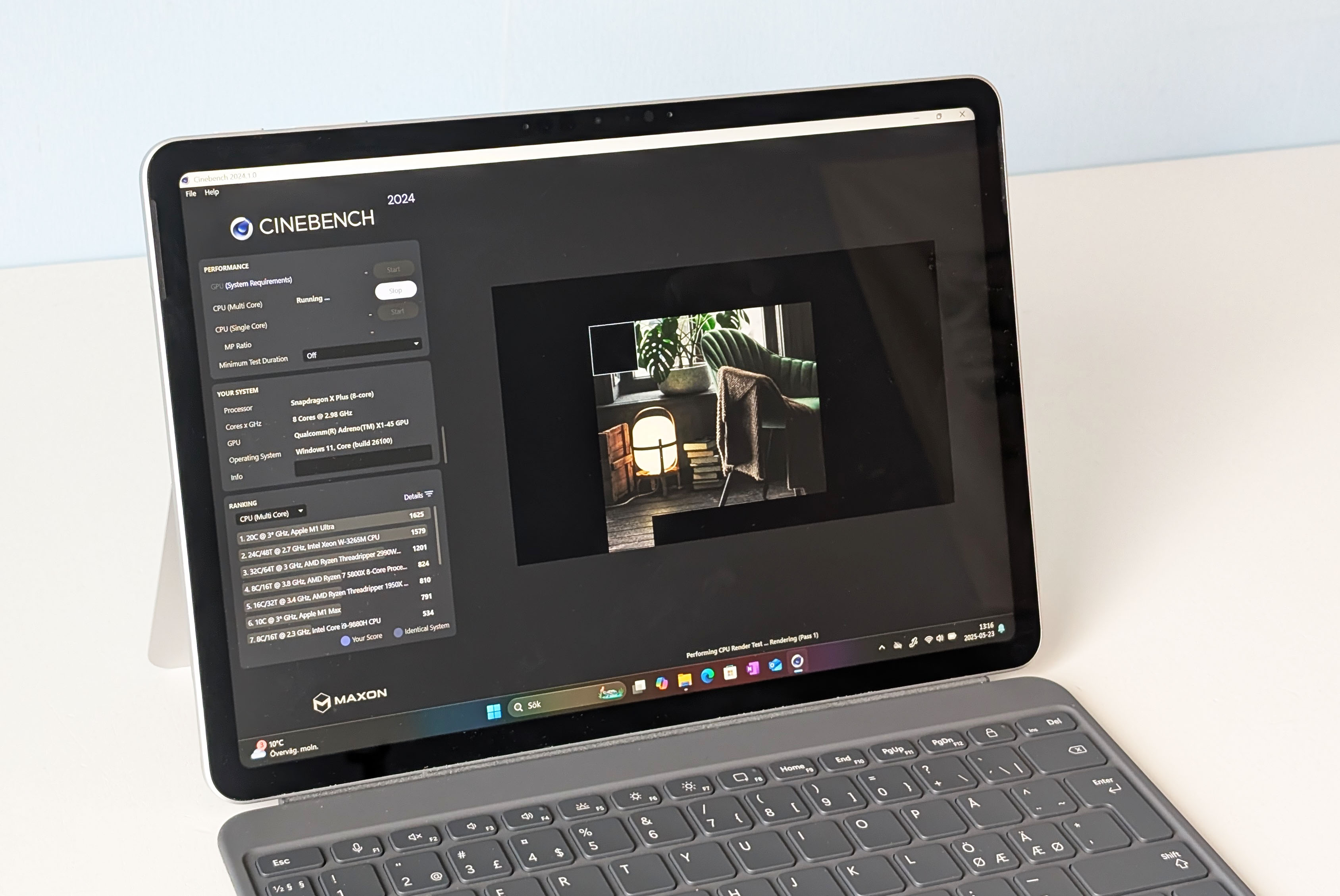
If you’re an engineering student with a jam-packed schedule, often needing to run from class to class, the Surface Pro 2025 is so lightweight (just a little over a pound) you’ll hardly notice its presence. Inside this laptop you’ll find a Snapdragon X Plus chip and Intel Arc 130V graphics, so you can expect it to deliver a quiet, fanless experience (perfect for working in libraries and lecture halls) and it should handle basic coding and homework just fine.
The 12-inch 2196×1464 screen offers sharp colors and touchscreen capabilities, allowing you to draw and take notes with the (optical) Slim Pen.
Microsoft Surface Pro (2025): Further considerations
Though we really vibe with the high-resolution display, it’s a bit small if you’re the kind of person that has many windows open at once. Battery life is also all over the place, ranging from two to three hours under heavy loads to 19 hours with light usage. You’re also limited to just two USB-C ports, so you’ll probably want to pick up a dock or hub.
Read our full
Microsoft Surface Pro 2025 review
Other notable laptops we’ve tested
A couple of laptops just missed the cut but are still worth a look. The Lenovo Yoga 9i 2‑in‑1 has got a stunning OLED screen as well as marathon battery life, which is great for design work and long study sessions, though the high price tag may deter budget-conscious students. Then there’s the Framework Laptop 13 (2025), which is super cool if you’re into repairability and customizing your gear (perfect for tinkerers), but battery life and initial upfront cost kept it from nabbing a top spot. Another standout is the Asus ZenBook A14. It’s impressively lightweight at just a little over two pounds and it delivers truly incredible battery life (24 hours!), making it ideal for students always on the move.
How we test laptops
The PCWorld team puts each and every Windows laptop through a series of benchmarks that test GPU and CPU performance, battery life, and so on. The idea is to push the laptop to its limits and then compare it against others we’ve tested. Chromebooks, on the other hand, go through a series of web-based tests.
For a much deeper look at our review methodology, check out how PCWorld tests laptops.
Why you should trust PCWorld for laptop reviews and buying advice
It’s in our name! PCWorld prides itself on laptop experience and expertise. We’ve been covering PCs since 1983, and we now review more than 70 laptops every year. All of the picks below have been personally tested and vetted by our experts, who’ve applied not only performance benchmarks but rigorous usability standards. We’re also committed to reviewing PC laptops at every price point to help you find a machine that matches your budget.
Who curated this article?
Hi, I’m Ashley Biancuzzo, and I oversee all laptop and Chromebook coverage at PCWorld. While you’ll see me review Chromebooks on occasion, I’m also really into the broader world of consumer tech. I spend a lot of time writing and thinking about where laptops are headed–from AI and sustainable designs to long-term trends. When I’m not deep in the world of tech, you’ll probably find me gaming, getting lost in a good book, or chilling with my rescue greyhound, Allen.
How to choose the best laptop for engineering students
The following are important questions to ask before making a purchase.
How much power do you need?
You’ll need a good amount of power. Engineering classes usually have you running some pretty heavy stuff like CAD, MATLAB, SolidWorks, and simulations. That stuff can slow your laptop down if it’s not up to the task, especially if you’ve got a bunch of apps open. A Core i5 or Ryzen 5 will get you through most of it, but if you want things to run smoother, a Core i7 or Ryzen 7 is where it’s at (so long as your wallet agrees).
Is RAM important?
For sure. You’ll be using code editors, compilers, simulation tools, sometimes all at once. RAM keeps your laptop from freezing up when you’ve got a ton going on. 8GB might work if you’re just starting out, but 16GB is way better—especially later on when your classes get more intense.
How much storage should you get?
You’ll collect a ton of files–project folders, software installs, maybe some video editing or game dev work depending on your focus. We’d say go for at least 512GB SSD so you’re not constantly clearing space. If you can get 1TB, do it. It’s faster and gives you more breathing room for whatever your classes (or side hobbies) throw at you.
FAQ
What is the best laptop for engineering students?
If you’re an engineering student who needs something light, fast, and reliable for coding or writing papers (plus a great screen and battery), the Asus Zenbook 14 OLED is a dang fine pick.
What is the best budget laptop for engineering students?
If you’re on a tight budget and just need a no-fuss laptop for lighter coding programs, the Acer Aspire Go 15 gets the job done for under $500.
Is battery life important for engineering students?
Heck yeah! Long battery life means you can power through those long nights at the school library.
What’s the ideal screen size for an engineering laptop?
We’d say the best screen size is anywhere from 13- to 15-inches. It can’t be too cumbersome otherwise it’ll get too difficult to carry around.
