


At a glance
Expert’s Rating
Pros
- Compact and handy
- High performance
- Plenty of ports
Cons
- Doesn’t run totally silent
- Wi-Fi could be better
Our Verdict
If you want a powerful gaming or work PC but don’t have room for a big tower, the Asus ROG NUC 2025 is a strong option. The cooling can be a bit noisy, upgrade options are limited, and you’ll pay a premium for the compact form factor–but not an outrageous one.
Price When Reviewed
This value will show the geolocated pricing text for product undefined
Best Pricing Today
Best Prices Today: Asus ROG NUC 2025 90AS00I1-M00090

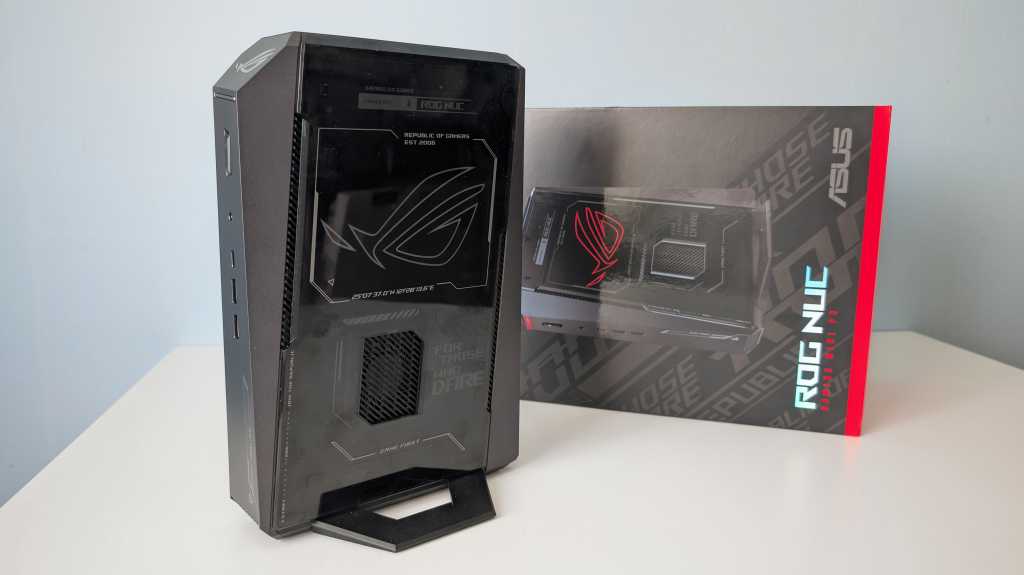
The new ROG NUC 2025 mini PC from Asus has the same format as a chunky desktop graphics card set upright and flanked by an equally large motherboard. That’s exactly what it is–nothing more, packed into the most compact chassis possible.
The basic idea of the NUC is a barebones computer, a small mini PC with a processor and graphics card built in, which you can then plug your own storage and memory into. Since Asus took over as the maker of NUC computers, it has been more creative with the mini PC concept than Intel ever was.
Asus is releasing barebones kits in more form factors and also more pre-built computers complete with memory, storage and operating system than Intel ever did. Not least that which is released under the ROG brand and is primarily aimed at gamers.
The ROG NUC 2025 is available with different processors and graphics cards, but in the U.S. it’s sold in a high-end configuration featuring the Intel Core Ultra 9 275HX laptop CPU and a desktop-class Nvidia GeForce RTX 5080 GPU.
ROG NUC 2025: A complete PC
32GB of fast DDR5 memory and a 2TB SSD round it all off. It comes with Windows 11 Home, all drivers for optimal gaming performance and Asus’s Armoury Crate control software that can control cooling, optimize network connectivity, and color the chassis’ RGB lighting.
Mattias Inghe
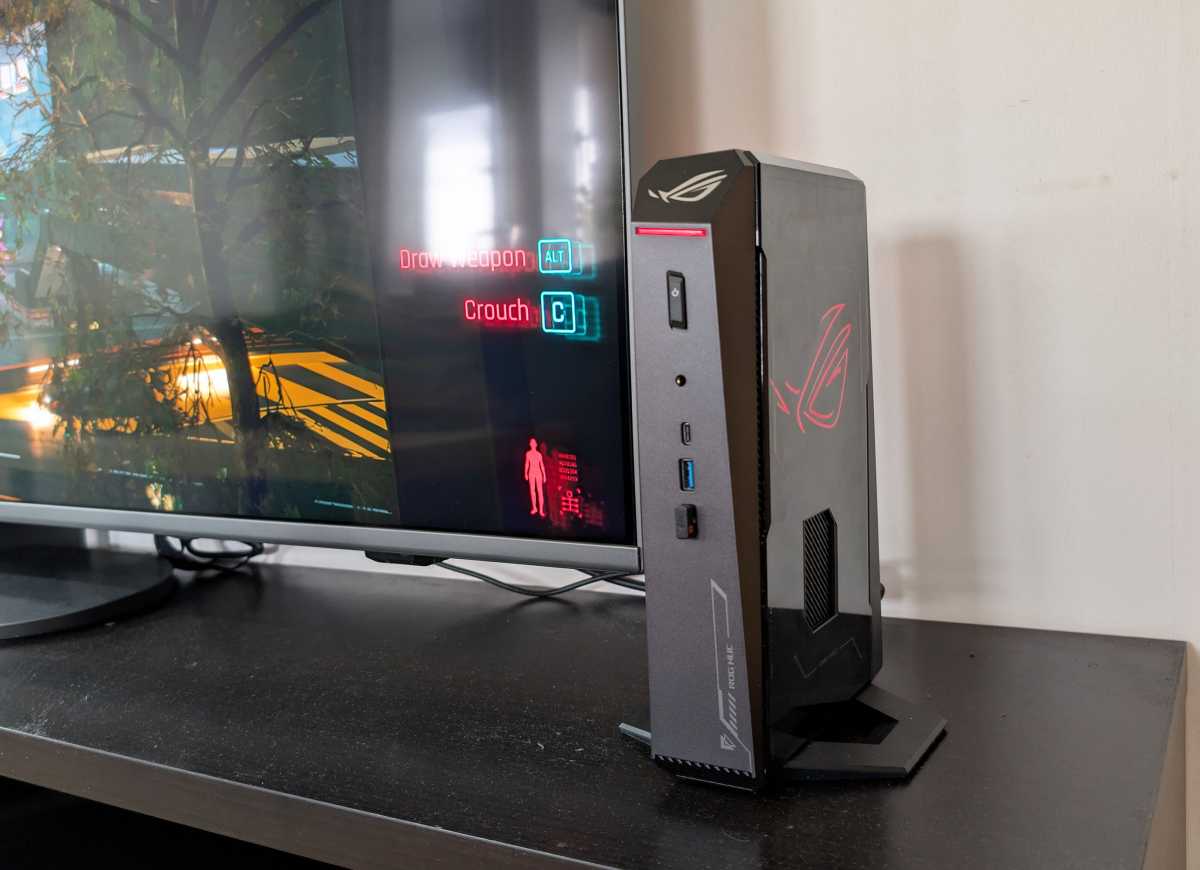
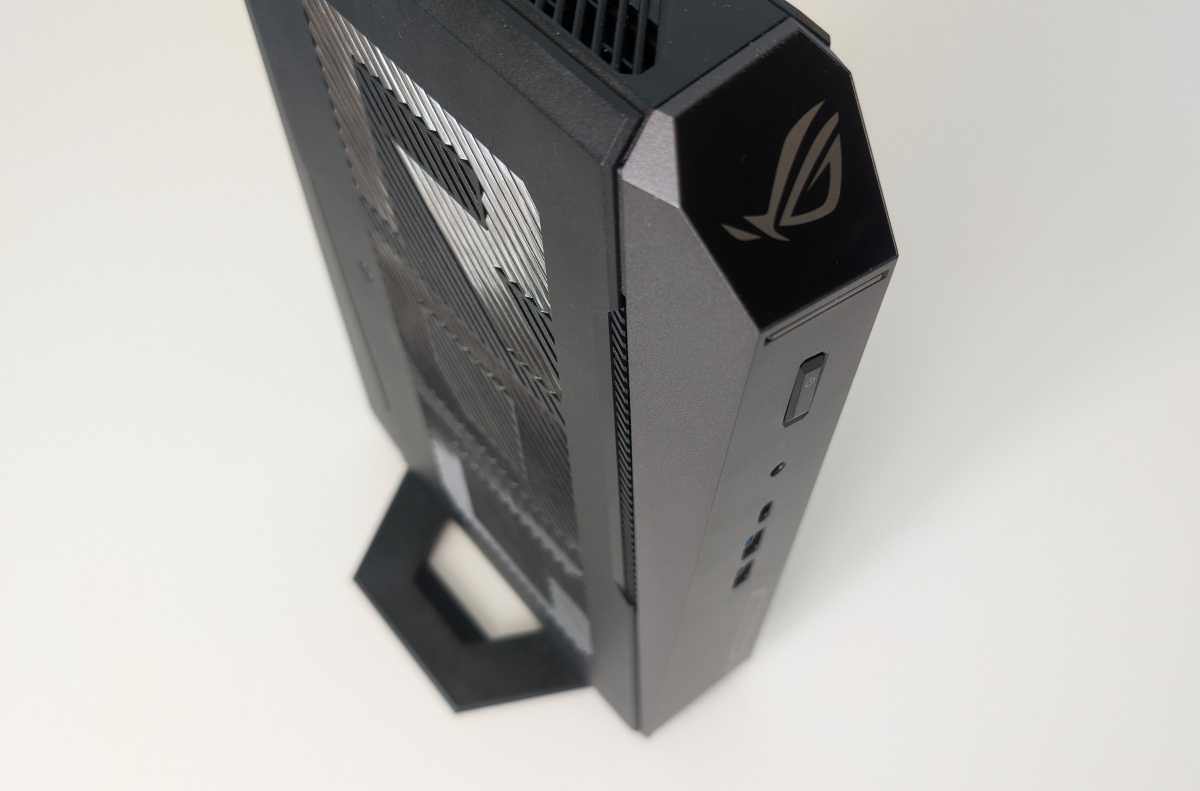
Yes, it has that. A light strip across the front and a big ROG logo on the side that can be made to glow or pulsate in any color, or all colors. It’s typical ROG design all over the box, with odd, beveled angles in the plastic and futuristic printing on the sides.
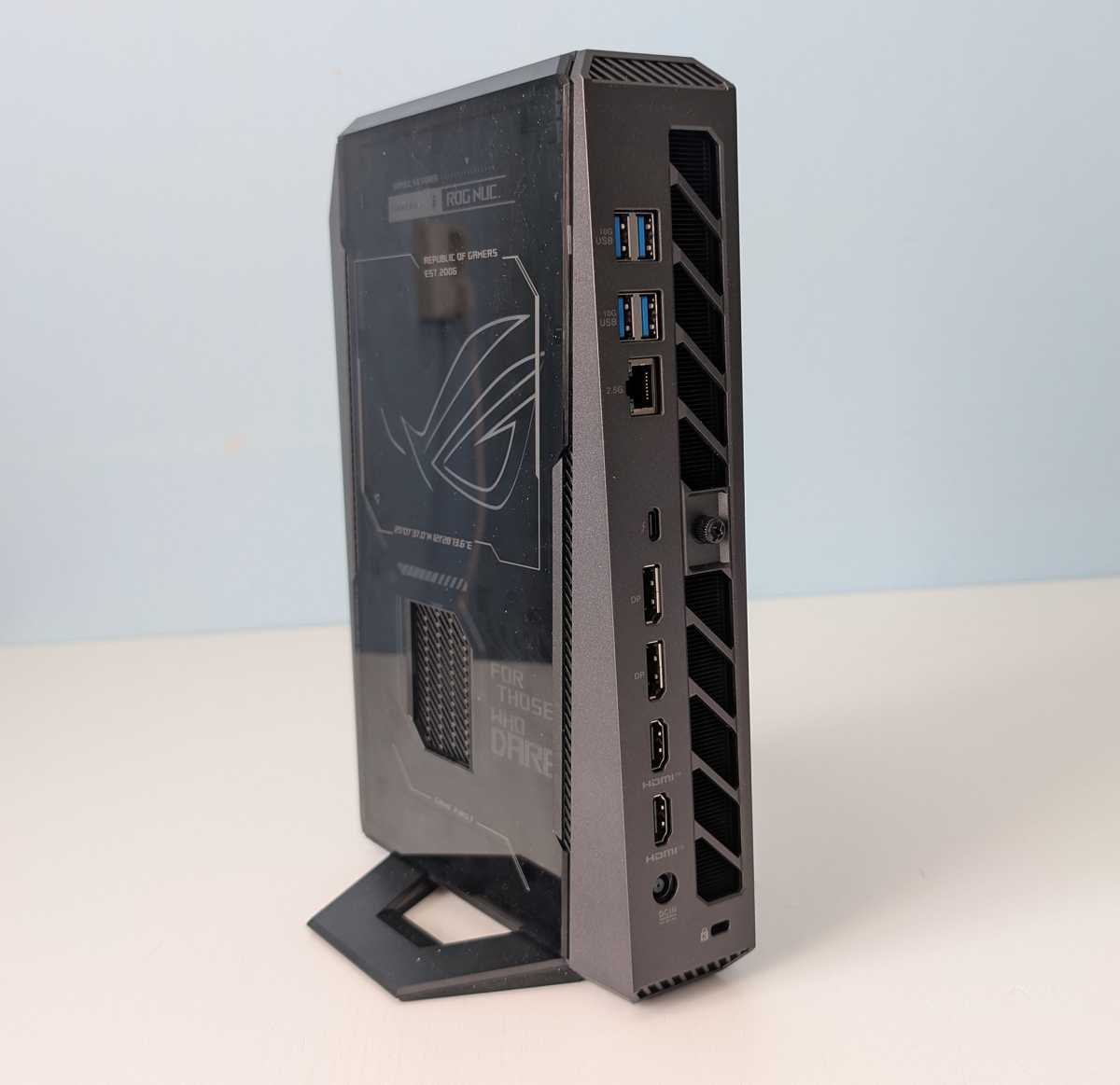
There are plenty of screen outputs, fast Ethernet and USB ports on the back, including a Thunderbolt 4-compatible USB-C. And more ports on the front. The only thing in connectivity I feel is missing would be an SD card reader.
You get Bluetooth and Wi-Fi 7 built in, but I’m not totally convinced by the Wi-Fi performance. The signal to my Wi-Fi 6 router seems weak, and it doesn’t manage to get up to the download speeds I’m used to.
It’s fast enough for browsing and streaming, and I get short response times for gaming, especially when I rig up a Wi-Fi 7 router and test against it. But there is something missing. Probably antennas don’t get enough space in the compact chassis. Possibility to screw on external ones would have been a plus.
Mattias Inghe
ROG NUC 2025: Serious gaming power
“Game First” is written beneath a large fan hole in the center of the broadside, and it’s obvious what Asus thinks the computer should be used for. It’s very good as a gaming machine, and I can squeeze out a stable 60 fps in most modern games. I run modded Cyberpunk 2077 and Red Dead Redemption 2 which is a hard to beat experience on the right screen.
With my 1440p monitor on the desktop, it goes completely smoothly. I also try to set up the computer as a console and connect to the TV. That also works well. At least if I take it easy with some effects and instead use Nvidia’s AI-based DLSS upscaling that provides both image quality and increased performance.
Quality and performance beat a PlayStation 5 or Xbox Series X by a mile.
It works great with HDMI 2.1 and all you need is a wireless mouse and keyboard, or a game controller. Quality and performance beat a PlayStation 5 or Xbox Series X by a mile, although the cooling can sometimes get noisy. It’s just not possible when it costs like five PS5s.
ROG NUC 2025: More than just gaming
But just because it’s got a gaming angle doesn’t mean it’s just a gaming machine. The Core Ultra 9 processor makes it a great workstation for heavy-duty work, from database management and development to 3D modeling and video editing. It doesn’t have as much native NPU for tasks like running local language models and machine learning, but there you have the mighty RTX graphics card providing AI performance to spare.
Mattias Inghe
It’s really only when the graphics card is under high load that the computer gets hot and the fans whistle extra loudly, and even then it’s bearable. In theory, it should be possible to run passively, and right at startup, the computer is actually completely silent, but it doesn’t take many seconds before some process triggers cooling at low speed with a light hiss from the fans.
It doesn’t help to put the computer in eco mode, which is supposed to reduce both performance and fans. But at least it stays semi-quiet all the time. It can be good as an energy-saving basic mode when you just want to surf and run Office, but don’t forget to switch to performance mode when it’s time to enter the world of games.
ROG NUC 2025: An upgrade-friendly design
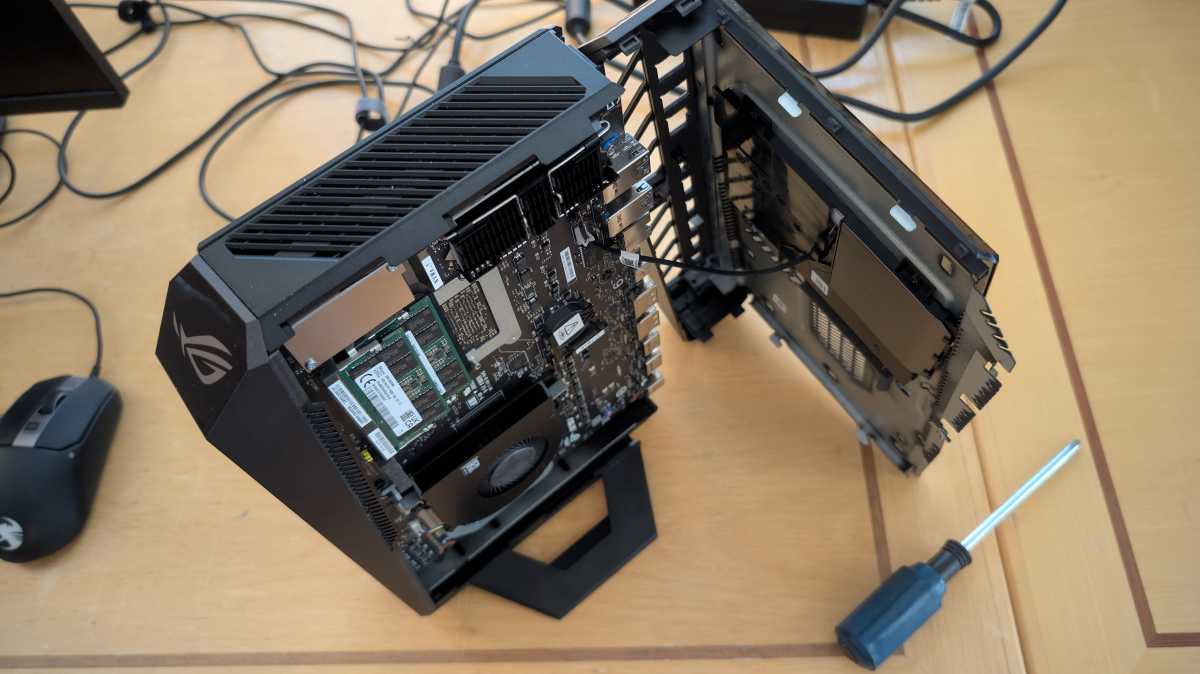
A NUC should be maintenance- and upgrade-friendly, and this computer is–to some extent. Access is gained by loosening a thumbscrew on the back, and then the side panels come off. It takes a lot of tugging the first time–I almost felt like I was going to break something–but in the end it comes off.
Once inside, I’m not rewarded much for the effort. There are two low profile dimming slots for the RAM memory, but it takes up all the slots, so if you want to upgrade you’ll have to buy brand new ones. There is also a free PCIe M.2 slot for an extra SSD.
Mattias Inghe
Why you can also access the opposite side of the computer is less clear. There’s nothing there. Only fans for the graphics card. But okay, it’s good to be able to access it if it gets dusty again and needs to be blown clean.
At around $3,600, the ROG NUC 2025 isn’t cheap, but you’re getting a powerful machine for both gaming and demanding workloads. A similarly sized desktop PC with an RTX 5080 runs anywhere from about $2,700 to $4,000, so Asus isn’t out of line on pricing. It won’t break any speed records, but it delivers a ton of performance in a very compact package. Thanks to its upright design, it fits easily on just about any desk.

Specifications: ROG NUC
Product name: ROG NUC 2025 90AS00I1-M00090
Tested: August 2025
Manufacturer: Asus
Processor: Intel Core Ultra 9 275HX, 8 P-core up to 5.4 GHz, 16 E-core up to 4.6 GHz
NPU: Intel AI Boost, 13 tops
Graphics: Nvidia Geforce RTX 5080, 16 GB
Memory: 32 GB ddr5
Storage: 2 TB SSD
Connections, rear: USB-C 4/thunderbolt 4, 4 x USB-A 3 gen 2, 2 x HDMI 2.1, 2 x DisplayPort 1.4a, 2.5 Gbit ethernet
Connections, front: USB-C 3 gen 1, 2 x USB-A 3 gen 2, headset
Wireless: Wi-Fi 7, Bluetooth 5.4
Operating system: Windows 11 Home
Expansion slot: 1 pc M.2 PCIe
Noise level: 0-45 dBa
Power consumption: 25-310 Watt
Size: 14.6 x 18.8 x 28.24 cm
Rating: 4 out of 5
Performance
Cinebench 2024, multi-core CPU: 1,828 points
Cinebench 2024, single core CPU: 131 points
Geekbench 6, multi-core CPU: 19,929 points
Geekbench 6, single core CPU: 3,040 points
Geekbench 6, gpu: 214,256 points
3DMark Fire Strike (DirectX 11): 40,923 points
3DMark Time Spy (DirectX 12): 20,751 points
3DMark Steel Nomad (Vulkan): 5,256 points
3DMark Port Royal (Ray Tracing): 12,055 points
Disk, read: 7,040.6 MB/s
Disk, write: 6,488.39 MB/s
This article originally appeared on our sister publication PC för Alla and was translated and localized from Swedish.
