


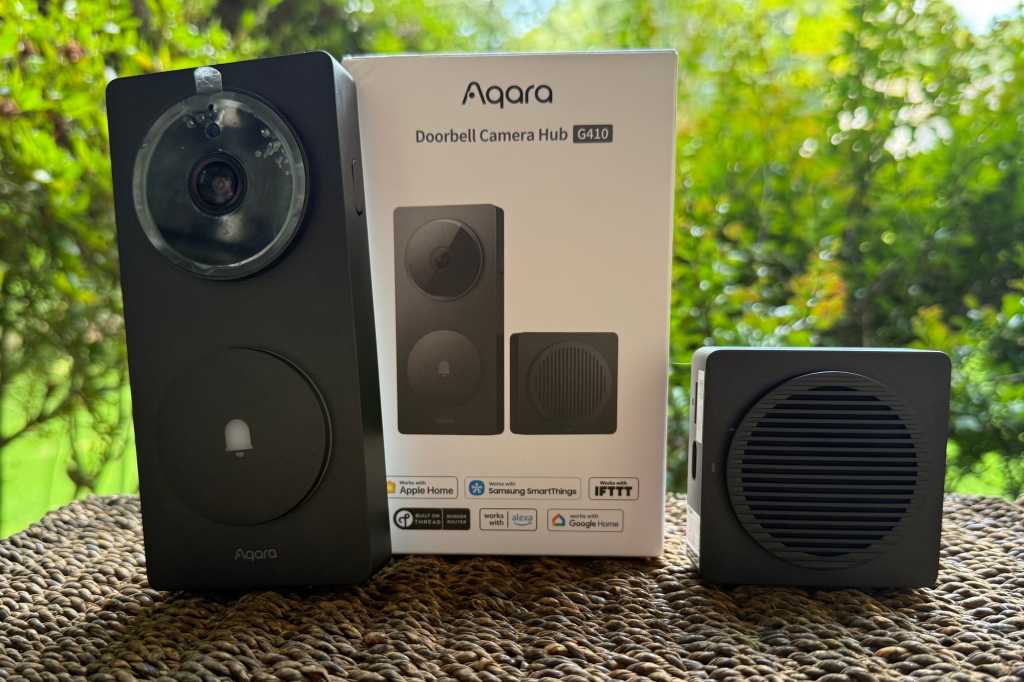
Expert’s Rating
Pros
- Matter controller and bridge, with Thread and Zigbee radios
- 2K video resolution with a tall, 4:3 aspect ratio
- mmWave presence detection reduces false alerts
- Compatibile with Alexa, Google, SmartThings, IFTTT
- Supports Apple HomeKit Secure Video and RTSP
Cons
- Motion-triggered video recordings limited to 12 seconds
- No HDR support, limiting performance in mixed or backlit conditions
- Weak weatherization rating: IPX3
- Zigbee radio only supports Aqara’s Zigbee devices
Our Verdict
If you don’t already have a strong smart home hub, the Aqara Doorbell Camera Hub G410 can kill two birds with one stone.
Price When Reviewed
This value will show the geolocated pricing text for product undefined
Best Pricing Today
Best Prices Today: Aqara Doorbell Camera Hub G410
£129.99
Describing the Aqara Doorbell Camera Hub G410 as just another video doorbell is like dismissing the quirky VW ID. Buzz as a run-of-the-mill minivan.
Sure, it will keep an eye on your front porch, but it can also control all the other smart devices in your home, thanks to the presence of Bluetooth, Thread, dual-band Wi-Fi, and Zigbee radios; Matter support; compatibility with Amazon Alexa, Google Home, Samsung SmartThings, IFTTT, and Apple’s HomeKit Secure Video; and a 24/7 recording option with RTSP support for hardcore users.
One caveat: Its Zigbee support is limited to Aqara’s own Zigbee devices.
It’s still a massive step up from the Aqara Smart Video Doorbell G4 that TechHive reviewed in the spring of 2024, addressing nearly every criticism leveled at that earlier product. And like that unit, this one comes with a remote AC-powered chime with local storage for the doorbell’s video clips, provided by a microSD card slot (card capacities up to 512GB are supported, but you’ll need to provide one). The chime can get quite loud: up to 95dB.
The Aqara Doorbell Camera Hub G410’s most transformative feature is invisible: It’s a full-fledged smart home hub.
Aqara wisely carried over that earlier doorbell camera’s facial recognition feature, while boosting its video resolution from 1080p to 2K (2048 x 1536 pixels) and adding millimeter wave (mmWave) motion detection. All that said, Aqara did make one significant change that will disappoint some buyers; one that might even prevent a few G4 owners from considering an upgrade. More on that in a bit.
Design, durability, and weather resistance
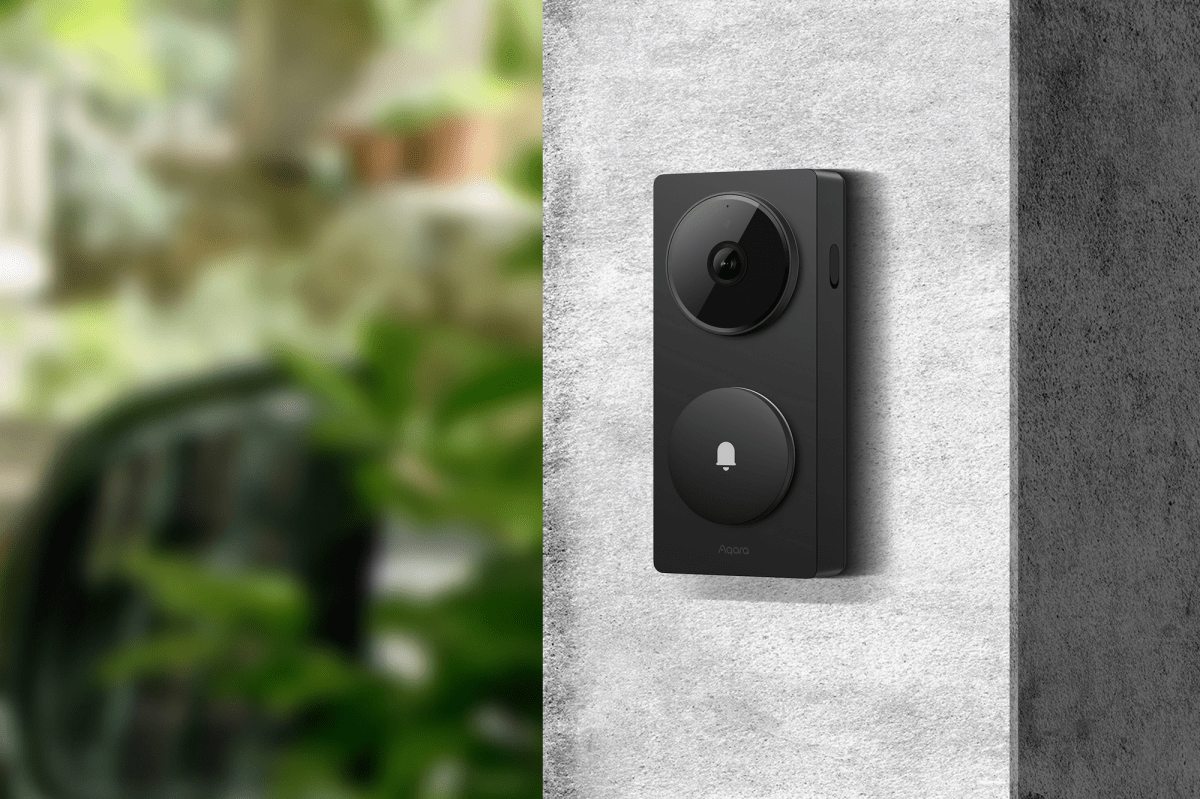
The Aqara G410 video doorbell doesn’t feature a sleek design, but the ringer button is easy for visitors to locate.
Aqara
The industrial design of Aqara Doorbell Camera Hub G410 very closely resembles that of the earlier G4 model, measuring 5.57 × 2.56 × 1.2 inches (HxWxD). It’s available in black or gray, both available on Amazon, but there’s also a Select model that’s available in black or white. It’s unclear if the Select model has any additional features beyond a three-month HomeGuardian trial, compared to the 1-month offer that comes with the base model.
Like the G4, the G410 is rated IPX3 for protection from the elements. According to our IP code guide, that means Aqara makes no claims for protection against particulate matter ingress, but that the camera is protected against water sprayed at up to a 60-degree angle on either side of vertical. Given that mild IP code, I would recommend installing this doorbell under an eave or awning and not subjecting it to extremely wet climates.
Installation and setup
It took me less than 15 minutes to set up the Aqara G410, from unboxing to completion. The remote chime I mentioned earlier doubles as a Matter-certified smart home hub (it’s a Matter bridge and controller and a Thread border router). It bears repeating, however, that its Zigbee radio can only control Aqara’s own Zigbee products. But before you get to any of that, you’ll need to charge the doorbell’s battery by plugging the provided USB-C to USB-A cable into a AC adapter (one that you’ll need to provide).
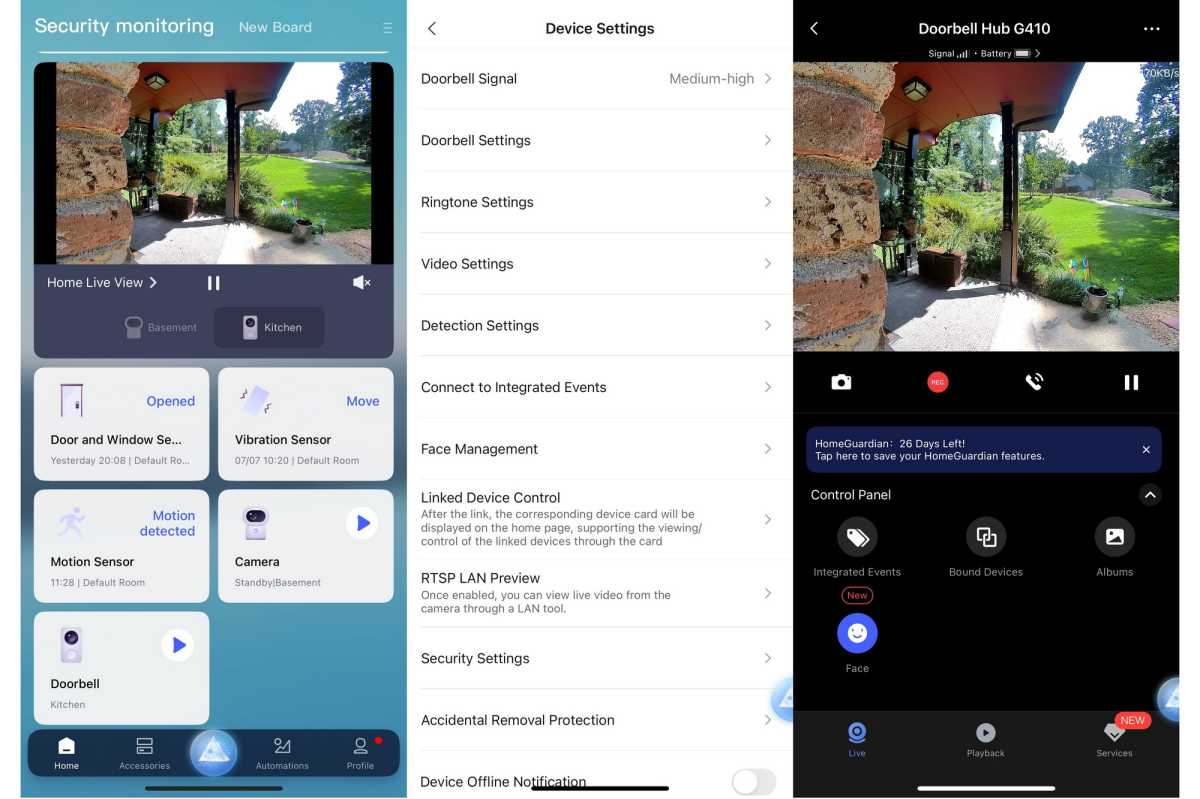
I’d previously installed the Aqara phone app during testing of the excellent Camera Hub G3, and that app controls setup for the G410 as well. There’s not much in the way of printed instructions, but once the app recognizes the G410, the in-app directions are clear, and it was easy to connect the doorbell to my Wi-Fi network.
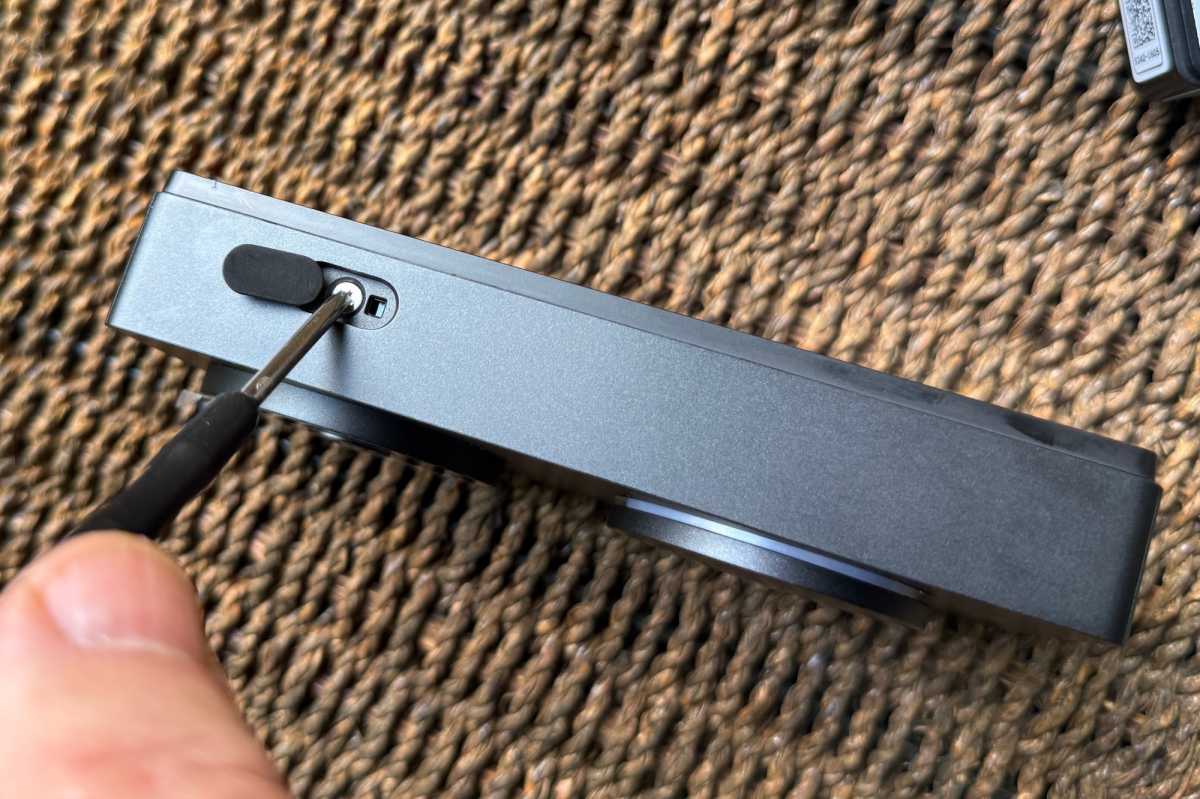
The doorbell comes with a small screwdriver to help with installation. You’ll need it to separate the backplate for adding the batteries or attaching the electrical wires for power.
James Barber/Foundry
The G410 can operate on battery power, but it can also take advantage of hardwired power (from a 12V-24V AC or DC transformer) if you’re replacing an existing wired doorbell, or if you want to pull wire to a newly installed transformer. Your existing chime, however, will not work with the new doorbell.
Nearly every video doorbell I’ve tested has been too wide to fit in the narrow gap between my home’s doorframe and brick façade, so I opted for a wireless installation. I installed six AA batteries into the unit and stuck it to the wall next to my front door, using the angled shim to give a better view of someone standing on my porch.
While I’m sure the doorbell’s adhesive option would work well on glass or tile, or wood, fiber-cement, vinyl, or similar types of siding, it’s not appropriate for brick. I had to reattach the unit with some industrial strength mounting tape after a week because doorbell’s adhesive failed and it fell off the wall. That’s not meant as criticism of the G410, it’s just an advisory to anyone who wants to install the doorbell on masonry: Be prepared for the messy task of drilling holes and hammering lead anchors into them.
I installed Aqara’s hub/chime unit in my kitchen, about 20 yards from the doorbell, which is much further than Aqara’s recommendation of a distance less than 5 meters (about 16 feet). Aqara also recommends the chime be no further than 20 meters (about 66 feet) from your Wi-Fi router. When I first installed the doorbell and chime, I got a weak signal warning in the app. After I moved a vintage metal stand mixer in the kitchen out of the line of sight between the doorbell and chime, however, the signal strength jumped to five bars out of six.
Sharper, smarter, and taller video
James Barber/Foundry
As I’ve already mentioned, the G410’s camera is a significant upgrade over the one in the earlier G4. In addition to boosting its resolution from 1080p to 2K, the new camera also has a taller aspect ratio (4:3 vs. 16:9), which captures visitors from head to toe, along with any packages left on the porch near your door—provided you install the camera in the right place.
When I first tested the unit with the ringer button at the same height as the home’s original doorbell, I couldn’t see anything on the ground. I got much better results after lowering it by a few inches. Exceptionally tall visitors will need to bend slightly to ring the bell at that height, but that shouldn’t be a major inconvenience for them.
The video quality is strikingly improved, especially in daylight. Its 176-degree diagonal field of view and f/1.8 aperture lens deliver a crisp, bright image, with better dynamic range. It’s still not HDR, but it’s more than good enough for its task.
In low light, the improvement over the G4 is less dramatic but still noticeable, with less murkiness and more detail around faces. The results are more than adequate for recognizing visitors and monitoring deliveries.
Vastly improved motion detection
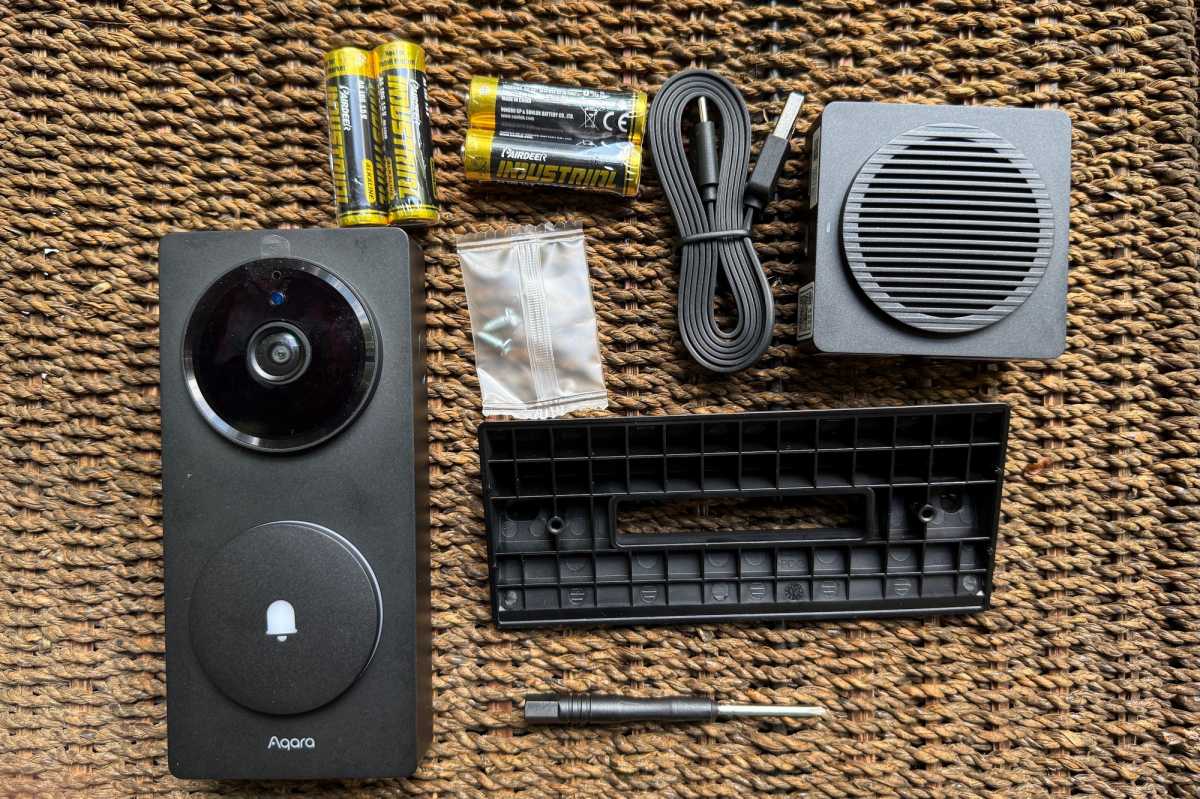
What’s missing from this kit? A USB-A power adapter for the chime. You’ll need to provide your own.
James Barber/Foundry
Aqara added a millimeter-wave (mmWave) presence sensor, a substantial upgrade from the G4’s PIR (passive infrared) motion sensor, which could miss people who stood still. Shadows and pets could also trigger that sensor. Unlike PIR, mmWave technology can detect a human presence based on micro-movements, even if someone is standing quietly on your porch.
This feature drastically reduced false positives while making notifications faster and more relevant. Passing cars and sidewalk pedestrians don’t trigger irrelevant alerts on my iPhone or Apple Watch, something that has been an ongoing issue with my Ring Doorbell Pro.
Motion-triggered recordings are still limited to 12 seconds when you use the free cloud storage plan or local microSD storage. If you want longer clips, you must use Apple’s HomeKit Secure Video or set up 24/7 local recording, although the latter requires you to hardwire the doorbell to a power source.
On a positive note, Aqara has made the triggers much smarter. On-device facial recognition can now tie directly into automations, not only in Aqara’s app but across Matter-compatible ecosystems, including Home Assistant. You can trigger a compatible smart deadbolt on your door to unlock when the camera recognizes a family member, for instance. You can also program the doorbell to turn on your smart porch light when anyone approaches the door at night. Aqara lets you transform alerts into actions.
A complete Matter hub
Aqara’s most transformative change is invisible. The G410 is now a full-fledged smart home hub, with a built-in Matter bridge and controller, Zigbee hub (once again, one that’s limited to Aqara’s own Zigbee devices), a Thread border router, and a dual-band Wi-Fi adapter. That means the G410 can do much more than just show you who’s at the door, it can be your smart home’s brain.
RTSP and HomeKit Secure Video support
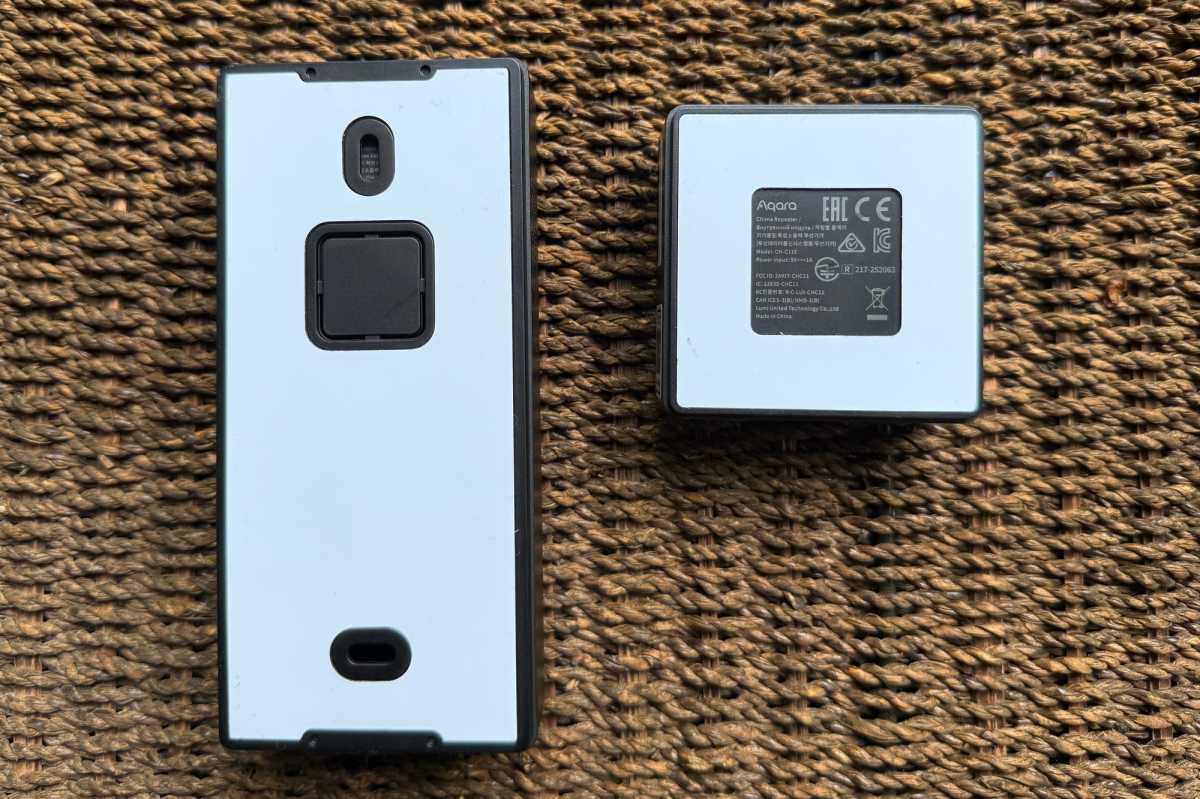
Backside views of the Aqara Doorbell Camera Hub G410 and chime.
James Barber/Foundry
Apple users will be interested to know that the Aqara Doorbell Camera Hub G410 supports Apple’s HomeKit Secure Video (HKSV), which stores encrypted security camera recordings in their iCloud accounts. Be aware, however, that this requires a paid iCloud subscription with at least 50GB of storage (you’ll need a plan that provides 200GB for up to five cameras, and 2TB for an unlimited number of cameras).
Also, the resolution of video recordings stored in your iCloud will be limited to 1200p (a somewhat curious claim, as all the available information on HKSV that I can find indicates Apple limits such video resolution to 1080p).
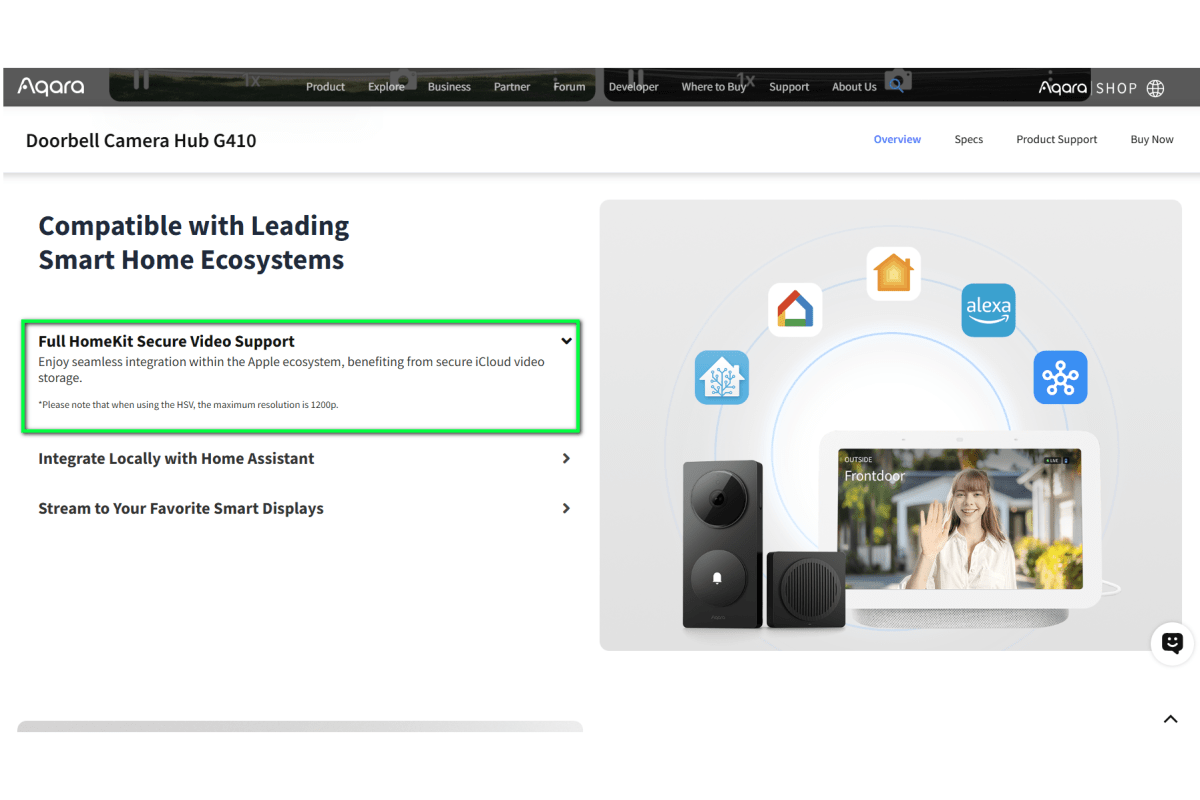
Not to make a mountain out of a mole hill, but Aqara’s statement that HomeKit Secure Video recordings will be limited to resolution 1200p seems to contradict Apple’s reporting that resolution will be limited to 1080p.
Michael Brown/Foundry
Whatever the case may be, other hardcore home surveillance system fans will be interested in knowing that the camera hub also supports RTSP (Real-Time Streaming Protocol). That gives you the ability to store its video recordings—including 24/7 recording—on a networked video recorder (NVR), a network-attached storage device (NAS), or with third-party smart home platforms such as Blue Iris and Home Assistant.
While RTSP itself doesn’t impose a resolution limit, your network limitations might impose a practical limit. And in this case, using RTSP depends on the doorbell camera’s being hardwired to a power source. The feature is not available when it’s running on battery power. Speaking of battery power, Aqara says the G410 should run on battery power for up to five months, based on 10 activations per day. More frequent visitors and/or inclement weather will reduce that time. For me, the battery level as reported by the app still reads 100 percent after several weeks of use.
More cloud options, and the return of the subscription
Finally, here’s the caveat I mentioned earlier that might prevent Aqara G4 Smart Wireless Video Doorbell owners from upgrading: The G410 doesn’t include the G4’s offer of a rolling seven days of video storage in Aqara’s cloud for free.
What you get instead is one day of rolling storage for 6 months, unless you sign up for Aqara’s HomeGuardian subscription service to get up to 90 days of encrypted storage in the cloud. That subscription costs $5/month ($50/year) for a single Aqara camera, and $10/month ($100/year) for an unlimited number of Aqara cameras. It’s a notable shift, but it’s one that’s in line with what most of the competition is doing.
Should you buy the Aqara Doorbell Camera Hub G410?
With its Doorbell Camera Hub G410, Aqara delivers almost everything Aqara Smart Video Doorbell G4 users have been asking for: Sharper video, smarter presence detection, and better integration with other platforms, including Matter.
Add in all the new smart home features, HomeKit Secure Video and RTSP support, and you have an easy TechHive Editors’ Choice winner. That said, the G410 is not perfect. Its stock video clips are short, its weatherization features leave a bit to be desired, and Aqara has moved away from its offer of 7 days of free cloud storage to nudge you toward paying for a subscription.
But if you’re looking for a doorbell that can also serve as a hub for your entire smart home, it deserves serious consideration.
This review is part of TechHive’s in-depth coverage of the best video doorbells.
