
Close Menu
TechUpdateAlert

    Subscribe to Updates

    Get the latest creative news from FooBar about art, design and business.

    What's Hot

    My Health Anxiety Means I Won’t Use Apple’s or Samsung’s Smartwatches. Here’s Why

    December 22, 2025

    You can now buy the OnePlus 15 in the US and score free earbuds if you hurry

    December 22, 2025

    Today’s NYT Connections: Sports Edition Hints, Answers for Dec. 22 #455

    December 22, 2025
    Facebook X (Twitter) Instagram
    Trending
    • My Health Anxiety Means I Won’t Use Apple’s or Samsung’s Smartwatches. Here’s Why
    • You can now buy the OnePlus 15 in the US and score free earbuds if you hurry
    • Today’s NYT Connections: Sports Edition Hints, Answers for Dec. 22 #455
    • Android might finally stop making you tap twice for Wi-Fi
    • Today’s NYT Mini Crossword Answers for Dec. 22
    • Waymo’s robotaxis didn’t know what to do when a city’s traffic lights failed
    • Today’s NYT Wordle Hints, Answer and Help for Dec. 22 #1647
    • You Asked: OLED Sunlight, VHS on 4K TVs, and HDMI Control Issues
    Facebook X (Twitter) Instagram Pinterest Vimeo
    TechUpdateAlertTechUpdateAlert
    • Home
    • Gaming
    • Laptops
    • Mobile
    • Software
    • Reviews
    • AI & Tech
    • Gadgets
    • How-To
    TechUpdateAlert
    Home»How-To»Apple Maps on iOS 26 could finally turn my head away from Google Maps
    How-To

    Apple Maps on iOS 26 could finally turn my head away from Google Maps

    techupdateadminBy techupdateadminSeptember 26, 2025No Comments4 Mins Read
    Share Facebook Twitter Pinterest LinkedIn Tumblr Reddit Telegram Email
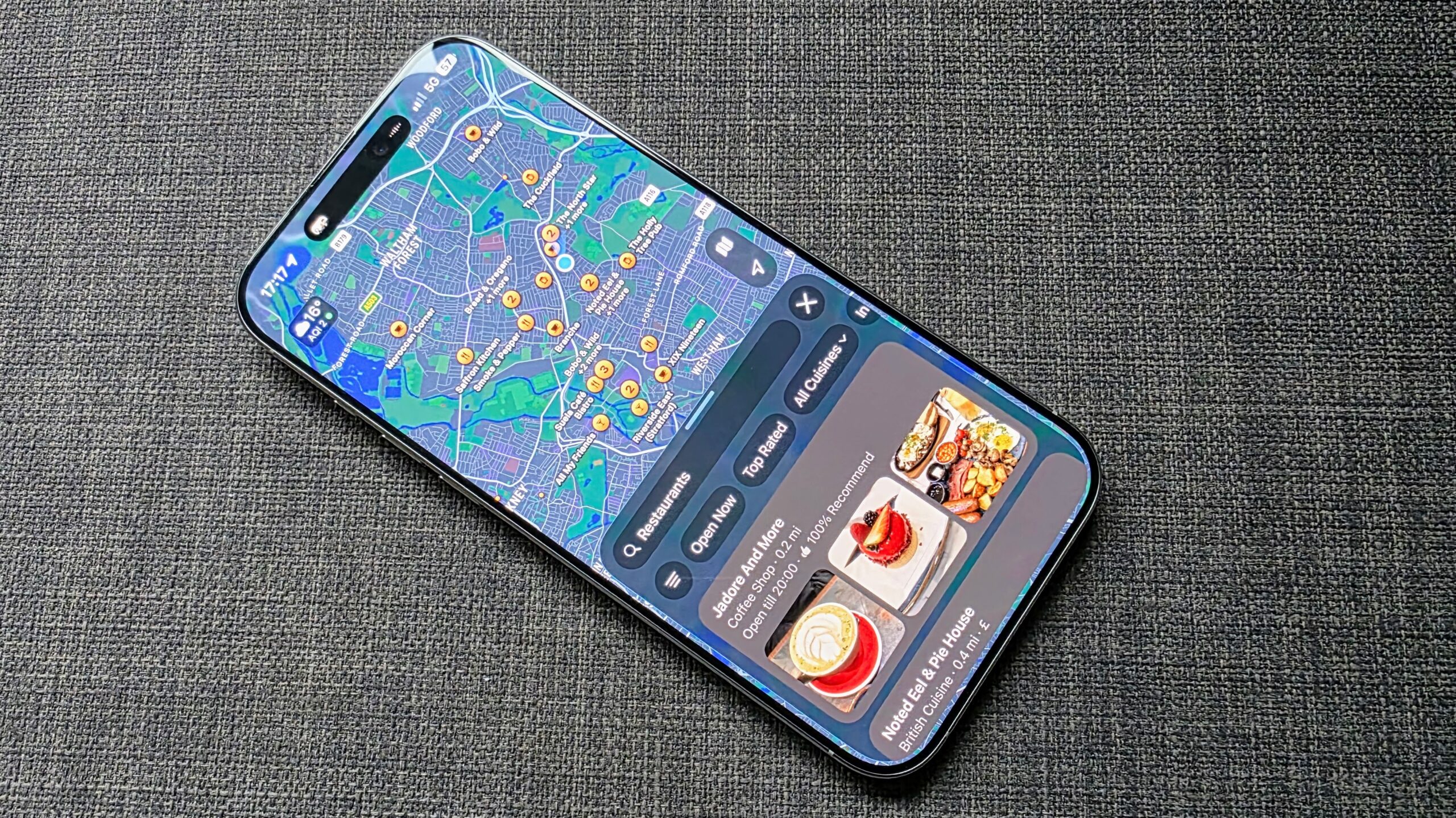
    an image of Apple Maps on iOS 26
    Share
    Facebook Twitter LinkedIn Pinterest Email

    Apple iPhone users of a certain vintage will remember the excitement of when Google Maps was released on iOS, given how clunky and inaccurate the native Maps app was. Over the years, Apple worked hard to improve Maps, and generally did a solid job of it.

    Yet, I’d place a decent bet that many people still use Google Maps on their iPhones, and I am one of them, especially as I do use a lot of other Google tools and have Chrome as my main browser across multiple devices. However, with the arrival of iOS 26, I decided to take a look at Apple Maps to catch up on the changes and new additions.

    And with that, there’s scope for my head to be turned from Google Maps or, at the very least, I’d have a flirtation with Cupertino’s mildly refreshed Maps.


    You may like

    Having not used Apple Maps for a while, at least not for an extended amount of time, I was pleasantly surprised with how clutter-free and slick the interface feels, and how tapping on a store or building serves up useful information in a way that doesn’t overwhelm. Google Maps does this and quite well, but sometimes it can feel like there are too many options to parse and innovation to absorb at a glance.

    I’m not wholly sold on the Liquid Glass material integration, as it’s not very noticeable. But I do feel it makes the app feel a little slicker, compared to Google Maps and an older version on my iPad mini, although this could be just a quirk of my perception.

    However, what’s really caught my eye is the pair of new features: Preferred Routes and Visited Places, both introduced with iOS 26.

    (Image credit: Future)

    Preferred Routes is, as the name would suggest, a tool that learns your everyday activity and the routes you commonly take and then proactively alerts you to any delays on your commute. It’s not a feature I’ve used yet, as I think Apple Intelligence will need to learn more about my routes, but it seems like a cool feature that Google Maps doesn’t have. Sure, there are traffic alerts and indications of potential delays on the route once you’ve plotted it, but it’s hardly proactive.

    Sign up for breaking news, reviews, opinion, top tech deals, and more.

    Visited Places, currently in a beta mode, is another new feature I’m keen to take for a spin. As my colleague Jamie Richards put it, Visited Places acts as a form of Spotify Wrapped for your travels in that it automatically detects and records the places you visit, from restaurants to shops, allowing you to then easily look them up for a useful reminder or more information.

    While some people are concerned about privacy, I do like the Google Maps Timeline that records your routes and the places you’ve been, which is ideal for someone like me who will often have a wander after a few alcoholic drinks and struggle to remember where my walks took me. However, I’ve not always found Google Maps to be reliable, and it will often say I was at a location for a certain amount of time when I merely passed it; it’s not bad by any means and is still very useful, just far from perfect.

    I don’t expect Visited Places to be perfect either, but I do feel Apple is very good at refining these information-centric features, so I’m definitely keen to give it a go and could see it as a means to fill in any gaps left by Google Maps.

    With these new features, some nips and tucks to the interface, and a widget option for Maps, I think I’m going to try and give Apple’s native iOS mapping app more of a chance than I have in the past. And while it may take a bit more for me to fully leave Google Maps, I can definitely see myself tapping more into Apple Maps than ever before.

    What do you reckon? Are you someone who’s been a Maps user for ages, or has Google Maps always kept your attention? Let me know in the comments below.

    You might also like

    Apple Finally Google iOS maps Turn
    Share. Facebook Twitter Pinterest LinkedIn Tumblr Email
    Previous ArticleXbox Design Lab unveils Ninja Gaiden 4 Xbox controllers
    Next Article How to set up recovery methods in Dashlane
    techupdateadmin
    • Website

    Related Posts

    Gadgets

    Android might finally stop making you tap twice for Wi-Fi

    December 22, 2025
    Gadgets

    Gear News of the Week: LG Debuts an RGB LED TV, and Google Brings Find Hub to Wear OS

    December 21, 2025
    Mobile

    Deals: Freebies with Google Pixels, discounts on Xiaomi 15, Poco F7 Ultra, and more

    December 20, 2025
    Add A Comment
    Leave A Reply Cancel Reply

    Top Posts

    NYT Strands hints and answers for Monday, August 11 (game #526)

    August 11, 202545 Views

    These 2 Cities Are Pushing Back on Data Centers. Here’s What They’re Worried About

    September 13, 202542 Views

    Today’s NYT Connections: Sports Edition Hints, Answers for Sept. 4 #346

    September 4, 202540 Views
    Stay In Touch
    • Facebook
    • YouTube
    • TikTok
    • WhatsApp
    • Twitter
    • Instagram
    Latest Reviews

    Subscribe to Updates

    Get the latest tech news from FooBar about tech, design and biz.

    Most Popular

    Best Fitbit fitness trackers and watches in 2025

    July 9, 20250 Views

    There are still 200+ Prime Day 2025 deals you can get

    July 9, 20250 Views

    The best earbuds we’ve tested for 2025

    July 9, 20250 Views
    Our Picks

    My Health Anxiety Means I Won’t Use Apple’s or Samsung’s Smartwatches. Here’s Why

    December 22, 2025

    You can now buy the OnePlus 15 in the US and score free earbuds if you hurry

    December 22, 2025

    Today’s NYT Connections: Sports Edition Hints, Answers for Dec. 22 #455

    December 22, 2025

    Subscribe to Updates

    Get the latest creative news from FooBar about art, design and business.

    Facebook X (Twitter) Instagram Pinterest
    • About Us
    • Contact us
    • Privacy Policy
    • Disclaimer
    • Terms and Conditions
    © 2026 techupdatealert. Designed by Pro.

    Type above and press Enter to search. Press Esc to cancel.