


At a glance
Expert’s Rating
Pros
- Smooth, hiccup-free physical operation
- Easier installation than prior iterations
- Much better PIN support, with 250 available
- Z-Wave and Wi-Fi bridge options available
Cons
- Very large proportions on both sides of the door
- App needs refreshing and updating
- High price
Our Verdict
The Alfred DB2S isn’t much of a visual departure from the manufacturer’s earlier offerings, but it does offer some attractive new features, including a rechargeable battery and RFID support. Be prepared to shell out for this lock, though.
Price When Reviewed
This value will show the geolocated pricing text for product undefined
Best Pricing Today
When I last checked out a smart lock from Alfred, the company had upgraded its DB1 lock series to the DB2 series, bringing with it a simpler industrial design and some extra features, including voice prompts.
So, this most recent next version of Alfred’s lock must be the DB3 series, right? No, sir. Naturally it’s called the Alfred DB2S.
Specifications
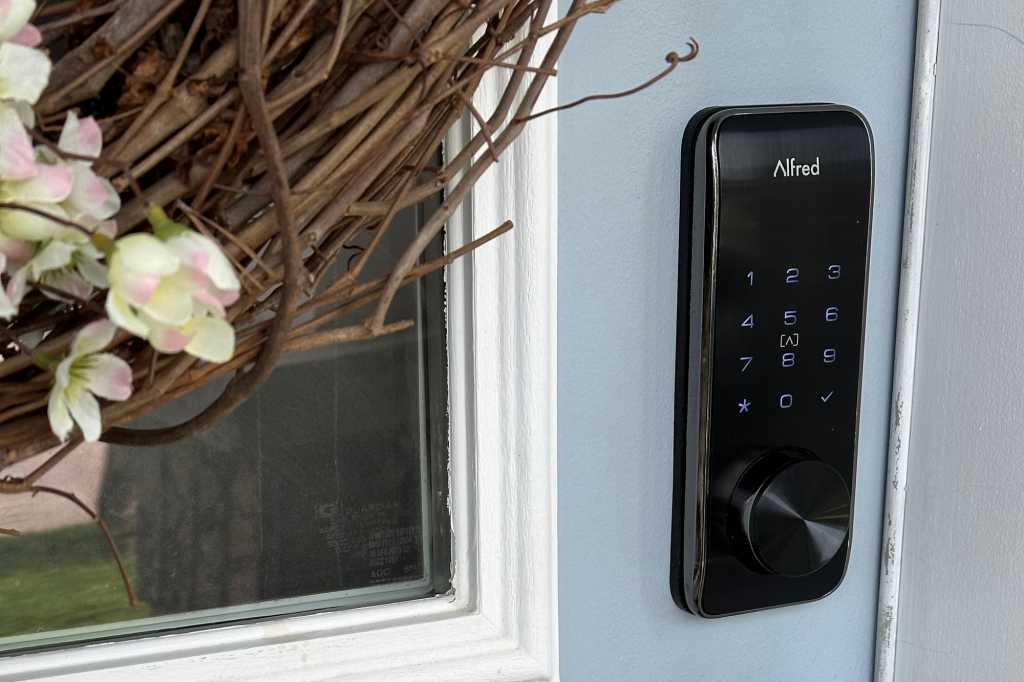
The DB2S looks a lot like the older DB2, although this new version is only available in black or satin nickel trim options, with no gold option. It also now features elongated escutcheons (both approaching 7 inches in height), a lighted touchscreen that vanishes altogether when not in use, and a physical keyhole with a swiveling metal color.
The keypad on the Alfred DB2S smart lock disappears when it’s not in use. The lock’s interior escutcheon is quite large.
Alfred
A rechargeable lithium-ion battery that Alfred says should last 8 to 12 months replaces the four AA batteries used in the Alfred DB2. A USB-C port on the front of the lock is available for emergency access in the event of a dead battery. The battery must be removed from the lock for charging, which takes about 4 hours. Alfred sells a spare battery for $50, if you don’t want to experience any downtime.
Out of the box, the DB2S is a Bluetooth-only device, unless you purchase one of two accessories. The Alfred Connect V2 Wi-Fi Bridge, a plug-in device, can connect the lock to your Wi-Fi network (2.4GHz networks only), or if you have a smart home hub that supports Z-Wave, you can add Alfred’s Z-Wave 800-series module ($40). Either accessory will add Amazon Alexa or Google Home compatibility to the lock (assuming your Z-Wave hub does, that is, but that’s all but a certainty).
Alfred says the DB2S “exceeds all ANSI Grade 2 testing requirements and exceeds many of the ANSI Grade 1 cycle testing requirements,” but it has not been formally certified by the BHMA. Not sure what all that means? Consult our guide to the standards and certification processes of the ANSI and BHMA (Builders Hardware Manufacturers Association) as they relate to residential deadbolt locks.
Installation and setup
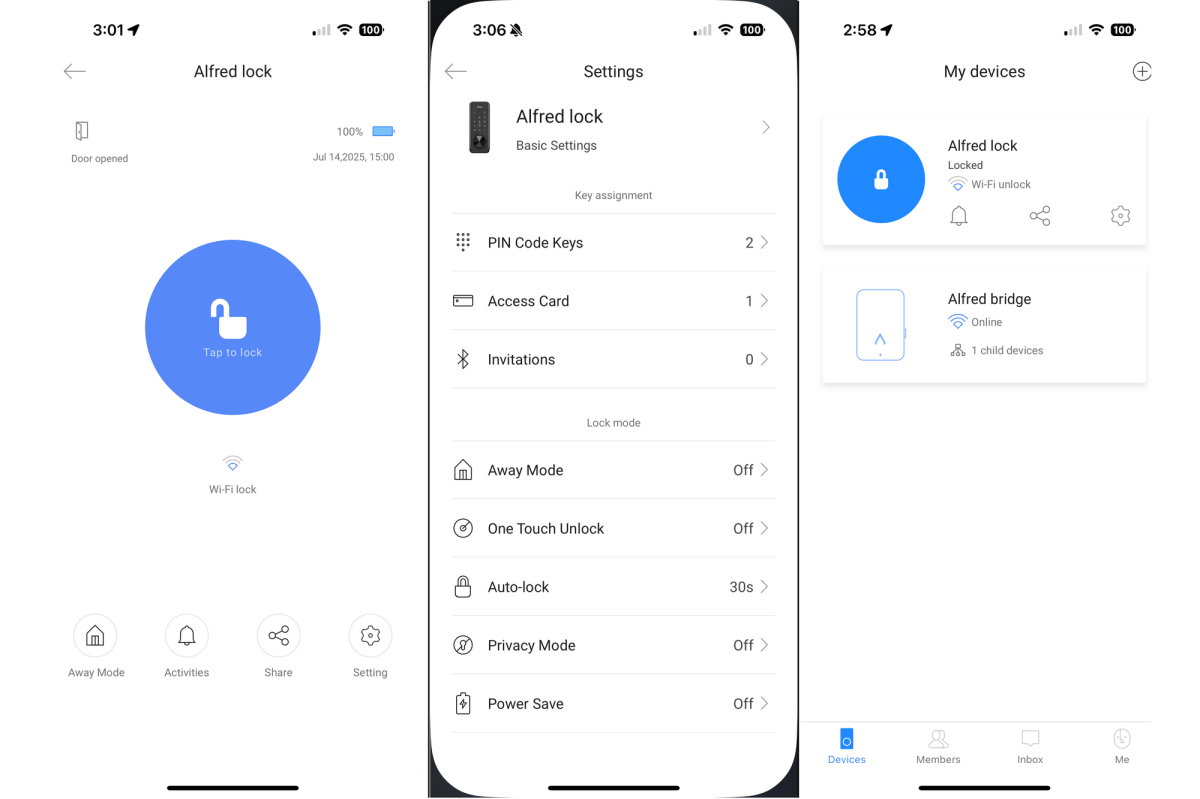
Alfred would do well to retool its app for managing its smart locks, as it’s looking quite dated.
Christopher Null/Foundry
Installation has improved over the notoriously goofy process I experienced with the Alred DB1 and Alfred DB2, both of which required a part of the tailpiece to be removed during the setup process. Installing the DB2S is largely in line with industry standards, with a frame bolted through the door to the exterior escutcheon, and the interior escutcheon mounted on top of that. A thick installation guide is included to help you through this process, though with 17 intricately detailed steps, it might be too much of a good thing.
The Alfred DB2S smart lock’s unique Away and Privacy modes disable all PINs except the master code to enhance security and privacy respectively.
The only twist is the inclusion of an optional wired door sensor, which attaches via its own separate cable near the top of the interior escutcheon and must be run underneath the rubber that surrounds the mounting plate. This informs the Alfred app as to whether the door is open or closed, and it’s slightly tricky to get perfectly aligned. A little loosening and tightening of the mounting bolts gets it into place quickly enough. As with the prior versions of the lock, a switch on the inside of the motor housing tells the lock whether it is mounted on a left- or right-handed door.
The lock supports two means of electronic ingress (in addition to using the Alfred Home app): You can enter a PIN on the lock’s numeric keypad or present an RFID card to its onboard reader. The unit supports up to 250 PINs (up from a meager 20) and a maximum of 250 RFID cards (two of which are included in the box). That should be plenty for even the busiest household.
Using the Alfred DB2S smart lock
Miraculously, the Alfred DB2S can be used without its companion mobile app, with all programming undertaken by entering codes on the numeric keypad, as specified in a lengthy, second software guide. This is a very inefficient way of doing anything with the lock, and you’re far better off working with it through the simple but straightforward Alfred Home app, which does not appear to have changed at all since I last used it in 2021.
Onboarding the lock into the app was very expedient in my testing, as the app locates the lock automatically without any type of scan or input required. Pairing the Wi-Fi bridge requires scanning a QR code on its backside.
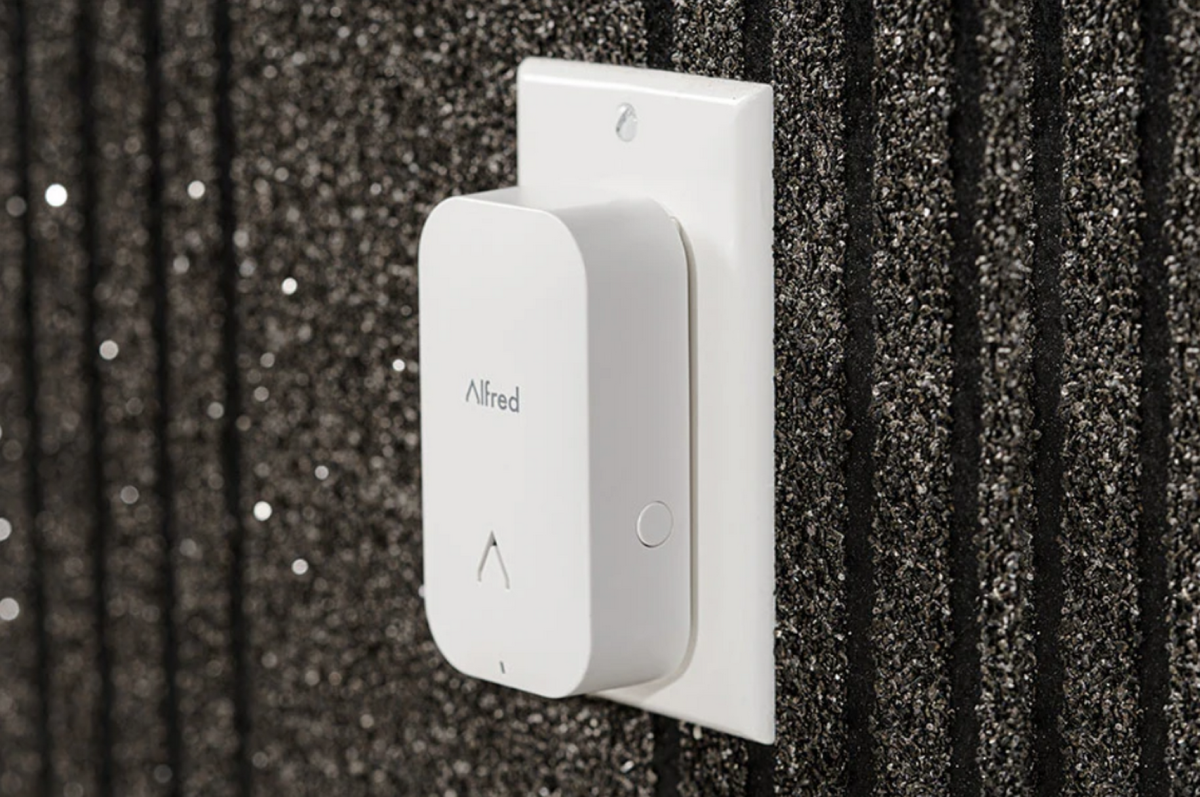
If you don’t have a smart home hub that supports Z-Wave, you’ll want to also purchase Alfred’s plug-in Wi-Fi bridge; otherwise, you’ll only be able to use the lock via Bluetooth.
Alfred
The Alfred app, as mentioned, is basic and dated. It still sees the access points on mesh networks as separate networks, and it automatically capitalizes your Wi-Fi password, but it at least covers the basics. Users can be invited to download the app and given access directly that way, but PINs and RFID access must be configured separately and then assigned to a user.
There’s no way to see all the various access types that a user has on a single screen, so if someone has both a PIN and an RFID tag, they must be managed separately via their respective interfaces. The process is a little archaic, but it should work well enough for smaller households. The app is also speedy.
Other app features include auto-locking (after a user-selected time span of 30 seconds to 3 minutes) that works in conjunction with the door sensor, so the lock won’t throw its bolt when the door ajar (thus preventing accidental damage to the trim around your door).
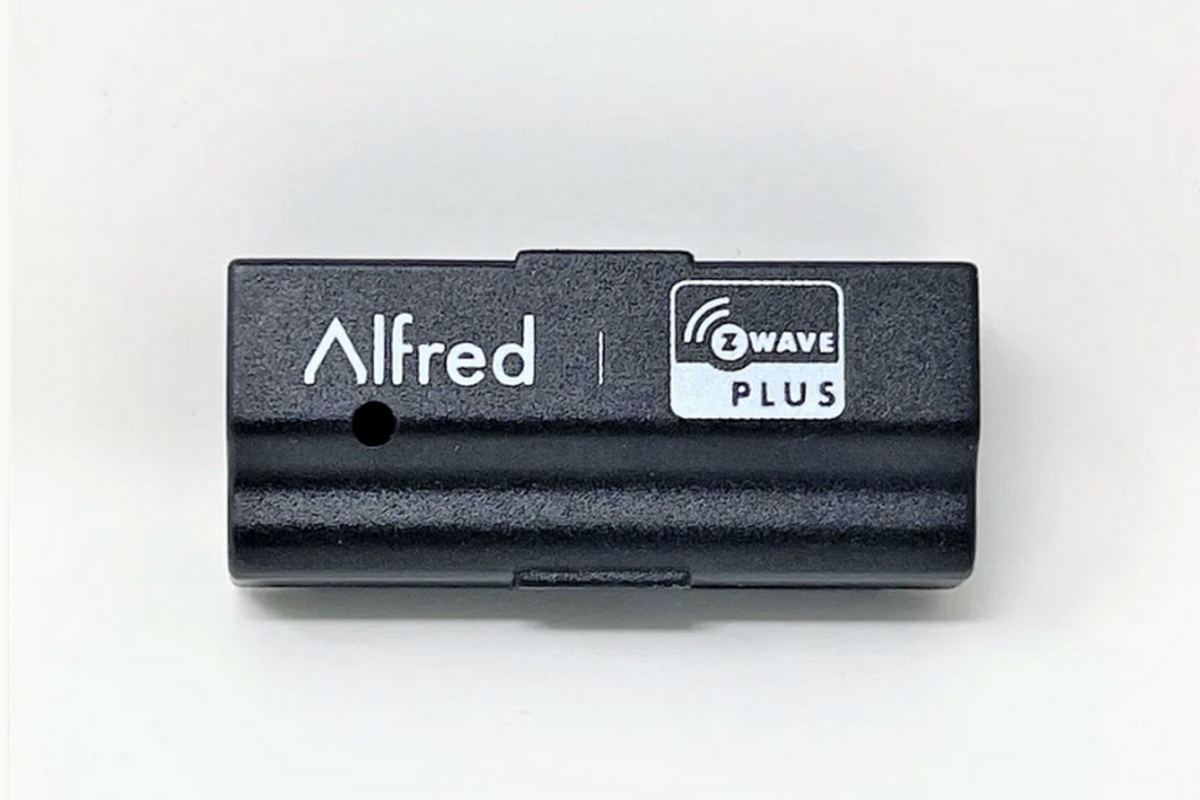
Plug this Z-Wave 800 module into the Alfred DB2S and you can manage and operate the lock using your favorite Z-Wave smart home hub (SmartThings, Homey, Hubitat Eleveation, etc.)..
Alfred
If you’ll be away from home for an extended period and aren’t expecting anyone to gain access to your home, you can enable an Away mode that disables all PINs except for the master. If someone enters a PIN other than the master, or if they turn the thumbturn from inside the house, an onboard alarm will sound. There’s also a Privacy mode that does the same thing, but without activating the alarm when someone enters their PIN.
Finally, there’s a geofencing feature that’s supposed to unlock the door when an authorized user approaches with their smartphone on their person. Away and Privacy modes worked well, but I was never able to get geofencing to work at all. Alfred does offer a comprehensive logging system, and push notifications related to unlocking activities arrived quickly during my testing.
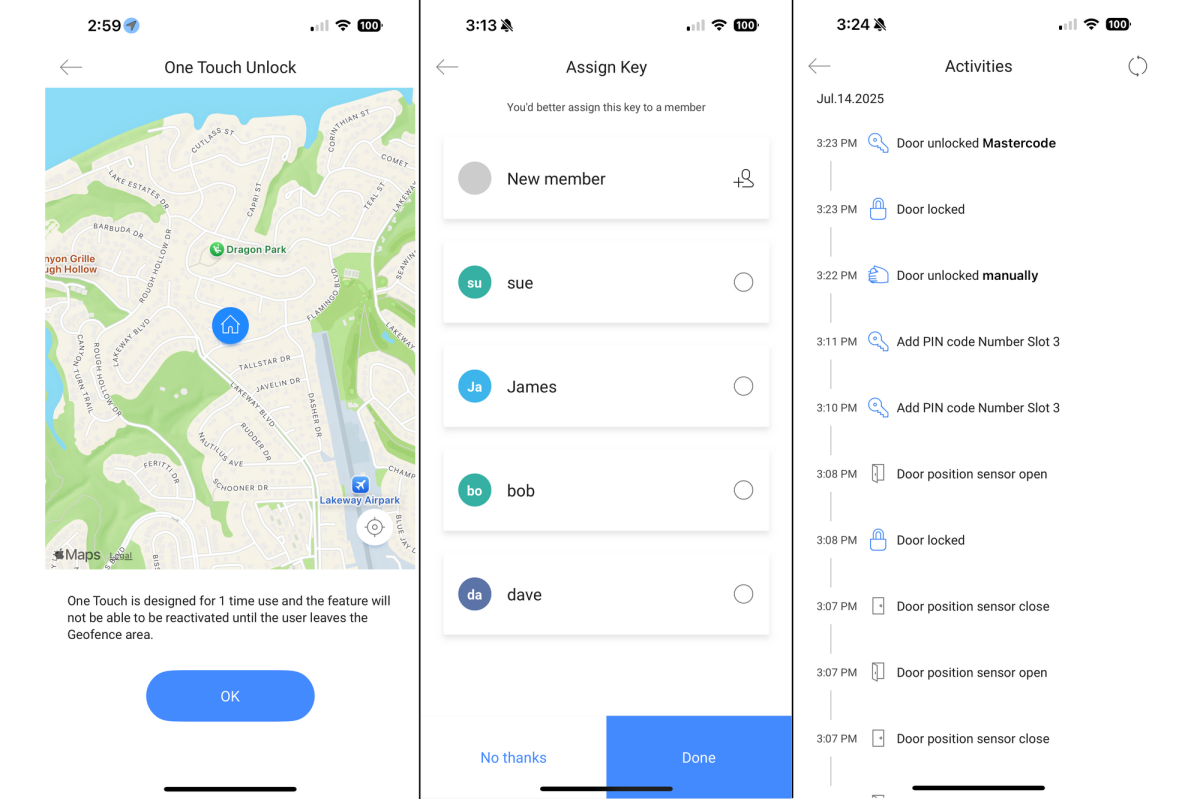
The Alfred DB2S has lots of options, but I couldn’t get it’s geofencing feature to work during my review.
Christopher Null/Foundry
As with most Alfred hardware, the DB2S isn’t the most elegant lock because of its massive size, although its sweeping curves counterbalance this to some degree. Fortunately, the lock works smoothly and without complaint; aside from the geofencing miss, I never encountered any major operational issues throughout my testing, across all types of lock and unlock operations.
Should you buy the Alfred DB2S smart lock?
With a starting price of $320 ($360 if you want Z-Wave connectivity, or $390 for Wi-Fi), Alfred is asking a small fortune for a smart lock that doesn’t include such modern access features as fingerprint recognition or palm-vein scanning, and that doesn’t support Matter (or Apple Home, either).
Yes, you might find it selling for less if you shop around—I found it online at Tractor Supply Co. for $300, and—remarkably—at Walmart, bundled with Alfred’s Wi-Fi module, for just $255; but even at those prices, it’s still one of the more expensive locks on the market given its feature set.
If you love the look of this lock, wait for a sale.
This review is part of TechHive’s in-depth coverage of the best smart locks.
