
Close Menu
TechUpdateAlert

    Subscribe to Updates

    Get the latest creative news from FooBar about art, design and business.

    What's Hot

    My Health Anxiety Means I Won’t Use Apple’s or Samsung’s Smartwatches. Here’s Why

    December 22, 2025

    You can now buy the OnePlus 15 in the US and score free earbuds if you hurry

    December 22, 2025

    Today’s NYT Connections: Sports Edition Hints, Answers for Dec. 22 #455

    December 22, 2025
    Facebook X (Twitter) Instagram
    Trending
    • My Health Anxiety Means I Won’t Use Apple’s or Samsung’s Smartwatches. Here’s Why
    • You can now buy the OnePlus 15 in the US and score free earbuds if you hurry
    • Today’s NYT Connections: Sports Edition Hints, Answers for Dec. 22 #455
    • Android might finally stop making you tap twice for Wi-Fi
    • Today’s NYT Mini Crossword Answers for Dec. 22
    • Waymo’s robotaxis didn’t know what to do when a city’s traffic lights failed
    • Today’s NYT Wordle Hints, Answer and Help for Dec. 22 #1647
    • You Asked: OLED Sunlight, VHS on 4K TVs, and HDMI Control Issues
    Facebook X (Twitter) Instagram Pinterest Vimeo
    TechUpdateAlertTechUpdateAlert
    • Home
    • Gaming
    • Laptops
    • Mobile
    • Software
    • Reviews
    • AI & Tech
    • Gadgets
    • How-To
    TechUpdateAlert
    Home»AI & Tech»7 free apps that let you paint and draw right in your browser
    AI & Tech

    7 free apps that let you paint and draw right in your browser

    techupdateadminBy techupdateadminNovember 10, 2025No Comments3 Mins Read
    Share Facebook Twitter Pinterest LinkedIn Tumblr Reddit Telegram Email
    Vectorpea
    Share
    Facebook Twitter LinkedIn Pinterest Email

    Photoshop and other professional image creation programs are often expensive and complicated. Fortunately, there are many alternatives that cost nothing and are easy to use, making them great for beginners, hobbyists, or anyone who just wants to draw and paint without the hassle. Here are some of our favorites.

    Vectorpea: Like a real Windows program

    You don’t need expensive computer programs to draw, paint, and illustrate. There are great tools on the web such as Vectorpea.

    Foundry

    Vectorpea competes with programs like Adobe Illustrator, but it’s free and doesn’t require installation. You run Vectorpea directly in your browser, but the site itself looks and feels like a regular Windows application.

    When you’re done, you can save the file to your own hard drive–or to Vectorpea’s cloud service to access it anywhere. However, to use the cloud service, you’ll need to register an account. There are two options to choose from: Free and Premium. The latter includes a larger cloud space and gives you access to the company’s AI service. You don’t have to deal with ads, either.

    JS Paint: A tried-and-true classic
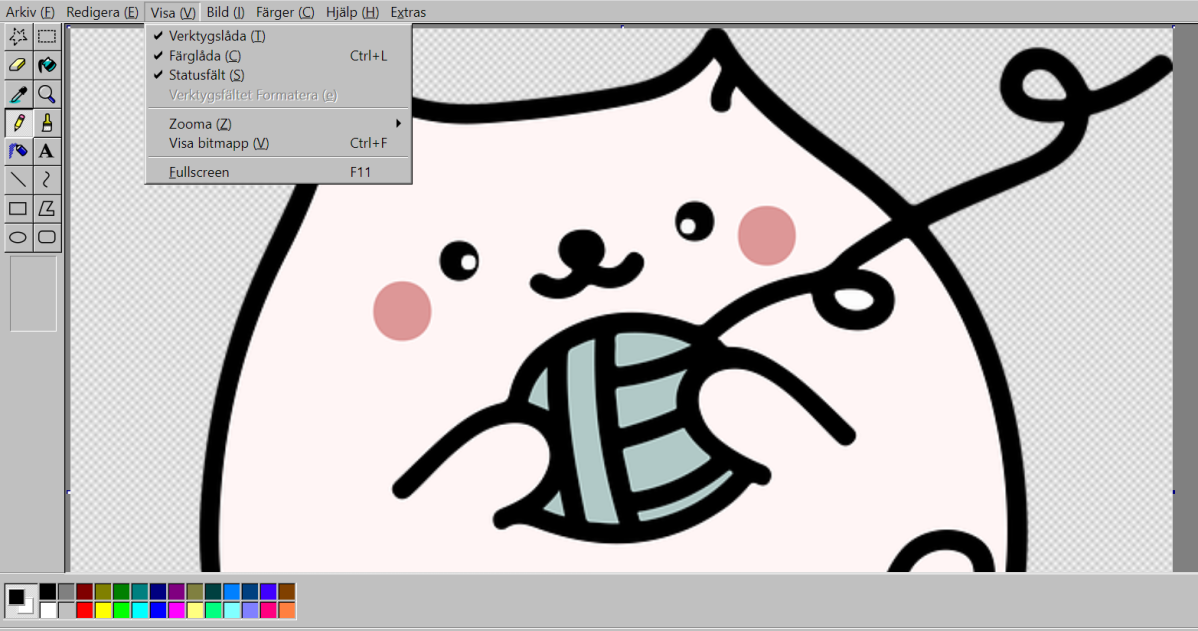
    JS Paint

    Foundry

    JS Paint, for example, is a web version of the old classic MS Paint, the drawing program included in Windows. Here, however, it retains its original appearance.

    Google Drawings: Illustrate with Google
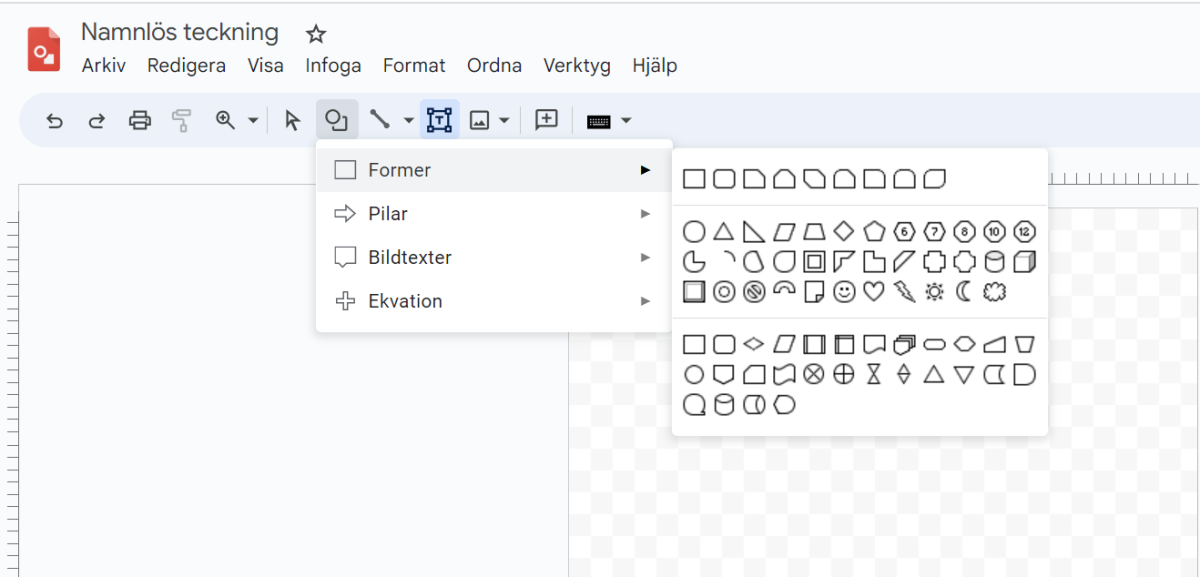
    Google Teckningar

    Foundry

    One of the lesser-known programs in Google’s web-based office suite is Google Drawings. Unlike JS Paint, for example, the focus is not on freehand painting, but instead on making different kinds of illustrations.

    Autodraw: AI does the work
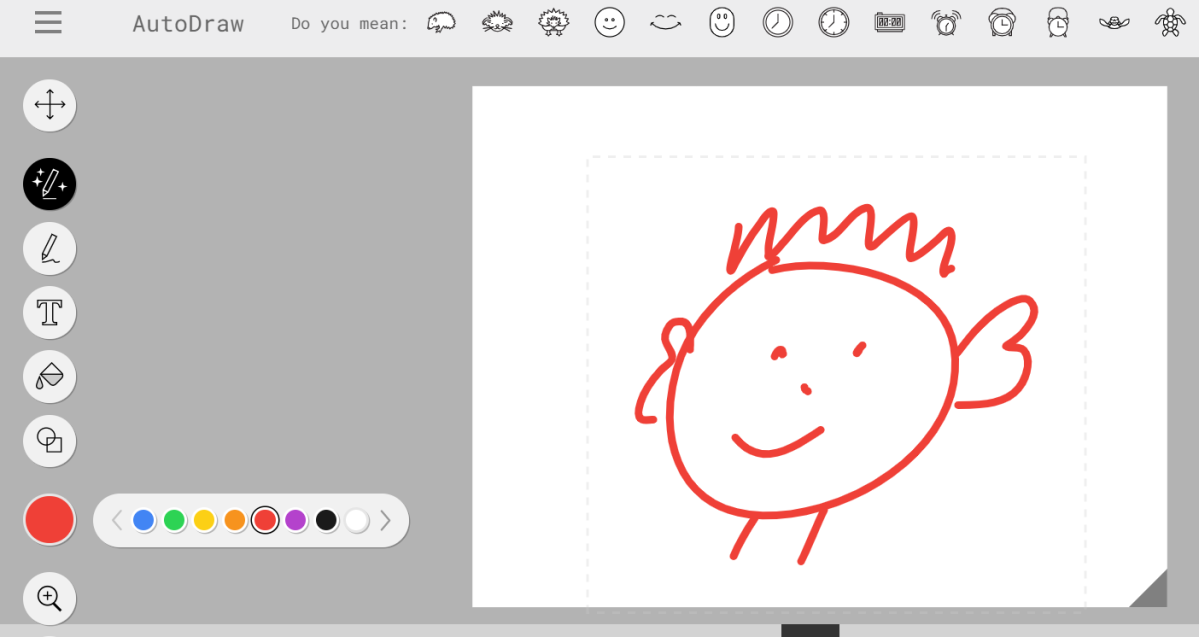
    Autodraw

    Foundry

    Autodraw is for those who are bad at drawing. This program uses artificial intelligence to identify what it thinks you intended to draw. If you draw an ugly face and press Autodraw, it will turn it into a more attractive one.

    Magma Draw Together: Art with your friends

    The great thing about Magma Draw Together is that it lets you draw in a collaborative fashion. Simply create a blank “sheet of paper” and invite one or more friends–everyone can draw on it together. The service was previously called Aggie.

    Sumo Paint: With or without software
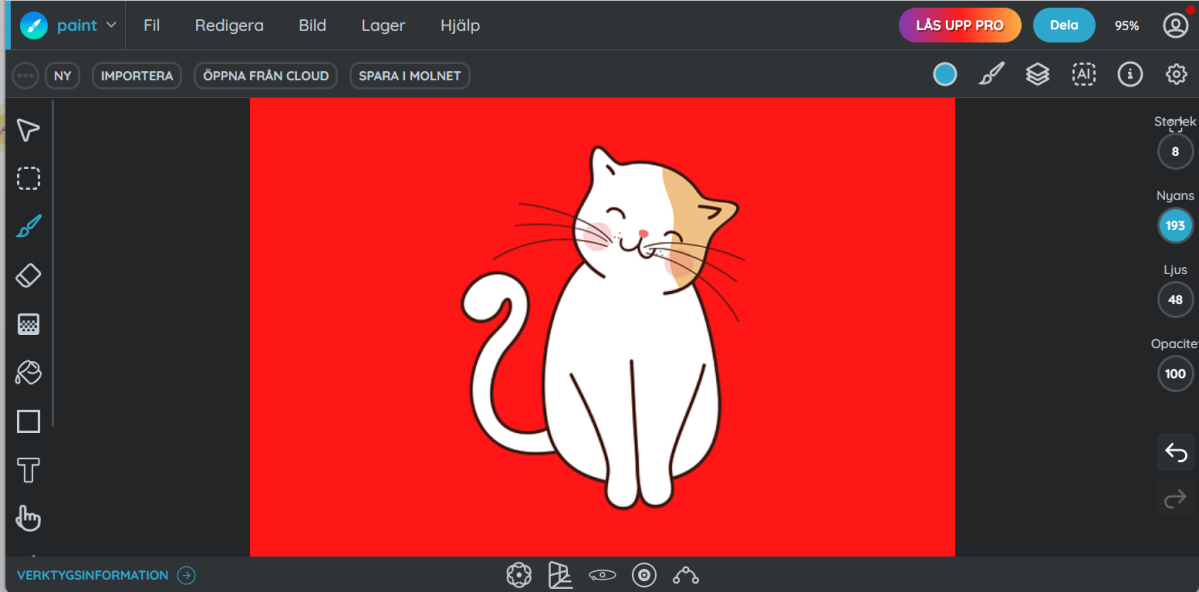
    Sumo Paint

    Foundry

    Sumo Paint is a more advanced tool for those who want to draw and paint directly in the browser. It’s also available as a regular computer program. However, the latter requires a paid subscription.

    Google Canvas: A canvas for any device

    Google Canvas works on mobile phones, tablets, PCs, and Chromebooks.
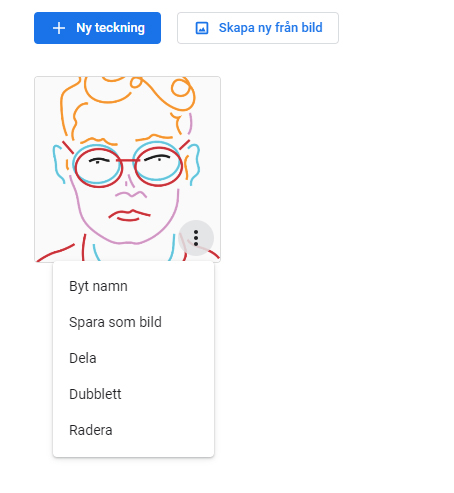
    Google Canvas

    Foundry

    Canvas is a simple service for those who want to draw and paint. You don’t need to install any special software, just open it in your browser and log in with your Google account. Everything you draw is automatically saved and displayed on all devices, and the result can be downloaded as a file on your hard drive.

    apps browser Draw free paint
    Share. Facebook Twitter Pinterest LinkedIn Tumblr Email
    Previous ArticleApple Has New iPhone Satellite Features in the Works, Report Says
    Next Article The image sensor competition is on: LOFIC sensors will see wider adoption starting in 2026
    techupdateadmin
    • Website

    Related Posts

    Gadgets

    You can now buy the OnePlus 15 in the US and score free earbuds if you hurry

    December 22, 2025
    Gadgets

    The best movies, gadgets, apps, books, and podcasts of 2025

    December 21, 2025
    Gadgets

    Watch ‘Stranger Things’ for Free and More With These T-Mobile Streaming Freebies

    December 19, 2025
    Add A Comment
    Leave A Reply Cancel Reply

    Top Posts

    NYT Strands hints and answers for Monday, August 11 (game #526)

    August 11, 202547 Views

    These 2 Cities Are Pushing Back on Data Centers. Here’s What They’re Worried About

    September 13, 202542 Views

    Today’s NYT Connections: Sports Edition Hints, Answers for Sept. 4 #346

    September 4, 202540 Views
    Stay In Touch
    • Facebook
    • YouTube
    • TikTok
    • WhatsApp
    • Twitter
    • Instagram
    Latest Reviews

    Subscribe to Updates

    Get the latest tech news from FooBar about tech, design and biz.

    Most Popular

    Best Fitbit fitness trackers and watches in 2025

    July 9, 20250 Views

    There are still 200+ Prime Day 2025 deals you can get

    July 9, 20250 Views

    The best earbuds we’ve tested for 2025

    July 9, 20250 Views
    Our Picks

    My Health Anxiety Means I Won’t Use Apple’s or Samsung’s Smartwatches. Here’s Why

    December 22, 2025

    You can now buy the OnePlus 15 in the US and score free earbuds if you hurry

    December 22, 2025

    Today’s NYT Connections: Sports Edition Hints, Answers for Dec. 22 #455

    December 22, 2025

    Subscribe to Updates

    Get the latest creative news from FooBar about art, design and business.

    Facebook X (Twitter) Instagram Pinterest
    • About Us
    • Contact us
    • Privacy Policy
    • Disclaimer
    • Terms and Conditions
    © 2026 techupdatealert. Designed by Pro.

    Type above and press Enter to search. Press Esc to cancel.