


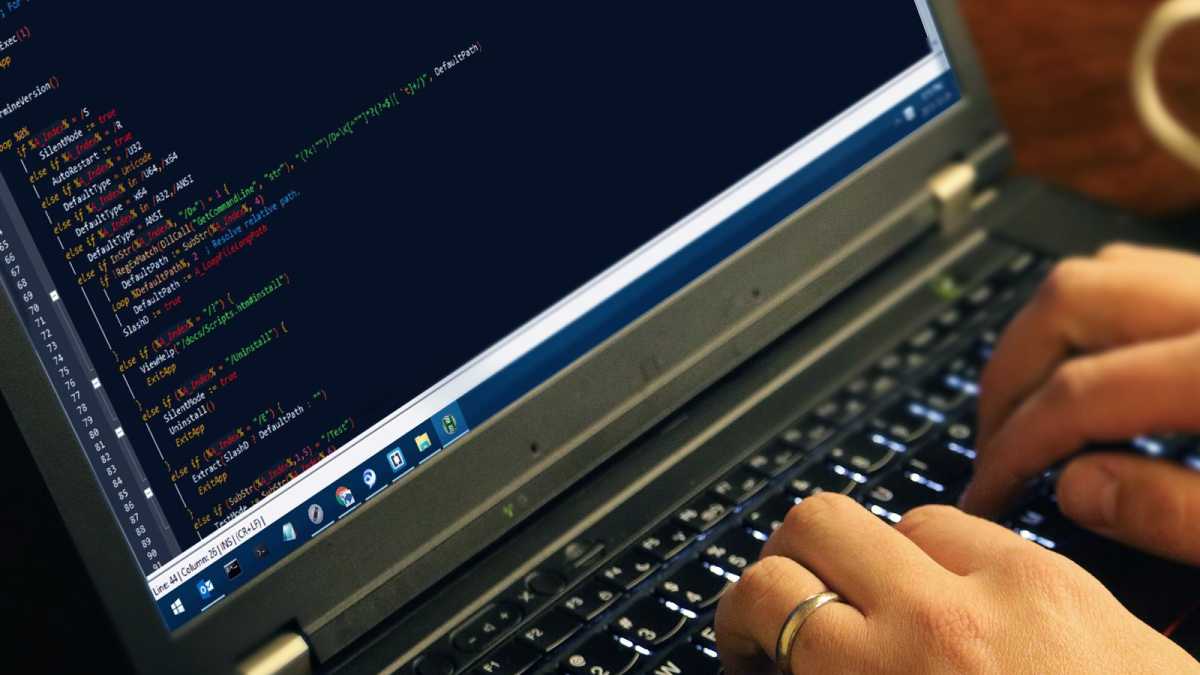
AutoHotkey (AHK) is a free and simple yet powerful Windows scripting language. It doesn’t get a lot of press these days, but Windows geeks used to love writing and swapping AHK scripts.
You can learn AHK and write the scripts yourself if you want to—the AutoHotkey documentation is pretty good—or you could use an AI tool like ChatGPT, Gemini, Claude, Copilot, etc. to do the work for you.
Well, that’s what I did. Months ago, I vibe-coded a script that changes how scrolling works on Windows. (Vibe coding is when you use prompt instructions to generate code via AI.) I still use it every day because it’s a huge help on my desktop PC’s big monitor. With AI, creating the script took less than an hour. All I needed was the right idea.
What can you vibe-code with AutoHotkey?
AutoHotkey scripts can create custom hotkeys, remap existing shortcuts, create custom text expansion rules, transform how your mouse works, and even take actions based on game controller inputs.
AutoHotkey is also powerful enough to create full graphical user interfaces, so you can use AHK to create your own little utilities. Imagine creating a custom quick access launcher with shortcut icons to commonly used apps when you press a specific shortcut. Or your own unique canned response utility where you press a key to bring up a menu of responses that can be inserted into emails, productivity apps, etc. These are just a few examples that are simple and quick to create.
AutoHotkey
Vibe coding with AI is simple, too, and it feels like magic when it works… but it doesn’t always work on the first try. The simpler the software you want to create, the easier it is for an LLM to generate it—and not only that, but easier for you to troubleshoot any bugs that might arise.
Because AutoHotkey scripts are short and simple, and because you can quickly test an AHK script to see if it’s working as intended, this is an excellent use case for AI-driven vibe coding.
How to vibe-code an AutoHotkey script
First, you need an idea. Then, before the actual coding part, you need to figure out if AutoHotkey can actually do what you want it to do. AutoHotkey is powerful, but it has limitations.
Simply ask your AI model of choice: “Could you write an AutoHotkey script that [does whatever it is you want to do]?” If it responds in the negative, ask what similar things it can do instead. (Or simply ask for your desired AHK script anyway and see what happens!)
Be very specific about what you want it to do. If it’s a simple request (for example, remapping your PC’s Copilot key to some other action), then it’ll probably succeed on the first try. But once you start getting into complicated territory (like adding a Recycle Bin to the system tray), you may have to go back and forth a while.
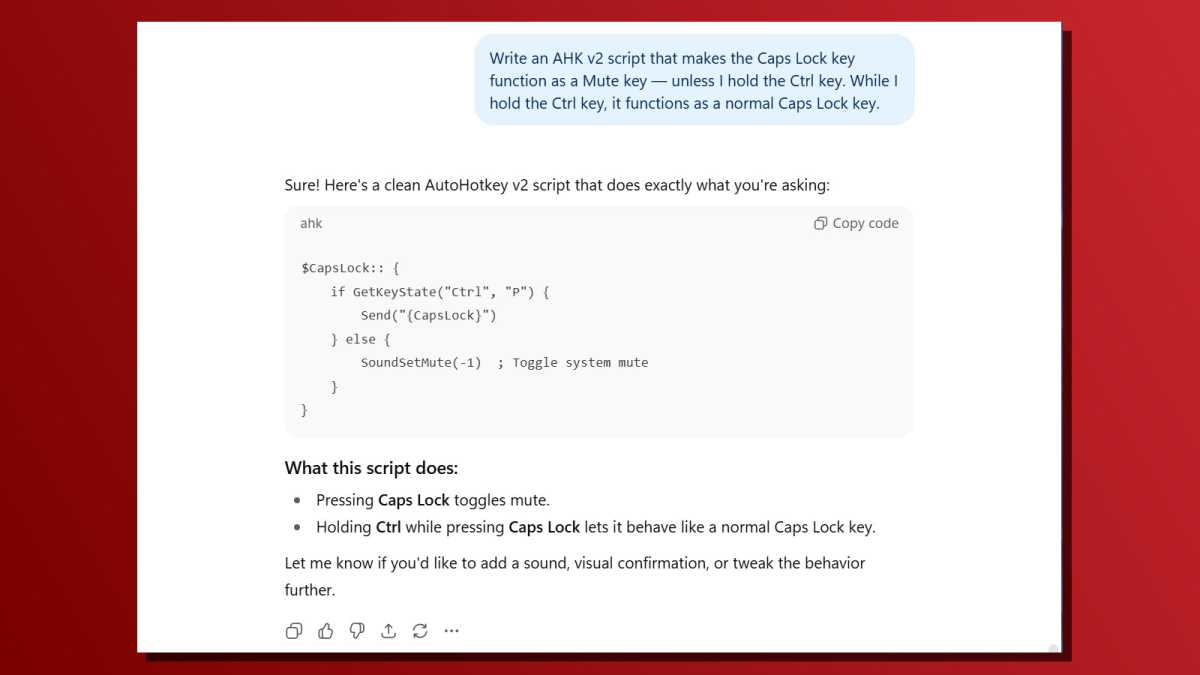
Also, be sure to specify that you want an AutoHotkey v2 script. Both v1 and v2 versions are still available, but the older AHK v1 is deprecated. You might as well start with the current supported version!
Chris Hoffman / Foundry
Don’t know where to begin? Try these basic prompts:
- “Write an AHK v2 script that makes the Caps Lock key function as a Mute key unless I hold the Ctrl key. While I hold the Ctrl key, it functions as a normal Caps Lock key.”
- “Write an AHK v2 script that pops up a custom app launcher window with buttons to open Chrome, OneNote, Spotify, Steam, and my Documents folder. Make it open when I press Ctrl + Alt + L.”
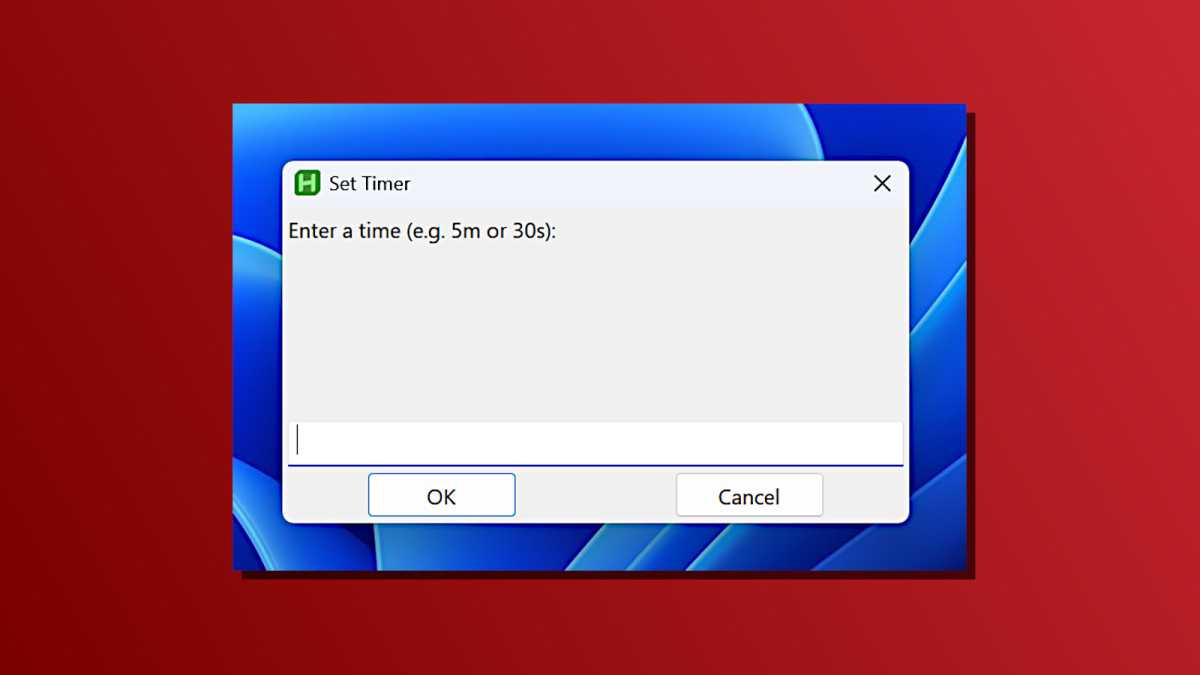
- “Write an AHK v2 script that asks me to type a time like ’30s’ or ‘5m’ and then waits that long before showing a pop-up message saying ‘Time is up.’ Make it ask for a time when I press Ctrl + Alt + T.”
Chris Hoffman / Foundry
The vibe-coding process is normally a back-and-forth. You may want to make refinements. You will need to test the resulting script yourself and see if it works. If it doesn’t work the way you want it to—or if you encounter an error message—you’ll need to continue the conversation and explain that something isn’t working the way you want it to.
The more complex your idea, the more likely you’ll have to go back and forth. Be specific! The more information you can share, the better the LLM can understand what you’re looking for. If you see an error message, copy-paste it and show the LLM. (Providing lots of context is the overall secret to using AI chatbots effectively.)
How to run an AutoHotkey script
AutoHotkey scripts are trivial to run. To get started, download and install AutoHotkey. Don’t worry, it’s free! I highly recommend AutoHotkey v2 because AutoHotkey v1.1 is obsolete.
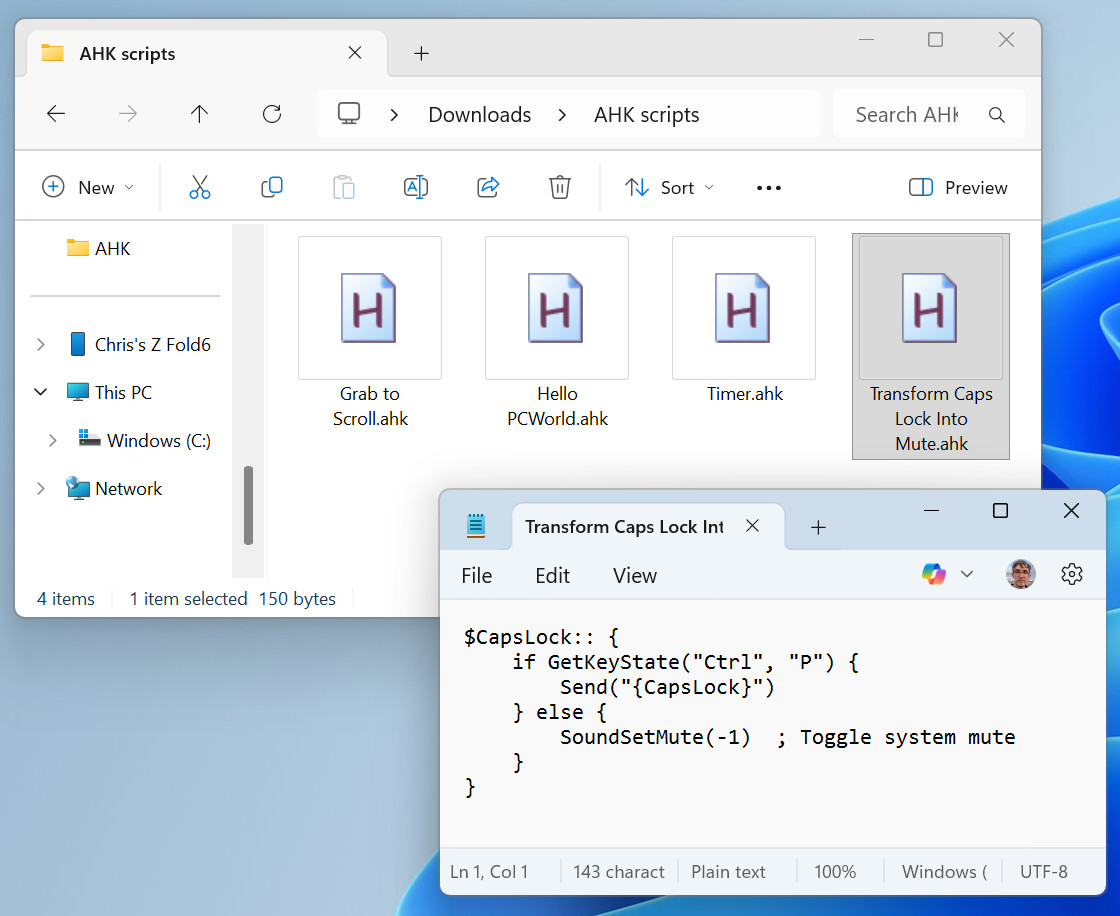
AutoHotkey scripts are just text files with an .ahk file extension. To create one, open Notepad (or any other text editor) and paste in the script text that’s generated by the LLM. Then, save it with the .ahk file extension (for example, script.ahk).
Chris Hoffman / Foundry
Double-click any AHK file in File Explorer and it’ll open in AutoHotkey. Now, you can test it. Does it work like you’d expect? Do you want it to do something different? Do you see any errors? In any of those cases, tell your LLM and continue the conversation.
To update the script, just change the contents of the .ahk file in the same text editor, then save the file again. You’ll need to reload the script in AutoHotkey, too. (To reload AHK scripts, look for a green “H” icon in your system tray, right-click it, and select “Reload Script.”)
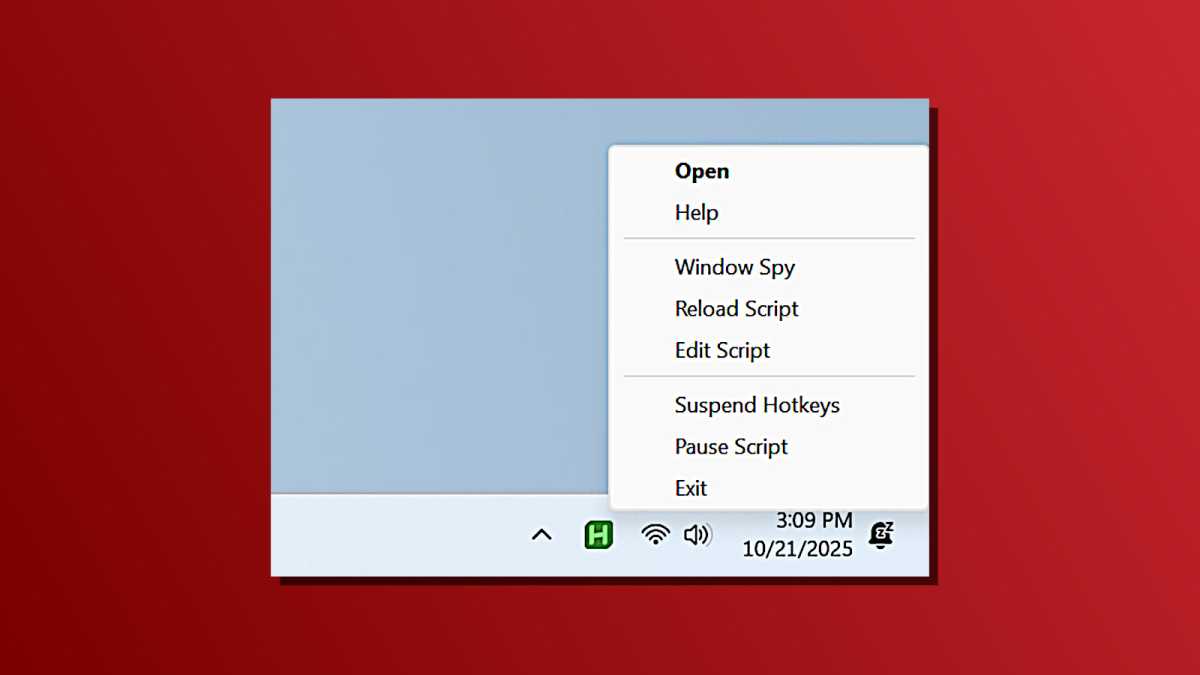
Chris Hoffman / Foundry
If you’d like the AHK script to run at startup, just add a shortcut to it to your user account’s startup folder.
How would you change Windows?
If you’ve always wanted Windows to work differently—like I did with the middle mouse button scrolling script—now’s your chance. You can add new features, change existing behaviors, and eradicate annoying system headaches, all without being a programmer. Thanks to the power of LLMs and vibe coding, you just need imagination.
Subscribe to Chris Hoffman’s newsletter, The Windows ReadMe, for more Windows experiments. The AI may write the AutoHotkey scripts, but a real human writes this newsletter.
