



If you can’t install Windows 11 on your computer, you don’t have to discard your hardware after support for Windows 10 ends. Chrome OS Flex and Linux are available free of charge, and there are other alternatives as well—even without a PC.
Because millions of PCs do not fulfil the lofty hardware requirements of Windows 11, Microsoft officially recommended that their owners should simply buy a new computer. But instead of scrapping perfectly functioning hardware, you can continue to use it safely for many years to come with an alternative operating system .
The change won’t cost you a cent and can be completed in half an hour. You’ll need a little more time to fully familiarize yourself with the new system after many years of using Windows. But you can get started and launch your first programs immediately. The whole operation is very similar to that of Windows so even noobies can feel confident switching over.
Free and simple: Linux and Chrome OS Flex for every PC
Both the open-source Linux and Chrome OS Flex from Google run smoothly on older PCs and notebooks.
Linux Mint Cinnamon Edition: Although the desktop is different from Windows, it’s quite easy to use.
Linux
This allows you to continue using non-Windows 11-compatible computers productively and securely.
While the goal of both alternatives is identical, the implementation could hardly be more different: While Linux works locally, the cloud-based Google operating system focuses primarily on online operation.
Our advice for newcomers to Linux or Chrome OS: Simply try out one of the systems (or both). It’s free, easy and can even be undone after backing up your existing Windows system and all data with Aomei Backupper on an external hard drive. So nothing is broken!
Linux has a similar long history to Windows, but unlike the Microsoft system, Linux was initially controlled via commands in the command line.
Those days are long gone and most distributions can be operated in a similar way to Windows thanks to the graphical user interface and mouse. Linux Mint makes it easy for long-time Microsoft users to make the switch.
This is how it works: The first step is to create a bootable installation disc. To do this, insert a USB stick (with at least 4 GB of memory) into a Windows PC, start Rufus and mount the ISO file with Linux Mint via “Select” on the program interface, click on Start, activate “DD mode”, confirm twice with OK and wait a few minutes.
Once you’ve backed up the Windows partition and data from the old PC, boot the computer from the installation stick you have just created and continue with the “Start Linux Mint Cinnamon 64-bit” option.
Mint will then start as a live system from the stick. To use Linux permanently from the hard drive, double-click on Install Linux Mint at the top left of the desktop and connect to your WLAN if necessary.
Then decide whether you want to install Linux Mint alongside Windows or replace the Microsoft system completely. Follow the next steps and complete the installation by clicking on Restart now.
After the reboot, you will be greeted with the message “Welcome to Linux Mint”. Click on Let’s go to access the driver management and the detailed manual.
As a rule, everything works straight away, including the connected devices and printers. Linux can be that easy!
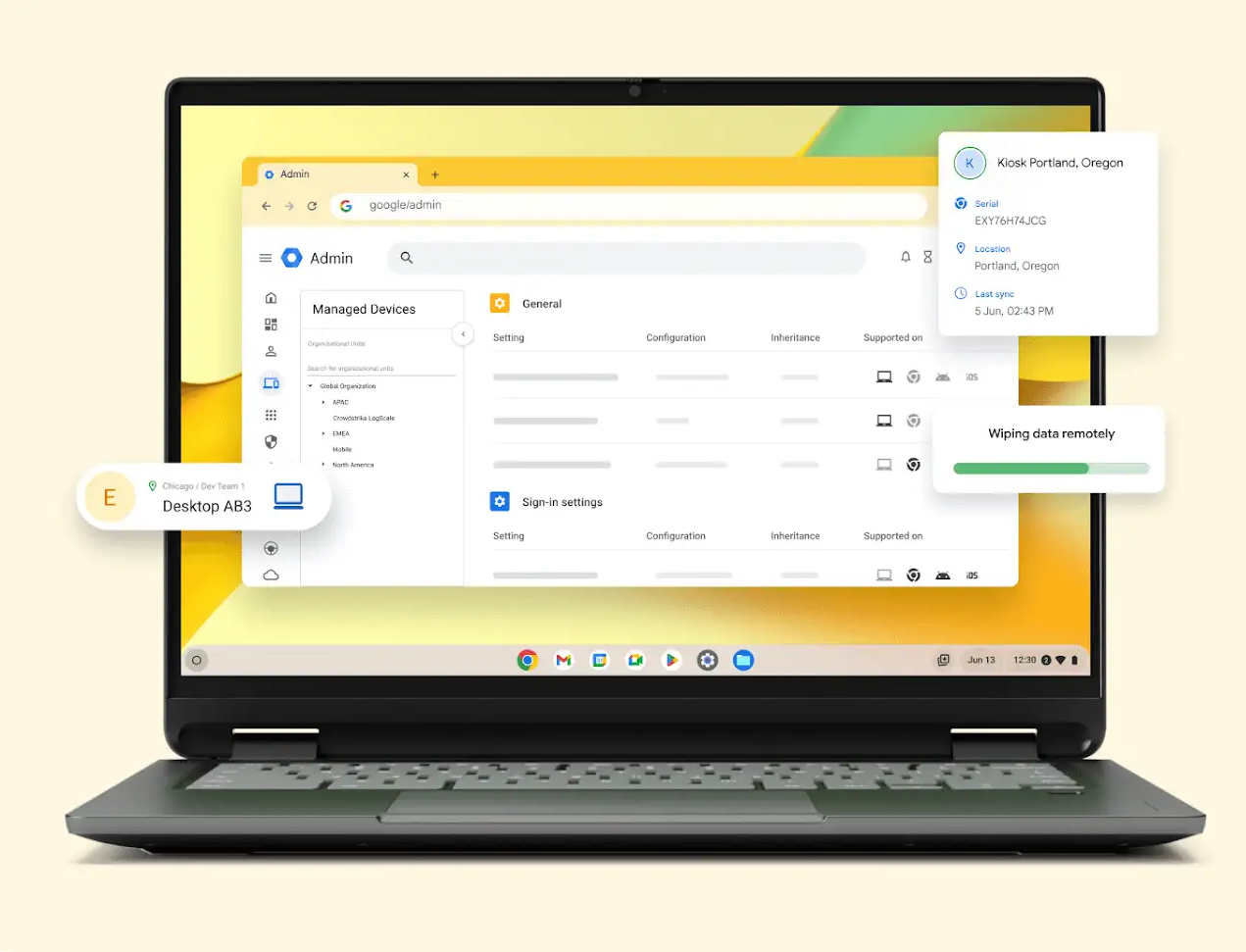
Chrome OS Flex places important apps in the taskbar, the launcher on the left includes all programs, and the settings of the Google operating system are at the bottom right.
Installing Chrome OS Flex is similarly simple, either as a live system for booting from a stick or permanently installed on the hard drive.
Two notes: Firstly, unlike on the “real” Chromebooks (see below), no Android apps run on the Flex alternative for the PC. Secondly, because Chrome OS Flex always overwrites the entire hard drive and therefore deletes all saved data, it’s essential to back up your data beforehand.
Abolish everything on the smartphone and PC?
The question of whether you still need a traditional computer at home may sound provocative, but it is a serious one.
After all, thanks to the two million or so apps in the Google Play Store and Apple App Store, practically everything can be done on a smartphone.
So the question is: is it practical and is that what you want? If you don’t want to make do with the touch keyboard and small display, you don’t have to invest a lot of money to connect your smartphone to a keyboard, mouse and monitor. Combined keyboard and mouse sets via Bluetooth work with any mobile device and start at under $30.
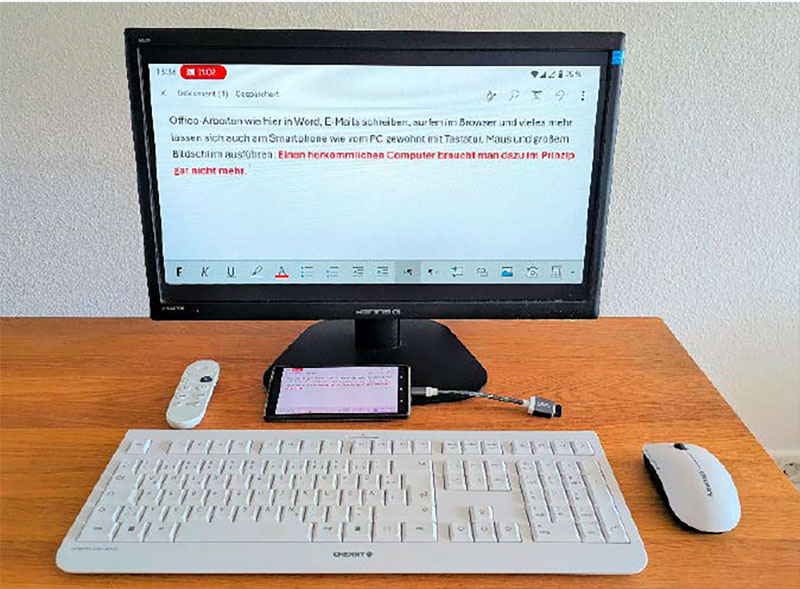
Without a PC! Even typical office tasks such as word processing and spreadsheets can be carried out on a smartphone as usual with a mouse, keyboard, and large screen.
Foundry
Existing USB input devices can be used via a Y-connector—USB-C plug for smartphone and two USB-A sockets for keyboard and mouse. The prerequisite for this $15 investment is that the smartphone supports USB OTG (“on the go”).
Most Android devices do, and you can check this with the “USB OTG Checker” app from the Play Store. Android version 16 and higher also offers a real desktop mode, but only on a few devices.
The option of mirroring the smartphone display to the monitor using a USB-C HDMI adapter is far less common. Check with the manufacturer of your phone or google your specific model to check compatibility.
If your mobile device is not able to do this, a slightly more expensive alternative is to transmit the signal via Wi-Fi using a suitable TV or streaming stick: For Android smartphones, this must support Google’s Chromecast standard, or for iPhones Airplay from Apple.
Chromebooks and MacBooks can be both cheap and expensive alternatives
The question of Windows alternatives has long since been discussed, regardless of the end of support for Windows 10. Apple already has a good 20-30 percent share of desktop operating systems in the U.S..
The advantages of MacOS and the entire ecosystem with iPhone, iPad, and many Apple services therefore need little introduction. Everything comes from a single source and is perfectly harmonized.
Until now, however, Apple has also been able to shield its system from the outside world to a large extent, which is why critics like to talk about it as a “golden cage”.
In the EU, the Commission responsible for competition is now obliging the U.S. manufacturer to achieve greater interoperability, but interaction with devices and services from other manufacturers remains limited.
After all, the devices are not only high-quality, but usually also expensive: the cheapest Apple notebooks can be double or triple the price of some Chromebooks.
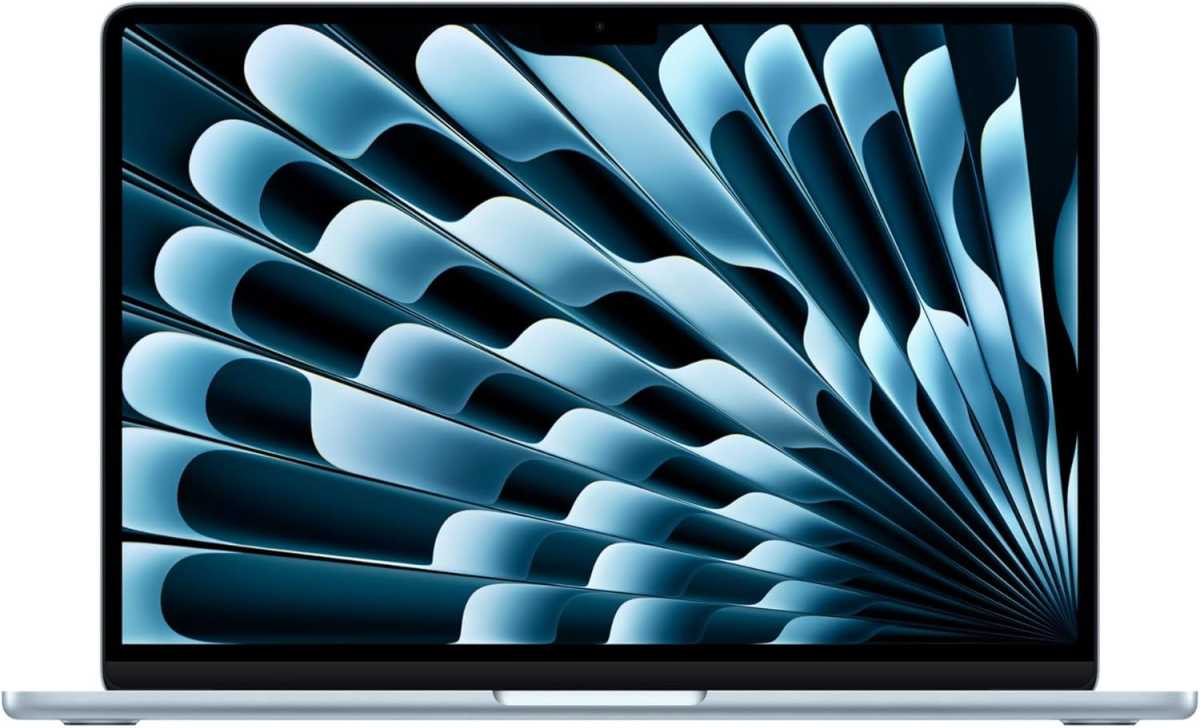
The Macbook Air from Apple impresses with a fast M4 processor, high-quality workmanship, low weight, and much more. However, all this comes at a price.
Foundry
At the lower end of the price scale are the so-called Chromebooks, i.e. notebooks with Google’s ChromeOS operating system (without the “Flex” suffix). Because many applications run on them as web apps in the cloud, the hardware requirements are low and therefore the prices are sometimes very favorable.
The cheapest Chromebooks are available online for as little as $200, but please don’t save money in the wrong place. Because Google has opened up its desktop operating system to Android apps from the Play Store, a touchscreen is virtually mandatory.
Secondly, before you buy, check when support for the model you have chosen will expire. Only Chromebooks released since 2021 will receive security and system updates for the next ten years.
As some shops still offer older devices, make sure you check before you buy! Realistically, a modern Chromebook with a full HD touch display costs upwards of $300 of $400.
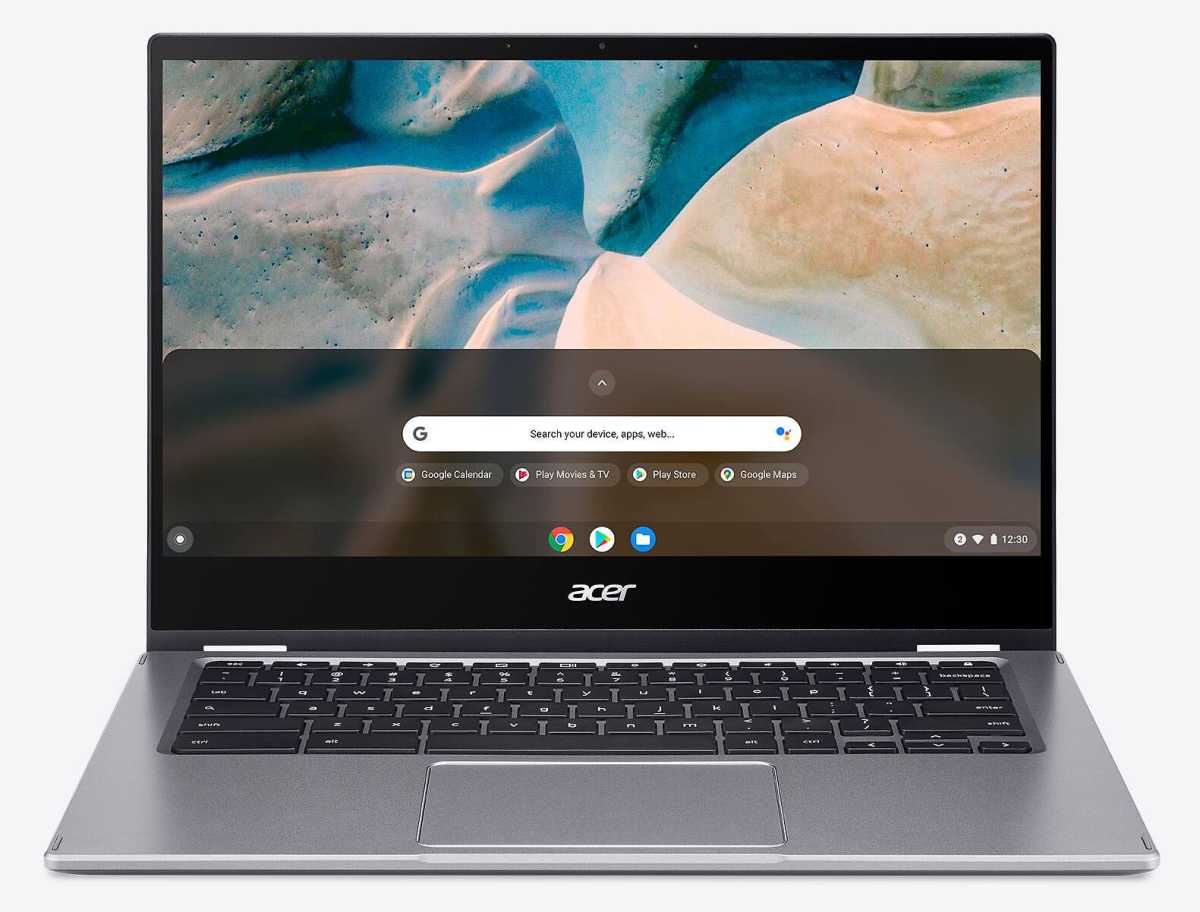
Chromebooks such as the Acer model 514 do not require powerful hardware thanks to the Chrome OS cloud operating system and are therefore comparatively inexpensive.
Foundry
If you take this into account, you get an easy-to-use and secure system with integrated Google services such as Google Drive, Docs, Sheets, and Gmail, cloud storage and countless apps from the Chrome Web Store and Android Play Store, many of which are free.
Other plus points are the comparatively long battery life in Chromebooks, the fact that it’s ready to use right out of the box, and the fact that the system runs practically maintenance-free for years.
Google automatically installs monthly updates. On the other hand, you should bear in mind that Windows programs do not run on the devices and that you need a Google account to use all services.
Conclusion: A lot of mental effort and familiarization
Experience shows that even long-time Windows users quickly get used to a different OS. So feel encouraged to try out one of the alternatives at least once.
Chrome OS Flex and Linux are free, quick to install and deserve a chance. Much is a matter of attitude and habit, and ultimately it doesn’t have to be an either-or choice.
