


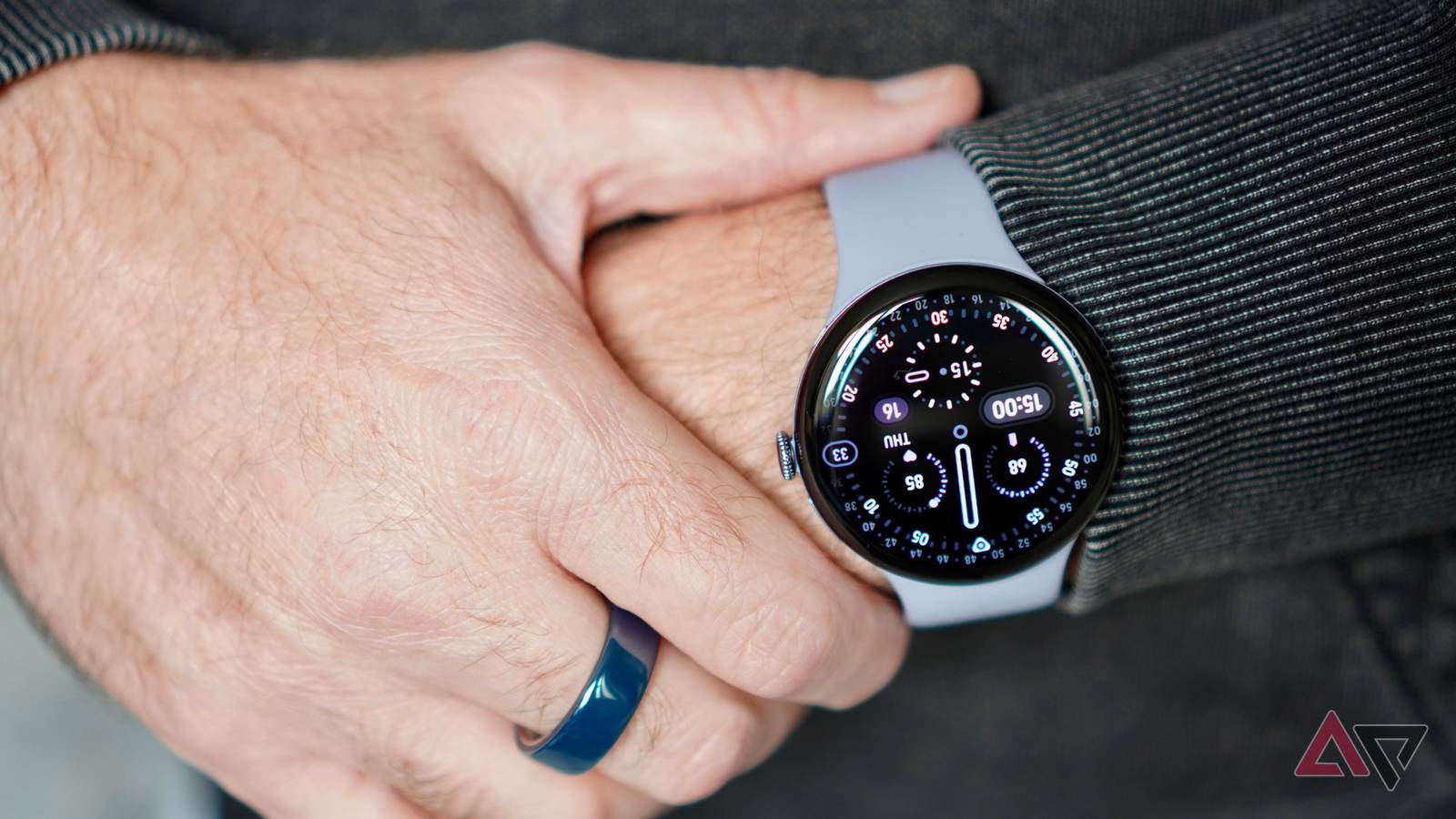
The Google Pixel Watch 4 arrived this week for our review, and I’ve worn it for the last few days.
It follows the Apple Watch Series 11, the Samsung Galaxy Watch 8, the Galaxy Watch 8 Classic, and other smartwatches I’ve worn over the past few months, which means it has a lot to live up to.
Here are my early impressions, and the good outweighs the bad at this stage.
Wear OS 6’s design is the star
Within a few hours of using the Pixel Watch 4, it became very clear that Wear OS’s latest redesign is an absolute winner.
What makes Wear OS 6 so good?
Larger icons and buttons make the interface easier to read and use, the software makes use of the entire circular screen so it never feels constrained, and there are various themes to ensure text is always readable.

The refreshed cards are great too. Despite showing plenty of information on some, enough thought has gone into the design so they never appeal overwhelming.
I like how cards such as the weather include multiple little tiles, each separated by color and shape. It’s all highly readable.
Wear OS desperately needed an overhaul, and not only is the software more enjoyable and easier to use than ever before, but it’s also distinct, giving the Pixel Watch 4 a fun personality.
Battery life is good so far

I’m writing this on the morning of my third day with the Pixel Watch 4 on my wrist, and checking the display shows there is 38% battery remaining. It has not visited the charger since the morning of the first day.
In the Pixel Watch’s past, I’d have expected to see 38% remaining at the end of a single day’s use. Since I doubt I’ll need to charge the Pixel Watch 4 until the start of day four, it shows Google has made a huge step forward with efficiency.

During this time, I have tracked sleep for two nights, tracked a single 30-minute workout with GPS, had the always-on screen active, and used the smartwatch for notifications.
It has also been going through its “getting to know you” period, which usually results in higher energy use than normal.
The Pixel Watch 4’s battery life is shaping up to be a major reason to buy.
You have to be patient with it

The Pixel Watch 4’s software and efficiency can affect performance when you wake up the smartwatch, resulting in some noticeable lag. It’s frustrating to experience, and it takes away some of the polish.
When the Qualcomm Snapdragon W5 Gen 2 is going, the Pixel Watch 4 zips along. You can scroll through cards, open notifications, and start apps with almost no noticeable delay.
Even power-hungry apps like Google Maps perform really well, with no lag when scrolling with your finger and zooming in and out with the crown.

The other area that needs patience is notifications.
Like so many other Wear OS smartwatches, whether notifications arrive on the Pixel Watch 4 is rather hit-or-miss, and when one does alert you of its presence, the screen rarely responds if you’re too quick to raise your wrist to see it.
How this is still a feature that needs attention, even after all these years, is beyond me.
Be prepared to pull up the notification shade on the Pixel Watch 4 to see most of your notifications, or slow down your response to the (genuinely improved) vibration alert.
Be prepared to pay for watch faces

Google’s pre-installed, standard watch faces are a sorry bunch. There’s a handful of decent ones — Pacific, Concentric, and Shapes — but the rest are all too similar, or contain too much information.
For all its work on Wear OS, Google has failed to make its watch faces similarly enticing.
It means if you want something interesting, you have to go to the Play Store to find it, and in almost all cases, it means paying for a watch face.
While inherently not a bad thing (supporting developers is good), the cost can quickly add up when a single watch face is usually between $1 and $2.
This is not a problem with the Pixel Watch 4. It’s a problem with all Wear OS smartwatches.
Only Apple makes an effort to provide a wide, interesting, and unique watch face range for free, and it elevates the Apple Watch beyond the competition.
The success of the design is still up for debate

Google’s poor selection of watch faces hurts the Pixel Watch 4, because just like your choice of wheel on a car, the watch face can totally change the look and feel of a watch for the better.
Get the right one, and it can transform the Pixel Watch 4’s otherwise rather ordinary look.
The design couldn’t be more plain, even in the slightly interesting Moonstone color scheme of my review model.
The silicone band isn’t bad, but it is quite stiff in comparison to some. At 65 grams with the band, it’s not heavy, but it isn’t very well balanced, meaning I’ve always been aware of it on my wrist.
Not to the point where it’s annoying or I can’t wear it to track sleep, but more so than the Apple Watch Series 11 and the Galaxy Watch 8.
The shape of the case back is such that it gets a bit more sweaty than other smartwatches too.
On a more positive note, the band attachment system is slick, and the edge-to-edge screen looks great.
Although, the Gorilla Glass 5 is distractingly reflective. It’s the 45mm version in our photos, and it’s just about right for my 6.5-inch wrist, but I’m so pleased there’s a 41mm version available.
A good start

I’m not ready to review the Pixel Watch 4 yet, but after just a few days, it’s proving to be a good smartwatch, with the software and battery life being the current highlights.
However, it’s not dramatically different from the Pixel Watch 3, and several downsides seen on previous versions — notification support and poor watch face choices — remain, meaning if the last Pixel Watch wasn’t for you, this one won’t be either.
Our review of the Pixel Watch 4 will come soon, but the smartwatch is available to buy now, starting at $350.

- CPU
-
Snapdragon W5 Gen 2
- RAM
-
2GB
- Storage
-
32GB
- Battery
-
455 mAh
- Cellular connectivity
-
4G LTE
- Bluetooth
-
V6
