


Microsoft’s Copilot Actions is what happens when Microsoft begins rethinking the future of Windows and how AI is integrated into the operating system. Imagine agentic AI being turned loose inside your PC and performing tasks without your supervision. It’s a big swing that’s conceptually almost as unsettling as Windows Recall.
What happens when you ask AI to start mining and collating and adjusting your files, giving AI agents essentially the same user accounts you might give to members of your family? Microsoft is giving you tools to monitor this voluntary service, but… whew. It’s a monumental shift.
More from Microsoft on the major changes coming to Copilot:
- If every PC is now an AI PC, is Microsoft’s Copilot+ brand doomed?
- Microsoft supercharges Copilot with Google integration
- Copilot lands on the Windows 11 taskbar
The vision of Copilot Actions
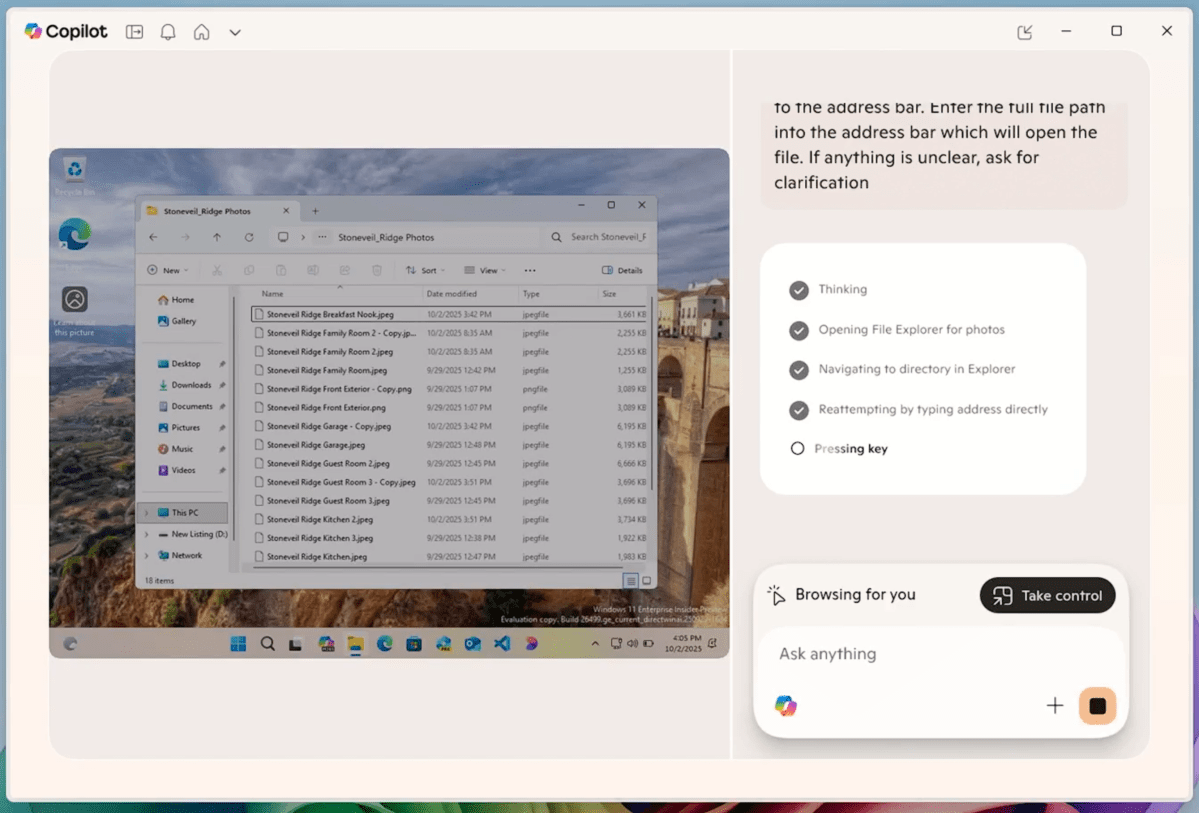
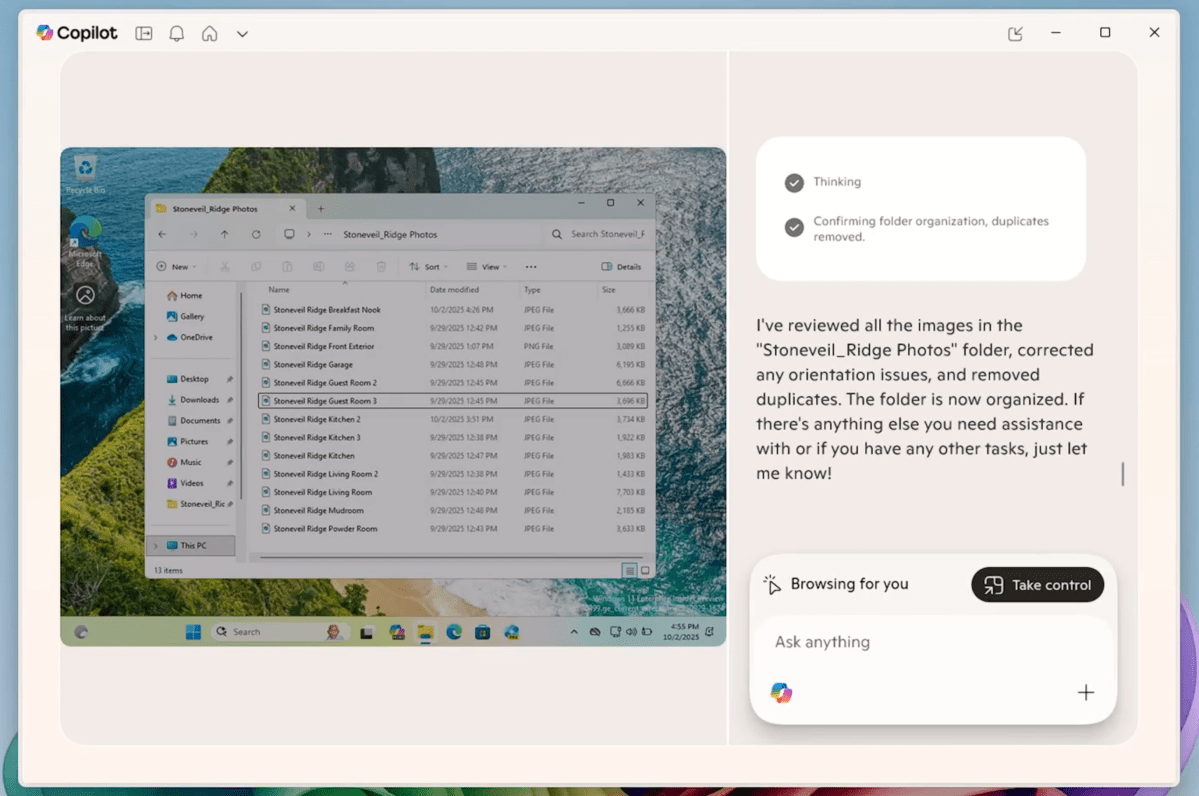
In a briefing with reporters, Microsoft executives gave the impression that with Windows 10 relegated to the back burner, it’s time for Windows 11—and whatever comes after it—to go full speed ahead. Copilot Actions is Microsoft’s current answer, and it’s one of Microsoft’s biggest AI features of 2025. The demo consisted of “uploading” multiple files to Copilot Actions, then telling it (via a Copilot prompt) to adjust their orientations and eliminate any duplicates.
“We really feel that the vision that we have is, let’s rewrite the entire operating system around AI and build essentially what becomes truly the AI PC,” Yusuf Mehdi, a senior vice president and Microsoft’s chief consumer officer, told reporters in a briefing. “Now people have talked about an AI PC, but it hasn’t really come to life yet. There’s been many reasons that hasn’t happened.”
Microsoft
One reason? Performance. Just two years ago, Microsoft began talking about the AI PC in terms of a new addition to chip architecture (called the NPU). Today, AI is largely split between the cloud (e.g., Copilot, ChatGPT, Claude, etc.) and local PCs, where chipmakers like AMD, Intel, and Qualcomm have struggled to find a killer app use case. The NPUs, Copilot+ PCs, and 40+ TOPS requirement has split the PC market, even though Copilot+ PC sales have been a tiny fraction of the overall market.
Microsoft’s Mehdi sounds like he’s willing to toss all of that aside. “One of the big things that I think really came to us is, while Copilot+ PCs really are the tip of the spear and are gaining fast traction, the big thing was, let’s bring that AI capability to all Windows 11 PCs and make it really simple for anyone to try it.”
What does Copilot Actions do?
In 2023, Microsoft promised that Copilot would be able to actually adjust your PC. In reality, that turned out to be nothing more than lukewarm capabilities to adjust dark mode and other options. In May 2025, Microsoft showed off AI agents that would be able to make deeper changes. This month, Windows Insiders have been able to try out Direct Settings Access, where Microsoft will guide you to the right Settings menu in response to a query (but won’t make changes itself).
In contrast, Copilot Actions are being pitched (at least in the example Microsoft showed reporters) as “Take Action” or the ability to “hand off unnecessary tasks.” If you open the Copilot app today, you’ll see a drop-down menu (initially on “Quick response”) with a list of options like “Think Deeper.” Copilot Actions appears at the bottom.

Microsoft
Copilot Actions will have access to certain parts of your PC—a limited set of your local known folders, such as Documents, Downloads, Desktop, or Pictures—and other resources that are accessible to all accounts.
Microsoft envisions you “uploading” or at least marking files that you want Copilot to act upon. As stated above, Microsoft’s example showed off a number of photos that were uploaded, reoriented, and deduplicated. It’s really hard to say what “actions” you’ll be able to take without actually testing it personally, however.
Microsoft
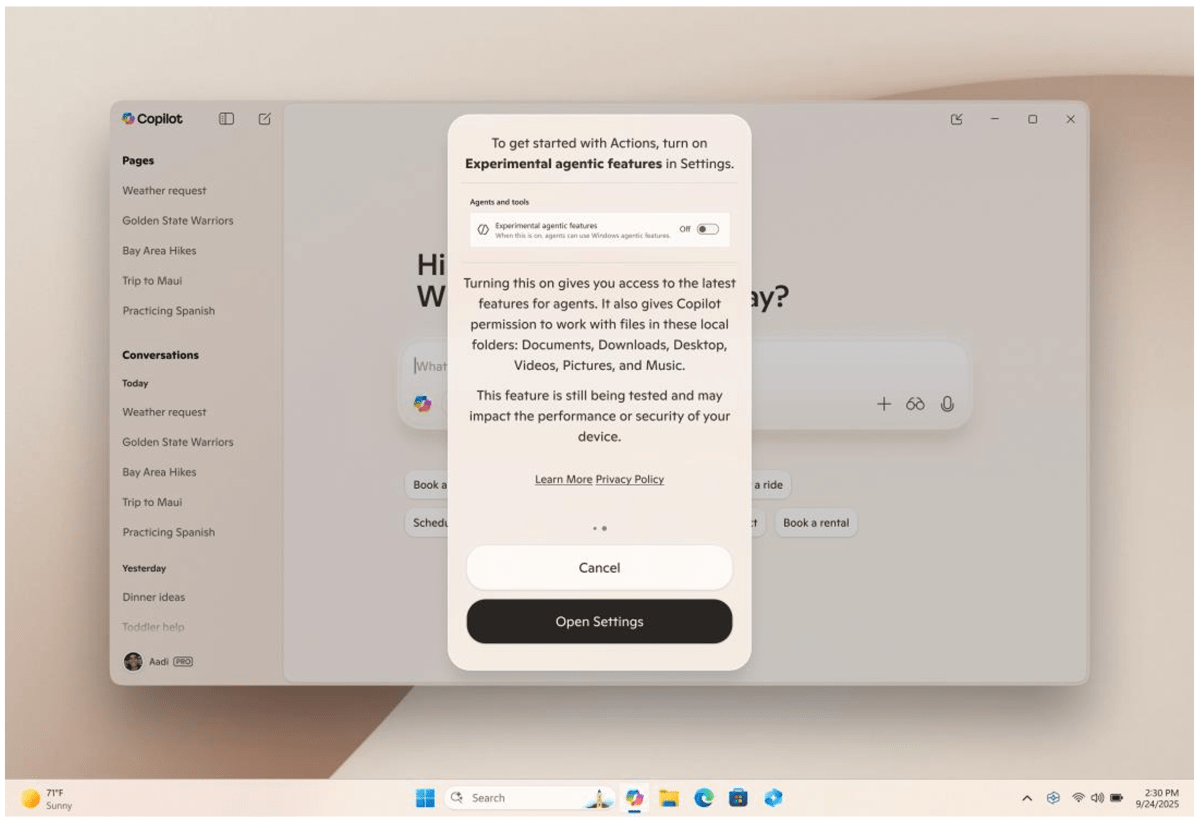
Microsoft says Copilot Actions will be off by default and describes the feature as a voluntary process where you can supervise every step of the way. Microsoft isn’t just restricting Copilot Actions to Windows Insiders, but also walling it off further by requiring Insiders to participate in Copilot Labs, too. It certainly won’t hit the average PC for months. As it is, Microsoft says it will need to be toggled on via Settings > System > AI components > Agent tools > Experimental agentic features.
How safe is Copilot Actions?
Microsoft’s Copilot Actions builds on what Microsoft now calls Copilot Actions on the Web, part of its anniversary celebration this past spring. There, Microsoft showed off AI agents that could browse and shop the web on your behalf, pausing before they made any final purchases. Copilot Actions is more aggressive… sort of.
In somewhat the same way that a “Deep Research” query using AI formulates a plan and then asks you for approval, Copilot Actions breaks down the task: opening the app, entering text, clicking on elements. But it doesn’t wait, either. It just kicks off the request and it’s up to you to press the black square icon to stop the process (as needed) as it steps through the various tasks. Importantly, you can “take control” and essentially pause Copilot Actions to then take over.
If something goes wrong and your files are corrupted or deleted? Well, who knows. Microsoft’s approach to securing this process will likely be picked apart by security experts as well.
Microsoft
In a blog post, Microsoft goes into some of the details.
First, Microsoft will be creating agent accounts within Windows, distinct from user accounts on your PC. “This facilitates agent-specific policy application that can be different from the rules applied to other accounts like those for human users,” Microsoft said.
Second, these agents will start with limited permissions with access granted to resources you explicitly allow permission to, and a “well-defined boundary” for the agent’s actions. The access can be revoked. Each agent will also have to be digitally signed, Microsoft said, to prevent them from becoming malware.
Third, all of the agents will work within a dedicated “workspace,” with runtime isolation and granular permissions that appear to request user intervention if they haven’t already been granted. “This provides the agent with capabilities like its own desktop while limiting the visibility and access the agent has to the user’s desktop activity,” Microsoft says. “The agent workspace is built on recognized security boundaries that Microsoft will defend in accordance with our longstanding security servicing criteria.” It’s not clear how this agentic workspace differs from the “sandbox” that Microsoft provides as part of Windows Sandbox, a virtualized OS that’s a key feature of Windows 11 Pro.
Navjot Virk, the corporate vice president of Windows Experiences, acknowledged that Copilot Actions may make mistakes. “We’re absolutely committed to learning from how people use it, and we want to continue to improve the experience, to make it more capable and streamlined over time, and that is why real-world testing of this experience is so critical,” she said.
Microsoft hasn’t said when Copilot Actions will be released to the public, but we’d expect it to be relatively soon. It’s certain to be controversial.
