


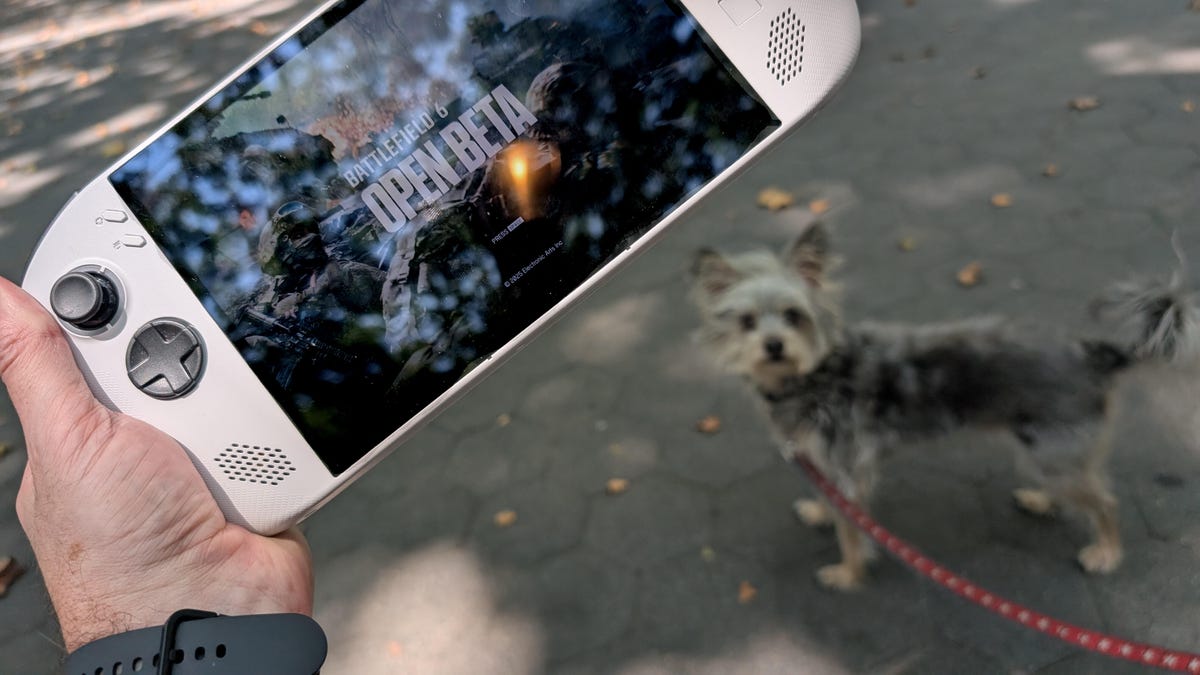
Battlefield 6 was only recently released, but it’s already one of the best games of the year. While its launch has lacked the bugginess of previous iterations of the series, its requirements are still fairly steep. If you’re using less than the recommended 16GB of RAM, or you know, a Legion Go S gaming handheld as I am, then you won’t be getting an optimized experience.
While it’s not at all suited to a Windows handheld, the heart wants what the heart wants. And that’s why I’m here to help you. With a little tweaking, I found the best settings for playing on a bunch of modes — including deathmatch, the smaller skirmish modes and the campaign.
Read more: Battlefield 6 Starter Tips: Surviving Multiplayer, Solo Campaign Secrets and More
Battlefield 6 minimum specs
Title screen of Battlefield 6
If you’re thinking of buying Battlefield 6, here are EA’s minimum specs if you want to play all of the modes:
- Windows 10
- AMD Ryzen 5 2600 or Intel Core i5-8400
- 16GB of RAM
- AMD Radeon RX 5600 XT 6GB, Nvidia RTX 2060 or Intel Arc A380
- DirectX 12
- Online connection
- 55GB of storage space
In addition to the graphics and processor hardware requirements — fairly meaningless for a handheld — the always-on connection could be a sticking point. That is, you can’t even play the campaign without Wi-Fi — and so public transit or airplane use is mostly out.
In terms of hitting any of the minimums, my Legion Go S has 32GB of RAM, and so it’s OK on that front, but I’m not surprised to find that the AMD Ryzen Z2 Go processor/GPU is not on the list. The Extreme Z1 or Z2 may fare a little better, but probably won’t handle the huge firefight modes either.
Even when using my desktop with an Intel 14600K processor, an Nvidia RTX 2700 Super GPU and 8GB of RAM (I know, I just built a new PC for my kid and used half of my RAM for it), I found that big maps, like the mountainous Liberation Peak, lagged or “rubber banded” — an artifact where your character continues to move when you don’t mean for iit to.
Playing on a handheld, I found the blur effects caused the most lag; on a higher-end PC, they aren’t noticeable, but on a smaller device, your weapon-based POV looks like a permanent Doom-era reload animation. The good news: There’s a way to fix it.
In the screenshot below are the graphics settings I recommend:
Low graphics settings for Battlefield 6.
The main things you’ll need to modify are the graphics under Settings > Graphics > Graphics Quality > Low. I found there is a big difference between the Low and Medium settings in terms of frame rate,s and keeping this at low is your best option.
Turn off those blur effects!
Next, scroll down to Graphics > Camera Settings. There are three sliders that you need to set to zero: Weapon Motion Blur, World Motion Blur and Camera Shake Amount. This takes some of the load off your processor and lets your system concentrate on more important parts of the frame. Things like your enemies.
I also usually turn off (i.e., uncheck) the following four settings on any system, as I feel they don’t add anything to gameplay: Reduce Sprint Camera Bobbing, Chromatica Aberration, Vignette and Film Grain.
How will it help?
Deathmatch is pretty great on a Windows handheld.
What Battlefield excels at is the epic battle modes of Conquest and Breakthrough — fighting alongside dozens of your colleagues to own points on the map. Using a Windows handheld, it’s semi-playable, but forget trying to kill very many soldiers on the opposite team. Taking points is about the best you can do, and so using a handheld is still best when you’re playing smaller modes.
I spent a little time on the campaign, and it has a real on-the-rails Call of Duty feel. It works pretty smoothly, so if that’s what you want, then go for gold!
While I like deathmatch as much as any FPS fan, I die a lot in Battlefield’s take on it. The environments are so busy that it’s hard to spot enemies sniping at you from behind a burning car or in a scramble of rubble. In other games’ deathmatch modes, and especially Call of Duty, it’s easy to determine which pixels belong to enemies and which don’t. Helpfully, those avatars also have neon dots and their names over their heads. There’s not as much of that in Battlefield.
Some is better than none
The reason you’re reading this is that you want to experience Battlefield 6 on the go. In a way that the otherwise-smug Steam Deck users can’t (because of security requirements). So, if you want that capability, you already accept that Battlefield 6’s crowning modes will chug pretty hard. But if you want the ability to plug into BF6 for some casual deathmatch time or to finish the campaign, this is the best way to do it.
