


Google has been steadily integrating Gemini into all its apps and services.
While I’ve been a fan of Gemini’s integration into Gmail and Google Workspace, one of the additions I had been eagerly waiting for was Gemini integration with Google Keep.
Google Keep, in my opinion, is one of the most underrated note-taking apps on Android. It has a clean interface, syncs seamlessly across devices, and works reliably in the cloud.
However, the app had not received much attention from Google for quite some time. The app wasn’t being updated by Google, and many users even feared it was on its way to the company’s graveyard of abandoned apps.
Thankfully, over the past few months, Google has started showing it some love again. The company has rolled out the Material 3 Expressive design update for Google Keep and finally added Gemini integration.
I have been using Gemini in Google Keep for a couple of weeks now, and it has completely changed how I create and manage my checklists. And here’s how it could improve yours, too.
Why Gemini-powered lists in Keep are a total game-changer
AI now does the heavy lifting for me
There are plenty of note-taking apps, but for me, they serve a specific purpose: to check things off a list. For daily notes and general writing, I usually rely on tools like Notion and Joplin.
Until now, I’ve been using apps like ChatGPT and Gemini to create checklists for me within the chatbot apps.
For example, when I’m about to travel, I usually ask these AI chatbots to generate a detailed packing list, so I don’t forget anything before I leave.
Plus, these AI tools are a fantastic tool for such tasks. They give me thorough, categorized lists that I can cross-check while packing, making sure I don’t miss anything.
However, while it’s convenient to use these apps on my phone, scrolling through a list of fifty items inside a chat interface isn’t very intuitive.
The items often feel too close together, and I’ve even skipped a few things by accident before.

With Gemini in Google Keep, I’ve started asking it to create these lists inside the Keep app. It generates a proper checklist-style note that syncs across all my devices, making it easier to go through and tick items off as I pack.
This change has been a total game-changer for me. The old method worked fine, but having Gemini built right into Keep makes it far more accessible.
You can also use it for things like step-by-step recipes or shopping lists.
I wish Google would allow uploading images into the prompt — say, a photo of my refrigerator so Gemini could suggest what’s missing and what I need to add to my list.
Still, even without that, the feature has worked great for my packing lists.
The “Help me create a list” feature requires a Google AI plan subscription on non-Pixel devices. It is available on Google Pixel phones out of the box.
Here’s how to build your own Gemini-driven list in Keep
Gemini helps you plan faster
If you are subscribed to a Google AI plan (such as Google AI Plus, Pro, or Ultra), or own a Google Pixel device, you can already try the Gemini-powered list maker in Google Keep.
Here’s how you can use it on your device:
- Open the Google Keep app on your phone.
- Tap the Create “+” button in the lower-right corner and select List.
-
Tap Help me create a list in the lower-right corner.
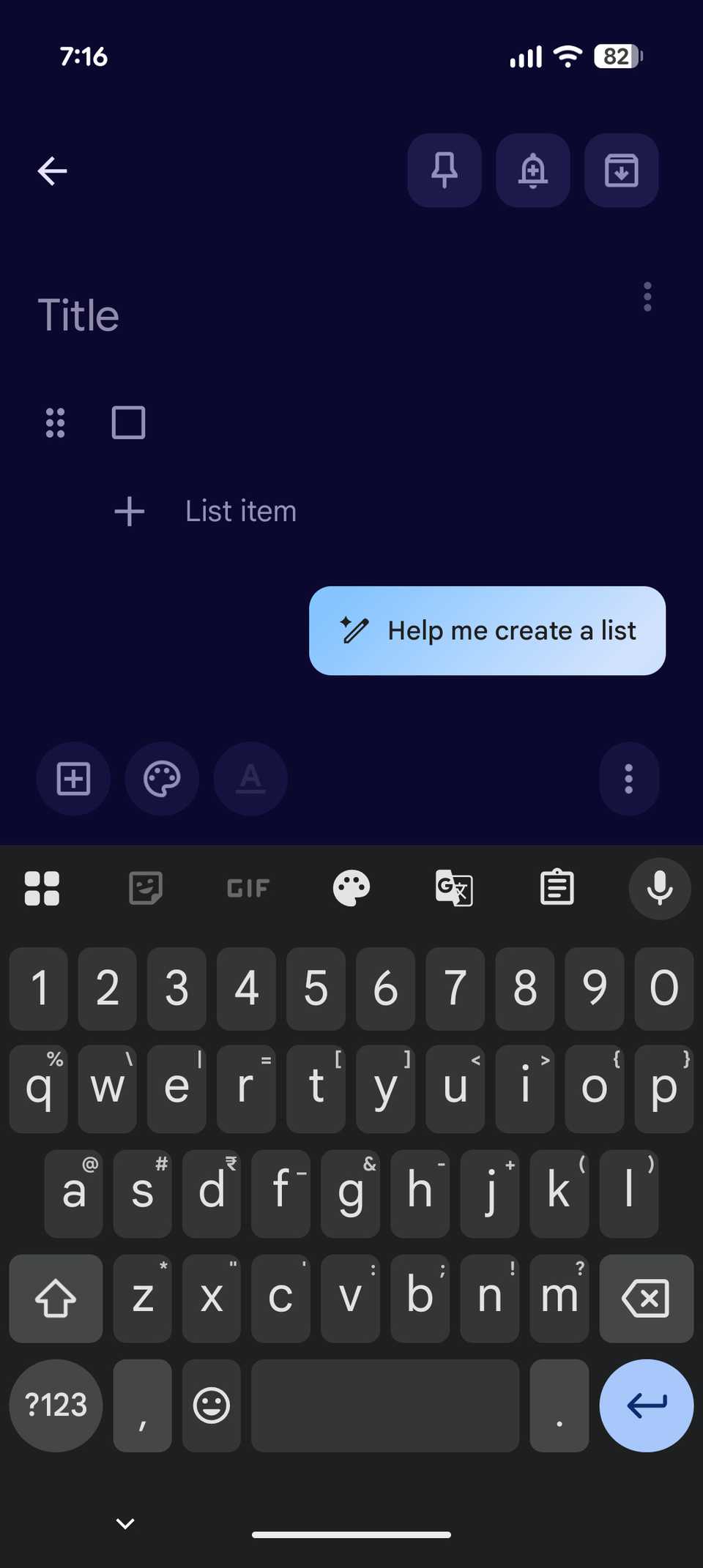
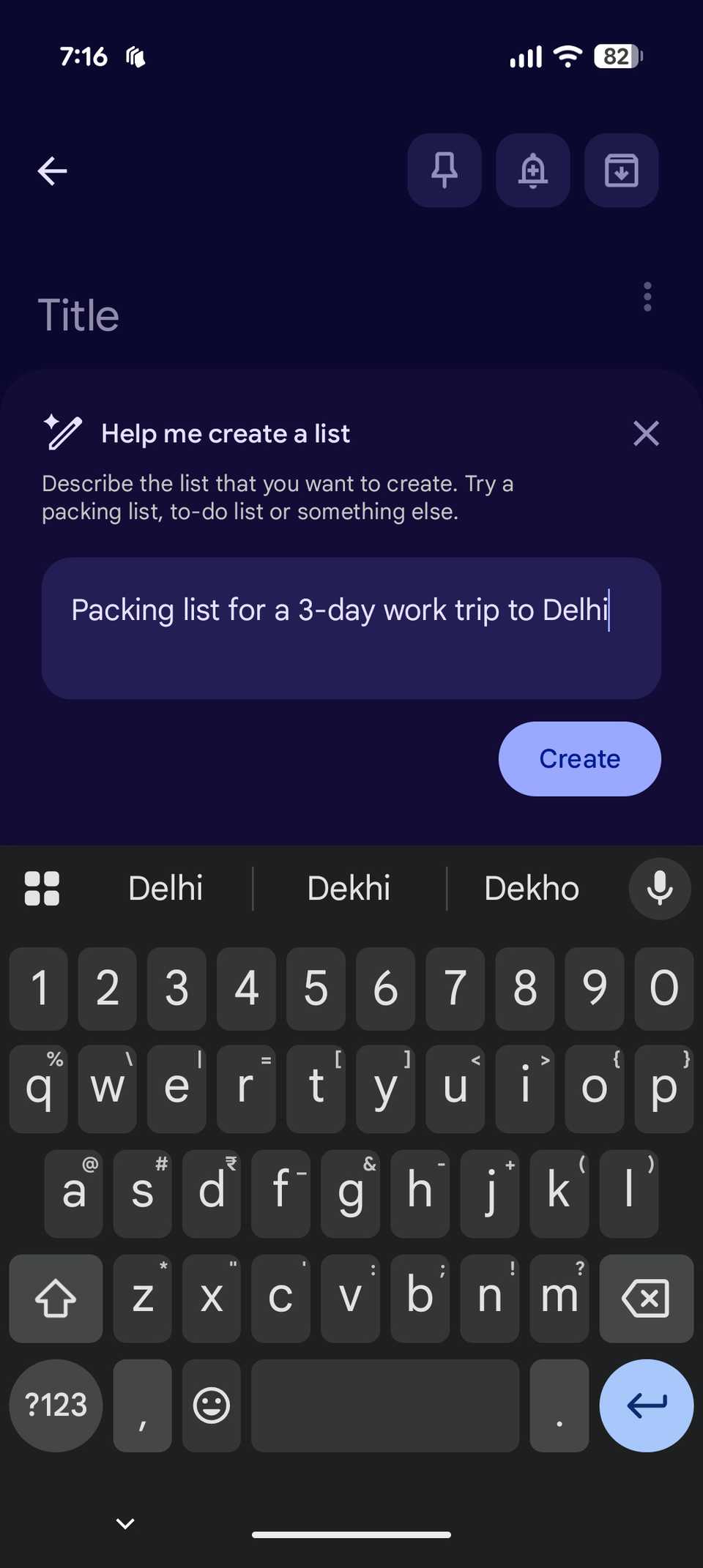
- In the pop-up box, enter the prompt for what you want the list to include. For example, enter prompts like “Help me create a trip packing list” or “Recipe for cooking pasta in an oven.” You can also add specific instructions.
- Tap Create and let Gemini generate the list.
-
When ready, tap Insert to add the checklist to your Keep note.
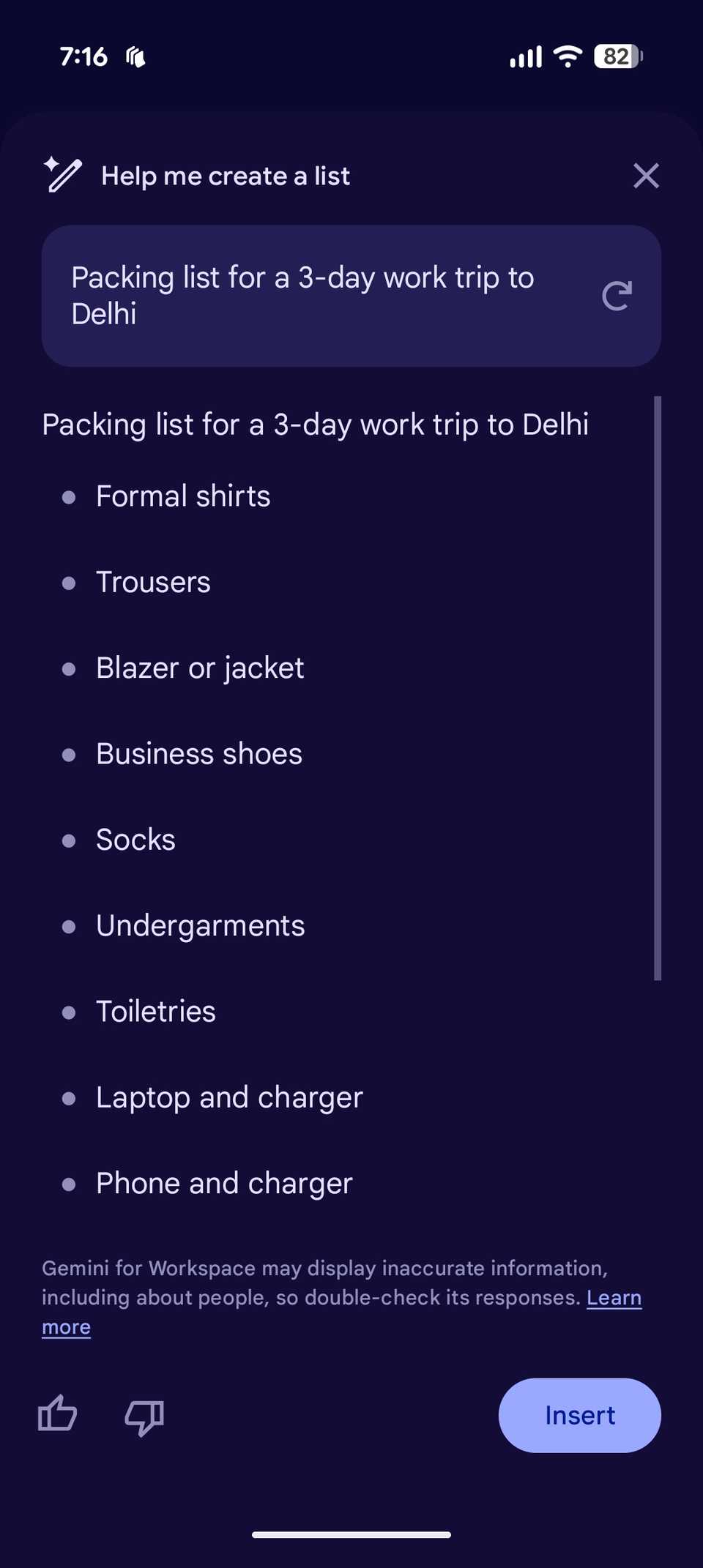
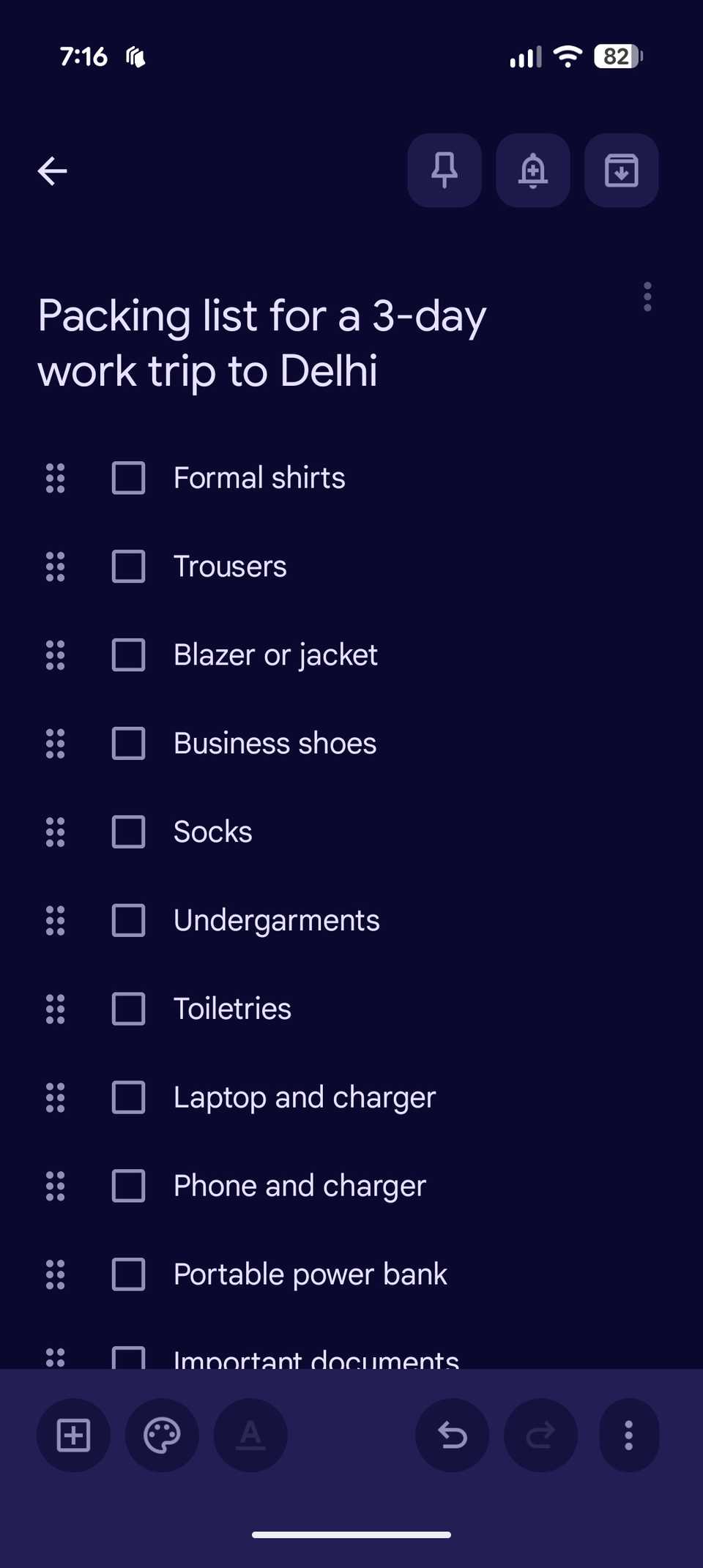


If you’re not happy with the checklist, you can refine your prompt or ask Gemini to recreate the list using the refresh button. You can also give feedback using the thumbs up or down icons.
That’s it. Gemini even adds a suitable title to your Keep note based on the items it generates. You can still edit, add, or remove items manually, but in most cases, Gemini provides a solid starting point for any checklist-related note.
After Google Keep, I want Gemini in Google Tasks
With Gemini integration in Google Keep, creating packing lists has become much easier for me. That said, the next step I’d love to see is Gemini making its way to Google Tasks.
While you can already add and create tasks using Gemini Assistant in Google Tasks, I’d like to see deeper integration where Gemini can generate detailed task breakdowns for specific projects, pulling context from my Calendar or Gmail.
That kind of smart suggestion system would significantly boost productivity and make it easier for me to see how to go about a specific project.
