


At a glance
Expert’s Rating
Pros
- Highly readable e-ink screen
- Light and portable
- Good keyboard
Cons
- Way too expensive
- No backlight
- Limited functionality
Our Verdict
The Freewrite Traveler is way too expensive and lacks basic features like a backlight or spell check, but its focused interface and solid keyboard mean it’s better than other, similar devices.
Price When Reviewed
This value will show the geolocated pricing text for product undefined
Best Pricing Today
Best Prices Today: Freewrite Traveler
I really like the Freewrite Traveler. And I kind of hate that I like it.
As I said in a review for a similar device, the KingJim Pomera DM250, I’ve been looking for a small, travel-friendly, dedicated writing gadget (a “writer deck,” if you will) for a long time. And I’ve been aware of the Astrohaus Freewrite devices for a long time, too, and considered the Traveler as an ideal form factor for this admittedly niche category. But various aspects of it rubbed me the wrong way.
Michael Crider/Foundry
The Freewrite marketing has always smacked of “hipster” to me. It’s the same sort of smarmy, condescending tone that seems to pervade Moleskine notebooks. While I can understand its hyper-focused approach — that’s kind of the whole point — its deliberate lack of utility rankled against my instincts as a tech nerd. And given those limitations, Astrohaus’s prices for its various devices seem ridiculous to me. The Traveler, for example, has specs that would shame an entry-level Chromebook or Kindle, yet costs $550, and hasn’t seen an update in years.
(On the subject of price: I bought this particular model secondhand, hence the various dings in the plastic, and with my own money. My editor Brad might slap me if I tried to expense something like this.)
Freewrite Traveler: Look at me! I’m writing!
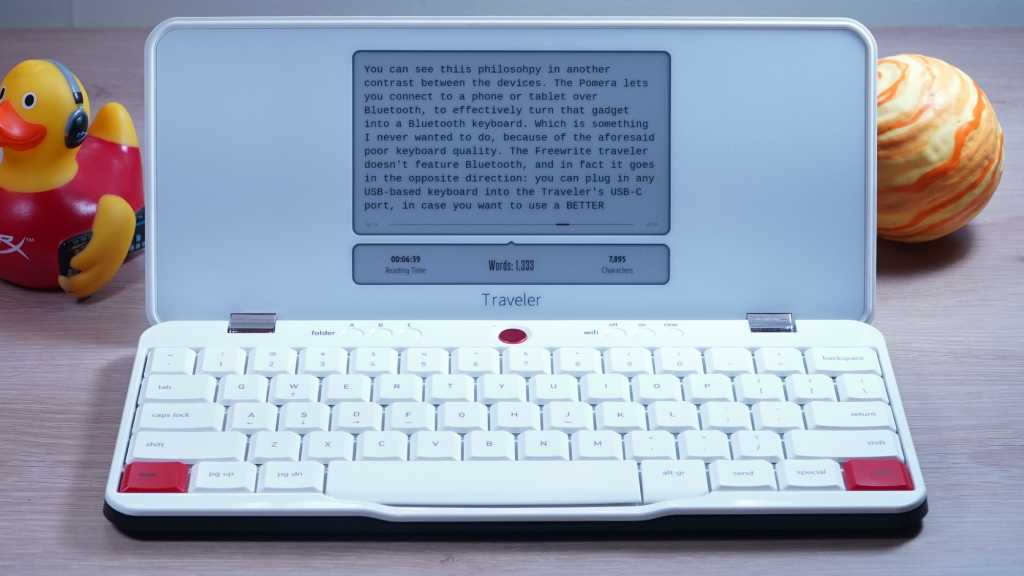
Even the aesthetics of the device are smarmy. Whereas the Pomera DM250 went with an understated soft-touch plastic with no exterior logos at all, the Freewrite Traveler has a MASSIVE, engraved metal logo on its glossy lid, the kind of branding that would make even Apple cringe. The interior is attention-grabbing white with red and chrome accents. It’s loud, which is almost ironic for something that’s supposed to be small and dedicated to writing.
Michael Crider/Foundry
It uses a non-backlit, membrane keyboard. Its small e-ink screen also has no backlight, which presents a serious impediment if you want to use the device in anything but a well-lit room (or add on a book light like it’s 1995). Between the processing power that would be bested by an ancient graphing calculator and the 5.5-inch e-ink screen, the refresh rate is so slow that I’m constantly two or three words ahead as I type this very review.
The Freewrite Traveler is overpriced, underpowered, and incessantly pleased with itself. And dammit, I have to admit that it’s pretty darn good.
The Freewrite Traveler is overpriced, underpowered, and incessantly pleased with itself. And dammit, I have to admit that it’s pretty darn good.
Freewrite Traveler: Minimalism to the max
For the distraction-free writing purist, most of these drawbacks are in fact positives, with the possible exception of the price. The lack of advanced capabilities, including any kind of serious editing chops or spell check, means there’s nothing to do but churn out words. (And lots of spelling mistakes.) Astrohaus software lacks even basic copy and paste functionality, so there’s nothing to do but write, write, write in a sort of stream of consciousness flow. You get multiple documents to work in and three different folders, that’s it.
Michael Crider/Foundry
When it’s time to get your words onto something with more electronic oomph than a Palm Pilot, the easiest way to do so is the Send button. This automatically syncs via Wi-Fi with the Astrohaus Postbox cloud platform, which can also automatically send text documents to Google Drive, Dropbox, OneDrive, and Evernote via connected accounts. This is characteristically clunky — when I connected the service to Google I instantly started getting email alerts because it just sent me an email with the relevant text. But it is incredibly fast and easy, literally one button.
Alternately you can scorn any kind of wireless connection altogether, plug the thing directly into a PC, tablet or phone, and simply copy off your words as text files in a simple storage device.
The Postbox web interface is also where you can adjust a couple of settings. You can choose between three, three whole font sizes and zero actual fonts, and add a lockscreen for a bit of privacy in case your Traveler gets lost or stolen. You can also change between keyboard layouts (though the physical layout comes in anything you want, so long as you want US-focused ANSI). You can choose between extremely pretentious e-ink screensavers of famous literary figures, (again, shades of Moleskine) or even more Freewrite branding that’s slightly less annoying. Aaaaaand… that’s all.
Michael Crider/Foundry
The device itself offers barely anything else in terms of customization or tools. The tiny, superfluous strip of a screen beneath the 5.5-inch primary display can show a clock or date, word count, a timer, or simply be left blank. You can move or delete drafts in the three folders. You can connect to new Wi-Fi networks. And that’s about it. We’re taking minimalism to an extreme here — even the obsessively focused Pomera DM250 had at least as much function as, say, a digital organizer from the 1990s.
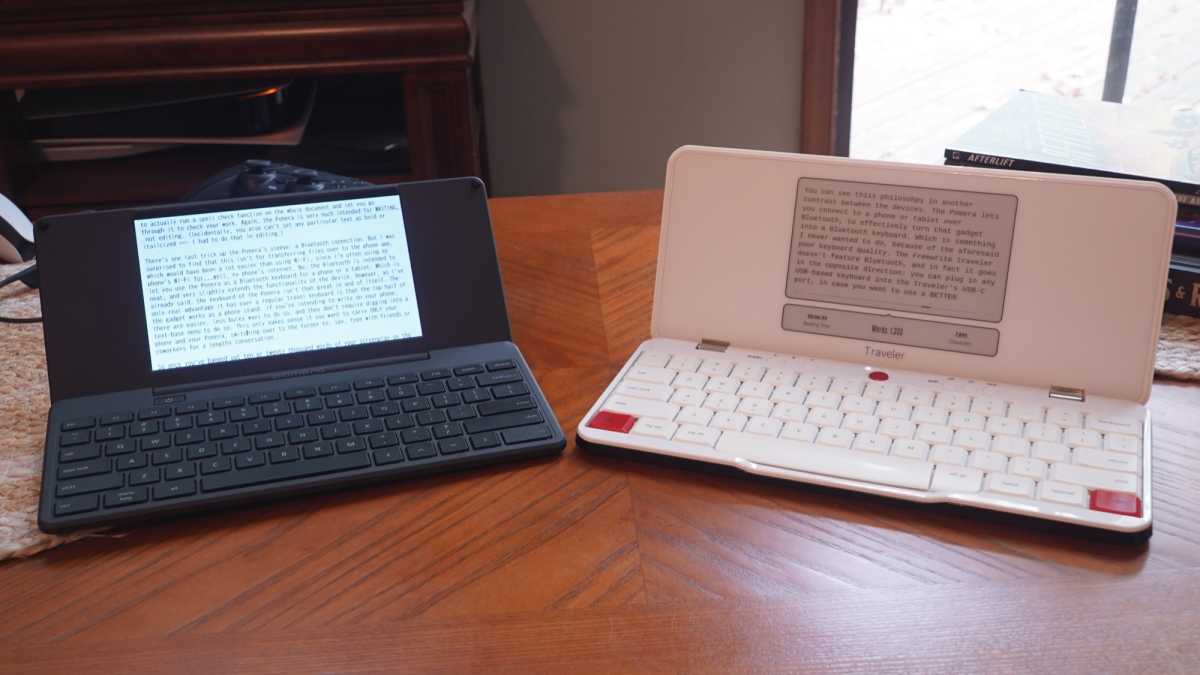
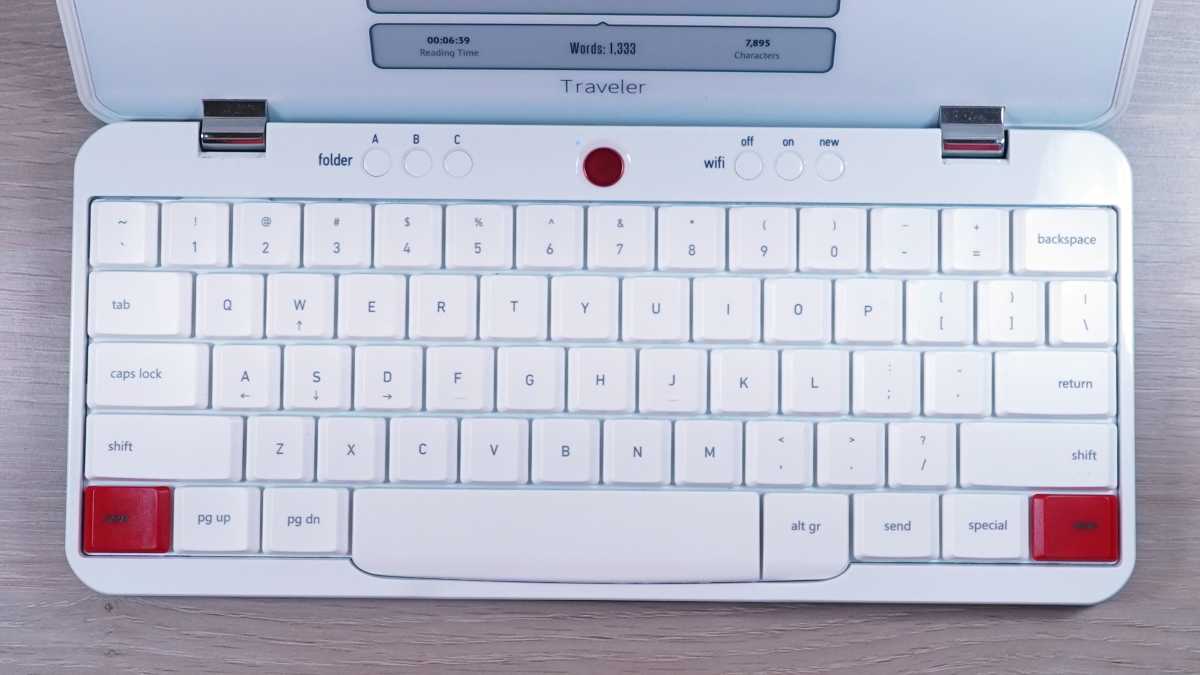
As limiting as I find the Freewrite Traveler, I like it a lot more than the Pomera. The first reason is the one that soured me on the latter without any hope of forgiveness: the keyboard. The Traveler’s keyboard isn’t amazing, but it is solid. Roughly the same as a quality laptop keyboard, though not up to the high standards of, say, a ThinkPad laptop. It’s enough to blow the cramped, non-standard-sized keyboard of the Pomera out of the water.
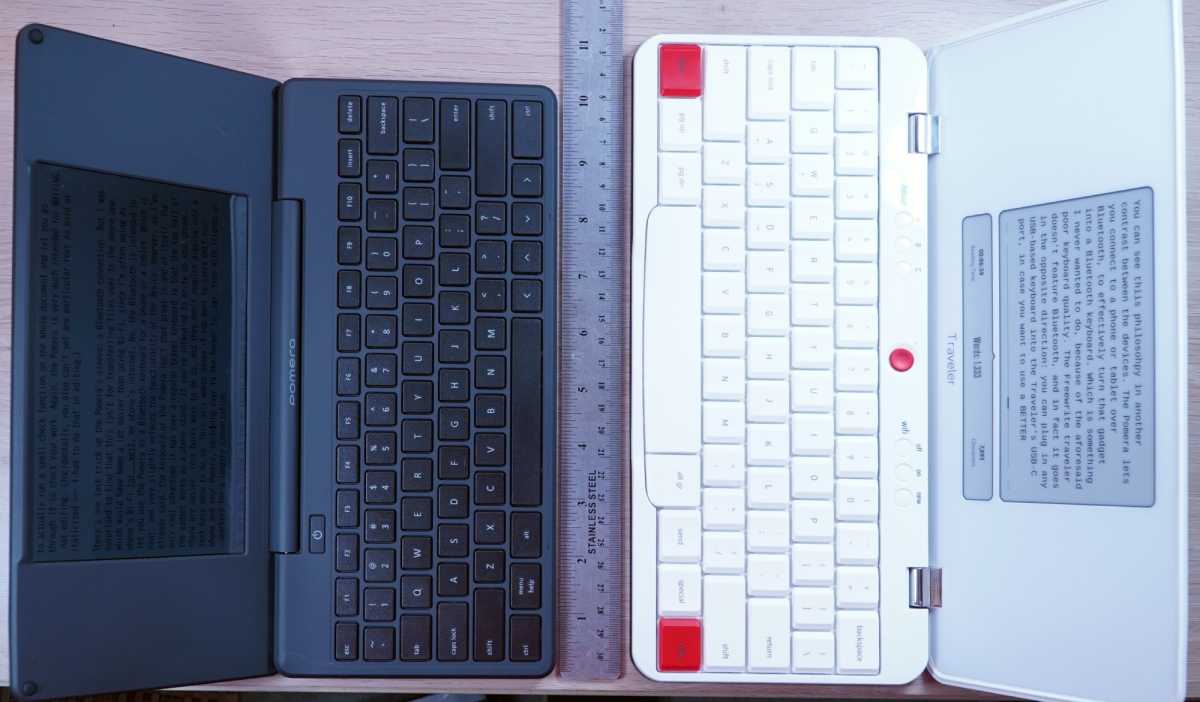
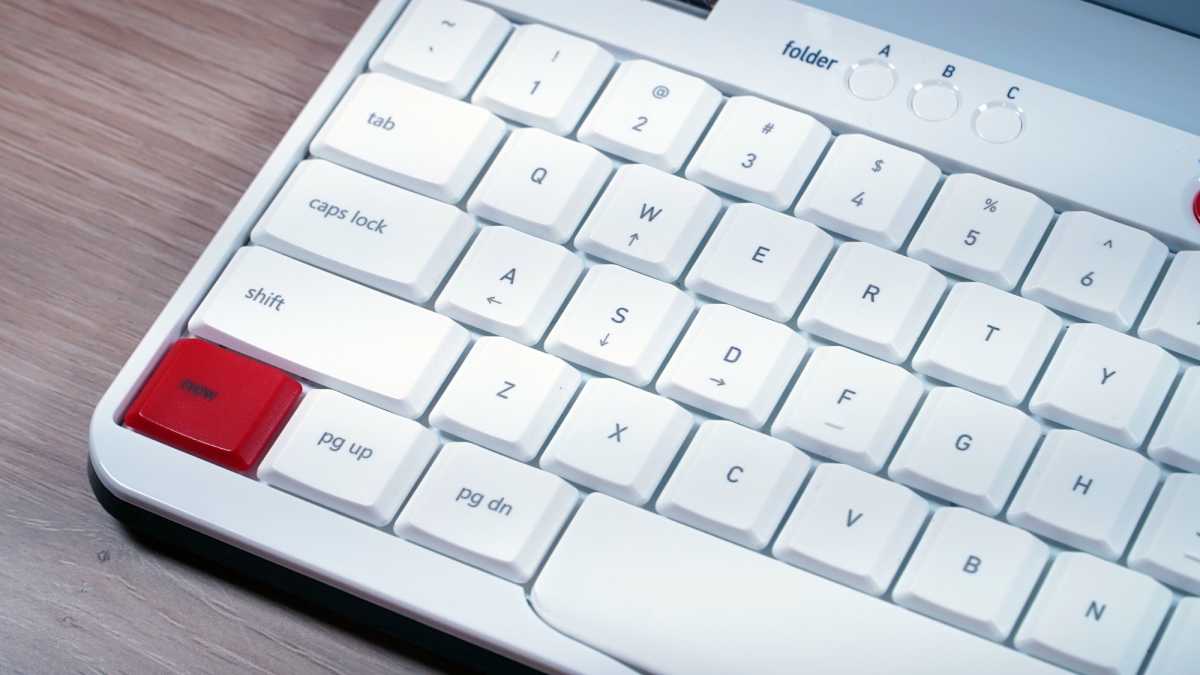
The Freewrite’s keyboard is a standard 60% layout, and far more comfortable than the cramped, cheap one on the Pomera.
Michael Crider/Foundry
The typing experience of that device was about the same as a cheap tablet keyboard, whereas the Freewrite feels like something that’s designed with typing in mind. Perhaps the fact that Freewrite’s flagship Smart Typewriter/Hemingwrite device (ugh) uses a standard-sized mechanical keyboard should have clued me into the way this company is far more focused on the experience of typing, not just the functional input of text. And since I’m mentioning that, I’ll say that those who have smaller hands (I’m a 5’10” cis male, for reference) might find the Pomera’s smaller keyboard more forgiving.
(Slight aside: the Freewrite Alpha is also worth a mention as a portable design, with a better, fully mechanical keyboard, a lower price… and unfortunately an even smaller screen, though that might be a more functional LCD. It also lacks a hinge, one of the things I wanted for laptop-style typing that I couldn’t accomplish with just a Bluetooth keyboard and a phone or tablet.)
Michael Crider/Foundry
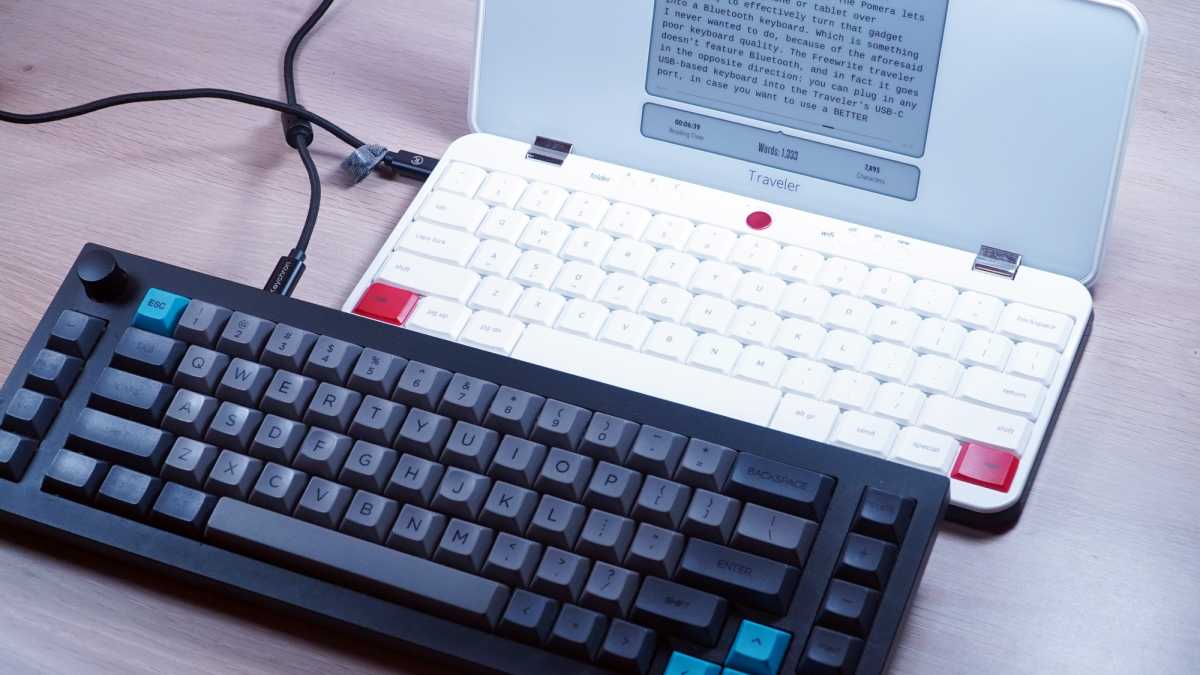
You can see this philosophy in another contrast between the devices. The Pomera lets you connect to a phone or tablet over Bluetooth, to effectively turn that gadget into a Bluetooth keyboard. Which is something I never wanted to do, because of the aforementioned poor keyboard quality. The Freewrite Traveler doesn’t have Bluetooth at all, and in fact it goes in the opposite direction. You can plug in any USB-based keyboard into the Traveler’s USB-C port, in case you want to use a better keyboard in this stripped-down, focused interface.
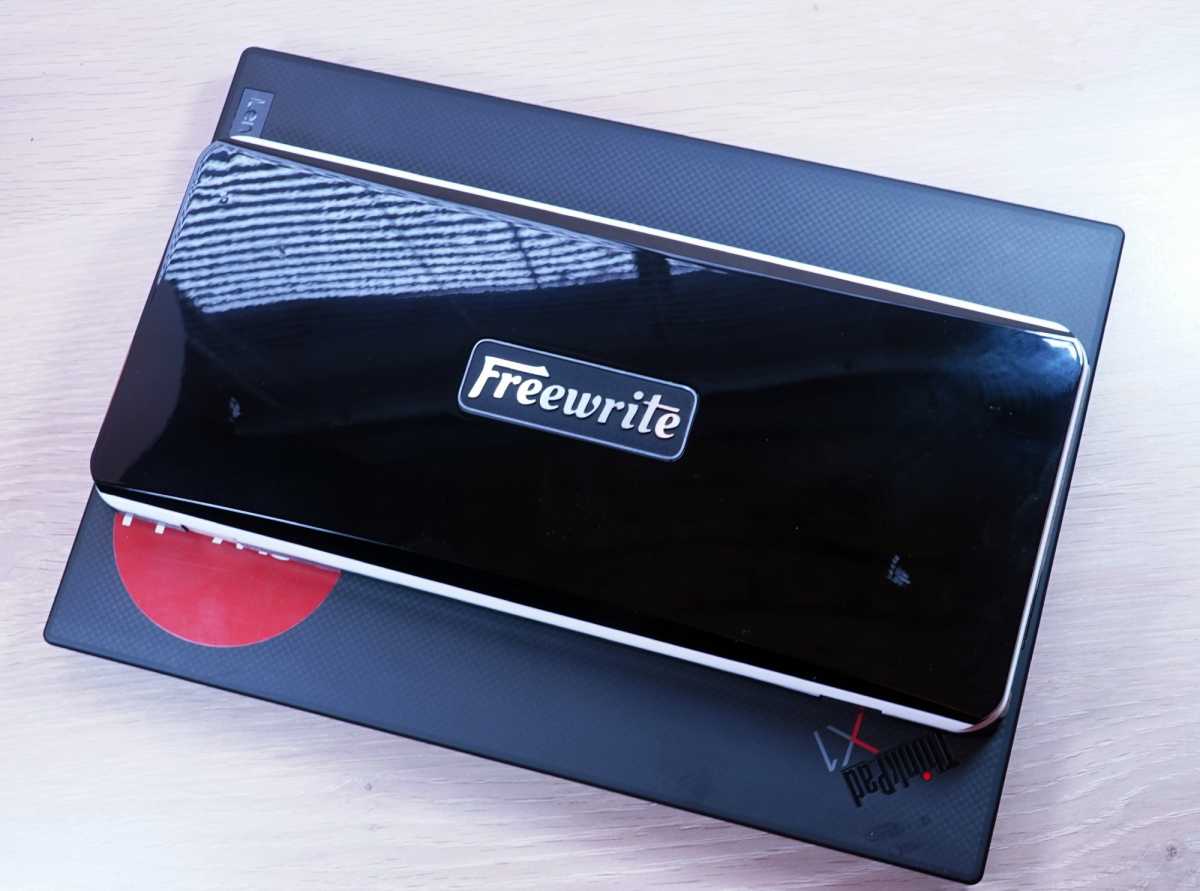
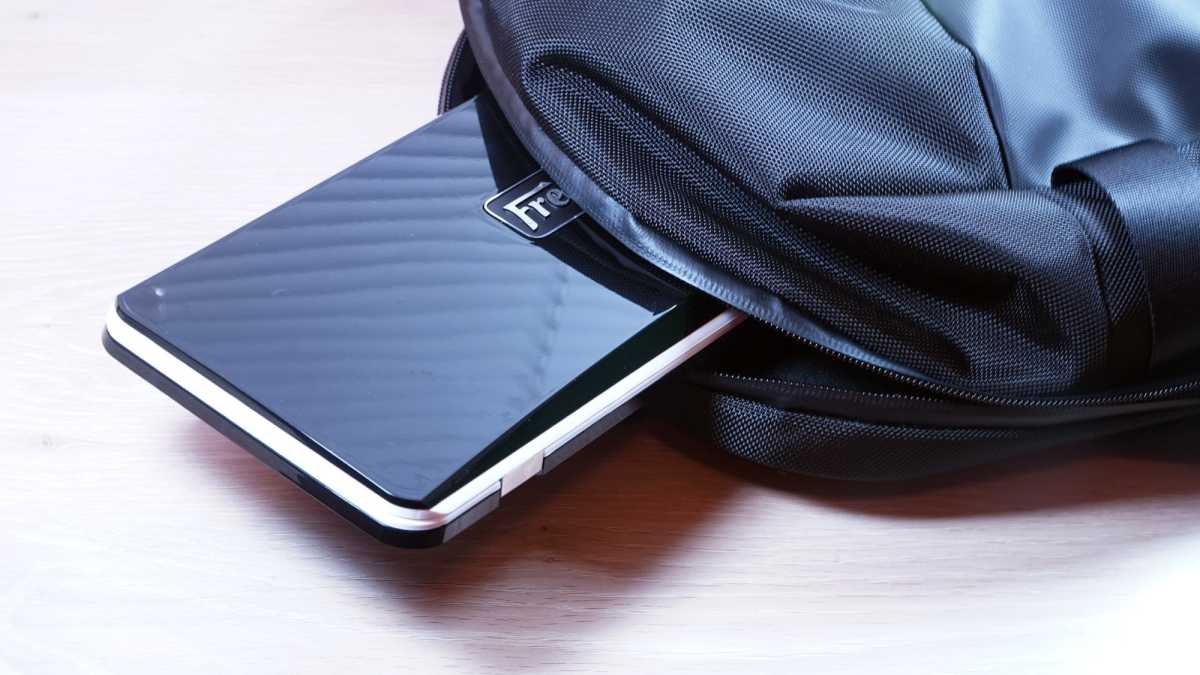
The Traveler is about the same width as my ultraportable, 13-inch laptop, but considerably shorter, making it easy to throw in a bag.
Michael Crider/Foundry
Other design decisions show this commitment to pure writing or drafting. There are no dedicated cursor keys, you can move the cursor with the red “New” keys and WASD. This seems a little awkward at first, but after a few hundred words it becomes second nature to navigate through words, lines, and paragraphs, thanks to smart choices made in how the system handles directions and inputs.
Michael Crider/Foundry
After a week with the Traveler I’ve already used it far more than the Pomera, mostly because it’s more comfortable. But I have to admit that, despite appreciating the far more capable and even sensible operating system from the Japanese KingJim design, the Freewrite setup is just more conducive to actually getting words down. Even the syncing system, though far less flexible and powerful, is more satisfying — I press a button and my draft appears in Gmail.
The Pomera DM250 has a better, backlit screen, far more visual options, and it’s less pretentious. But between the keyboard and the singular focus, the Traveler is the better device, at least for me. My techie spendthrift soul cringes at a $550 price tag (thanks, Trump tariffs!) for something so threadbare in terms of actual hardware. But my writer soul says “just shut up and use it, you’re reaching towards 5000 words today and you don’t feel tired at all.”
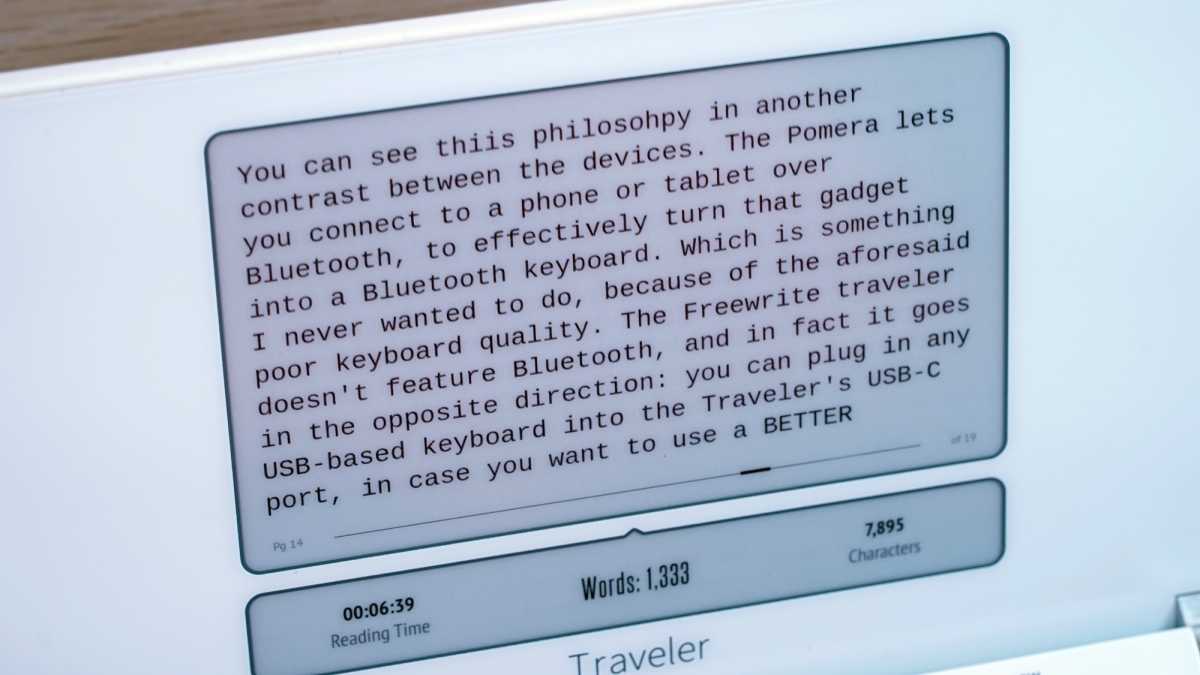
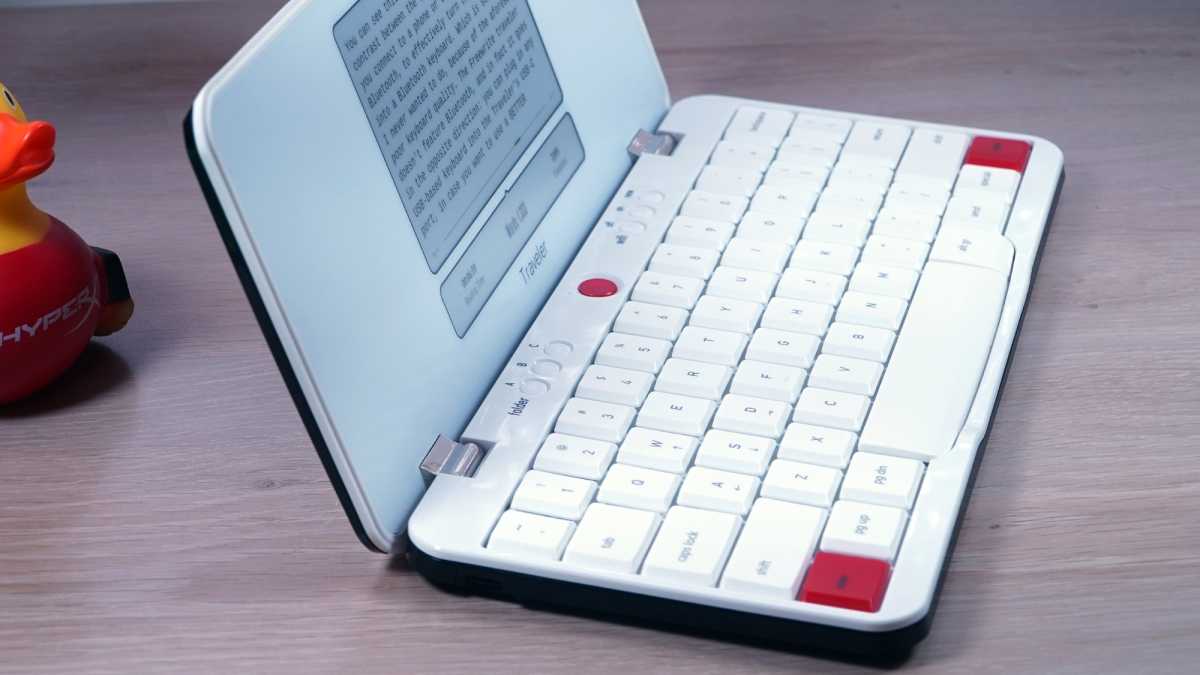
The screen is e-ink with a matte finish, extremely legible, but lacking a backlight for work in the dark.
Michael Crider/Foundry
The Freewrite Traveler does everything I wanted the Pomera to do, even if it’s doing a lot less. It’s much smaller and more portable than a laptop, it lasts far longer on a charge, it refuses to offer any distractions, and it’s actually engaging to use as a writing device. This is an expensive tool, even if it makes me feel like an expensive tool for liking it.
Michael Crider/Foundry
I wish I could rip the keyboard off the Freewrite Traveler and graft it onto the Pomera DM250, and somehow bring its instant Wi-Fi syncing along with it. But until some designer makes that happen, I’ll have to hang with the hipsters. And in the meantime, I’ll sell the Pomera… because neither of these things is anywhere close to a good value.
