


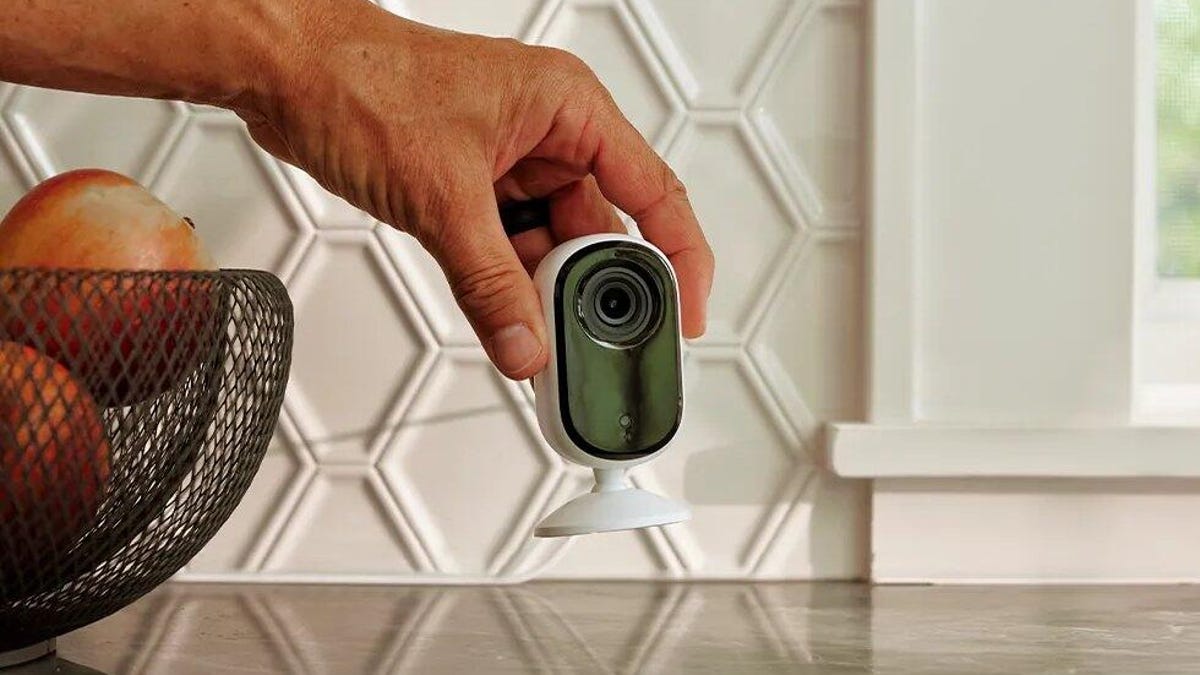
So, you got a new home security camera. It’s got all the fancy bells and whistles, from AI detection to two-way audio, and you’re ready to stick it somewhere to keep an eye on things. But hold on — just because you can put that camera anywhere doesn’t mean you should.
Modern cameras have great features like wide-angle lenses and motion tracking, but slapping one in the wrong spot can make it useless, or worse, get you into some serious privacy trouble. Before you start drilling holes, let’s talk about the places I would never install a security camera, because a little strategy now will save you a massive headache later.
Read more: 5 Places to Never Put Your Amazon Echo
Spot 1: Places with the ‘expectation of privacy’
You need your security camera to protect your home, but the last thing you want it to do is infringe on the safety of others. Don’t risk breaking the law (and inviting lawsuits) by placing a camera where people have what the law calls a reasonable expectation of privacy.
In practice, don’t place a security camera in a bathroom, bedroom or similar area where there is a strong expectation of privacy. If you have to place a camera in one of these areas (for instance, to monitor your bedroom in a multi-rental situation), make sure the camera is visible and everyone in the house knows about it.
Outside cameras are allowed to capture public spaces, like the sidewalk or street that runs past your home because there’s a low expectation of privacy in these areas.
Remember, your camera helps provide a sense of security and serves as a tool to keep you and your home safe. Make sure your cameras aren’t in places that will render them ineffective or, worse, actually undermine someone’s safety.
The second-gen Arlo Essential indoor cam is a useful camera but place it carefully for the best effect.
Spot 2: Looking directly at a neighbor’s property
In addition to protecting all the private places on your property, be careful about positioning security cams so that part of their view captures a neighbor’s windows or backyard. Legally, those are spots where your neighbors also have a right to their own privacy, and lawsuits have resulted from much less.
That’s also why you should try to avoid even the appearance of cameras that are pointing toward a neighbor’s lawn or peeking into their windows. Many modern security cams come with the ability to create “privacy zones” that block out certain areas in the camera’s live view or recording. If a neighbor complains, you may be able to show them your privacy zones to prove that no part of their home is being recorded.
Spot 3: Difficult-to-see locations
You might be tempted to point cameras at the spots around your home that are difficult to see. There is an intuitive reason for this: If you can’t see a location from your windows or doors, it feels possible that someone might be lurking there. You might think these hidden areas are a burglar’s preferred place to break and enter.
Generally, burglars will enter a home through the most obvious paths. According to data collected by security company ADT, 34% of burglars enter through the front door and 22% use a first-floor window. The clearest access points are the most common routes for break-ins. Pointing a camera at these spaces can deter a break-in and can help identify anyone who attempts to get in.
Placing a security camera in a side alley or the back of your home might seem like it will catch someone sneaking around, but it’s more likely to miss the action. If you really need to watch the hidden spots, look for a bundle that includes several cams to install in multiple locations, like this pack of Arlo Pro 4 spotlight cameras which comes with built-in motion sensor lights to serve as an added deterrent to intruders.
Lorex offers free object detection with its cams, so make sure they have a good view.
Spot 4: Behind obstructions
This might sound like a no-brainer, but camera obstructions aren’t always so obvious; outdoors, this might mean allowing space for tree branches to swing in the wind. Be careful of quick-growing plants that will require you to move your camera every year or two, or tree limbs that get a lot heavier when loaded with spring leaves/flowers and will block a view. A quick trimming session may help your installation.
Consider your camera’s range of view inside too. Will your cam see everything you want it to when interior doors are opened and closed? You’ll also want to avoid placing the camera in a spot where a pet might interact with it. If you place it on a shelf, will your cat knock it off? Will an energetic dog barreling through the house send it tumbling or change its angle? The same applies to racing toddlers.
Find a spot with good views of the space you want to watch and is unlikely to be bumped by you, a guest or your four-legged friend.
Spot 5: Through a window
The Blink Outdoor 4 has an adjustable mount that’s sturdy enough to stay at the right angle.
We know it’s tempting to pay less for an indoor-only cam and think about putting it by a window so it can get a good look outside. There are two big problems with trying this.
First, windows have a glare problem. Even when the camera is pressed close against the glass, the view often doesn’t work when the sun is at a certain angle or when it’s dark outside. Over time, dust on the window causes similar issues.
Second, the angles and areas you can view through home windows are very limited. Cameras are unlikely to get a good view of key access points or a broad view of a yard or driveway.
Spot 6: Facing the sky
We don’t mean intentionally angling a cam up so it captures only the great blue beyond — we’re talking about cams with wide fields of view that include a significant portion of the sky. This can create problems when the sun passes overhead and blinds the cam with glare or blocks out details with brightness. Also, frequent, direct sunlight increases the risk of UV damage and wear over time.
To prevent these problems, work to angle your camera away from the sky and focus on views below the roof/tree/hill line. Also, try to place cameras in an area where they’re at least partially protected by shade.
Spot 7: Near vents or heaters
We’ve encountered this problem during some of our tests and sample experiments, and we’re here to warn you: Don’t put a camera near or above any kind of exhaust vent or heat source. That includes space heaters, fireplaces, fire pits, exhaust vents from gas heating and dryer exhaust vents.
Vents and open heat sources tend to make the camera and its lens dirtier, while the higher temperatures are bad for the battery on wireless models. The result is worse performance and a shorter lifespan for your cam. If you’re using adhesive connections for your camera, a nearby heat source can ruin the adhesive and lead to a fallen and damaged camera (another reason to avoid direct sunlight).
Installing the Arlo Pro outdoors.
Bonus tip: How high to place your camera
Most security cameras have no right or wrong height, although many recommendations exist online and from the manufacturer. A higher vantage point will give a better view of a driveway or large yard, but we find that a broad field of view (greater than 130 degrees at least) works just as well, if not better. A rechargeable cam should usually be placed in a spot that’s easy to reach when the battery needs attention, although we also recommend using a solar-powered home security camera if you can. Video doorbells are typically installed about 4 feet from the bottom of the doorframe.
For more, read up on other home security mistakes you can make. Learn how to stop porch pirates, reduce the risk of car break-ins and what you should keep in a safe.
FAQs
How do I avoid legal issues when installing a security camera?
When you install a security camera, you need to respect the “expectation of privacy.” That means you can’t film places where people have a reasonable expectation that their actions will remain fully private.
In your own property, this includes rooms like the bathroom and the bedroom — although you can still install a camera if you don’t hide it and make it readily apparent that there’s security equipment installed. Outside of the house, it would be best if you were careful about installing cameras that point into strangers’ properties, and especially their backyards.
What are the biggest obstructions to a security camera?
If you want to make sure your security camera is able to get an obstructed view, make sure to avoid installing it near tree branches. You’re also going to want to avoid facing the camera toward the sun or through a window, as both of these locations are going to cause a lot of glare and interfere with what you’re able to see.
Why should I keep my camera away from vents or other heat sources?
A vent, space heater, fireplace or other heat source may not block your security camera’s field of view the same way that a tree or window would, they’ll make your lens dirty very quickly, meaning you’ll have to clean it very often for a clear feed. Additionally, heat sources can damage your camera’s battery, significantly shortening the device’s projected lifespan.
What states have two-party consent laws for audio recordings?
If your camera has the ability to record audio, keep in mind that some states require two-party or all-party consent to record audio and use it for any legal reason. In other words, both sides of the conversation need to indicate that they’re aware it’s being recorded. That includes California, Delaware, Florida, Illinois, Maryland, Massachusetts, Michigan, New Hampshire, Pennsylvania, Washington, and under certain circumstances, Oregon and Connecticut. Check your individual state laws if this is a concern.
